
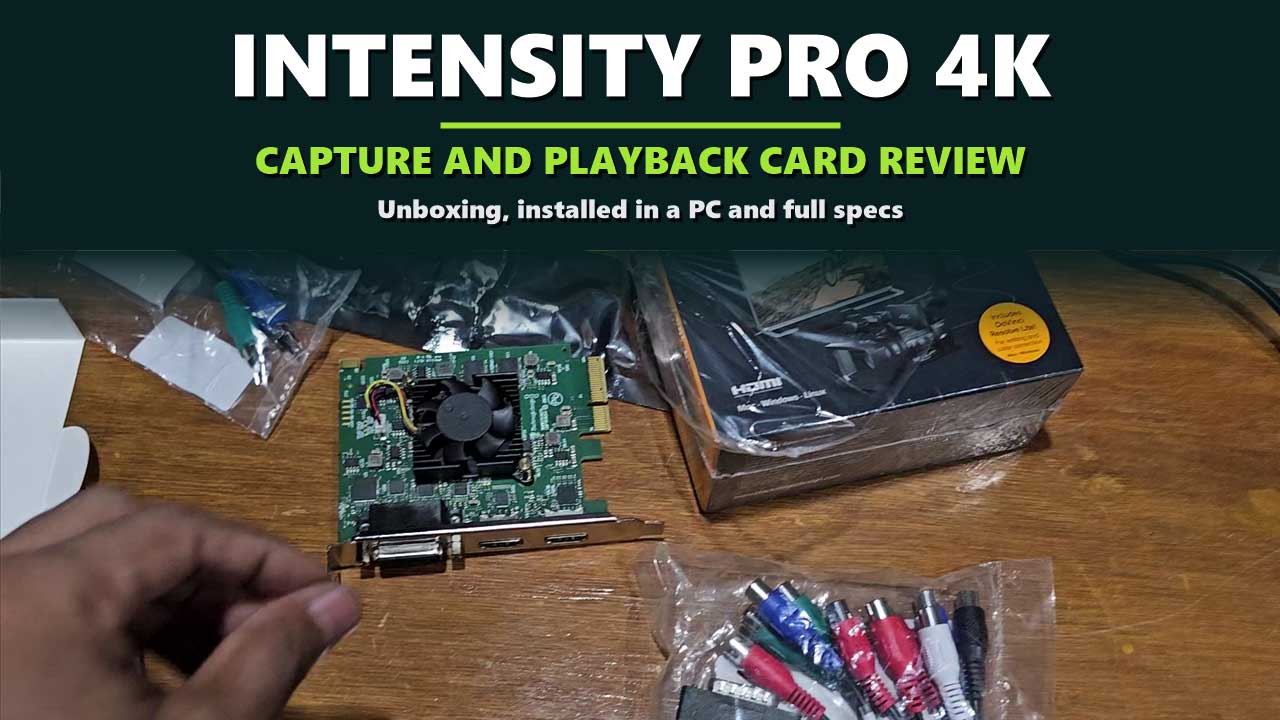

The box of tapes is still in the cupboard. Weddings, birthdays, an old console you loved. The player still works, but its red, white and yellow plugs fit nothing on a modern computer.
The Blackmagic Design Intensity Pro 4K is one of the few current capture cards that still speaks that language. It has HDMI in and out for today’s cameras and consoles, and a breakout cable for component, composite and S-Video gear. It also plays video back out, so you can watch your edit on a real television while you work.
We unboxed an Intensity Pro 4K and fitted it in a desktop PC. This review shows what is in the box, what the card looks like installed, what each connection is for, which formats it accepts, and what the specifications mean in practice. Every specification here comes from Blackmagic Design’s official technical specifications.
Problem 1: old analog gear
The breakout cable takes component, composite and S-Video, with stereo RCA audio.
Problem 2: no true preview
The HDMI output plays your timeline on a television or monitor.
Problem 3: buying software too
DaVinci Resolve and Media Express are included for editing and capture.
Disclosure: This post contains affiliate links. If you buy through them, we may earn a commission at no extra cost to you.
The Quick Answer
The Intensity Pro 4K is for one source at a time on a desktop computer: a camera, a console, a tape deck or another computer. It captures and plays back, it accepts both HDMI and analog video, and it reaches Ultra HD at up to 30 frames per second. It’s not the card for Ultra HD at 60 frames per second, for several cameras at once, or for a laptop. It also cannot capture copy-protected HDMI sources.

INTENSITY PRO 4K
Blackmagic Design Intensity Pro 4K
✔ HDMI capture and playback ✔ Analog breakout cable included ✔ DaVinci Resolve included
Price and stock change often. The button shows today’s price on Amazon.
Unboxing the Intensity Pro 4K
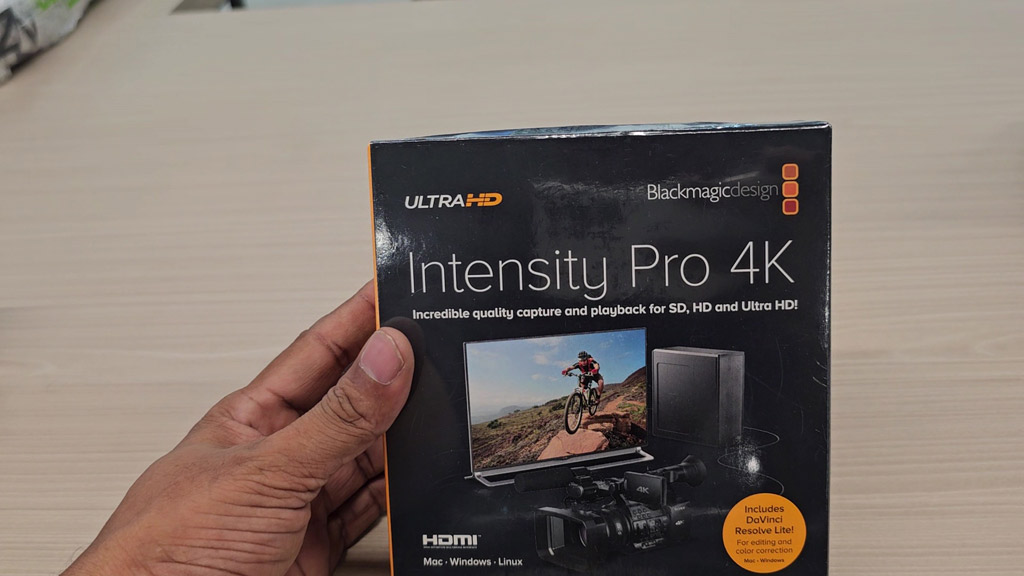
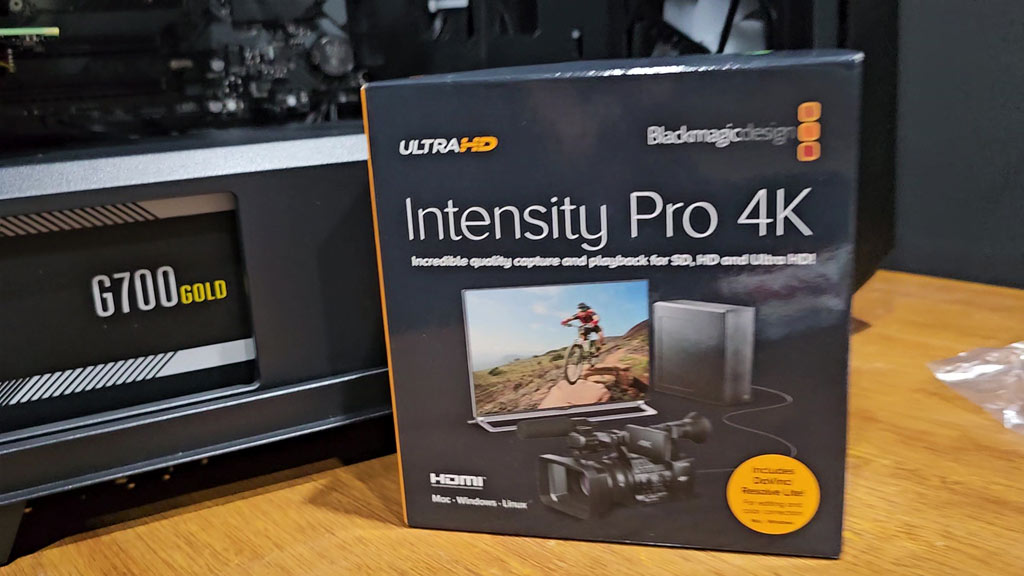
The box is black with an Ultra HD badge in the corner. Under the name it reads “Incredible quality capture and playback for SD, HD and Ultra HD!”, and an orange sticker notes that DaVinci Resolve is included. The front also names the three systems it runs on: Mac, Windows and Linux.
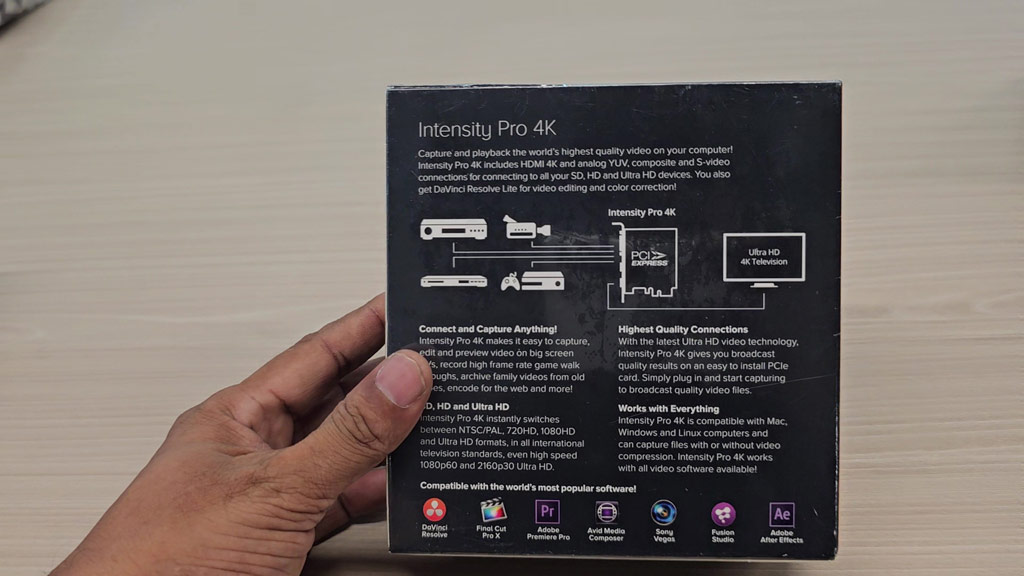
The back has a simple diagram: players, cameras and consoles on the left, the card in the middle, an Ultra HD television on the right. That picture is the whole idea of the card. Video comes in, goes through your computer, and goes out again.
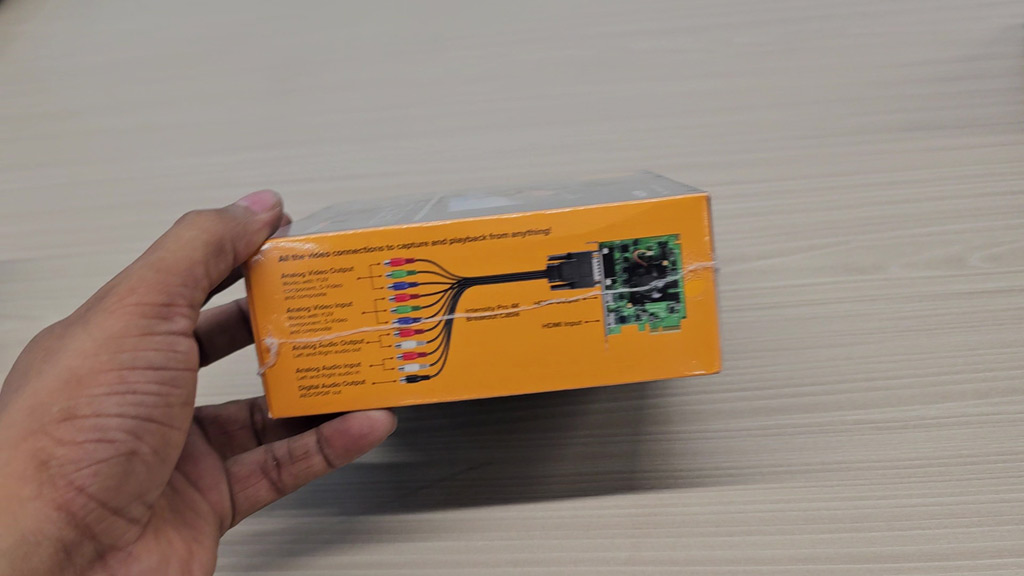
One side of the box is orange and shows the breakout cable with every plug labelled. It is worth a look before you start, because it tells you which coloured plug is which.
Everything in the Box, and What You Still Need
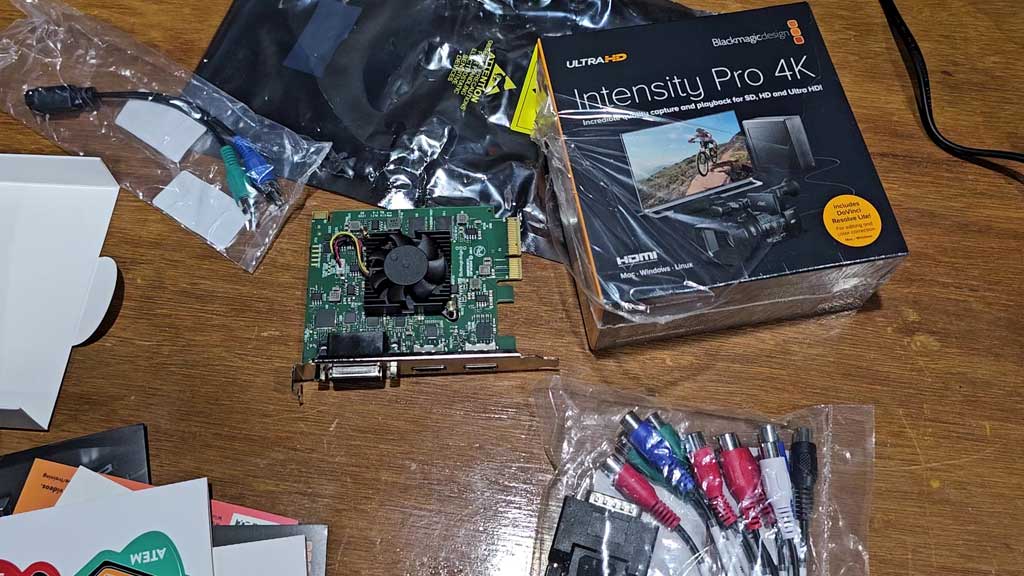
| Item | In the box | What it is for |
|---|---|---|
| Intensity Pro 4K card | Yes | Captures and plays back video. |
| Breakout cable | Yes | Adds the analog video and audio connections. |
| Welcome wallet with QR code | Yes | Points you to the software download. |
| Desktop computer with a free PCIe slot | No | The card needs a 4, 8 or 16-lane PCI Express slot. |
| HDMI cables | No | One for the source and one for the monitor. |
| Software | Download | DaVinci Resolve, Media Express and the driver. |
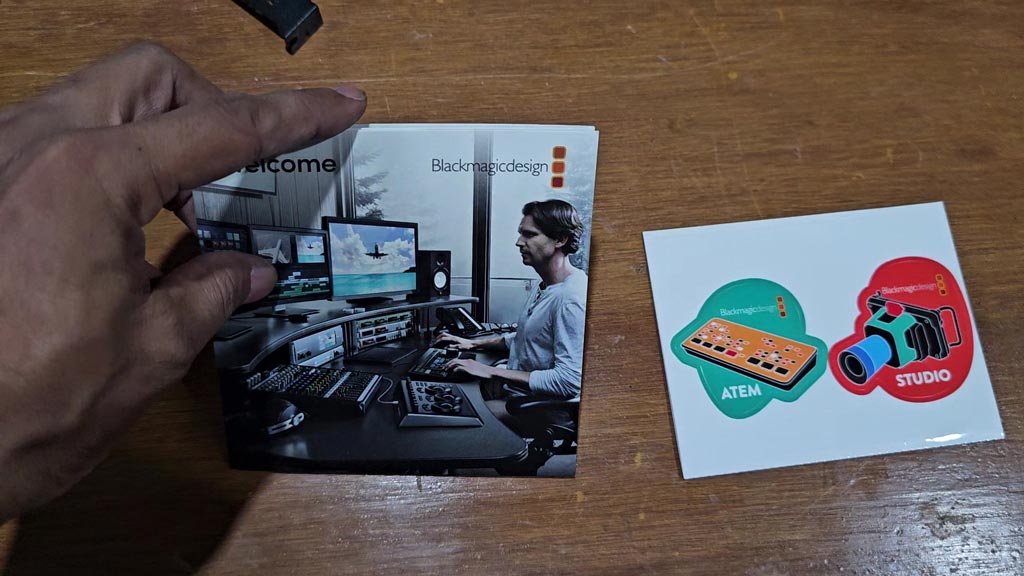
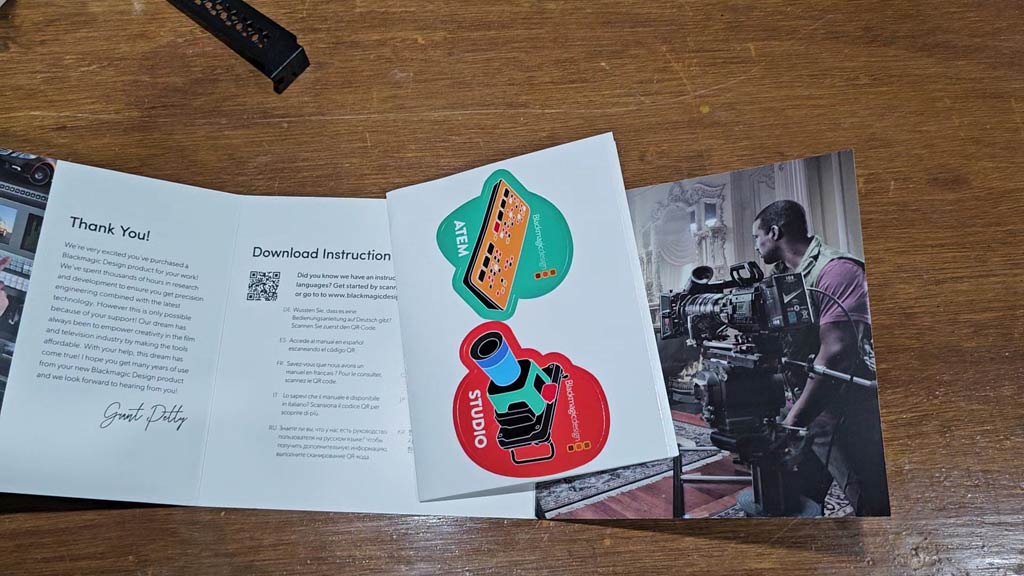
There is no disc. The welcome wallet opens to a thank-you note and download instructions with a QR code. Our box also had a sheet of stickers.
A Tour of the Card
The card and the breakout cable
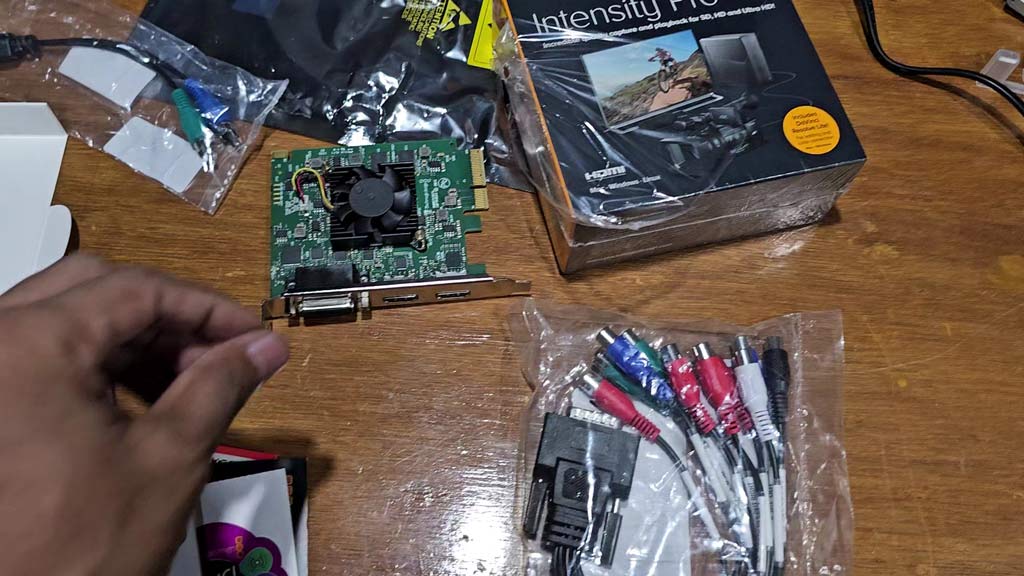
The card is a short green board with a black heatsink and a small fan. Blackmagic Design lists its power consumption at 17 watts. Beside it in the photo is the breakout cable: one wide plug that screws into the card, fanning out to a bundle of colour-coded RCA sockets for video and audio.
The connections on the bracket
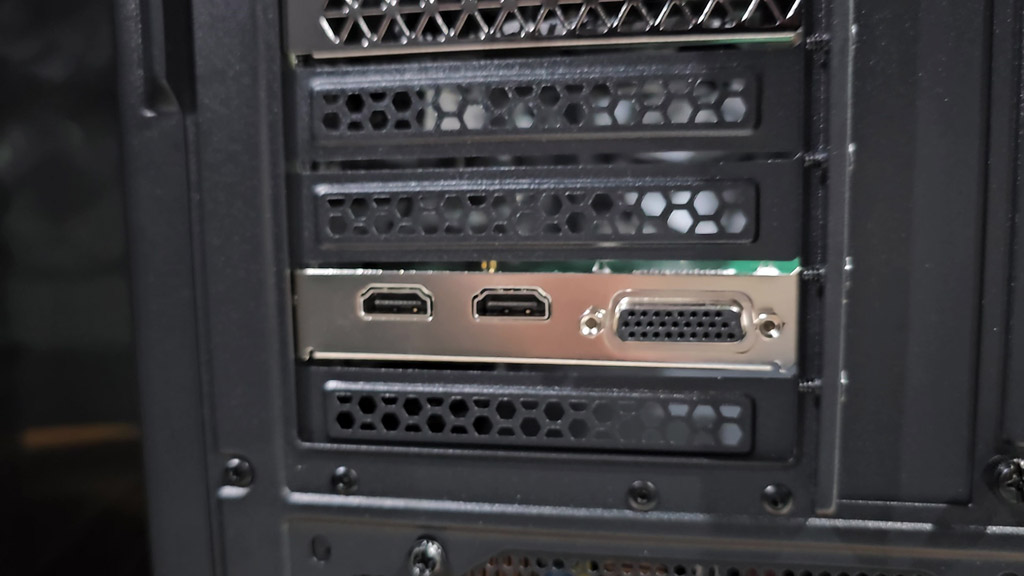
This is the card fitted in our PC, seen from the back of the case. The bracket has three connectors: two HDMI sockets and the wide socket for the breakout cable. One HDMI socket is the input and the other is the output. Check the labels on the bracket before you plug in, because the two look the same.
Inside the computer
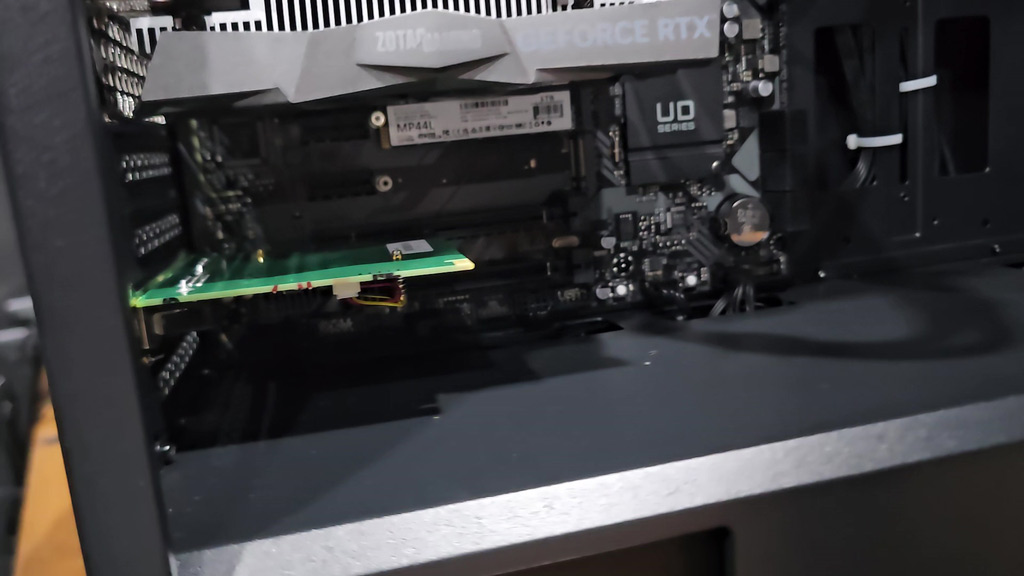
Inside the case, the card sits in a PCI Express slot on the motherboard. It is a 4-lane card and fits 4, 8 and 16-lane slots, so it has more choice of slot than larger capture cards. On a Mac, Blackmagic Design says you need a Mac Pro with PCI Express slots.
How It Connects to Your Gear
| Your source or screen | Connection to use |
|---|---|
| HDMI camera or console | HDMI input, up to 1080p60 or 2160p30. |
| Television or monitor for preview | HDMI output. |
| VHS deck or camcorder with a yellow plug | Composite video on the breakout cable. |
| S-Video deck | S-Video on the breakout cable. |
| Older console or player with component video | Component video on the breakout cable, SD or HD. |
| Stereo sound from analog gear | The two RCA audio connections, in 24-bit. |
| A copy-protected source | Not possible. The HDMI input cannot capture it. |
The analog connections work in both directions. The card lists component, composite or S-Video as inputs and as outputs, with stereo RCA audio each way.
The Big Features, Without the Jargon
What does “capture and playback” mean?
Capture brings video into the computer. Playback sends video out of it. A capture-only card stops at the first step. With the Intensity Pro 4K, your editing software can send the picture out through the HDMI output, so you judge colour and motion on a television and not in a small window on the desktop.
How far does the “4K” go?
This is the point to read twice. The card supports Ultra HD from 2160p23.98 to 2160p30. It does not list 2160p50 or 2160p60. HD goes up to 1080p60. If you need Ultra HD at 60 frames per second, you need a different card.
What is HDMI 1.4b?
It is the HDMI version the card uses, and it is the reason for the 30 frames per second limit at Ultra HD. It supports Deep Color, and the output sets itself up for the display you connect.
What is up conversion?
The card can convert standard definition to 1080 HD or 720 HD in real time while it captures. That means an old tape can arrive in your project already at HD size. Going the other way, Ultra HD and HD are down converted in software during playback.
How much colour detail does it keep?
- RGB 4:4:4 at 8 or 10-bit in all modes up to 1080p60.
- YUV 4:2:2 at 8 or 10-bit in all modes.
- Colour spaces: Rec 601 and Rec 709.
What about audio?
HDMI carries 8 channels of embedded audio in and out. The breakout cable adds 2 channels of RCA audio in and out. Both are sampled at 48 kHz and 24-bit.
Software and Operating Systems
| Included software | DaVinci Resolve, Media Express, Disk Speed Test, LiveKey, Blackmagic Desktop Video Utility and the driver on Mac and Windows. Media Express, the utility and the driver on Linux. |
| Editing and effects | DaVinci Resolve, Fusion, Final Cut Pro X, Adobe Premiere Pro CC, Avid Media Composer, Adobe After Effects CC, Autodesk Smoke, Adobe Photoshop CC. |
| Audio | Avid Pro Tools and Steinberg Cubase. |
| Streaming and live | Open Broadcaster Software Studio, vMix Live, Telestream Wirecast, Xsplit Broadcaster and others. |
| Operating systems | Mac 15.0 Sequoia and Mac 26.0 Tahoe or later, Windows 10 64-bit, Windows 11, and Linux. |
| Firmware | Built into the software driver and loaded at system start or through the updater. |
Blackmagic Design notes that third-party application support may vary, so check with your software vendor, and check its support pages for the full system requirements.
Official Specifications
| HDMI video input | 1 × HDMI type A |
| HDMI video output | 1 × HDMI type A |
| HDMI audio | 8 channels embedded, in and out |
| Analog video in and out | Component, composite or S-Video |
| Analog audio in and out | 2-channel RCA, 24-bit |
| Computer interface | PCI Express 4-lane, for 4, 8 and 16-lane slots |
| SD standards | 525i59.94 NTSC, 625i50 PAL |
| HD standards | 720p50 to 720p60, 1080i50 to 1080i60, 1080p23.98 to 1080p60 |
| Ultra HD standards | 2160p23.98 to 2160p30 |
| HDMI version | HDMI 1.4b with Deep Color |
| Video sampling | 4:4:4, 4:2:2 and 4:2:0 |
| Colour space | Rec 601, Rec 709 |
| Audio sampling | 48 kHz, 24-bit |
| Up conversion | Real-time SD to 1080 HD and 720 HD during capture |
| Copy protection | Cannot capture copy-protected HDMI sources |
| Power consumption | 17 watts |
| Warranty | 1 year limited manufacturer’s warranty |
| List price | US$305 |
Source: Blackmagic Design, Intensity Pro 4K technical specifications. The list price is the one shown on Blackmagic Design’s site when we wrote this and can change.
Through your software the card works with compressed and uncompressed video, including Apple ProRes 422 and 4444, DNxHD and DNxHR, AVC-Intra, XDCAM, and uncompressed 10-bit 4:2:2 and 4:4:4.
Pros and Cons
👍 WHAT WE LIKE
✔ HDMI and analog. New cameras and old tape decks on one card.
✔ Capture and playback. An HDMI output for a real preview screen.
✔ Breakout cable included. No extra adapter to buy for analog.
✔ Up conversion. SD to HD in real time while capturing.
✔ Software included. DaVinci Resolve and Media Express.
✔ Fits more slots. A 4-lane card for 4, 8 and 16-lane slots.
👎 WHAT TO KNOW
✘ Ultra HD stops at 30p. No 2160p50 or 2160p60.
✘ One source at a time. A single HDMI input.
✘ Desktop only. It needs a PCI Express slot.
✘ No copy-protected sources. Protected HDMI cannot be captured.
✘ 1 year warranty. Shorter than the DeckLink cards.
Intensity Pro 4K vs DeckLink Quad HDMI Recorder
| Feature | Intensity Pro 4K | DeckLink Quad HDMI |
|---|---|---|
| HDMI inputs | 1 | 4 |
| HDMI output | 1 | None |
| Analog video | Yes | No |
| Top Ultra HD rate | 2160p30 | 2160p60 |
| HDMI version | 1.4b | 2.0b |
| PCIe slot | 4-lane | 8-lane |
| Power | 17 W | 23 W |
| Warranty | 1 year | 3 years |
| List price | US$305 | US$669 |
Both columns come from Blackmagic Design’s technical specifications. The two cards do different jobs. The Intensity Pro 4K handles one source of almost any kind and plays video back out. The card in our DeckLink Quad HDMI Recorder review takes four HDMI sources at once and has no output.
Is the Intensity Pro 4K Right for You?
| If you are… | Our view |
|---|---|
| Digitising tapes and old home video | Yes. Analog inputs and real-time up conversion are built for this. |
| An editor who wants a preview on a TV | Yes. The HDMI output works with the major editing programs. |
| A retro game capturer | Yes. Component, composite and S-Video are all covered. |
| Streaming one camera in HD | Yes. It works with OBS, vMix and Wirecast. |
| Capturing Ultra HD at 60 frames per second | No. It stops at 2160p30. |
| Running several cameras | No. Look at a multi-input card or a hardware switcher. |
For several cameras on a physical panel, see our ATEM Mini Extreme ISO G2 review.
Questions People Ask About the Intensity Pro 4K
Does the Intensity Pro 4K capture 4K at 60 frames per second?
No. Its Ultra HD standards run from 2160p23.98 to 2160p30. HD goes up to 1080p60.
Can the Intensity Pro 4K capture VHS tapes?
It has composite and S-Video inputs on the breakout cable, which are the connections tape decks use, and it can up convert SD to HD while capturing.
Does it have an HDMI output?
Yes. It has one HDMI input and one HDMI output, so it can play video back to a television or monitor.
What comes in the box?
The card, a breakout cable and a welcome wallet with a QR code for the software download.
Is DaVinci Resolve included?
Yes. Blackmagic Design lists DaVinci Resolve among the included software on Mac and Windows.
Does it work with OBS?
Yes. Open Broadcaster Software Studio is on Blackmagic Design’s list of supported applications.
Which slot does it need?
A PCI Express slot with 4, 8 or 16 lanes.
Can it capture from a copy-protected HDMI source?
No. The HDMI input cannot capture copy-protected sources.
The Bottom Line
The Intensity Pro 4K earns its place by covering ground that most capture cards have left behind. It takes HDMI from a new camera and composite from a thirty-year-old tape deck, converts old footage up to HD as it comes in, and sends your edit back out to a television. Read the “4K” in its name with care, because Ultra HD stops at 30 frames per second, and remember that it handles one source at a time. If your work is tapes, retro consoles, single-camera capture or a proper preview screen, it is a sound and well-supported choice.
INTENSITY PRO 4K
Blackmagic Design Intensity Pro 4K
✔ HDMI capture and playback ✔ Analog breakout cable included ✔ DaVinci Resolve included
Price and stock change often. The button shows today’s price on Amazon.

About the Author: Jason
I am a tech enthusiast and the reviewer behind Tech Buying Today. I unboxed this Intensity Pro 4K, fitted it in a desktop PC and photographed it myself, and the specifications in this review come from Blackmagic Design’s official technical specifications. Before I recommend anything, I compare the specifications, read the fine print and look for the trade-offs, then write it up in plain language so you can decide quickly.
Learn more about Tech Buying Today and how we choose what to recommend.