
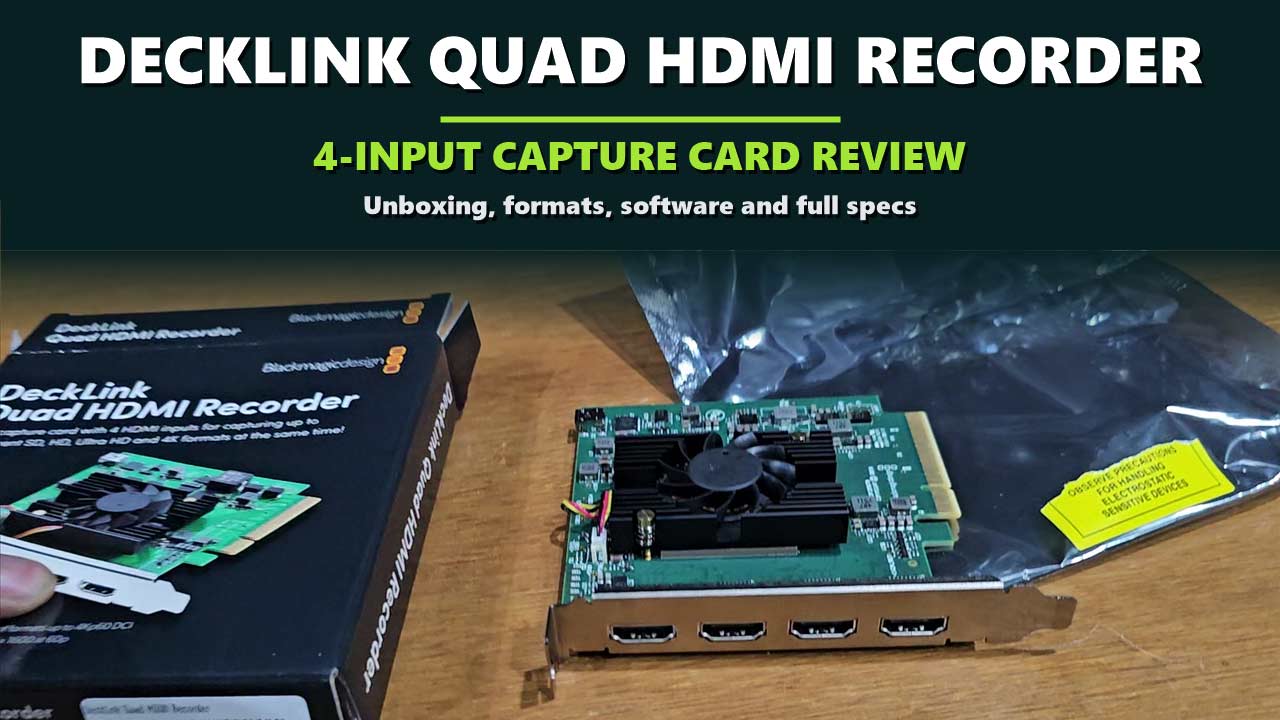

Four cameras, one computer, and not enough ways in. You add a USB capture stick for each camera, then a hub, then a second hub, and on the night one of them drops out for no clear reason.
The Blackmagic Design DeckLink Quad HDMI Recorder replaces that pile with a single card inside the computer. It has four HDMI inputs, and each one works as its own capture card. Your switching or streaming software sees four separate sources, in any mix of resolutions, at the same time.
We unboxed a new DeckLink Quad HDMI Recorder and looked over the card itself. This review shows what is in the box, what your computer needs before you buy, which video formats each input accepts, which software works with it, and what the specifications mean in practice. Every specification here comes from Blackmagic Design’s official technical specifications.
Problem 1: too many capture boxes
Four independent HDMI 2.0b inputs sit on one card, in one slot.
Problem 2: sources that do not match
Each input takes SD, HD, Ultra HD, 4K DCI or a computer format, in any combination.
Problem 3: limited by USB
An 8-lane PCI Express generation 3 connection carries all four signals into the computer.
Disclosure: This post contains affiliate links. If you buy through them, we may earn a commission at no extra cost to you.
The Quick Answer
The DeckLink Quad HDMI Recorder is for people who switch, stream or record several HDMI sources on a desktop computer using software such as vMix, Wirecast or OBS. It is a capture-only card: four inputs and no video outputs. It needs a free 8-lane or 16-lane PCI Express slot, so it does not work with a laptop, and it cannot capture copy-protected HDMI sources.

DECKLINK QUAD HDMI RECORDER
Blackmagic Design DeckLink Quad HDMI Recorder
✔ 4 independent HDMI inputs ✔ Up to 2160p60 on each ✔ Works with vMix, Wirecast and OBS
Price and stock change often. The button shows today’s price on Amazon.
Unboxing the DeckLink Quad HDMI Recorder
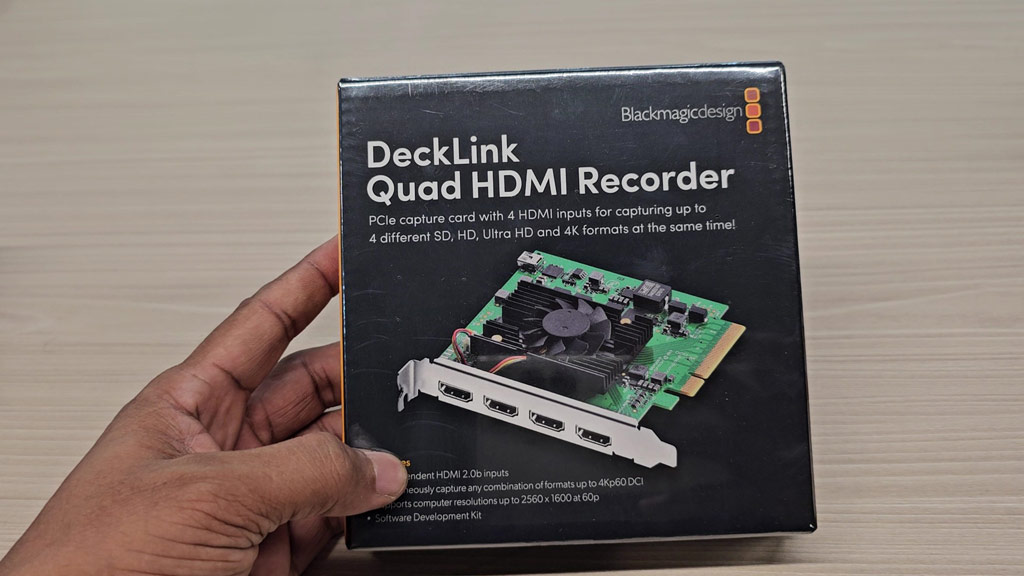
The card comes in a small black box with a picture of the card on the front. The line under the name sums it up: a PCIe capture card with 4 HDMI inputs for capturing up to 4 different SD, HD, Ultra HD and 4K formats at the same time.
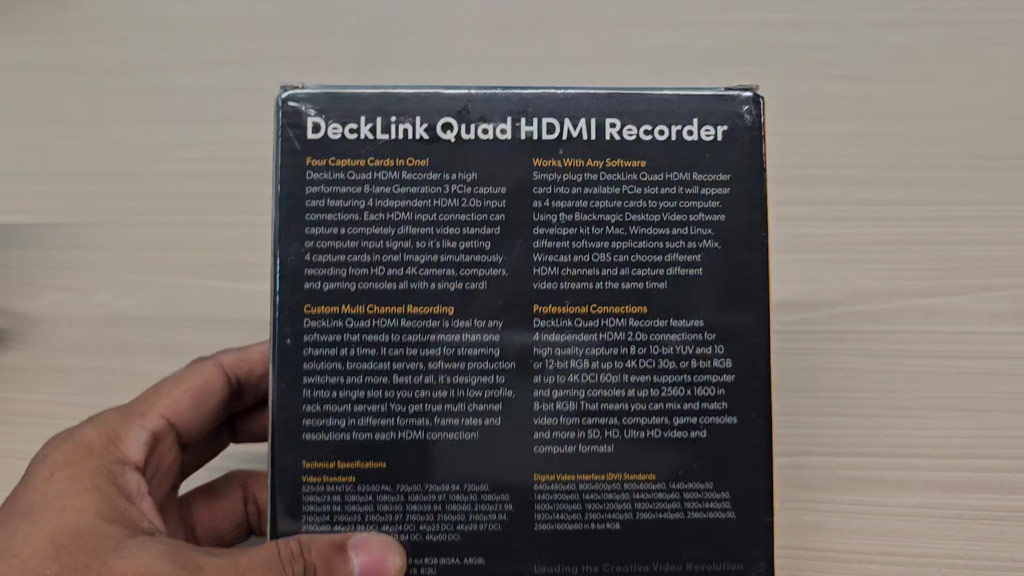
The back of the box carries four short sections: Four Capture Cards in One, Works With Any Software, Custom Multi Channel Recording and Professional Connections, followed by the technical specifications.
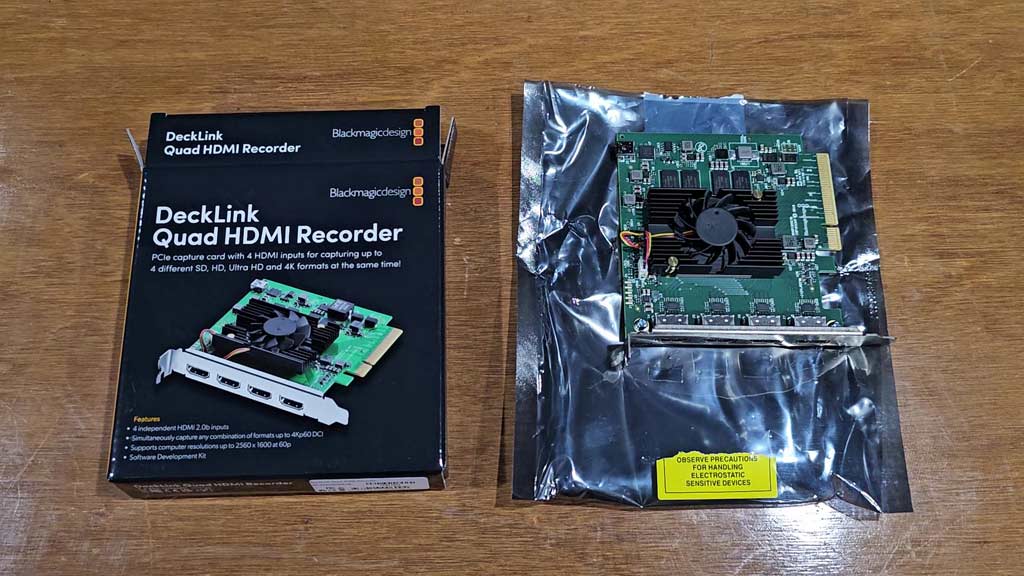
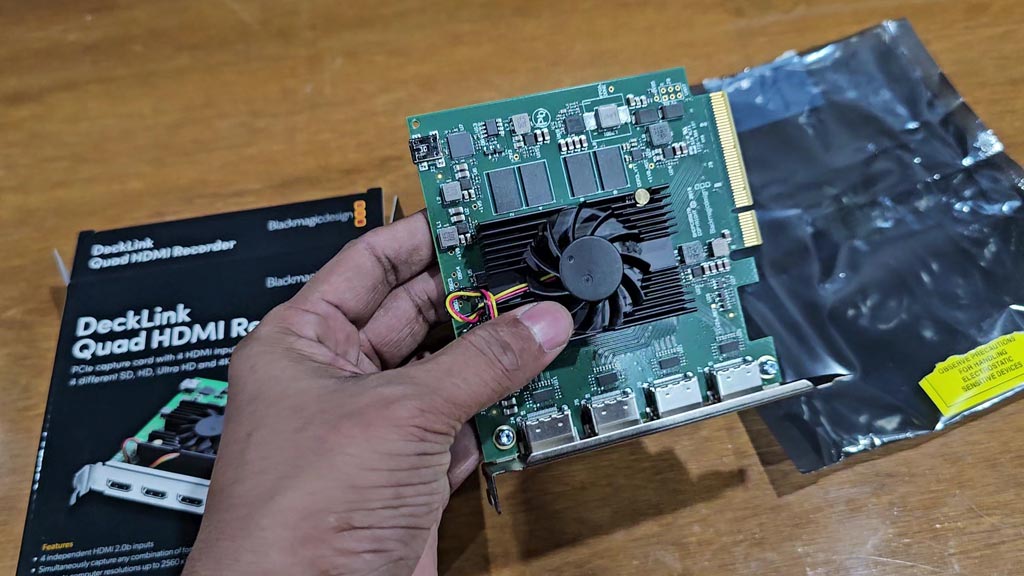
Inside, the card is sealed in a silver anti-static bag with a yellow warning label about handling electrostatic sensitive devices. Touch a metal part of your computer case before you take the card out, and hold it by the edges.
Everything in the Box, and What You Still Need
Blackmagic Design’s “What’s Included” list has one line: the DeckLink Quad HDMI Recorder. There are no cables in the box. Here is the full picture of what a working setup takes.
| Item | In the box | What it is for |
|---|---|---|
| DeckLink Quad HDMI Recorder card | Yes | Captures four HDMI sources. |
| Desktop computer with a free PCIe slot | No | The card needs an 8-lane or 16-lane PCI Express slot. |
| HDMI cables | No | One for each source you connect. |
| Blackmagic Desktop Video software | Download | Driver and setup utility for Mac, Windows and Linux. |
| Switching or recording software | No | Such as vMix, Wirecast or OBS. |
A Tour of the Card
The front: heatsink and fan
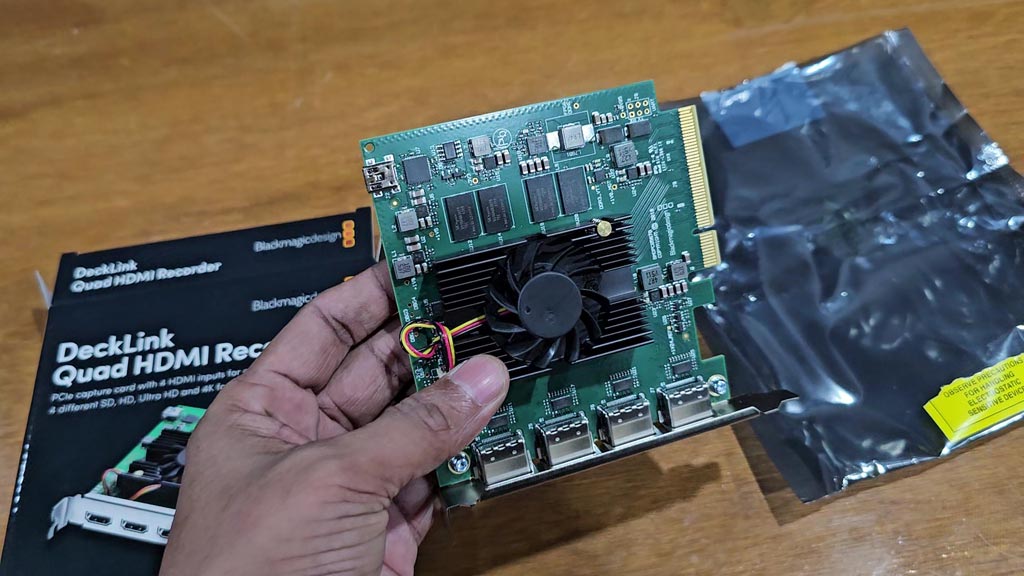
The card is a green circuit board with a black finned heatsink in the centre and a small fan mounted on it. Blackmagic Design lists the power consumption at 23 W, and the card takes its power from the slot. Leave some clear space around it in the case so the fan can move air.
The four HDMI inputs
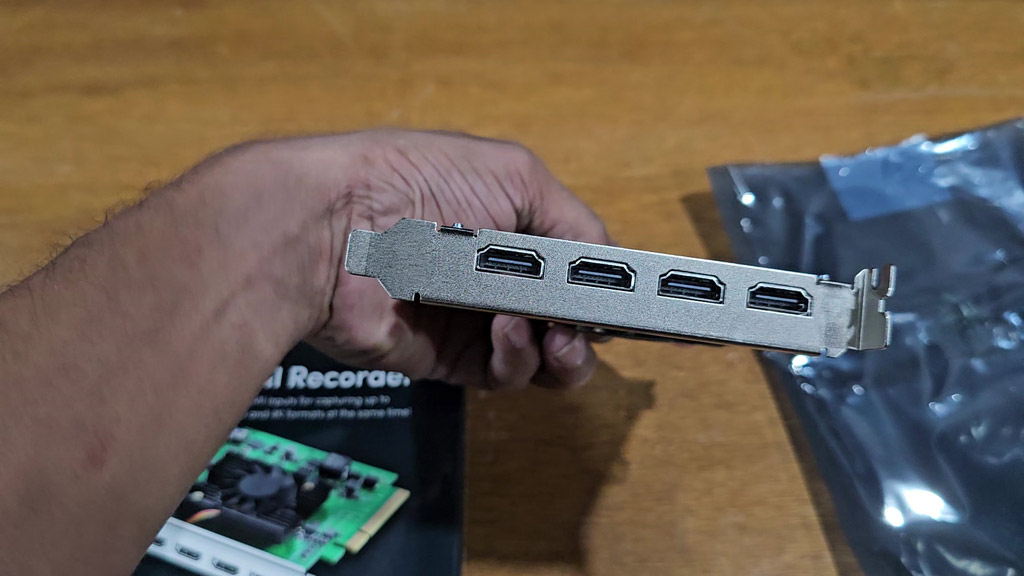
The metal bracket holds four full-size HDMI sockets in a row. All four are inputs. Each is an HDMI 2.0b connection, and each carries up to 8 channels of embedded audio along with the picture.
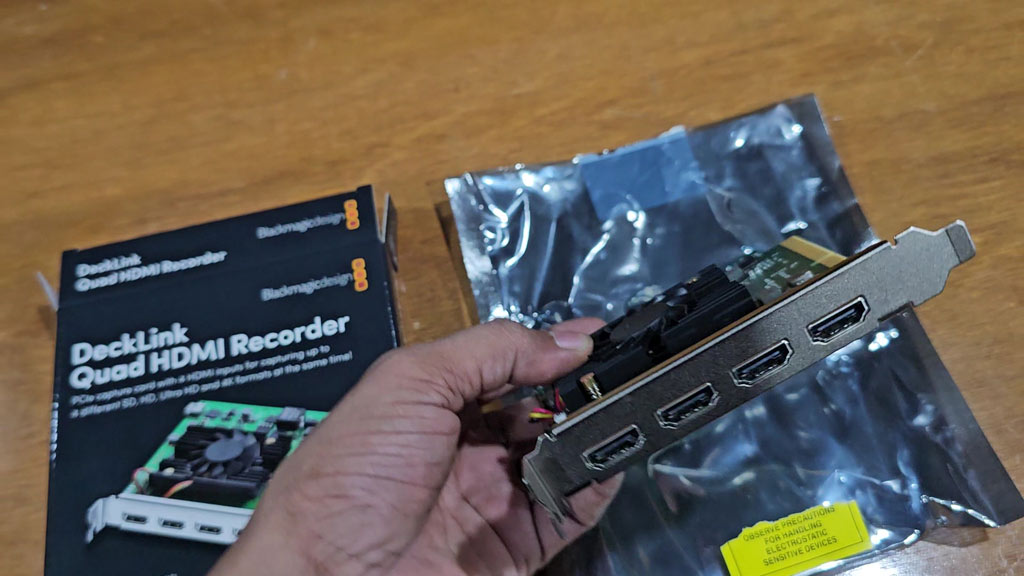
There are no outputs on this card. The word “Recorder” in the name means capture only. If you need to send video out of the computer as well, this is not the DeckLink model for that job.
The PCI Express connector
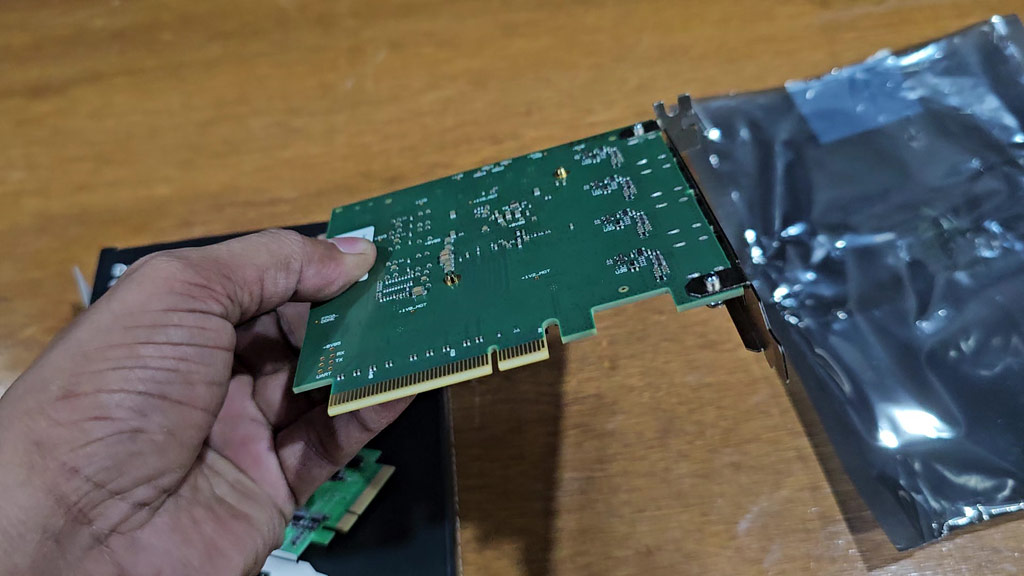
The gold edge along the bottom is the PCI Express connector. It is an 8-lane, generation 3 interface and fits 8-lane and 16-lane slots. Most desktop motherboards have a long 16-lane slot meant for a graphics card, and some have a second one. Check that you have a slot free, and check in your motherboard manual that the slot is wired for 8 lanes and not just shaped like it.
The back of the board
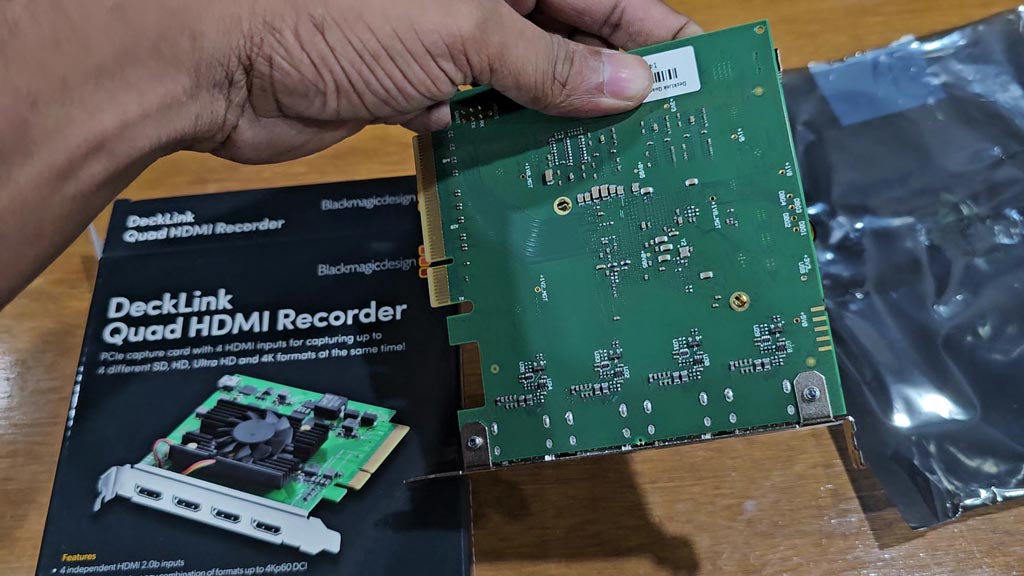
The reverse side is bare circuit board with no cover plate. That is normal for a card of this type, and one more reason to handle it by the edges.
How It Connects to Your Gear
| You want to capture | What the card accepts |
|---|---|
| HD cameras | 720p, 1080i and 1080p, up to 1080p60. |
| Ultra HD cameras | 2160p from 23.98 to 60 frames per second. |
| 4K DCI sources | 4K DCI from 23.98 to 60 frames per second. |
| A computer or laptop screen | Computer formats from 640 × 480 up to 2560 × 1600 at 60 Hz. |
| Older SD equipment | 525i59.94 NTSC and 625i50 PAL. |
| A copy-protected source | Not possible. The input cannot capture copy-protected HDMI. |
The four inputs are independent, so the sources do not have to match. One input can take a 2160p camera while another takes a 1080p camera and a third takes a laptop showing slides.
The last row matters more than it looks. Many streaming boxes, set-top boxes and consoles playing films send a copy-protected signal, and this card will not capture it. Blackmagic Design also reminds users to confirm copyright ownership before capturing or distributing content.
The Big Features, Without the Jargon
What does “four capture cards in one” mean?
Blackmagic Design describes the card as being like 4 separate and customizable capture cards in one. In practice, your software lists four devices, and you set each one up by itself. Changing the format on input 1 does nothing to inputs 2, 3 and 4.
What is HDMI 2.0b?
It is the HDMI version that carries Ultra HD at up to 60 frames per second. On this card it also supports Deep Color and HDR, and the Rec 601, Rec 709 and Rec 2020 colour spaces.
What do 4:4:4, 4:2:2 and 4:2:0 mean?
They describe how much colour detail the signal keeps. 4:4:4 keeps all of it, 4:2:2 keeps half, and 4:2:0 keeps a quarter. The card’s limits are worth knowing before you plan a show:
- RGB 4:4:4 at 8, 10 or 12-bit in all modes up to 4Kp30 DCI.
- YUV 4:2:2 at 8 or 10-bit in all modes.
- YUV 4:2:0 at 8-bit in Ultra HD and 4K DCI at 50p and 60p.
- Computer formats are captured as 8-bit RGB 4:4:4.
What is PCI Express 8-lane generation 3?
It is the slot inside a desktop computer and the speed of the link. Four streams of high-resolution video are a lot of data, and this connection is how the card moves them into the computer together.
What about audio?
Each HDMI input carries 8 channels of embedded audio, sampled at the television standard of 48 kHz and 24-bit. The sound arrives with the picture, so a camera’s microphone input comes through with no extra cable.
Software and Operating Systems
| Included software | Media Express, Disk Speed Test, Blackmagic Desktop Video Utility and the Blackmagic driver on Mac and Windows. Media Express, the utility and the driver on Linux. |
| Named applications | Wirecast, vMix and OBS. |
| Other supported applications | Cinegy Capture Pro, DevTek EasyMediaSuite, Glookast Capturer, Metus Ingest, Softron MovieRecorder, ToolsOnAir just:in, Burst Video WebClip2Go and [REC]Marker, Zoom and First Rush. |
| Operating systems | Mac 15.0 Sequoia and Mac 26.0 Tahoe or later, Windows 10 64-bit, Windows 11, and Linux. |
| Firmware | Built into the software driver and loaded at system start or through the updater. |
Blackmagic Design notes that these are third-party applications and support may vary, so check with your software vendor. It also asks buyers to check its support pages for the full system requirements.
Official Specifications
| Video inputs | 4 × HDMI 2.0b |
| Video outputs | None |
| Audio inputs | 8 channels embedded in SD, HD, UHD and 4K |
| Computer interface | PCI Express 8-lane generation 3, for 8 and 16-lane slots |
| SD standards | 525i59.94 NTSC, 625i50 PAL |
| HD standards | 720p50 to 720p60, 1080i50 to 1080i60, 1080p23.98 to 1080p60 |
| Ultra HD standards | 2160p23.98 to 2160p60 |
| 4K standards | 4Kp23.98 DCI to 4Kp60 DCI |
| Computer formats | 640 × 480p60 up to 2560 × 1600p60 |
| Video sampling | 4:4:4, 4:2:2 and 4:2:0 |
| Colour space | Rec 601, Rec 709, Rec 2020 |
| HDMI features | Deep Color and HDR |
| Audio sampling | 48 kHz, 24-bit |
| Copy protection | Cannot capture copy-protected HDMI sources |
| Power consumption | 23 W |
| Operating temperature | 5° to 40° C (41° to 104° F) |
| Warranty | 3 year limited manufacturer’s warranty |
| List price | US$669 |
Source: Blackmagic Design, DeckLink Quad HDMI Recorder technical specifications. The list price is the one shown on Blackmagic Design’s site when we wrote this and can change.
The card also works with a long list of codecs through your software, including Apple ProRes 422 and 4444, DNxHD and DNxHR, AVC-Intra, XDCAM, and uncompressed 8-bit and 10-bit 4:2:2.
Pros and Cons
👍 WHAT WE LIKE
✔ Four inputs, one slot. Each works as its own capture card.
✔ Mixed formats. SD, HD, Ultra HD, 4K DCI and computer signals together.
✔ Up to 2160p60. On every input.
✔ Computer capture. Screens up to 2560 × 1600 at 60 Hz.
✔ Wide software support. vMix, Wirecast, OBS and more, on Mac, Windows and Linux.
✔ 3 year warranty. Longer than many capture devices.
👎 WHAT TO KNOW
✘ Desktop only. It needs a PCI Express slot.
✘ Capture only. There are no video outputs.
✘ No copy-protected sources. Protected HDMI cannot be captured.
✘ Nothing else in the box. No HDMI cables.
✘ HDMI only. There are no SDI inputs on this model.
Is the DeckLink Quad HDMI Recorder Right for You?
| If you are a… | Our view |
|---|---|
| vMix, Wirecast or OBS operator | Yes. Four camera inputs in one slot is what it was made for. |
| Church, school or event streamer | Yes, if the production computer is a desktop. |
| Game streamer with a second PC | Yes. It takes computer formats up to 2560 × 1600 at 60 Hz. |
| Trainer capturing slides and cameras | Yes. A laptop and cameras can share the card. |
| Laptop user | No. There is no PCI Express slot to put it in. |
| Someone who prefers hardware buttons | No. A hardware switcher suits you better. |
If you would sooner switch cameras on a physical panel than in software, see our ATEM Mini Extreme ISO G2 review. For the sound side of a multi-camera show, see our RØDE Wireless PRO review.
Questions People Ask About the DeckLink Quad HDMI Recorder
How many HDMI sources can the DeckLink Quad HDMI Recorder capture?
Four at the same time, through four independent HDMI 2.0b inputs.
Does the DeckLink Quad HDMI Recorder support 4K at 60 frames per second?
Yes. It supports Ultra HD up to 2160p60 and 4K DCI up to 4Kp60.
Can each input use a different resolution?
Yes. The inputs are switchable between SD, HD, Ultra HD, 4K DCI and computer modes, in any combination.
Does it work with OBS and vMix?
Yes. Blackmagic Design lists Wirecast, vMix and OBS, along with other third-party applications.
Does it have HDMI outputs?
No. It is a capture card with four inputs and no video outputs.
Can it capture from a copy-protected HDMI source?
No. The HDMI input cannot capture copy-protected sources.
Which slot does it need?
A PCI Express slot with 8 or 16 lanes. The card is an 8-lane generation 3 device.
What comes in the box?
The card only. HDMI cables are not included, and the software is a free download.
The Bottom Line
The DeckLink Quad HDMI Recorder does one thing and is specified in detail for it: it brings four HDMI sources into a desktop computer at the same time, each at up to 2160p60, each set up by itself. For anyone running a software switcher, that turns four boxes and a tangle of USB cables into one card. Know its limits before you order. It needs a desktop with a free 8-lane or 16-lane slot, it has no outputs, and it will not capture copy-protected sources. If those three points are fine for your setup, it is a tidy and capable way to build a four-camera production computer.
DECKLINK QUAD HDMI RECORDER
Blackmagic Design DeckLink Quad HDMI Recorder
✔ 4 independent HDMI inputs ✔ Up to 2160p60 on each ✔ Works with vMix, Wirecast and OBS
Price and stock change often. The button shows today’s price on Amazon.

About the Author: Jason
I am a tech enthusiast and the reviewer behind Tech Buying Today. I unboxed and photographed this DeckLink Quad HDMI Recorder myself, and the specifications in this review come from Blackmagic Design’s official technical specifications. Before I recommend anything, I compare the specifications, read the fine print and look for the trade-offs, then write it up in plain language so you can decide quickly.
Learn more about Tech Buying Today and how we choose what to recommend.