
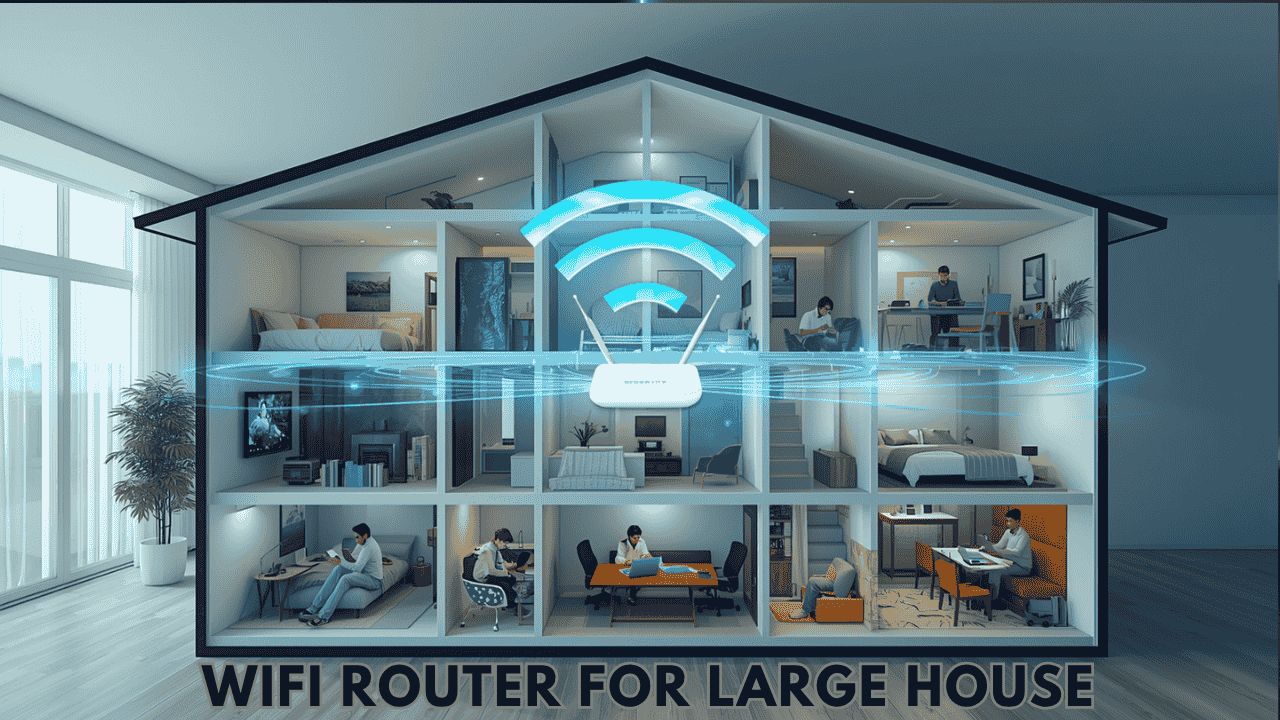

In a large house, WiFi usually works well near the router and fades in the far bedroom, the upstairs office or the basement. Faster internet will not fix that. The best WiFi router for large homes is the one whose coverage matches your square footage and floor count, and past a certain size the honest answer is a mesh system, not a bigger router.
We narrowed every large-home router we have covered down to seven, grouped by home size: strong single routers for 2,000 to 3,500 sq ft, a mesh system for bigger or multi-story homes, and budget picks that can grow later. Coverage figures are the makers’ ratings, and we say where a maker does not publish one.
Disclosure: This post contains affiliate links. As an Amazon Associate we earn from qualifying purchases, at no extra cost to you.
Quick Picks
- NETGEAR Nighthawk RS300 (BE9300): best overall for large homes up to about 2,500 sq ft.
- NETGEAR Nighthawk RS700S (BE19000): best single router for very large homes, rated for 3,500 sq ft.
- TP-Link Deco XE75 3-Pack: best for multi-story homes and anything over 3,500 sq ft.
- TP-Link Archer BE800 (BE19000): best premium router that can add mesh later.
- ASUS RT-BE88U (BE7200): best for homes with lots of wired devices.
- TP-Link Archer BE400 (BE6500): best value WiFi 7 for large homes.
- TP-Link Archer AX21 (AX1800): cheapest start; add mesh units later.
Single Router or Mesh? Start With Your Home Size
| Your home | What usually works | Our pick |
|---|---|---|
| Up to about 2,500 sq ft, one or two floors | One strong router, placed centrally | NETGEAR RS300 or TP-Link BE400 |
| 2,500 to 3,500 sq ft, open layout | One high-end router | NETGEAR RS700S or TP-Link BE800 |
| Over 3,500 sq ft, three floors, or thick walls | Mesh system with two or three units | TP-Link Deco XE75 3-Pack |
| Not sure yet, tight budget | A mesh-ready router, then add a unit if needed | TP-Link Archer AX21 or BE400 |
Walls matter as much as square footage. Brick, concrete, plaster and floors between levels can cut range sharply, so a 2,500 sq ft home on three floors often needs mesh while a 3,000 sq ft open ranch may not. If your walls are especially thick, see our guide to the best router for concrete walls.
Comparison Table
| Model | WiFi | Rated coverage | Fastest ports | Mesh support | Price tier |
|---|---|---|---|---|---|
| NETGEAR RS300 | WiFi 7 tri-band (BE9300) | Up to 2,500 sq ft | 2.5 Gbps | No | $$ |
| NETGEAR RS700S | WiFi 7 tri-band (BE19000) | Up to 3,500 sq ft | 10 Gbps | No | $$$$ |
| TP-Link Deco XE75 (3-pack) | WiFi 6E tri-band mesh | Up to 7,200 sq ft | Gigabit | Built in | $$$ |
| TP-Link Archer BE800 | WiFi 7 tri-band (BE19000) | Not published | 2x 10 Gbps | EasyMesh | $$$ |
| ASUS RT-BE88U | WiFi 7 dual-band (BE7200) | Not published | 2x 10 Gbps | AiMesh | $$$ |
| TP-Link Archer BE400 | WiFi 7 dual-band (BE6500) | Not published | 2.5 Gbps | EasyMesh | $$ |
| TP-Link Archer AX21 | WiFi 6 dual-band (AX1800) | Not published | Gigabit | EasyMesh | $ |
The 7 Best WiFi Routers for Large Homes
1. NETGEAR Nighthawk RS300 (BE9300): Best Overall for Large Homes
Key specs: WiFi 7 tri-band (2.4, 5 and 6 GHz) | up to 2,500 sq ft and 100 devices | 2.5 Gbps internet port + 2x 2.5G and 2x Gigabit LAN | 320 MHz channels

The RS300 is the router we would put in most large homes. It is rated for up to 2,500 sq ft and 100 devices, and its three bands keep traffic spread out when the whole family is online. The 2.5 Gbps internet port matches most fast plans, and two of its LAN ports are 2.5G too, so a gaming PC or NAS is not held back.
- Pros: tri-band WiFi 7 at a mid-range price, 2.5G internet and LAN ports, strong device capacity
- Cons: no mesh support; NETGEAR Armor security is a paid add-on after the trial
- Skip it if: your home is over 3,000 sq ft or spread across three floors. Go with the RS700S or the Deco XE75.
2. NETGEAR Nighthawk RS700S (BE19000): Best Single Router for Very Large Homes
Key specs: WiFi 7 tri-band (BE19000) | up to 3,500 sq ft and 200+ devices | 10G internet port + 10G LAN + 4 Gigabit LAN | USB 3.0

If you want one box to cover a big house, the RS700S has the highest coverage rating of any single router here at 3,500 sq ft, plus room for more than 200 devices. Its 10G internet and LAN ports mean it will keep up with multi-gig fiber plans for years. It is expensive, so it makes most sense in a large, fairly open home where you would rather not place mesh units around the house.
- Pros: highest single-router coverage here, 10G ports, huge device capacity
- Cons: premium price; no mesh support; only four of its ports are Gigabit LAN
- Skip it if: your home has three floors or thick walls. A mesh system covers that better for less.
3. TP-Link Deco XE75 3-Pack: Best for Multi-Story Homes Over 3,500 Sq Ft
Key specs: WiFi 6E tri-band mesh | up to 7,200 sq ft with three units | Gigabit Ethernet on each unit | one network name everywhere

No single router reliably covers a three-story home or a sprawling floor plan. The Deco XE75 places a unit on each floor or wing, and the three units act as one network rated for up to 7,200 sq ft. Your phone moves to the nearest unit as you walk around, so video calls do not drop between rooms. It is the pick for homes where every single router on this list would still leave a weak spot.
- Pros: covers the largest area, seamless roaming between rooms, simple Deco app, 6 GHz band for newer devices
- Cons: WiFi 6E, not WiFi 7; Gigabit ports only on the standard model (the XE75 Pro adds 2.5G)
- Skip it if: your home is under 2,500 sq ft. One router like the RS300 is simpler.
4. TP-Link Archer BE800 (BE19000): Best Premium Router That Can Add Mesh Later
Key specs: WiFi 7 tri-band (BE19000) | 2x 10G (one RJ45, one SFP+/RJ45 combo) + 4x 2.5G LAN | USB 3.0 | LED status screen | EasyMesh

The BE800 offers the same top-tier WiFi 7 class as the RS700S with one big advantage for large homes: EasyMesh. Start with the router alone, and if a far room is still weak, add a compatible TP-Link unit instead of replacing anything. Its six multi-gig ports suit homes with a NAS, gaming PCs or fiber plans, and the front screen shows network status at a glance. TP-Link does not publish a square-footage rating for it.
- Pros: EasyMesh expansion, two 10G and four 2.5G ports, tri-band WiFi 7, status screen
- Cons: expensive; more router than a 1 Gbps plan needs
- Skip it if: your plan is 1 Gbps or slower and you have few wired devices. The RS300 or BE400 is enough.
5. ASUS RT-BE88U (BE7200): Best for Homes With Lots of Wired Devices
Key specs: WiFi 7 dual-band (no 6 GHz) | 10G WAN/LAN + 10G SFP+ + four 2.5G + four Gigabit ports | USB | AiMesh | AiProtection Pro security

Large homes often have Ethernet in several rooms, and the RT-BE88U has more ports than any other router here: ten in total, including two 10G and four 2.5G. That makes it ideal for wiring TVs, consoles, a home office and access points. AiMesh lets you add other ASUS routers as mesh nodes, and ASUS includes AiProtection Pro security without a subscription.
- Pros: ten Ethernet ports including 10G and 2.5G, AiMesh, built-in security with no subscription
- Cons: dual-band only, so no 6 GHz band for newer devices; ASUS does not publish a coverage rating
- Skip it if: most of your devices are wireless. A tri-band router like the RS300 helps more.
6. TP-Link Archer BE400 (BE6500): Best Value WiFi 7 for Large Homes
Key specs: WiFi 7 dual-band (BE6500) | 2.5G WAN + 2.5G LAN + 3 Gigabit LAN | USB 3.0 | six external antennas | EasyMesh

The BE400 brings WiFi 7 and 2.5G ports to a price close to many WiFi 6 routers. Six external antennas with beamforming help push the signal across a larger floor, and EasyMesh lets you add a TP-Link unit later if one corner stays weak. It is the smart middle ground for a large home on a budget.
- Pros: WiFi 7 at a mid-range price, 2.5G internet and LAN ports, EasyMesh, USB 3.0
- Cons: dual-band, so no 6 GHz band; TP-Link does not publish a coverage rating
- Skip it if: your home has many WiFi 7 devices and heavy use. The tri-band RS300 handles that better.
7. TP-Link Archer AX21 (AX1800): Cheapest Start, Add Mesh Later
Key specs: WiFi 6 dual-band (AX1800) | Gigabit WAN + 4 Gigabit LAN | four antennas with beamforming | EasyMesh

The AX21 will not cover a large home on its own, and we will not pretend it does. What it does well is give you a cheap, reliable WiFi 6 starting point. Put it in the middle of the house, see which rooms stay weak, then add an EasyMesh-compatible TP-Link unit only where you need it. You spend less than on a premium router and grow the network to fit your actual floor plan.
- Pros: lowest price here, Gigabit ports, EasyMesh, easy Tether app setup
- Cons: WiFi 6 only; will need at least one extra mesh unit in most large homes
- Skip it if: you want full coverage from day one. Start with the Deco XE75 instead.
Which One Should You Buy?
- Two-story home up to about 2,500 sq ft: NETGEAR RS300
- Large, open home up to 3,500 sq ft: NETGEAR RS700S
- Three floors, thick walls or over 3,500 sq ft: TP-Link Deco XE75 3-Pack
- Multi-gig plan and lots of wired devices: TP-Link BE800 or ASUS RT-BE88U
- Tight budget: TP-Link BE400, or the AX21 plus a mesh unit later
How to Get Full Coverage in a Large Home
- Put the router in the middle of the house, not where the modem happens to be. A long Ethernet cable from the modem is cheaper than a second router.
- Place it up high and in the open. On two floors, the top of the stairs or a hallway shelf often covers both levels best.
- Walk the house with a speed test app after setup and note the weak rooms.
- Fix weak rooms with mesh, not a bigger router. Place the extra unit halfway between the router and the weak room.
- Use Ethernet between mesh units if you can. A wired link between units (wired backhaul) gives the fastest, most stable mesh.
Comparing mesh systems in more depth? See our best WiFi 7 mesh systems and our guide to mesh networks vs range extenders. On a tight budget, compare our best budget WiFi routers.
Also Worth a Look
- TP-Link Archer BE230: a lower-cost WiFi 7 router with two 2.5G ports and EasyMesh, good for the smaller end of large homes.
- TP-Link Archer AXE75: a value tri-band WiFi 6E router. See our best tri-band WiFi 6E router guide.
- NETGEAR Orbi 970 and TP-Link Deco BE77: WiFi 7 mesh systems for very large homes that want the newest standard on every unit.
Frequently Asked Questions
What is the best router for a large house?
For most homes up to about 2,500 sq ft, the NETGEAR Nighthawk RS300. For larger open homes, the RS700S. For multi-story homes or anything over 3,500 sq ft, a mesh system such as the TP-Link Deco XE75 3-Pack.
Can one router cover a 3,000 or 4,000 sq ft house?
A high-end router like the RS700S is rated for 3,500 sq ft in open space, so it can cover some 3,000 sq ft homes. At 4,000 sq ft, or with several floors and thick walls, a mesh system is the more reliable choice.
Is mesh better than a single router for a big house?
Usually, yes. Mesh puts a unit closer to each area of the home, so far rooms get a strong signal instead of a weak one from across the house. A single router is simpler and works well in smaller or open homes.
Do I need WiFi 7 for a large home?
Not necessarily. Coverage matters more than the WiFi standard. WiFi 7 helps when you have many newer devices or a plan faster than 1 Gbps, but a well-placed WiFi 6E mesh system will beat a single WiFi 7 router in a sprawling home.
Will these routers work with my internet provider?
Yes. They connect to your modem or your provider’s gateway, so they work with Spectrum, Xfinity, AT&T, Verizon, Cox and other providers.
Final Recommendation
Match the router to your home, not to the fastest number on the box. For most large homes the NETGEAR Nighthawk RS300 is the best WiFi router: tri-band WiFi 7, 2,500 sq ft of rated coverage and 2.5G ports at a mid-range price. Choose the RS700S for a big open home up to 3,500 sq ft, and the Deco XE75 3-Pack when you have three floors or more space than any single router can reach. If you are not sure, start with a mesh-ready router like the BE400 or AX21 and add a unit where you need it.