


Online gaming on PS5 requires a fast and stable internet connection, but weak WiFi signals can cause lag, slow downloads, and frustrating disconnects during gameplay. If your PlayStation setup is far from the router, a WiFi extender for PS5 can help strengthen the signal and reduce dead zones. The right extender expands your router’s coverage so your console can maintain a more stable connection for smoother gaming sessions.
Most WiFi extenders for PS5 work with standard home routers using common wireless networking protocols. Dual-band WiFi extenders, WiFi 6 range extenders, and signal boosters with Ethernet ports can all connect to your router and push coverage to weaker areas. As long as the extender supports 2.4GHz and 5GHz bands or newer WiFi standards it can meaningfully improve your PS5’s connectivity. Better yet, plugging directly into the extender’s Ethernet port gives you a rock-solid wired connection without running cables across the whole house.
Confused between extender and router upgrades?
Check our guide on Best Router for Gaming in 2026 to see when a router upgrade makes more sense.
Quick Recommendation
Best Overall Pick: TP-Link RE715X (AX3000)
If you want a simple, reliable upgrade for your PS5 gaming setup, this is the one to get. It offers strong performance without overcomplicating things.
✔ Low-latency WiFi 6 for smooth online gaming
✔ Gigabit Ethernet port for stable wired connection
✔ Covers most homes with strong, consistent signal

Best deal today. Prices may change.
⚡ Quick Comparison (Top Picks at a Glance)
| Model | WiFi & Speed | Coverage & Ethernet | Best For |
|---|---|---|---|
| TP-Link RE715X | WiFi 6, AX3000 | 2,400 sq ft, ✅ Gigabit | Best Overall PS5 Gaming |
| TP-Link RE403BE | WiFi 7, BE6300 | 2,800 sq ft, ✅ 2.5G | Future-Proof / PS5 Gaming |
| TP-Link RE653BE | WiFi 7, BE10000 | 2,800 sq ft, ✅ 2.5G | Power Users / PS5 Gaming |
| NETGEAR EXS25 | WiFi 7, BE5000 | 1,500 sq ft, ✅ Gigabit | Compact / PS5 Gaming |
| NETGEAR EAX15 | WiFi 6, AX1800 | 1,500 sq ft, ✅ Gigabit | Budget Option/PS5 Gaming |
Here’s a quick look at the top 5 WiFi extenders for PS5 we’re covering today:
- TP-Link AX3000 WiFi 6 Range Extender (RE715X): Best Overall
- TP-Link BE6300 Wi-Fi 7 Range Extender (RE403BE): Best Wi-Fi 7 Value
- TP-Link BE10000 Wi-Fi 7 Range Extender (RE653BE): Best for Power Users
- NETGEAR WiFi 7 Range Extender (EXS25): Best NETGEAR Pick
- NETGEAR WiFi 6 Mesh Range Extender (EAX15): Best Budget-Friendly Option
How to Choose the Right WiFi Extender for PS5
Start With the Core Problem
Your PS5 is powerful, but it can’t fix a bad signal. If your router is in another room or worse, another floor you’re probably dealing with lag spikes, slow download speeds, or random disconnects. A ps5 wifi signal booster solves exactly this. It grabs your router’s existing signal and rebroadcasts it closer to where your console actually lives.
The frustrating part? Not all extenders are created equal. Some barely improve things. Others are overkill for a simple gaming setup. So finding the right one matters more than just grabbing the cheapest option on the shelf.
If you’re still unsure whether an extender is the right solution, read our full comparison of WiFi Extender vs Mesh WiFi to understand the difference.
Common Issues Buyers Run Into
- Slow speeds or lag even after setup, because the extender only supports older WiFi standards
- Compatibility confusion wondering if the extender will work with their ISP router
- Choosing the wrong model for their home size (too weak for large homes, too expensive for small apartments)
- Overpaying for features like tri-band or 6 GHz when their PS5 doesn’t even use those bands
Why Modern Options Are Better
Today’s gaming WiFi extenders are a huge step up from older models. WiFi 6 and WiFi 7 bring lower latency, better multi-device handling, and faster speeds. Features like Easy Mesh make it simple to add extenders to your network without managing separate SSIDs. And most modern extenders now include a Gigabit or even 2.5G Ethernet port which is a game-changer (literally) for PS5 users who want a wired connection without the cable mess.
Who This Guide Is For
- Gamers who just got a PS5 and need better coverage in their setup room
- Beginners who want something easy to install without networking knowledge
- Power users who want top-tier speeds and future-proof tech
- Large home owners dealing with dead zones on different floors
- Apartment dwellers dealing with interference from neighbors’ networks
By the end of this guide, you’ll know exactly which WiFi extender for PS5 fits your setup, your home size, and your budget no guesswork needed.
Top 5 WiFi Extenders for PS5
Disclosure: This post contains affiliate links. As an Amazon Associate I earn from qualifying purchases. If you purchase through our links, we may earn a small commission at no extra cost to you.
These products were selected based on real-world performance, ease of setup, reliable compatibility with PS5, and overall value. Whether you’re a casual gamer or someone who takes their connection seriously, there’s something here for you.
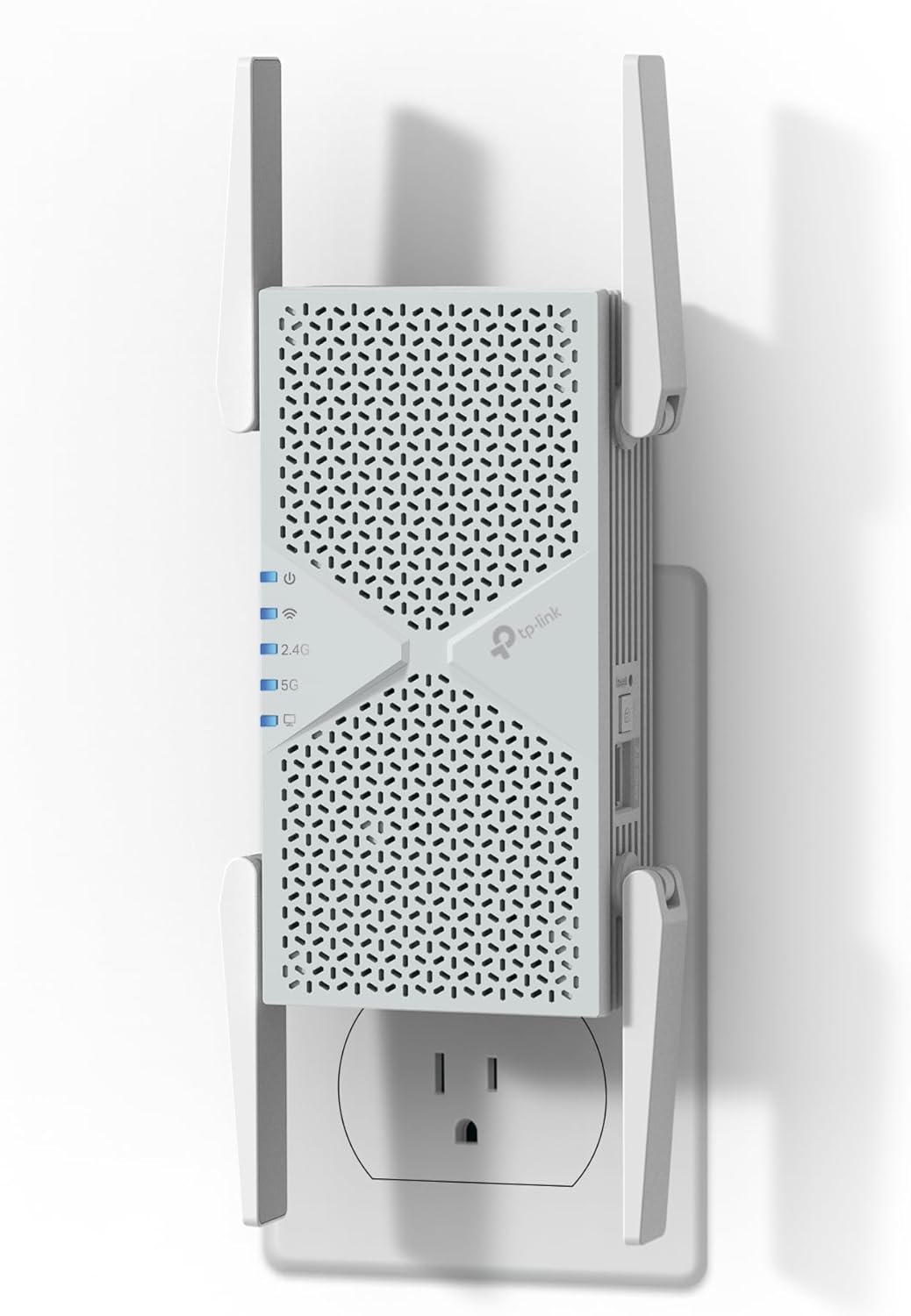
#1 TP-Link AX3000 WiFi 6 Range Extender (RE715X): Best Overall for PS5 Gaming
Best deal today. Prices may change.
Overview: A dual-band WiFi 6 extender designed for homes up to 2,400 sq. ft. | Ideal for PS5 gamers who want reliable speed without overcomplicating things | Works with any standard router | PCMag Editor’s Choice winner | Supports up to 64 devices
Key Benefits: WiFi 6 technology means lower latency and faster speeds | Ethernet port lets you plug your PS5 in directly for a wired-quality connection | APP-based setup through TP-Link Tether makes installation simple | EasyMesh support means it blends into your existing network seamlessly | AX3000 speeds (up to 3 Gbps combined) handle gaming, streaming, and more at once
Pros: Excellent real-world performance for gaming | Easy app-guided setup | Trusted TP-Link brand | Ethernet port included | Works great as a wifi extender with ethernet port for ps5 | PCMag-recommended
Cons: No WiFi 7 support not the best pick if you’re planning to future-proof for next-gen speeds
Best For: PS5 gamers in medium-sized homes | Anyone who wants a plug-and-play setup | Users who want the best bang-for-buck WiFi 6 extender for gaming
#2 TP-Link BE6300 Wi-Fi 7 Range Extender (RE403BE): Best Wi-Fi 7 Value Pick
Best deal today. Prices may change.
Overview: A dual-band WiFi 7 extender with a 2.5G Ethernet port | Covers up to 2,800 sq. ft. and supports 64 devices | No 6 GHz band, but still delivers serious performance | Best suited for users ready to upgrade to WiFi 7 without going full premium | Compatible with standard and mesh routers
Key Benefits: WiFi 7’s MLO (Multi-Link Operation) technology reduces lag and improves stability | 2.5G Ethernet port gives your PS5 blazing fast wired speeds | EasyMesh support for seamless whole-home coverage | Handles up to 64 devices without breaking a sweat | Strong upgrade from any WiFi 5 or older WiFi 6 setup
Pros: Future-proof WiFi 7 tech at a reasonable price | 2.5G wired port is a massive bonus for PS5 | MLO reduces packet loss during competitive play | Great coverage for larger homes | Solid long range wifi extender for gaming setup
Cons: No 6 GHz band you miss out on the least-congested WiFi 7 frequency
Best For: Gamers upgrading to WiFi 7 on a budget | Users with medium-to-large homes | Anyone wanting a dual band wifi extender for ps5 with next-gen potential
#3 TP-Link BE10000 Wi-Fi 7 Range Extender (RE653BE): Best for Serious Power Users

Best deal today. Prices may change.
Overview: A tri-band WiFi 7 extender running at up to 10 Gbps | Covers up to 2,800 sq. ft. and supports 128 devices | Includes 6 GHz band and a 2.5G Ethernet port | Built for households with heavy network demand | Best for power users and large homes with lots of connected devices
Key Benefits: Full tri-band WiFi 7 with 6 GHz support means you get access to the fastest, least-congested band | 128-device support is future-proof even for the most device-heavy households | MLO and EasyMesh work together for rock-solid stability | 2.5G Ethernet port perfect for wired PS5 gaming | Top-tier choice as a best wifi extender for gaming for enthusiasts
Pros: The most powerful extender on this list | 6 GHz band availability reduces interference significantly | Handles massive device loads without slowdowns | EasyMesh integration keeps everything connected smoothly
Cons: Premium price this is overkill for most casual gamers or small apartments
Best For: Power users and tech enthusiasts | Large homes with 50+ connected devices | Gamers who stream, work, and game simultaneously on the same network
Also thinking about a full network overhaul? Check out our guide on the best mesh WiFi systems for gaming setups it pairs perfectly with this extender.
#4 NETGEAR WiFi 7 Range Extender (EXS25): Best NETGEAR Option for PS5

Best deal today. Prices may change.
Overview: A dual-band WiFi 7 extender (BE5000) from NETGEAR | Adds up to 1,500 sq. ft. of coverage | Supports up to 45 devices | Includes WPA3 security and Smart Connect | Best for NETGEAR ecosystem users or anyone wanting a reliable gaming wifi extender with strong security
Key Benefits: WiFi 7 speeds up to 5 Gbps keep online gaming sessions smooth | WPA3 encryption provides modern, solid network security | Smart Connect automatically assigns devices to the best band | Simple setup experience aligned with NETGEAR’s ecosystem | Great wifi booster for gaming consoles with strong brand support
Pros: Trusted NETGEAR reliability | WPA3 security is a nice-to-have for privacy-conscious users | WiFi 7 ready | Smart band-steering works well in practice
Cons: Only covers 1,500 sq. ft. not ideal for large homes or multi-floor setups
Best For: NETGEAR router users | Gamers in apartments or smaller homes | Anyone prioritizing security alongside performance
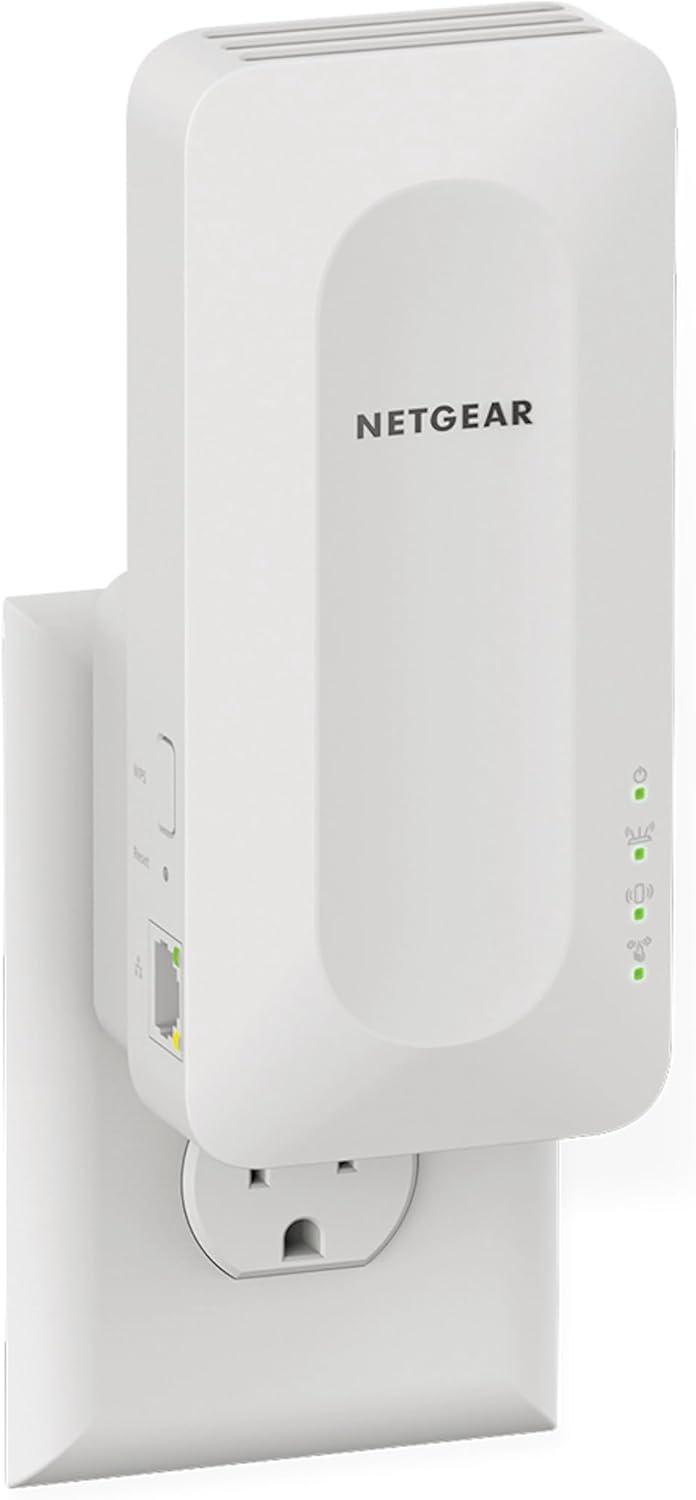
#5 NETGEAR WiFi 6 Mesh Range Extender (EAX15): Best Budget-Friendly Pick
Best deal today. Prices may change.
Overview: A dual-band WiFi 6 mesh extender (AX1800) | Adds up to 1,500 sq. ft. with speeds up to 1.8 Gbps | Supports 20 devices with One Network Name technology | Best for budget-conscious PS5 owners who still want solid performance | WPA3 security included
Key Benefits: One Network Name (SSID) keeps roaming seamless as you move around | AX1800 speeds are more than enough for PS5 gaming and 4K streaming | WPA3 security for a budget pick is a nice bonus | Easy setup with the NETGEAR app | Acts as a true mesh node for compatible routers, not just a basic repeater
Pros: Most affordable option on this list | Mesh capability beats basic repeater-only extenders | Reliable for everyday gaming and streaming | Easy to set up even for beginners | Great entry-level low latency wifi extender for gaming
Cons: 20-device limit and 1,500 sq. ft. coverage means it’s not for large or device-heavy households
Best For: Budget-conscious gamers | Small apartments or single-floor homes | PS5 users just getting started with network upgrades
New to networking? Our beginner’s guide to setting up a PS5 for the best online gaming experience walks you through every step.
Quick Comparison Table: Wi-Fi Extenders for PS5
| Rank & Model | Standard & Speed | Coverage & Port | Best For |
|---|---|---|---|
| #1 TP-Link RE715X | WiFi 6, AX3000 | 2,400 sq ft, Yes (Gigabit) | Best overall PS5 gaming |
| #2 TP-Link RE403BE | WiFi 7, BE6300 | 2,800 sq ft, Yes (2.5G) | Best WiFi 7 value |
| #3 TP-Link RE653BE | WiFi 7, BE10000 | 2,800 sq ft, Yes (2.5G) | Power users & large homes |
| #4 NETGEAR EXS25 | WiFi 7, BE5000 | 1,500 sq ft, Yes | NETGEAR users & apartments |
| #5 NETGEAR EAX15 | WiFi 6, AX1800 | 1,500 sq ft, Yes | Budget-friendly option |
This guide will help you choose the right wifi extender for ps5 based on your setup, usage needs, and expectations.
What to Look for When Buying a WiFi Extender for PS5
Suitability for Your Setup
- Compatible with your current router and ISP equipment
- Coverage area matches your home size don’t underbuy or overbuy
- Supports 2.4GHz and 5GHz bands for flexible device connectivity
- Includes an Ethernet port if you want a wired PS5 connection
Feature Simplicity and Transparency
- Easy-to-understand specs avoid anything that buries the real numbers in marketing speak
- App-based setup (TP-Link Tether, NETGEAR app) makes configuration painless
- No confusing add-ons you’ll never use
Performance and Stability
- Handles multiple devices without slowing down your PS5
- Consistent signal without frequent drops
- Low latency behavior important for competitive gaming
Brand Reliability and Support
- Both TP-Link and NETGEAR offer regular firmware updates
- Good warranty and clear return policies
- Active community forums and support resources
Long-Term Value
- WiFi 6 is solid for now; WiFi 7 is worth considering if you’re buying to last 4-5 years
- EasyMesh or mesh-compatible extenders scale better if you expand your network later
- App-based management makes ongoing maintenance simple
If you’re facing lag across multiple rooms, a full upgrade might be better. See our guide on Best WiFi Extender for Gaming for more performance-focused options.
How These WiFi Extenders Were Selected
These picks weren’t chosen based on hype or marketing fluff. The focus was entirely on practical usability and real-world performance specifically for PS5 gaming. Each extender was evaluated on:
- Daily performance and consistent connection stability
- Suitability for different home sizes and PS5 placement scenarios
- Feature clarity no confusing or misleading specs
- Ease of setup for all skill levels
- Reliable brand reputation with long-term firmware support
- Real-world Ethernet port performance for wired gaming
How to Use a WiFi Extender for PS5 Effectively
Getting the extender is just step one. Here’s how to actually make it work well.
Proper Initial Setup
- Plug it in and follow the app setup don’t skip steps
- Connect to your main router first before placing it elsewhere
- Check for firmware updates immediately after setup
Optimal Placement
- Place the extender halfway between your router and your PS5 this is the golden rule
- Avoid thick walls, microwaves, and metal objects nearby
- Keep it elevated if possible not on the floor behind furniture
Common Setup Mistakes to Avoid
- Placing it too far from the router (the extender needs a strong signal to repeat)
- Ignoring the Ethernet port plug your PS5 in directly if you can
- Overloading with too many devices on the extended network
- Not updating firmware after setup
Performance Optimization Tips
- Use the 5GHz band for PS5 whenever possible it’s faster and less congested
- Reboot the extender weekly if you notice gradual speed drops
- Connect your PS5 via Ethernet to the extender’s port for the most stable gaming connection
Signs It’s Working
- Download speeds are noticeably faster in your gaming room
- No random disconnects during online sessions
- Smoother gameplay with less lag and fewer rubber-banding moments
- Strong signal indicator in PS5 network settings
How to Pick the Right WiFi Extender for Your PS5 Setup
Match your plan: If you have a Gigabit internet plan, go for a WiFi 6 or WiFi 7 extender. Older extenders will bottleneck your speed.
WiFi standard matters: WiFi 7 is future-proof, but WiFi 6 (like the RE715X) is still excellent for most gamers right now.
Placement is everything: A great extender in the wrong spot performs worse than a budget one placed correctly. Always aim for halfway between router and PS5.
Must-have features for PS5:
- Ethernet port (so you can go wired from the extender to your PS5)
- Dual-band support (2.4GHz + 5GHz)
- App-based setup for easy configuration
Avoid:
- Single-band extenders (2.4GHz only) too slow for modern gaming
- Extenders without Ethernet ports if you want the best stability
- No-name brands with no firmware update history
Real User Feedback
PS5 owners consistently highlight a few things when reviewing WiFi extenders:
- The Ethernet port is non-negotiable for serious gamers. Wired connections from the extender make a huge real-world difference
- App-based setup (TP-Link Tether especially) gets praised for being beginner-friendly
- Users in larger homes love the TP-Link BE10000 for covering multiple floors
- Budget buyers frequently call out the NETGEAR EAX15 as a surprisingly solid performer for the price
- One common complaint across all brands: placing the extender too far from the router and blaming the device placement really does make or break performance
Alternatives and Honorable Mentions
If none of the five picks above feel right for your situation, here are a few directions worth exploring:
- Powerline adapters: if you want a wired connection without WiFi, these send internet through your home’s electrical wiring. Slower, but ultra-stable.
- Full mesh WiFi systems (like TP-Link Deco or NETGEAR Orbi) – more expensive, but they replace your router entirely and eliminate dead zones completely. Worth it for large homes.
- MoCA adapters: use your existing coaxial cable lines to deliver wired-speed internet to your PS5 room without new cables.
If you’re considering a full upgrade, our comparison of the best mesh WiFi systems vs. range extenders breaks down exactly when each makes sense.
Frequently Asked Questions
Does a WiFi extender work with a PS5?
Yes. A PS5 connects to a WiFi extender the same way it connects to any WiFi network. The PS5 supports WiFi 6, so a WiFi 6 or newer extender is a good match.
Will a WiFi extender reduce lag on PS5?
It helps when the lag comes from a weak signal in the room where you play. It cannot make a slow internet plan faster. For the steadiest connection, plug the PS5 into the extender with an Ethernet cable if your extender has a port.
Where should I place a WiFi extender for my PS5?
Put it about halfway between your router and the PS5, in a spot where the router signal is still strong. An extender placed inside the dead zone only repeats a weak signal.
Should my PS5 use 5 GHz or 2.4 GHz?
Use 5 GHz when the PS5 is close to the extender, because it is faster. Use 2.4 GHz only when the console is far away or behind several walls, because it reaches further but is slower.
Conclusion and Final Recommendation
Choosing a WiFi extender for PS5 doesn’t have to be complicated. The key is matching the right extender to your home size, your PS5’s location, and your gaming habits.
Who This Guide Is Best For
- Gamers comparing multiple options and not sure which spec matters
- Users unsure whether their router is compatible
- Buyers who want solid performance without overspending
- Anyone looking for a long-term fix to dead zones and lag
Best Overall Pick
The TP-Link AX3000 WiFi 6 Range Extender (RE715X) stands out as the top recommendation. It hits the sweet spot of performance, ease of use, and real-world reliability. WiFi 6 technology keeps latency low, the Ethernet port makes wired PS5 connection easy, and app-based setup means you’re up and running in minutes. For most gamers, this is the one to get.
If you’re planning ahead and want WiFi 7 capability, the TP-Link BE6300 (RE403BE) offers a great step up without going full premium.
Make a Confident Decision
Match the extender to your actual setup. Think about your home size, where your PS5 sits, and whether you’ll use the Ethernet port (you should). Don’t pay for features you won’t use, but don’t underbuy either. Any of the five picks above will give you a noticeably better gaming experience than a weak, stretched WiFi signal.
Go get those wins. Your connection has no more excuses.
Related Posts: