

Lag spikes, rubber-banding and random disconnects usually have one cause: your console or gaming PC sits too far from the router. A good WiFi extender for gaming picks up the router’s signal where it is still strong and brings it to the room where you play. Plug your PS5, Xbox or PC into the extender’s Ethernet port and you get a connection that is close to wired, without running a cable through the house.
To find the best WiFi extender for gaming, we narrowed every gaming extender we have covered down to seven, from a budget plug-in for casual play to WiFi 7 models for multi-gig internet. Every pick has an Ethernet port, because for low latency that port does more than any speed number on the box.
Disclosure: This post contains affiliate links. As an Amazon Associate we earn from qualifying purchases, at no extra cost to you.
Quick Picks
- TP-Link RE715X (AX3000): best for most gamers. WiFi 6 and a Gigabit port at a mid-range price.
- TP-Link RE223BE (BE3200): best WiFi 7 pick. Use it if your router is already WiFi 7.
- TP-Link RE403BE (BE6300): best for internet faster than 1 Gbps, thanks to its 2.5G port.
- TP-Link RE650 (AC2600): best if you can run one cable and use access point mode.
- NETGEAR EX7300 (AC2200): best for homes where many devices share the extender.
- NETGEAR EAX15 (AX1800): best budget WiFi 6 pick.
- TP-Link RE315 (AC1200): cheapest pick for casual gaming and Nintendo Switch.
Comparison Table and Price Tiers
Prices change often, so the table shows price tiers instead of exact prices: $ is budget, $$ is mid-range and $$$ is premium. Coverage figures are the makers’ ratings for open space; expect less through walls and floors. Use the button under each product to see today’s price.
| Model | WiFi standard | Ethernet port | Rated coverage | Price tier | Best for |
|---|---|---|---|---|---|
| TP-Link RE715X | WiFi 6 (AX3000) | Gigabit | About 2,400 sq ft | $$ | Most gamers |
| TP-Link RE223BE | WiFi 7 (BE3200), dual-band | Gigabit | Up to 2,400 sq ft | $$ | WiFi 7 routers |
| TP-Link RE403BE | WiFi 7 (BE6300), dual-band | 2.5 Gbps | Large homes | $$$ | Multi-gig internet |
| TP-Link RE650 | WiFi 5 (AC2600) | Gigabit | Large homes | $$ | Access point mode |
| NETGEAR EX7300 | WiFi 5 (AC2200) | Gigabit | Up to 2,300 sq ft | $$ | Many devices |
| NETGEAR EAX15 | WiFi 6 (AX1800) | Gigabit | Apartments and medium homes | $ | Budget WiFi 6 |
| TP-Link RE315 | WiFi 5 (AC1200) | Yes (1 port) | Up to 1,500 sq ft | $ | Casual gaming |
The 7 Best WiFi Extenders for Gaming
1. TP-Link RE715X (AX3000): Best for Most Gamers
Key specs: WiFi 6 dual-band | Gigabit Ethernet port | about 2,400 sq ft | EasyMesh | access point mode

The RE715X is the safest choice for most players. WiFi 6 handles a busy home better than older WiFi 5 models, which matters when someone else is streaming 4K while you are in a ranked match. The Gigabit port lets you wire in your console, and EasyMesh lets it join a compatible router as one network, so your devices never have to switch network names. It works with any router and any internet provider.
It can also run as an access point: if you can run one Ethernet cable from the router, the RE715X creates a fresh WiFi signal in your gaming room instead of repeating a weaker one.
- Pros: WiFi 6 at a mid-range price, Gigabit port, access point mode, easy setup in the Tether app
- Cons: no WiFi 7 features such as MLO; the Gigabit port cannot use the full speed of plans above 1 Gbps
- Skip it if: you already own a WiFi 7 router and WiFi 7 devices. Pick the RE223BE instead.
2. TP-Link RE223BE (BE3200): Best WiFi 7 Extender for Gaming
Key specs: WiFi 7 dual-band (no 6 GHz) | Gigabit Ethernet port | up to 2,400 sq ft and 64 devices | MLO | EasyMesh
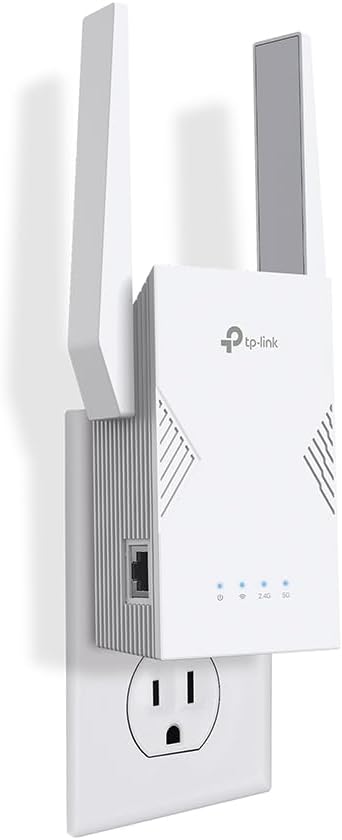
The RE223BE brings WiFi 7 to a mid-range price. Its main gaming feature is Multi-Link Operation (MLO): a WiFi 7 device can use two bands at the same time, so if one band gets busy the connection keeps going on the other. That helps keep ping steady when the house is busy.
- Pros: MLO for steadier wireless connections, Gigabit port, EasyMesh, simple app setup
- Cons: no 6 GHz band; you only see the WiFi 7 benefits with a WiFi 7 router and WiFi 7 devices
- Skip it if: your router is WiFi 5 or WiFi 6. The RE715X gives you the same real-world result.
3. TP-Link RE403BE (BE6300): Best for Multi-Gig Internet Plans
Key specs: WiFi 7 dual-band (no 6 GHz) | 2.5 Gbps Ethernet port | EasyMesh | access point mode
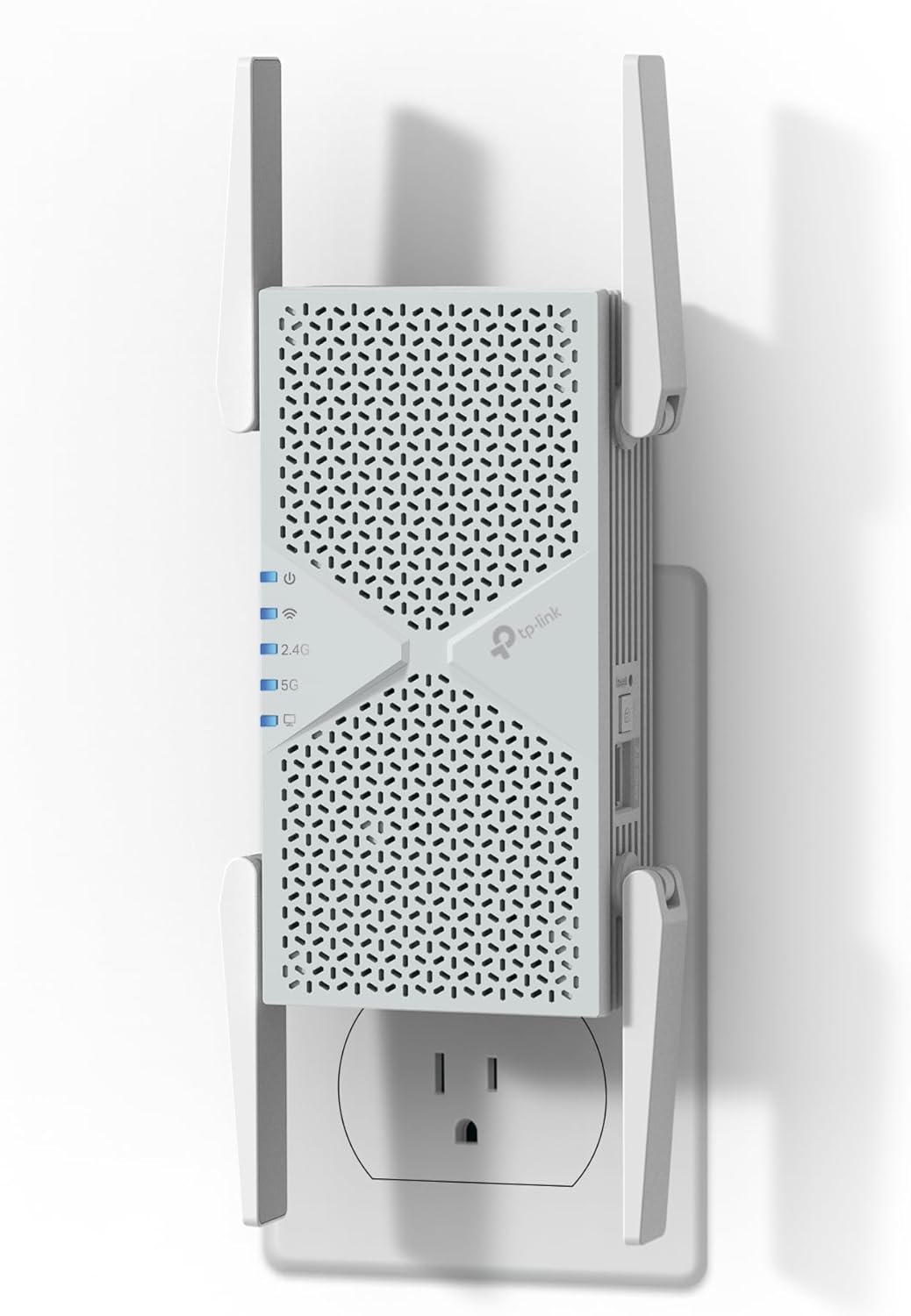
If you pay for internet faster than 1 Gbps, a Gigabit port becomes the bottleneck. The RE403BE fixes that with a 2.5 Gbps Ethernet port, so a wired gaming PC or console can use more of your plan’s speed. In access point mode the same port takes a 2.5 Gbps cable from your router and turns it into WiFi 7 in the gaming room.
- Pros: 2.5 Gbps port, fast WiFi 7 5 GHz band, access point mode
- Cons: premium price; no 6 GHz band
- Skip it if: your plan is 1 Gbps or slower. The faster port will not help you.
4. TP-Link RE650 (AC2600): Best for Wired Gaming in Access Point Mode
Key specs: WiFi 5 dual-band | Gigabit Ethernet port | 4×4 MU-MIMO | access point mode

The RE650 is an older WiFi 5 model, but it is built around the setup serious gamers should aim for: run one Ethernet cable from the router to the RE650 and switch it to access point mode. It then stops repeating a wireless signal and becomes a full access point in your gaming room, which removes the extra delay of normal repeater mode. The 4×4 MU-MIMO design also copes well with several consoles at once.
- Pros: strong access point performance, Gigabit port, handles several devices well
- Cons: WiFi 5, so wireless devices miss the WiFi 6 improvements; bulkier than newer models
- Skip it if: you cannot run a cable to it. A WiFi 6 model like the RE715X is the better repeater.
5. NETGEAR EX7300 (AC2200): Best for Busy Multi-Device Homes
Key specs: WiFi 5 dual-band | Gigabit Ethernet port | up to 2,300 sq ft and 40 devices | FastLane | Smart Roaming

The EX7300 is NETGEAR’s stronger WiFi 5 wall-plug extender, with room for 40 devices. FastLane uses both bands together for a faster link to the router, and Smart Roaming moves your devices to the stronger signal automatically. A Gigabit port lets you wire in a console.
- Pros: good device capacity, Smart Roaming, Gigabit port
- Cons: WiFi 5; setup is done in a web browser rather than an app
- Skip it if: your router is WiFi 6 or newer. A WiFi 6 extender is the better match.
6. NETGEAR EAX15 (AX1800): Best Budget WiFi 6 Gaming Extender
Key specs: WiFi 6 dual-band | Gigabit Ethernet port | one network name | wall-plug design
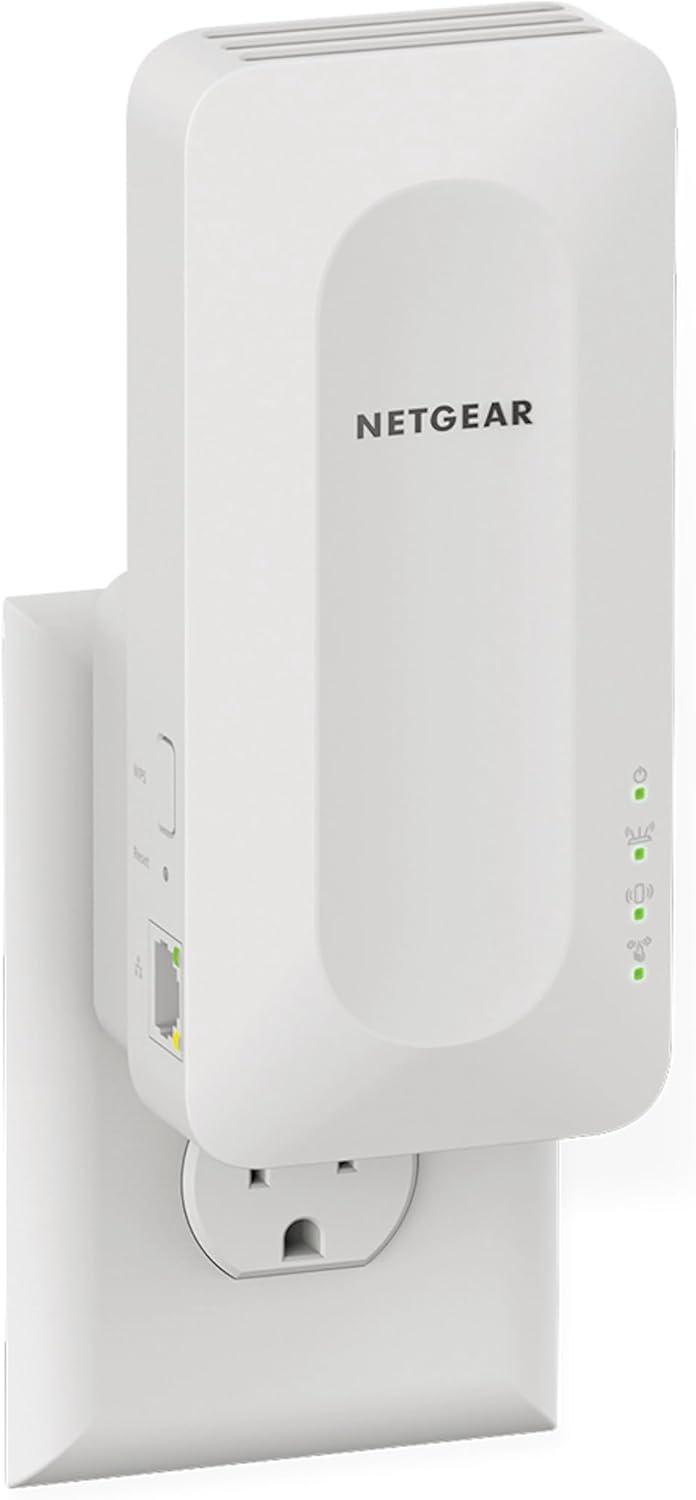
The EAX15 is an affordable way to get WiFi 6 and a Gigabit Ethernet port in one plug-in unit. It keeps one network name, so your devices roam to the stronger signal by themselves. It suits apartments and medium-sized homes where one room needs a better signal.
- Pros: low price for WiFi 6, Gigabit port, one network name, compact
- Cons: less range and device capacity than the larger picks
- Skip it if: you have a large, busy home. The RE715X has more headroom.
7. TP-Link RE315 (AC1200): Cheapest Pick for Casual Gaming
Key specs: WiFi 5 dual-band | 1 Ethernet port | up to 1,500 sq ft and 30 devices | OneMesh

For Nintendo Switch, casual online play or one room that needs a better signal, the RE315 does the job for very little money. It is small, sets up in minutes, and works with OneMesh on compatible TP-Link routers.
- Pros: very affordable, compact, easy to set up
- Cons: lower speeds than the WiFi 6 and WiFi 7 picks
- Skip it if: you play competitive shooters or have a fast internet plan. Step up to the EAX15 or RE715X.
Which One Should You Buy?
Match it to your internet plan:
- Up to 500 Mbps: the NETGEAR EAX15 or TP-Link RE315 is enough
- Around 1 Gbps: get WiFi 6 with a Gigabit port, such as the TP-Link RE715X
- Faster than 1 Gbps: get the TP-Link RE403BE for its 2.5 Gbps port
Match it to your router: a WiFi 7 router pairs best with the RE223BE or RE403BE, and a WiFi 6 router with the RE715X or EAX15. With an older WiFi 5 router, any pick helps, so buy for your budget.
Can you run one cable? If yes, any pick with access point mode (RE715X, RE403BE or RE650) gives you the lowest possible delay.
WiFi Extender vs WiFi Booster vs Mesh for Gaming
“WiFi booster”, “internet booster” and “WiFi extender” usually mean the same product: a device that receives your router’s signal and sends it on. So the best WiFi booster for gaming is simply the best gaming WiFi extender, and every pick above works as one. A mesh system is different. It replaces your router with several units that work as one network, which is better when the whole house has weak coverage. If only your gaming room is the problem, an extender is cheaper and works well. Our guide to WiFi extenders vs mesh networks explains the choice in more detail.
What Matters Most in a Low-Latency Gaming Extender
- An Ethernet port. This is the most important feature. A cable from the extender to your console removes the second wireless step and the delay that comes with it.
- A strong 5 GHz band. 5 GHz is faster and less crowded than 2.4 GHz. Single-band 2.4 GHz extenders are too slow for gaming.
- The right WiFi standard. WiFi 6 handles busy homes better than WiFi 5. WiFi 7 only helps when your router and devices support it too.
- One network name. EasyMesh, OneMesh or Smart Roaming keep your devices on one network, so they move to the stronger signal by themselves.
- Honest coverage. Box ratings assume open space. Expect less in a real home, and ignore no-name extenders that claim 10,000 sq ft or more.
How to Set Up a WiFi Extender for Low Ping
- Place it halfway between the router and your gaming room, not inside the room with the weak signal. The extender can only pass on the signal it receives.
- Keep it off the floor and away from thick walls, metal shelves, microwaves and the back of the TV.
- Update the firmware right after setup.
- Wire your console or PC to the extender’s Ethernet port. If you must use WiFi, connect to the 5 GHz band.
- Test your ping before and after. Your console’s network test or the in-game network stats show whether a new position helps.
Playing on PS5? See our best WiFi extenders for PS5. Gaming on a desktop? Read our WiFi extender for PC guide. If the router itself is the weak point, compare our picks for the best WiFi router for low ping.
Also Worth a Look
- NETGEAR EX6400 (AC1900): a slightly cheaper sibling of the EX7300 with Smart Roaming and a Gigabit port.
- NETGEAR EXS25 (BE5000): a compact WiFi 7 wall-plug extender for smaller spaces, rated to add up to 1,500 sq ft.
- A powerline adapter with WiFi: sends internet through your home’s electrical wiring. Worth trying when too many walls or floors block the WiFi signal.
Frequently Asked Questions
Are WiFi extenders good for gaming?
Yes, when the problem is a weak signal in your gaming room. An extender will not fix a slow internet plan or an overloaded router.
Do WiFi extenders increase ping?
An extender adds one extra step, so ping can rise slightly compared with sitting next to the router. In a room with a weak signal, though, an extender usually lowers ping, because a weak signal causes far more lag. Good placement and an Ethernet cable keep the added delay small.
Is an extender good enough for competitive gaming?
A direct cable to the router is still the best connection. If that is not possible, an extender with your console wired to it, or an extender in access point mode, is the next best option.
Do I need a WiFi 7 extender for gaming?
Only if your router and your console or PC support WiFi 7. Otherwise a WiFi 6 extender with an Ethernet port gives the same result for less money.
Will a gaming extender work with my internet provider?
Yes. Extenders connect to your router’s WiFi, not to the provider, so they work with Spectrum, Xfinity, AT&T, Verizon, Cox, Starlink and others.
Final Recommendation
For most gamers the TP-Link RE715X is the best WiFi extender for gaming: the best balance of price, WiFi 6 performance and a Gigabit port. Choose the RE223BE if you already have a WiFi 7 router, the RE403BE if your plan is faster than 1 Gbps, and the EAX15 or RE315 if you want to spend as little as possible. Whichever you pick, place it halfway to the router and plug your console into it. Those two steps make the biggest difference to your ping.