
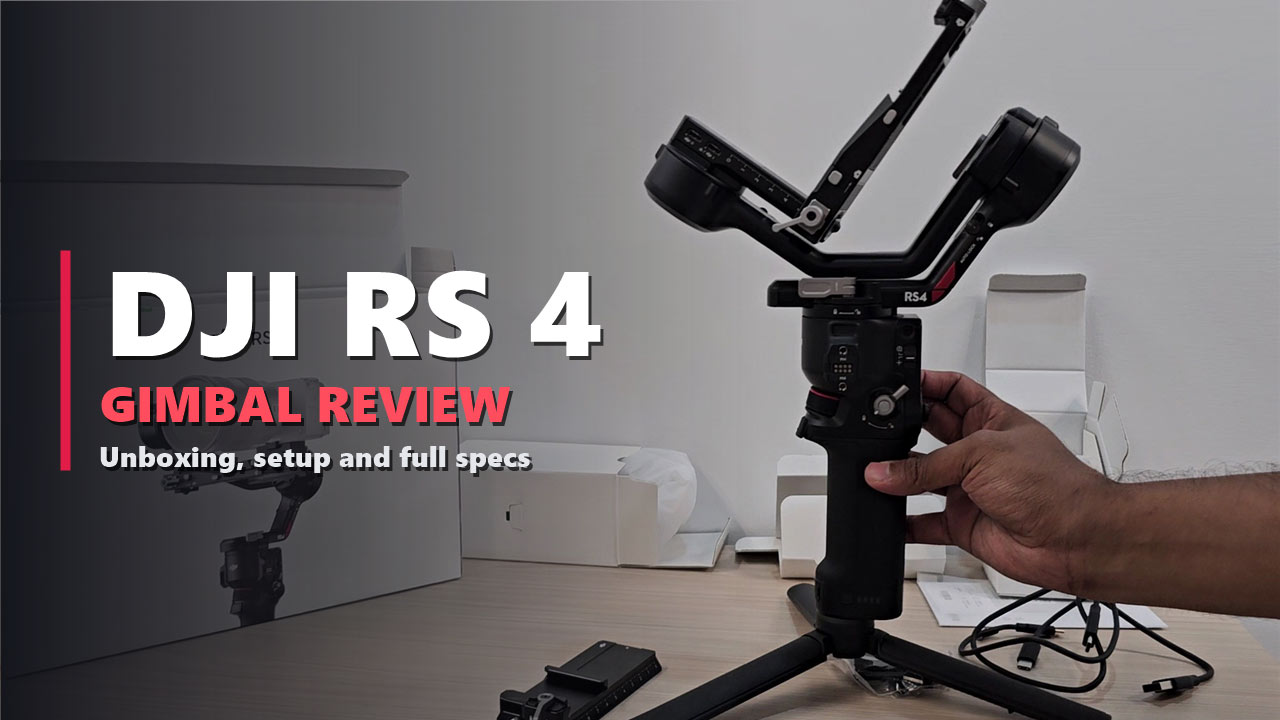

You know the feeling. The shot looked perfect on the camera screen. Then you get home, open the file, and every step you took is right there in the footage, bouncing.
That is the problem a gimbal exists to solve, and the DJI RS 4 is DJI’s answer for solo shooters with mirrorless cameras. It carries up to 3 kg, runs for up to 12 hours, and switches to vertical shooting without any extra parts.
We opened a new DJI RS 4, put it together on the desk, and mounted a Sony Cinema Line camera with a zoom lens on it. This review follows that order: the box, the build, the first balance, then every feature and specification DJI publishes for it. If you are deciding whether to buy one, you should not need another tab open.
3 kg
Tested payload
12 h
Max battery runtime
1,066 g
Gimbal weight
2.5 h
Full charge
Disclosure: This post contains affiliate links. If you buy through them, we may earn a commission at no extra cost to you.
The Short Answer: Is the DJI RS 4 Worth It?
Yes, if you shoot alone with a mirrorless camera and your camera, lens and accessories stay under 3 kg. The RS 4 is quick to set up, its axis locks and screen lock save time between shots, and vertical shooting is built in. It is not the right pick if your rig is heavier than 3 kg, or if you only ever shoot on a phone.
- Buy it for: weddings, events, travel films, YouTube, real estate walk-throughs and social video in vertical format
- Skip it if: you fly heavy cinema lenses, or you want a gimbal that is ready to shoot without balancing

DJI RS 4 · STANDARD KIT
DJI RS 4 3-Axis Gimbal Stabilizer
✔ 3 kg tested payload ✔ Up to 12 hours of battery ✔ Vertical shooting built in
Price and stock change often. The button shows today’s price on Amazon.
From Box to First Shot, Step by Step
Step 1. Open the box
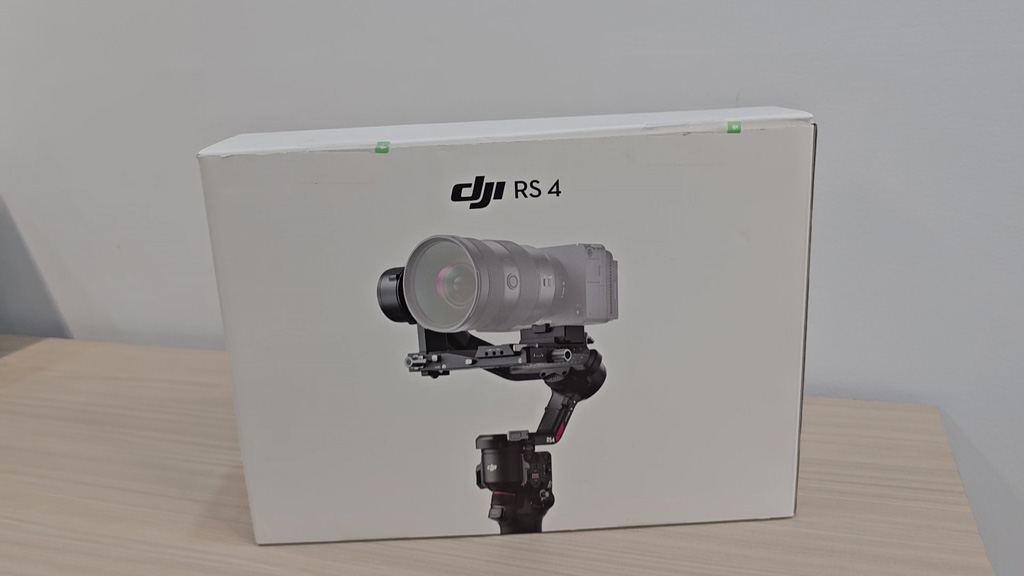
The RS 4 comes in a plain white box with a picture of the gimbal carrying a camera on the front. Inside, the gimbal lies folded flat and the accessories sit in their own small white boxes, so nothing rattles around.
Step 2. Lay out what you get
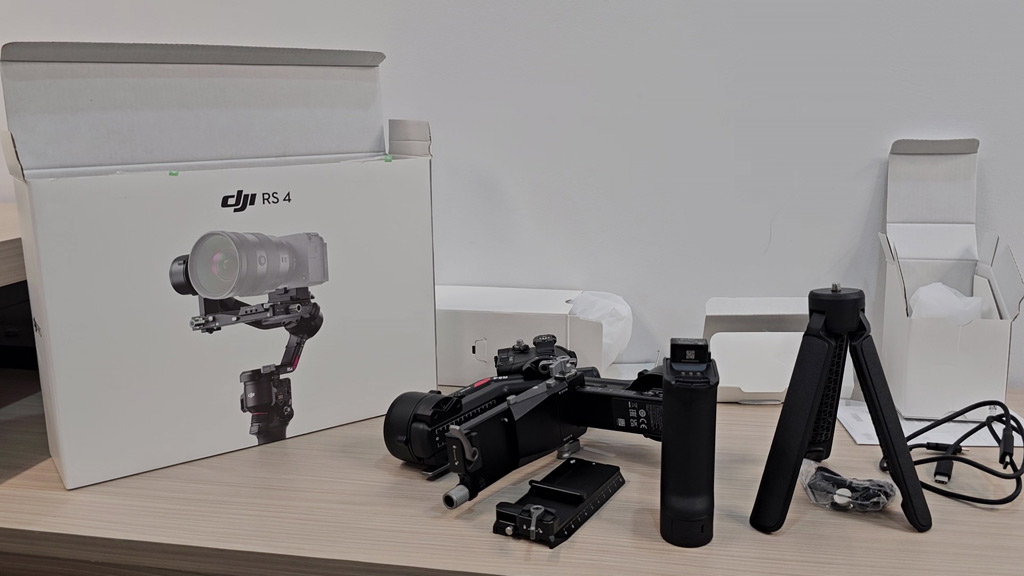
Here is what came out of our box:
- The gimbal itself, folded
- The battery grip
- The extended grip, which opens into a small tripod
- Upper and lower quick-release plates
- USB-C cables
- A small bag of screws and fittings, and the paperwork
This is the standard RS 4 kit. DJI also sells the RS 4 Combo, which adds the DJI Focus Pro Motor. There is no wall charger in the box, so you need a USB-C charger of your own.
Step 3. Meet the gimbal
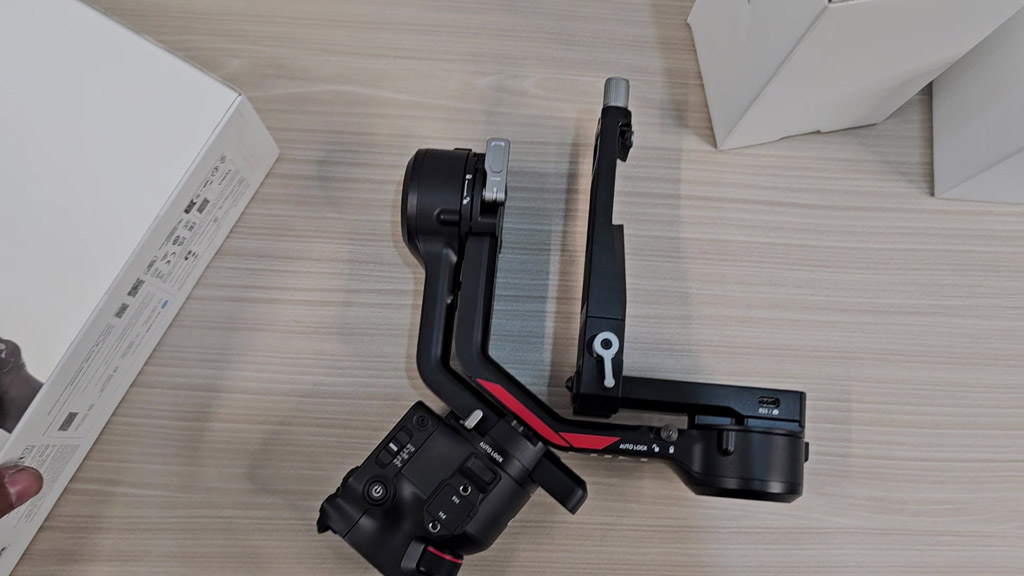
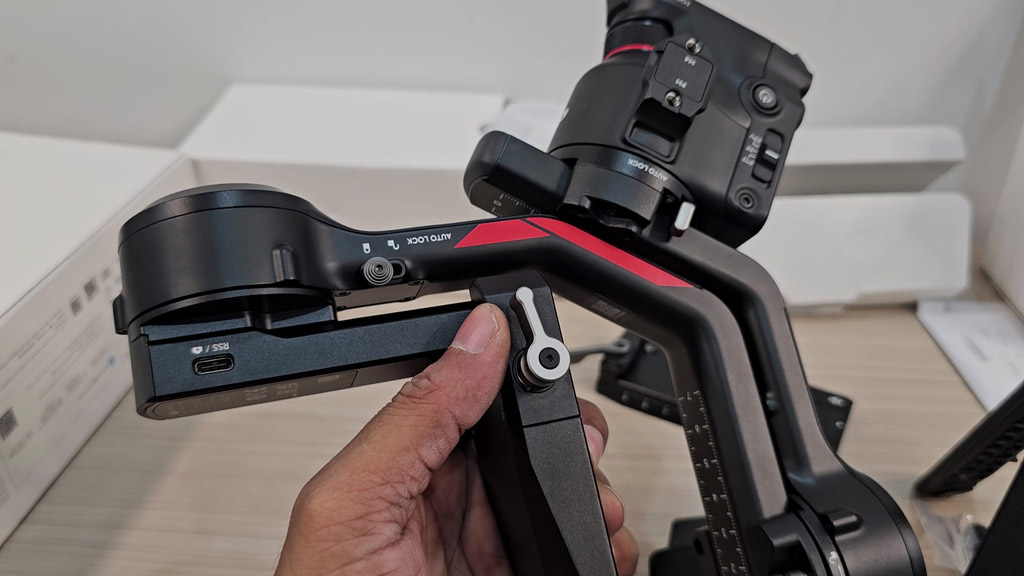
Folded, the gimbal measures 244.2 × 115.9 × 251.1 mm, small enough for a camera backpack. The body is matte black with the red Ronin accent on the roll arm. All three axis arms have a Teflon coating, which DJI added to cut friction when you slide the camera back and forth during balancing.
Step 4. Slide on the battery grip
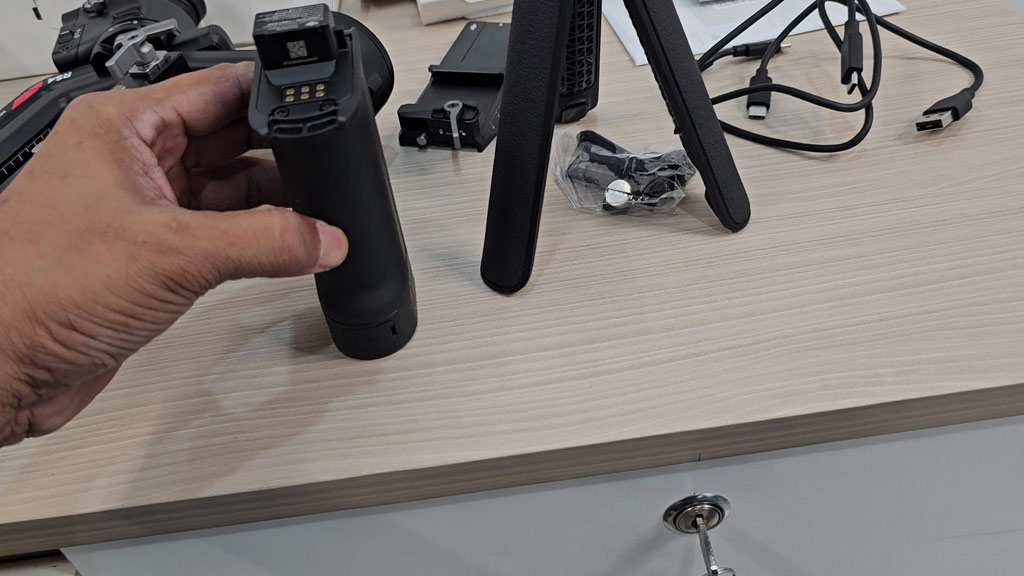
The grip is also the battery. It is a 3,000 mAh, 21 Wh pack that slides into the base of the gimbal and locks. DJI rates it for up to 12 hours, measured with the gimbal balanced and standing still, so expect less when you are moving. A full charge takes about 2.5 hours with an 18 W fast charger.
Step 5. Screw in the tripod and stand it up
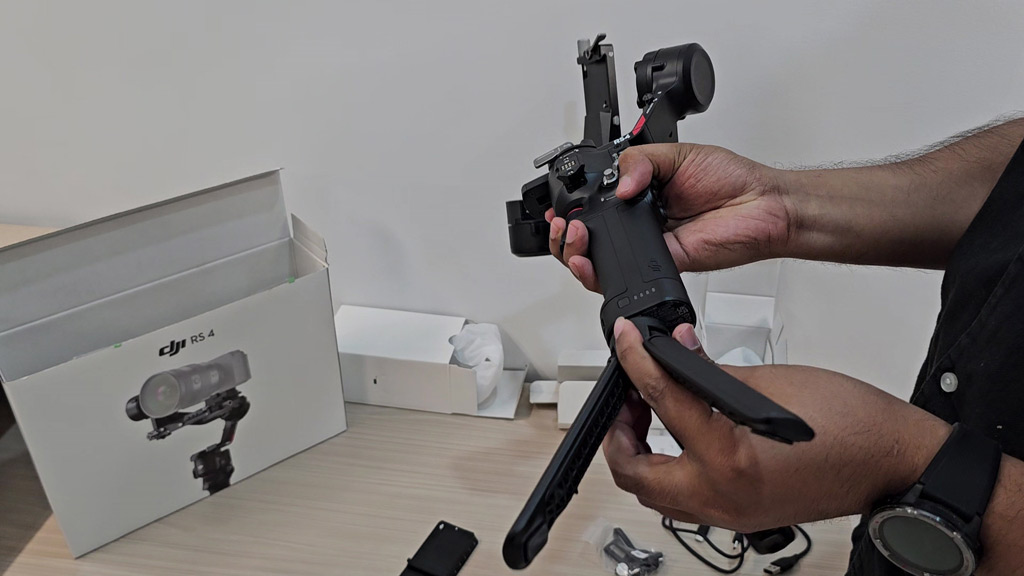
The extended grip screws into the bottom of the battery grip. Closed, it makes the handle longer for two-handed shots. Open, its three legs turn it into a small tripod, which is what you want while you balance the camera.
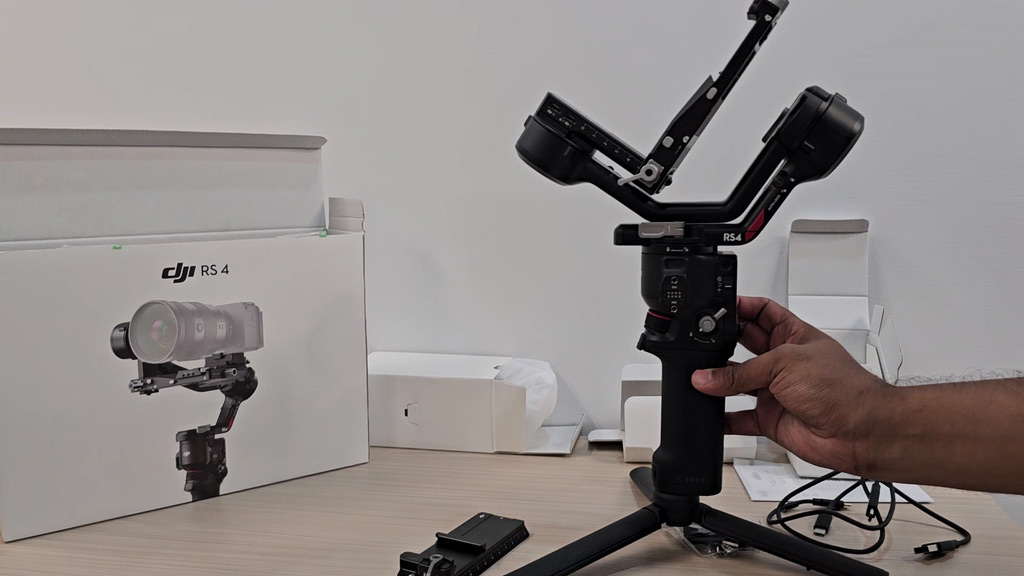
Unfolded with the grip, the RS 4 measures 218.8 × 190.7 × 369 mm. The gimbal weighs about 1,066 g, the grip about 203 g and the extended grip about 183 g.
Step 6. Power on
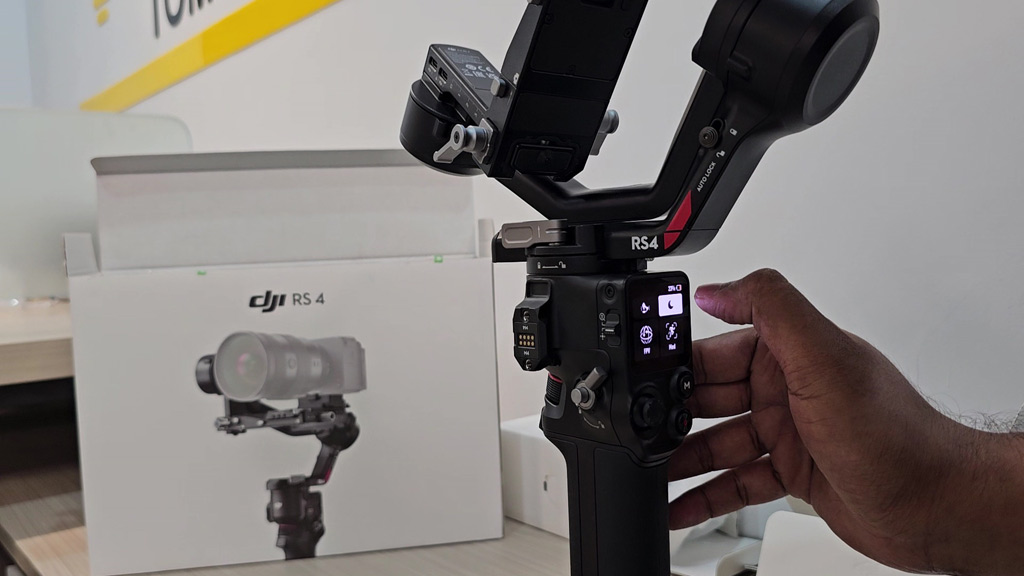
The back of the handle holds an OLED touchscreen, a joystick, the M button and the record button. One thing to know before your first shoot: DJI requires you to activate the RS 4 in the DJI Ronin app the first time you use it. The app needs iOS 11.0 or Android 8.0 or newer, and connects over Bluetooth 5.1.
Step 7. Mount the camera and balance
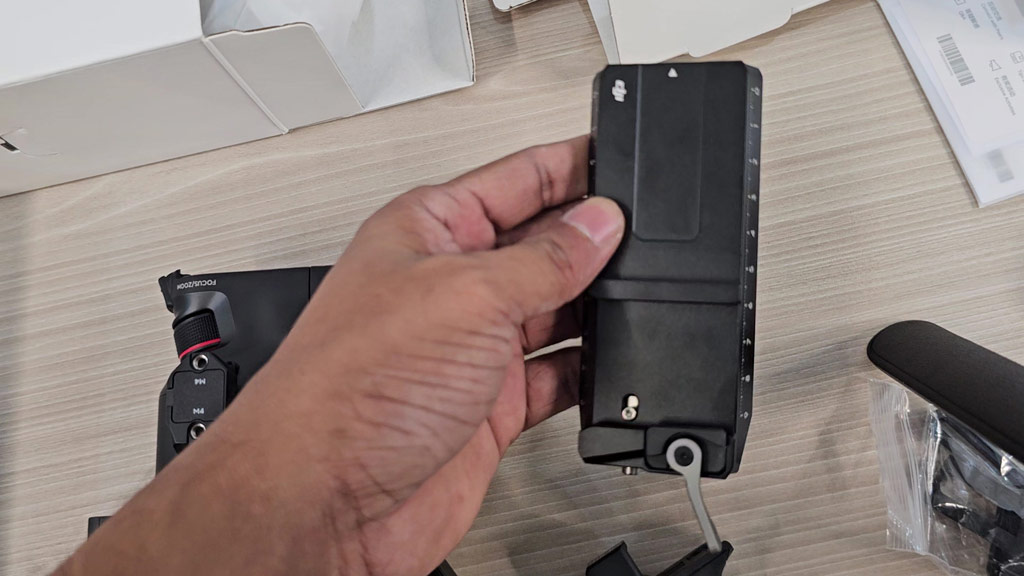
The camera sits on a two-part quick-release plate. The upper plate has an adjustable placement guide, a small stop that keeps the camera square on the plate so it goes back in the same position every time.
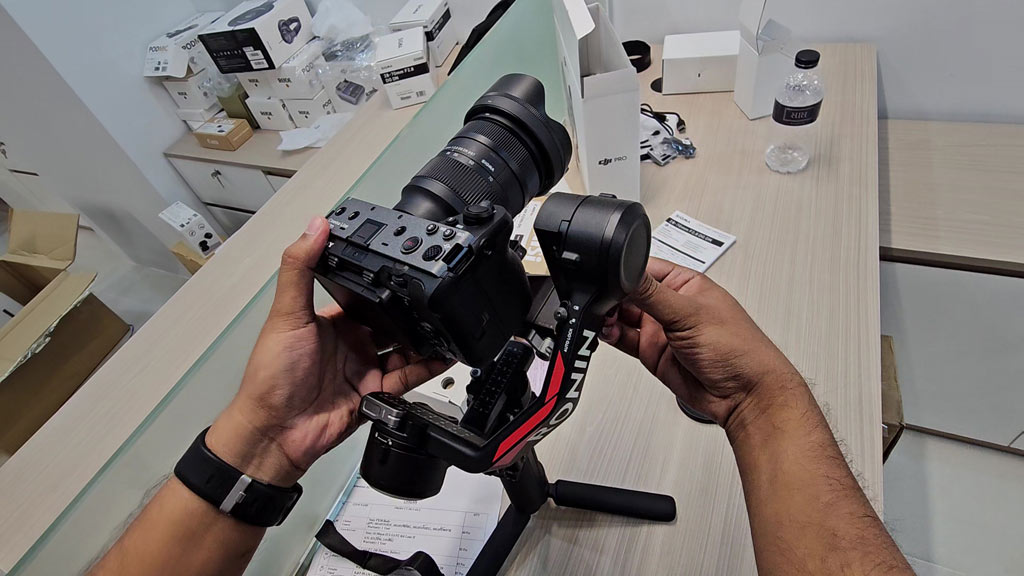
We mounted a Sony Cinema Line camera with a zoom lens. Balancing means sliding the camera along each arm until it stays level by itself. Two things on the RS 4 help here. The tilt axis has a fine-tuning knob that moves the camera forward or backward a millimetre at a time, and the tilt arm is 8.5 mm longer than on the previous generation, which leaves room for a lens with an ND filter on the front.
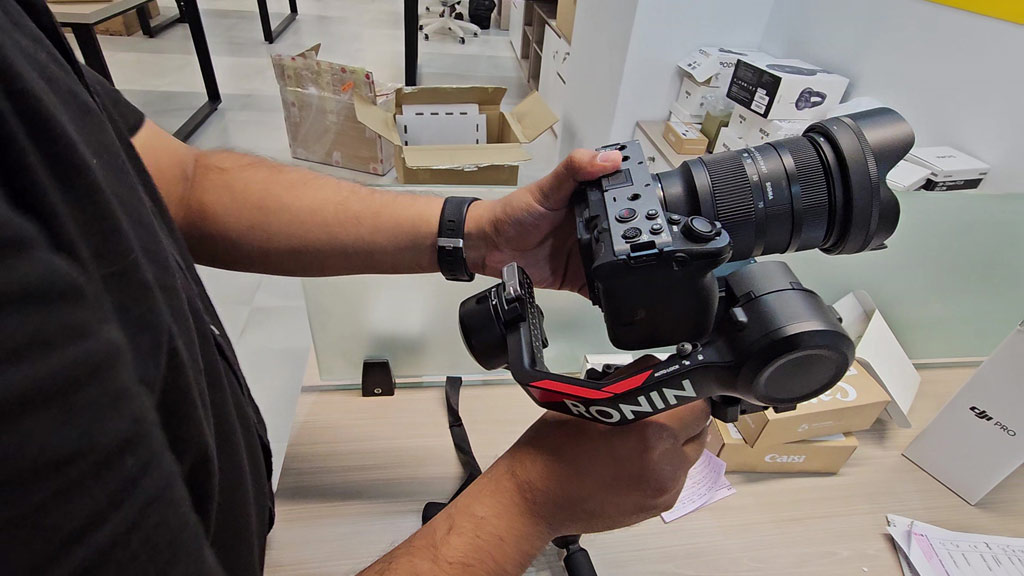
Good to know: every gimbal of this type has to be balanced before use, and again whenever you change the lens or add an accessory. Give yourself ten quiet minutes the first time. It gets much faster after that.
The Features That Matter Most
Vertical shooting without extra parts
If you make Reels, Shorts or TikTok videos, this is the headline feature. The RS 4 has a redesigned horizontal plate. You release it, turn it, and lock it in the vertical position. No bracket to buy and no tools. DJI calls this second-generation native vertical shooting. You do have to rebalance the gimbal after you switch between horizontal and vertical.
Automated axis locks
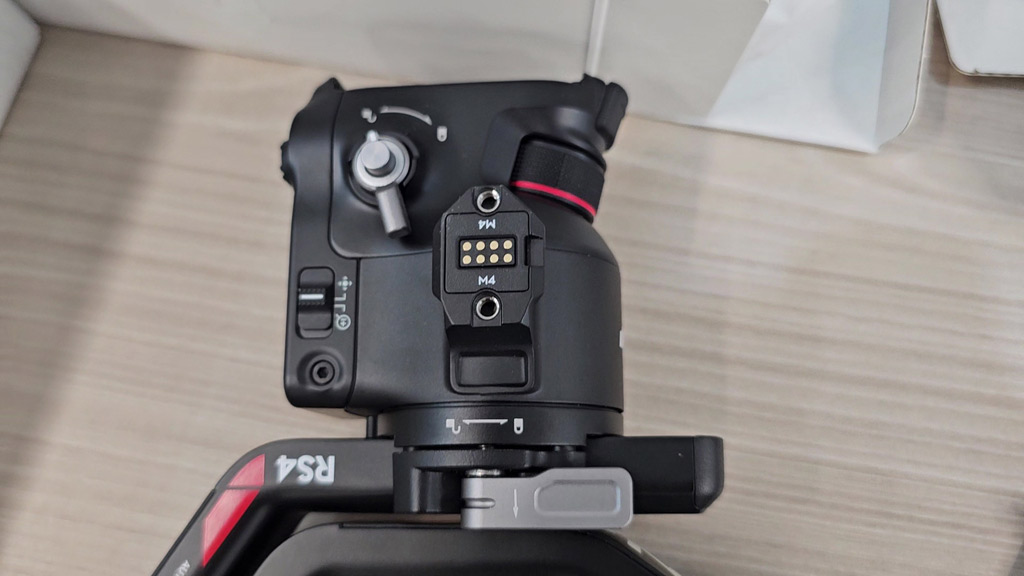
The three axes lock and unlock by themselves when the gimbal powers on, powers off or goes to sleep. That means you can pick the gimbal up and start, or fold it and move on, without flipping three levers by hand. DJI says the second-generation locks have smaller gaps when locked, which reduces shake while you carry it.
Stabilization and payload
The tested payload is 3 kg (6.6 lbs), which covers most mirrorless camera and lens pairs. The RS 4 runs DJI’s fourth-generation RS stabilization algorithm, which DJI tuned for a better balance between holding the camera steady and letting your movements feel natural. DJI also says stability in vertical shooting is much improved, including running shots and low angles.
Screen lock and joystick mode switch
The touchscreen now locks automatically. When locked, it dims and keeps showing the current gimbal mode and joystick mode. That stops accidental touches from your palm and saves battery. A switch lets the joystick change jobs between moving the gimbal and controlling zoom.
Gimbal modes
- PF (pan follow): the camera follows your left and right turns and holds its tilt and roll.
- PTF (pan and tilt follow): the camera follows turns and up and down movement.
- FPV: all three axes follow the handle. This slot can also be set to 3D Roll 360 or a custom mode.
A physical switch moves between the three. You can also set the trigger so that holding it puts the gimbal into FPV mode for as long as you hold it, which is handy for a quick rotating shot.
Camera control over Bluetooth
With a compatible camera, the RS 4 controls the shutter and the lens zoom wirelessly. In zoom mode, the joystick drives power zoom lenses and Clear Image Zoom. You pair the camera once and it reconnects by itself after that. Check DJI’s Ronin Series compatibility page for your exact camera and lens before you rely on this.
Creative modes
DJI lists three intelligent features: Motionlapse, Track and Panorama.
Battery Options Compared
| Battery grip | Max runtime | Notes |
|---|---|---|
| Included grip | 12 hours | 3,000 mAh; full charge in about 2.5 hours |
| RS BG30 (sold separately) | About 14 hours | About 80% in 1 hour, full in 1.5 hours |
| RS BG70 (sold separately) | 29.5 hours | Can power the camera and accessories at up to 18 W |
All runtimes are DJI’s figures, measured indoors at 25 °C with the gimbal balanced and standing still.
Accessories You Can Add Later
- DJI Focus Pro Motor: lets you pull focus with the front dial or zoom with the joystick. It comes with the RS 4 Combo and is sold separately for the standard kit.
- DJI Ronin Image Transmitter: sends a live picture to a phone or tablet and adds remote control, ActiveTrack 4.0 and Force Mobile. DJI lists a range of 200 m (FCC) and a latency of 60 ms.
- RS Tethered Control Handle and Twist Grip Dual Handle: connect through the new RSA communication port for two-handed or remote setups.
- Third-party gear: the RSA port and DJI’s RS SDK let other makers build control handles and accessories for it.
The gimbal itself has RSA/NATO ports on the sides, a 1/4″-20 mounting hole, a cold shoe, and three USB-C ports for video transmission, camera control and a focus motor.
Full Specifications
| Tested payload | 3 kg (6.6 lbs) |
| Max rotation speed | 360°/s on pan, tilt and roll |
| Pan range | 360° continuous |
| Roll range | -95° to +240° |
| Tilt range | -112° to +214° |
| Battery | LiPo 2S, 3,000 mAh, 21 Wh |
| Max runtime | 12 hours |
| Charging time | About 2.5 hours (18 W) |
| Wireless | Bluetooth 5.1 |
| Gimbal weight | About 1,066 g (2.35 lbs) |
| Grip weight | About 203 g (0.45 lbs) |
| Extended grip weight | About 183 g (0.4 lbs) |
| Plates weight | About 98 g (0.22 lbs) |
| Folded size | 244.2 × 115.9 × 251.1 mm |
| Unfolded size | 218.8 × 190.7 × 369 mm |
| Operating temperature | -20° to 45° C (-4° to 113° F) |
| App | DJI Ronin, iOS 11.0 or Android 8.0 and above |
Source: DJI, RS 4 specifications.
What We Like and What to Weigh Up
👍 WHAT WE LIKE
✔ Vertical built in. No bracket and no tools.
✔ Automatic axis locks. Faster starts and faster pack-downs.
✔ Easier balancing. Teflon-coated arms and a fine-tuning knob.
✔ Long battery life. Up to 12 hours, and far more with the BG70.
✔ Room to grow. Focus motor, image transmitter and handles all fit.
✔ Tripod in the box. The extended grip doubles as a stand.
👎 WHAT TO WEIGH UP
✘ 3 kg limit. Heavy lenses need a bigger gimbal.
✘ Rebalance on every switch. Going vertical means balancing again.
✘ App activation. It will not work until you activate it in the Ronin app.
✘ Extras cost more. The focus motor and transmitter are not in the standard kit.
✘ No charger. You need your own USB-C charger.
Five Things to Check Before You Buy
- Weigh your rig. Add up the camera, lens, filter, cage and microphone. If the total is close to 3 kg, you are at the limit.
- Look up your camera. Shutter and zoom control depend on the camera and lens. Use DJI’s Ronin Series compatibility search.
- Decide between the standard kit and the Combo. If you pull focus by hand or use manual lenses, the Combo’s Focus Pro Motor is worth having from day one.
- Think about power. For all-day events, the BG70 grip takes the runtime from 12 hours to 29.5.
- Note the software date. DJI’s specifications page lists guaranteed software updates for the RS 4 until 31 December 2026.
Questions People Ask About the DJI RS 4
How much weight can the DJI RS 4 carry?
The tested payload is 3 kg (6.6 lbs), including the camera, lens and anything attached to them.
How long does the DJI RS 4 battery last?
Up to 12 hours with the included grip, measured with the gimbal balanced and standing still. Runtime is shorter when the gimbal is moving.
Can the DJI RS 4 shoot vertical video?
Yes. You release the horizontal plate and lock it in the vertical position, with no extra accessory. You need to rebalance afterwards.
What is the difference between the DJI RS 4 and the RS 4 Combo?
The Combo includes the DJI Focus Pro Motor. With the standard kit, the motor is sold separately.
Do you need the DJI Ronin app?
Yes, for the first use. DJI requires activation in the Ronin app, which runs on iOS 11.0 or Android 8.0 and above.
Can the RS 4 control my camera?
With a compatible camera it can trigger the shutter and control zoom over Bluetooth. Compatibility varies by camera and lens.
How long does it take to charge?
About 2.5 hours with a charger that supports 18 W fast charging.
More From Our Studio Gear Reviews
A gimbal is one part of a video setup. If you are also building the rest, our ATEM Mini Extreme ISO G2 review covers multi-camera switching, our Yamaha MG10XU review covers audio mixing, and our Audio-Technica ATH-M30x review covers monitoring headphones.
The Bottom Line
The DJI RS 4 takes the slow parts of using a gimbal and makes them quicker. The locks open by themselves, the camera slides smoothly when you balance it, the screen stops reacting to your palm, and vertical video is a turn of the plate away. For a solo shooter with a mirrorless camera under 3 kg, it is an easy gimbal to recommend. If your lenses are heavy, step up to a gimbal with a higher payload. If you are happy with your phone, you do not need this yet.
DJI RS 4 · STANDARD KIT
DJI RS 4 3-Axis Gimbal Stabilizer
✔ 3 kg tested payload ✔ Up to 12 hours of battery ✔ Vertical shooting built in
Price and stock change often. The button shows today’s price on Amazon.

About the Author: Jason
I am a tech enthusiast and the reviewer behind Tech Buying Today. I unboxed, assembled and photographed this DJI RS 4 myself, and the specifications in this review come from DJI’s official pages. Before I recommend anything, I compare the specifications, read the fine print and look for the trade-offs, then write it up in plain language so you can decide quickly.
Learn more about Tech Buying Today and how we choose what to recommend.