
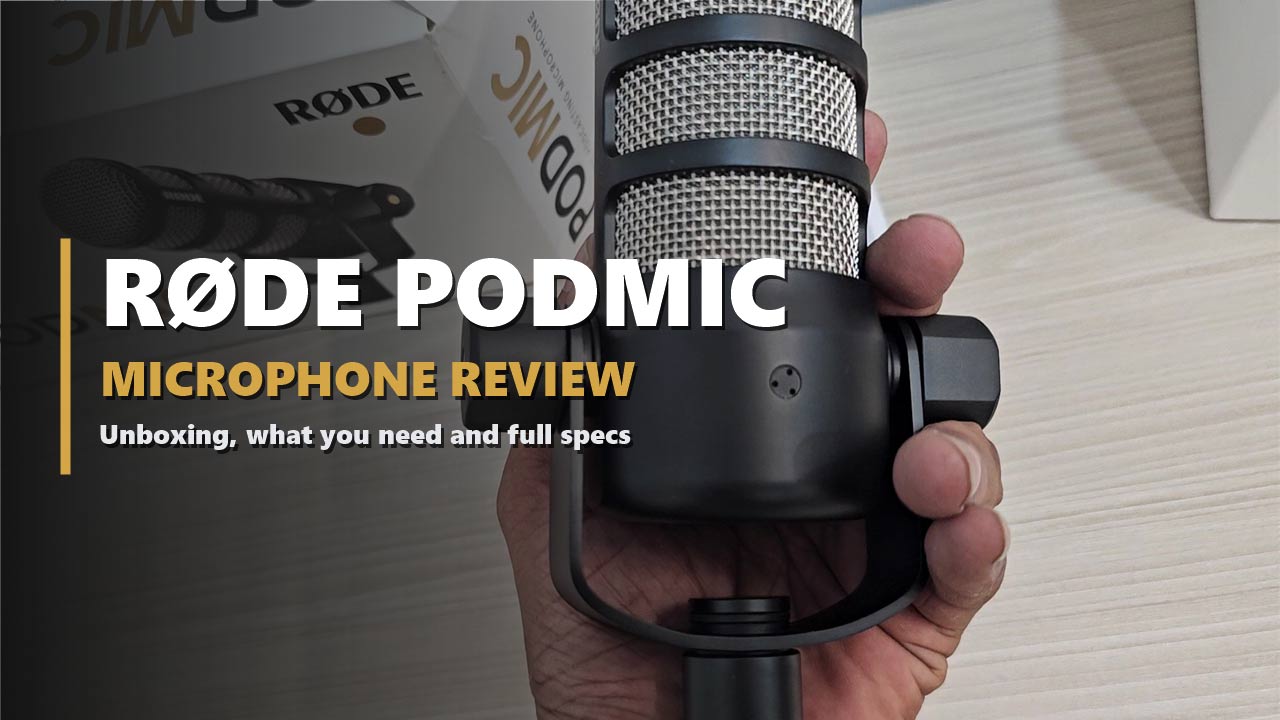

People forgive bad video. They do not forgive bad sound. If your voice is thin, echoey or full of keyboard clicks, listeners leave before you reach your second point.
The RØDE PodMic is built for exactly that problem. It is a dynamic microphone made for speech: podcasts, livestreams, voice-overs and gaming. It has a pop filter and a shock mount built inside, a swing mount to aim it, and a metal body that feels like it could outlast your desk.
We unboxed a new PodMic and looked at it from every side. This review shows you what comes in the box, what does not, what each specification means in plain words, and whether it belongs in your setup. One thing first, because it catches many buyers out: the PodMic does not plug into a USB port. More on that below.
Dynamic
Microphone type
XLR
Connection
Cardioid
Pickup pattern
937 g
Weight
Disclosure: This post contains affiliate links. If you buy through them, we may earn a commission at no extra cost to you.
The PodMic in 30 Seconds
- What it is: a broadcast-style dynamic microphone for speech, with an XLR output.
- What it does well: picks up the voice in front of it and rejects room noise from the sides and back.
- What is built in: a pop filter, an internal shock mount and a swing mount.
- What is not included: an XLR cable, a stand or boom arm, and an audio interface. You need all three.
- Buy it if: you want a dedicated voice microphone and you have, or plan to buy, an interface or mixer.
- Skip it if: you want to plug one cable into a laptop and start talking.

RØDE PODMIC · XLR
RØDE PodMic Dynamic Podcast Microphone
✔ Built-in pop filter ✔ Internal shock mount ✔ All-metal body
Price and stock change often. The button shows today’s price on Amazon.
Unboxing the RØDE PodMic
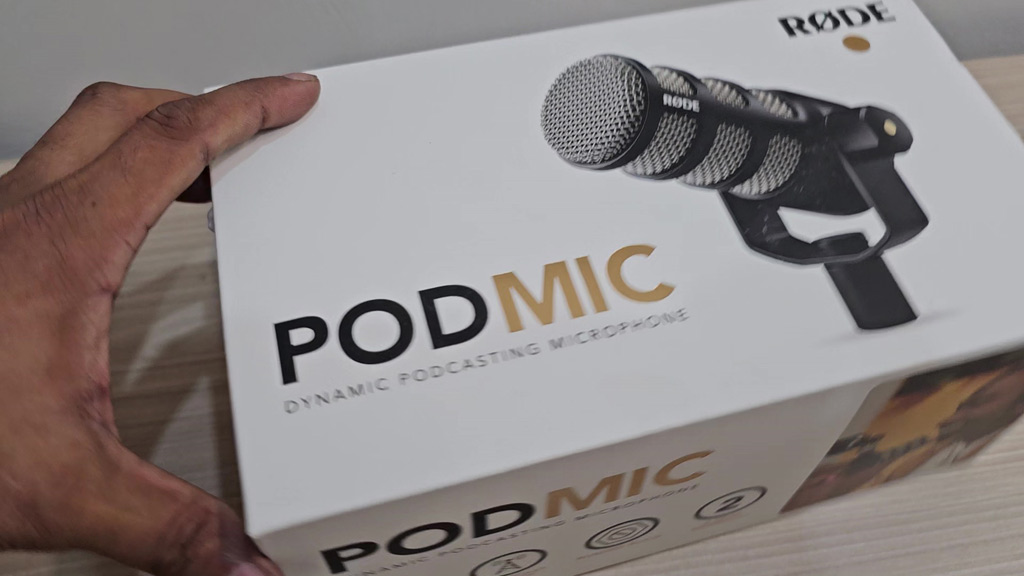
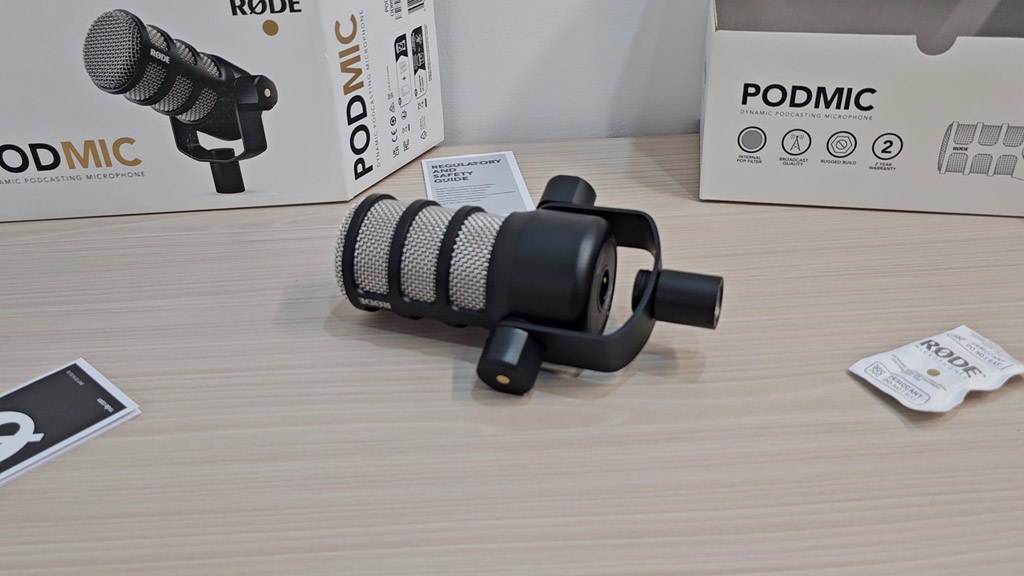
The PodMic comes in a white sleeve with the microphone pictured on top and “Dynamic Podcasting Microphone” printed under the name. The side of the sleeve sums up the pitch in four icons: internal pop filter, broadcast quality, rugged build and a 2 year warranty.
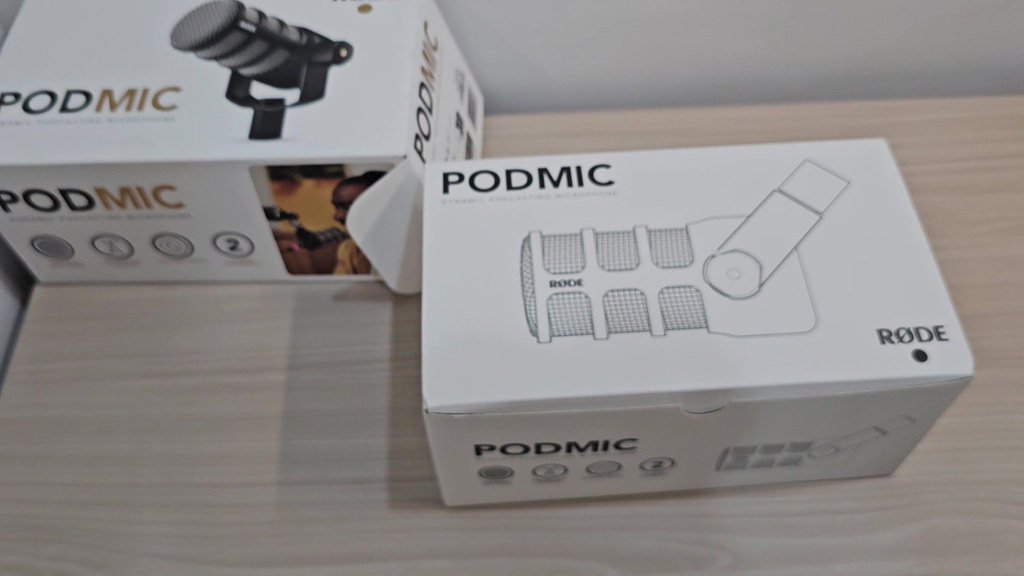
Slide the sleeve off and there is a plain inner box with a line drawing of the microphone. Inside, the PodMic is wrapped in tissue and held in a moulded cardboard tray. It is simple packaging with very little plastic.
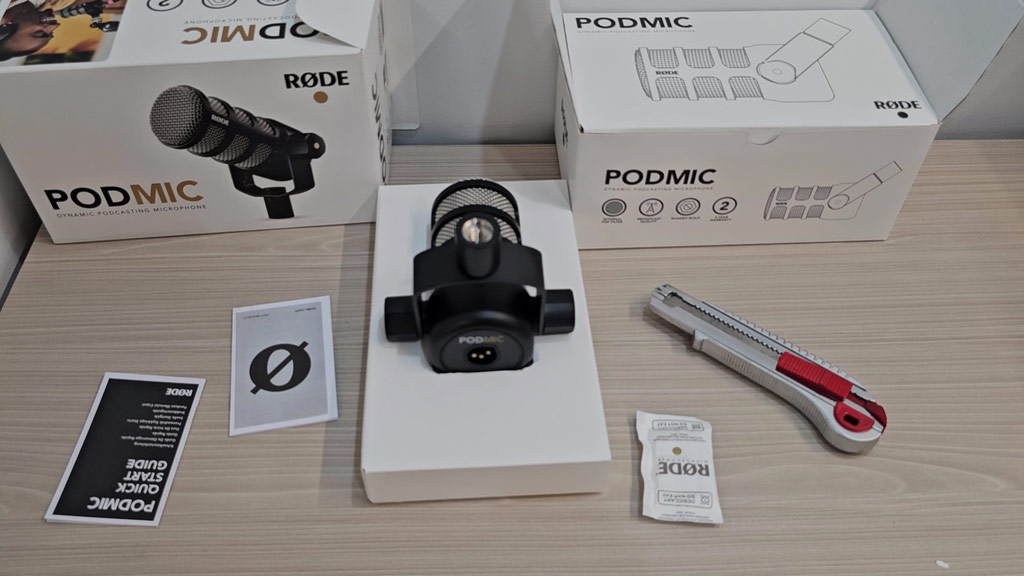
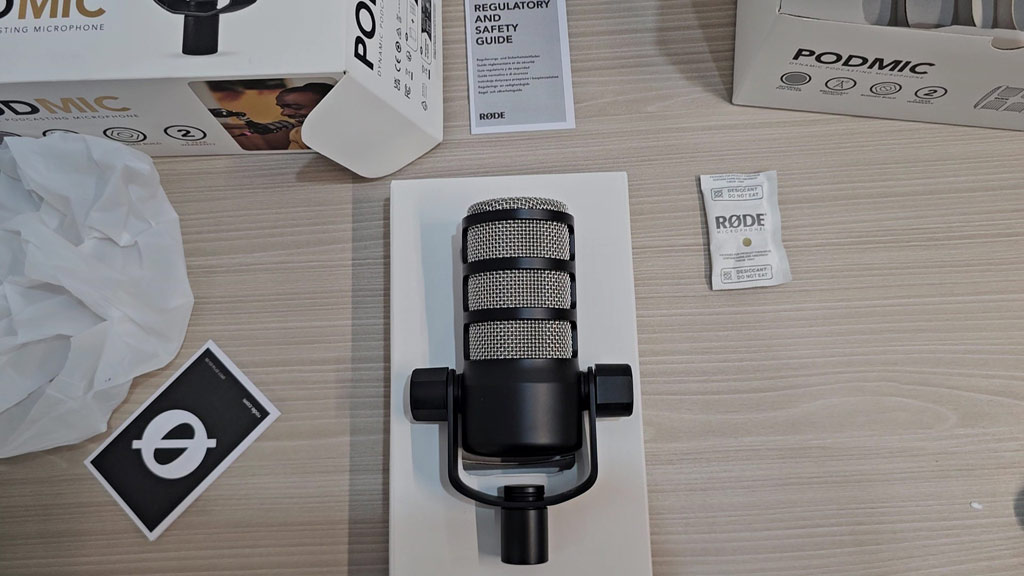
Here is everything that came out of our box:
- The PodMic, with its swing mount attached
- A quick start guide
- A regulatory and safety guide
- A small desiccant sachet
That is all. There is no cable, no stand and no adapter in the box.
What You Need to Make It Work
This is the part most reviews skip, and it is where new buyers get stuck. The PodMic cannot connect to a computer by itself. RØDE says so plainly: it has an XLR connection, so you need a standard 3-pin XLR cable and an audio interface to act as the bridge to your computer.
| You need | Why |
|---|---|
| 3-pin XLR cable | Carries the signal out of the microphone. Not in the box. |
| Audio interface or mixer | Turns the signal into something your computer can record, and supplies the gain. |
| Boom arm or desk stand | The PodMic weighs 937 g and has no stand of its own. |
| Recording software | Any recording app works, from GarageBand to Reaper. |
RØDE lists the PSA1 and PSA1+ boom arms and the DS1 desk stand as compatible. Whatever you choose, check that it is rated for close to a kilogram. A light arm will sag under this microphone.
Already have a mixer? A small mixer with microphone inputs does the same job as an interface. The one in our Yamaha MG10XU review has four XLR microphone inputs and a USB output, so it can run up to four PodMics into one computer.
A Closer Look at the Microphone
Body and build
The first thing you notice is the weight. At 937 g, the PodMic is heavier than it looks in photos. The body is all metal with a matte black finish, and the grille is stainless steel mesh in three bands. RØDE describes it as “built like a tank”, and in the hand that is a fair description. It measures 172 × 109 × 62 mm, so it is compact on camera.
The grille and built-in pop filter
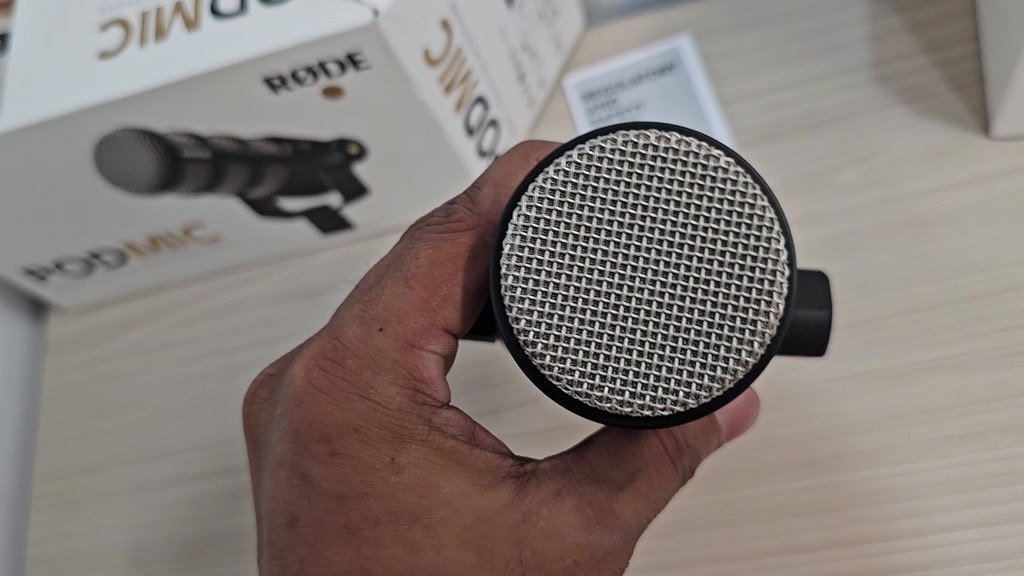
The PodMic is an end-address microphone. You speak into the round end, not the side. Behind the mesh sits an internal pop filter, which softens the bursts of air from “p” and “b” sounds. RØDE says you do not need a separate windshield.
The swing mount
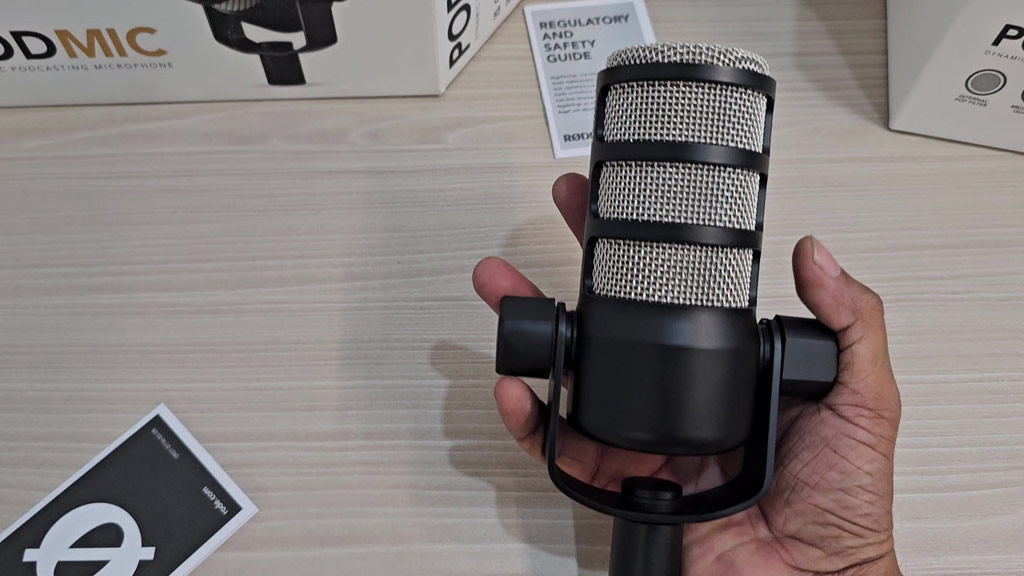
A U-shaped swing mount is fixed to the body. The microphone pivots inside it, and a knob on each side holds the angle. The threaded socket at the bottom of the mount screws onto a boom arm or stand.
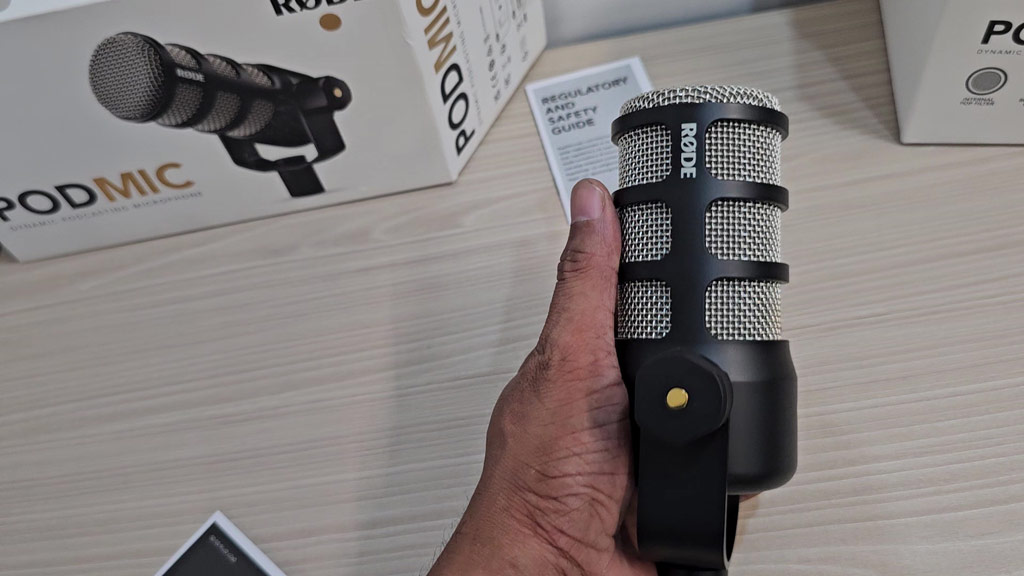
Because of this design, the PodMic cannot be fitted into an external shock mount. It does not need one. The capsule is suspended inside the body and the swing mount is decoupled from it, so bumps to the desk or arm are reduced before they reach the capsule.
The XLR connector
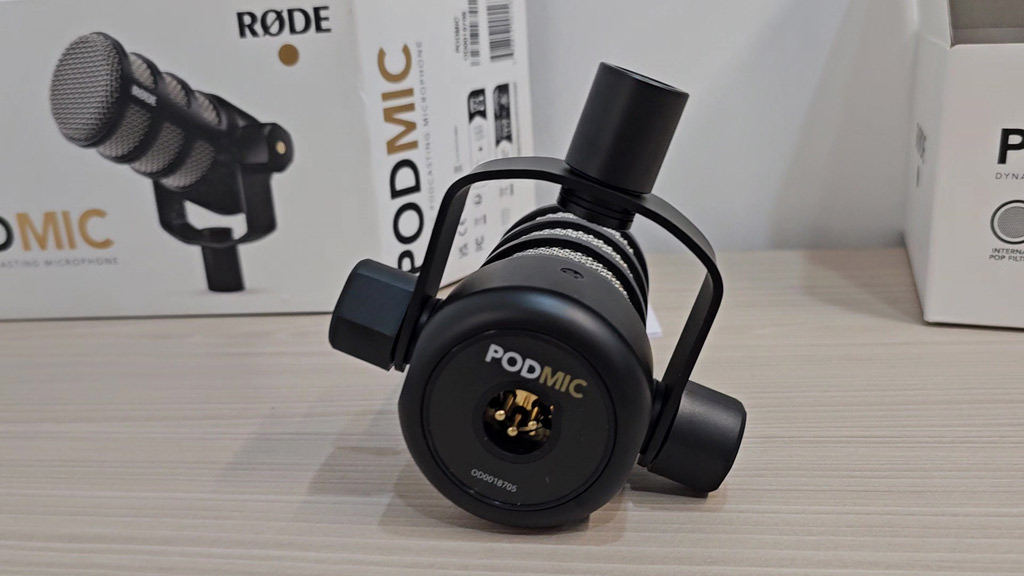
The back of the microphone carries the PodMic name and a 3-pin XLR socket with gold-coloured pins. The cable plugs in here and runs back along your boom arm. There are no switches, buttons or lights anywhere on the microphone. All control happens on your interface or mixer.
The Specifications, in Plain Words
| Specification | PodMic | What it means for you |
|---|---|---|
| Type | Dynamic | Less sensitive to room echo and background noise than a condenser. |
| Polar pattern | Cardioid | Hears what is in front and rejects the sides and back. |
| Frequency range | 50 Hz – 15 kHz | Covers the full range of the human voice. |
| Output | XLR | Needs an interface or mixer. No USB. |
| Output impedance | 320 Ω | Works with standard microphone inputs. |
| Sensitivity | -57 dBV | A quiet output, so you will turn the gain up on your interface. |
| Power | Not required | No phantom power and no batteries. |
| Weight | 937 g | Needs a sturdy boom arm or stand. |
| Size | 172 × 109 × 62 mm | Compact enough to stay out of your camera shot. |
| Colour | Black | Matte finish that does not reflect lights. |
Source: RØDE, PodMic specifications. The middle column is RØDE’s data. The right column is our explanation.
Why a Dynamic Microphone Suits Most Home Setups
Most people record in bedrooms, offices and spare rooms, not treated studios. Those rooms have hard walls, a computer fan and sometimes a street outside. A condenser microphone picks up all of it. A dynamic microphone with a tight cardioid pattern, like the PodMic, focuses on the voice a few centimetres in front of it and lets the rest fall away. RØDE points to this directly, saying the pattern gives strong room noise rejection for less-than-ideal recording spaces.
The trade-off is that you have to stay close. Speak a hand’s width from the grille and keep that distance steady. Move back and your voice gets thinner and quieter.
Pros and Cons
👍 WHAT WE LIKE
✔ Made for speech. Tuned for podcasts, streams and voice-overs.
✔ Rejects room noise. Dynamic capsule with a tight cardioid pattern.
✔ Pop filter inside. No foam cover or external filter needed.
✔ Shock mount inside. The capsule is suspended in the body.
✔ Solid metal build. Steel grille and a body made to last.
✔ No power needed. It works without phantom power.
👎 WHAT TO KNOW
✘ No USB. You must have an interface or mixer.
✘ Nothing else in the box. No cable and no stand.
✘ Heavy. At 937 g it needs a strong arm.
✘ Quiet output. Expect to use plenty of gain.
✘ Stay close. It is not for recording a whole room.
Is the PodMic Right for You?
| If you are a… | Our view |
|---|---|
| Podcaster with an interface or mixer | Yes. This is the use it was designed for. |
| Streamer on Twitch or YouTube | Yes. It looks good on camera and ignores keyboard noise better than a condenser. |
| Voice-over artist in an untreated room | Yes. The pattern helps hide the room. |
| Beginner with only a laptop | Not by itself. Budget for an interface, a cable and an arm too. |
| Singer or musician | It is tuned for speech. Look at a vocal or instrument microphone. |
Questions People Ask About the RØDE PodMic
How do I connect the RØDE PodMic to my computer?
You need a 3-pin XLR cable and an audio interface or mixer. The interface connects to the computer, and you record in any audio software.
Is the RØDE PodMic a USB microphone?
No. This PodMic has an XLR output only.
Does the PodMic need phantom power?
No. RØDE lists its power requirement as “not required”.
Does the PodMic need a shock mount or pop filter?
No. The capsule is suspended inside the body and there is a pop filter built in. It cannot be fitted to an external shock mount.
What comes in the box?
The microphone with its swing mount, a quick start guide and a safety guide. There is no cable or stand.
Which stand fits the PodMic?
RØDE lists the PSA1 and PSA1+ boom arms and the DS1 desk stand as compatible.
How heavy is the RØDE PodMic?
937 g, which is why it needs a sturdy arm or stand.
Build the Rest of Your Setup
For monitoring your voice while you record, see our Audio-Technica ATH-M30x review. If your show has cameras as well as microphones, our ATEM Mini Extreme ISO G2 review covers a switcher with two XLR inputs of its own.
The Bottom Line
The RØDE PodMic does one job, and it is built for that job from the grille to the mount: capturing a voice at close range and keeping the room out of it. The pop filter and shock mount are already inside, the metal body should last for years, and it needs no power. What it does not give you is a way to plug straight into a computer. If you have an interface or mixer, or you are ready to buy one, the PodMic is an easy microphone to recommend. If you want one cable and nothing else, a USB microphone is the better starting point.
RØDE PODMIC · XLR
RØDE PodMic Dynamic Podcast Microphone
✔ Built-in pop filter ✔ Internal shock mount ✔ All-metal body
Price and stock change often. The button shows today’s price on Amazon.

About the Author: Jason
I am a tech enthusiast and the reviewer behind Tech Buying Today. I unboxed and photographed this RØDE PodMic myself, and the specifications in this review come from RØDE’s official product page. Before I recommend anything, I compare the specifications, read the fine print and look for the trade-offs, then write it up in plain language so you can decide quickly.
Learn more about Tech Buying Today and how we choose what to recommend.