


Weak WiFi coverage is one of the most common and frustrating problems Spectrum internet users deal with every day especially in larger homes, multi-story houses, or rooms that sit far from the router. Even if you’re paying for a fast Spectrum plan, walls, floors, and distance quietly choke your signal before it ever reaches the back bedroom, basement, or home office. The good news is that the right spectrum compatible wifi extender fixes all of that without replacing your router, upgrading your plan, or calling Spectrum support.
A spectrum compatible wifi extender works with your existing Spectrum router or modem-router gateway to rebroadcast the signal into areas where coverage is weak or completely gone. It connects wirelessly or through an Ethernet cable and pushes your network further into every corner of your home. Most modern extenders are universally compatible, support dual-band, WiFi 6, or WiFi 7 standards, and work seamlessly with Spectrum as long as they’re paired with your current router setup. No special Spectrum equipment required just plug in, set up, and enjoy better coverage.
Here’s a quick look at the top 5 best spectrum compatible wifi extenders in 2026:
- TP-Link BE6300 WiFi 7 Range Extender (RE403BE): Best WiFi 7 Overall
- TP-Link RE615X AX1800 WiFi 6 Range Extender: Best Everyday WiFi 6 Choice
- NETGEAR WiFi 7 Range Extender EXS25 (BE5000): Best Premium Security Pick
- TP-Link AX3000 WiFi 6 Range Extender (RE715X): Best High-Speed WiFi 6 Value
- ASUS RP-AX58 AX3000 Dual Band WiFi 6 Extender: Best for AiMesh and Universal Routers
How to Choose the Right Spectrum Compatible WiFi Extender
The Core Problem With Spectrum Dead Zones
Your Spectrum router broadcasts a strong signal from wherever it’s installed but walls, floors, and physical distance break that signal down fast. By the time it reaches a distant room or second floor, you’re left with a connection that buffers during streaming, drops during video calls, and frustrates every device in the house. A wifi extender for spectrum router setups bridges that gap by acting as a relay station between your router and the rooms that need coverage most. It’s one of the simplest, most affordable home networking upgrades you can make and it doesn’t require any technical knowledge to set up.
Common Issues Buyers Run Into
- Choosing the wrong coverage size a 1,000 sq ft extender won’t solve problems in a 2,800 sq ft home, so matching coverage area to home size matters
- Compatibility confusion many buyers assume Spectrum requires a special extender, but all modern extenders use universal protocols that work with every Spectrum gateway without issue
- Buying outdated WiFi 5 hardware older standards handle fewer devices, deliver higher latency, and offer no meaningful upgrade path compared to WiFi 6
- Ignoring the Ethernet port wireless-only extenders limit usefulness for gaming consoles, smart TVs, and desktop PCs that genuinely benefit from a wired connection
- Poor placement decisions even the best spectrum compatible range extender underperforms when placed too close to the router or too deep into the dead zone
Why Modern Extenders Are a Genuine Upgrade
Today’s best wifi extender for spectrum internet options are significantly more capable than models from just a few years ago. WiFi 6 introduces OFDMA technology for better multi-device handling and lower latency across busy households. WiFi 7 adds Multi-Link Operation for even faster, more stable connections using multiple frequency bands simultaneously. Setup has also improved dramatically most extenders now offer app-based configuration, one-button WPS pairing, and EasyMesh or AiMesh support for seamless whole-home roaming. So you’re not just getting faster speeds you’re getting smarter, more reliable hardware that works the way modern homes actually need it to.
Who This Guide Is For
- Beginners who want something reliable that’s easy to set up without any networking knowledge
- Remote workers who need a stable, consistent connection in a home office far from the Spectrum router
- Gamers and streamers who need low latency and strong throughput without lag or buffering
- Families in larger homes with multiple devices connected simultaneously throughout the day
- Spectrum internet users who want a cost-effective dead zone fix without calling Spectrum or paying for a plan upgrade
By the end of this guide, you’ll know exactly which spectrum compatible wifi extender fits your home size, your Spectrum plan speed, and your daily usage. No guesswork and no wasted money.
Top 5 Best Spectrum Compatible WiFi Extenders in 2026
Disclosure: This post contains affiliate links. As an Amazon Associate I earn from qualifying purchases. If you purchase through our links, we may earn a small commission at no extra cost to you.
These five extenders were selected based on real-world performance, verified specifications, confirmed Spectrum compatibility, Ethernet port availability, mesh support, and genuine long-term value across different home sizes and budgets. Every specification is confirmed from official product documentation.
#1 TP-Link BE6300 WiFi 7 Range Extender (RE403BE): Best WiFi 7 Spectrum Compatible Extender
Overview: WiFi 7 dual-band extender with 2.5G Ethernet port and EasyMesh support | Covers up to 2,800 sq ft, 64 devices | Best for large homes on Spectrum Gigabit plans
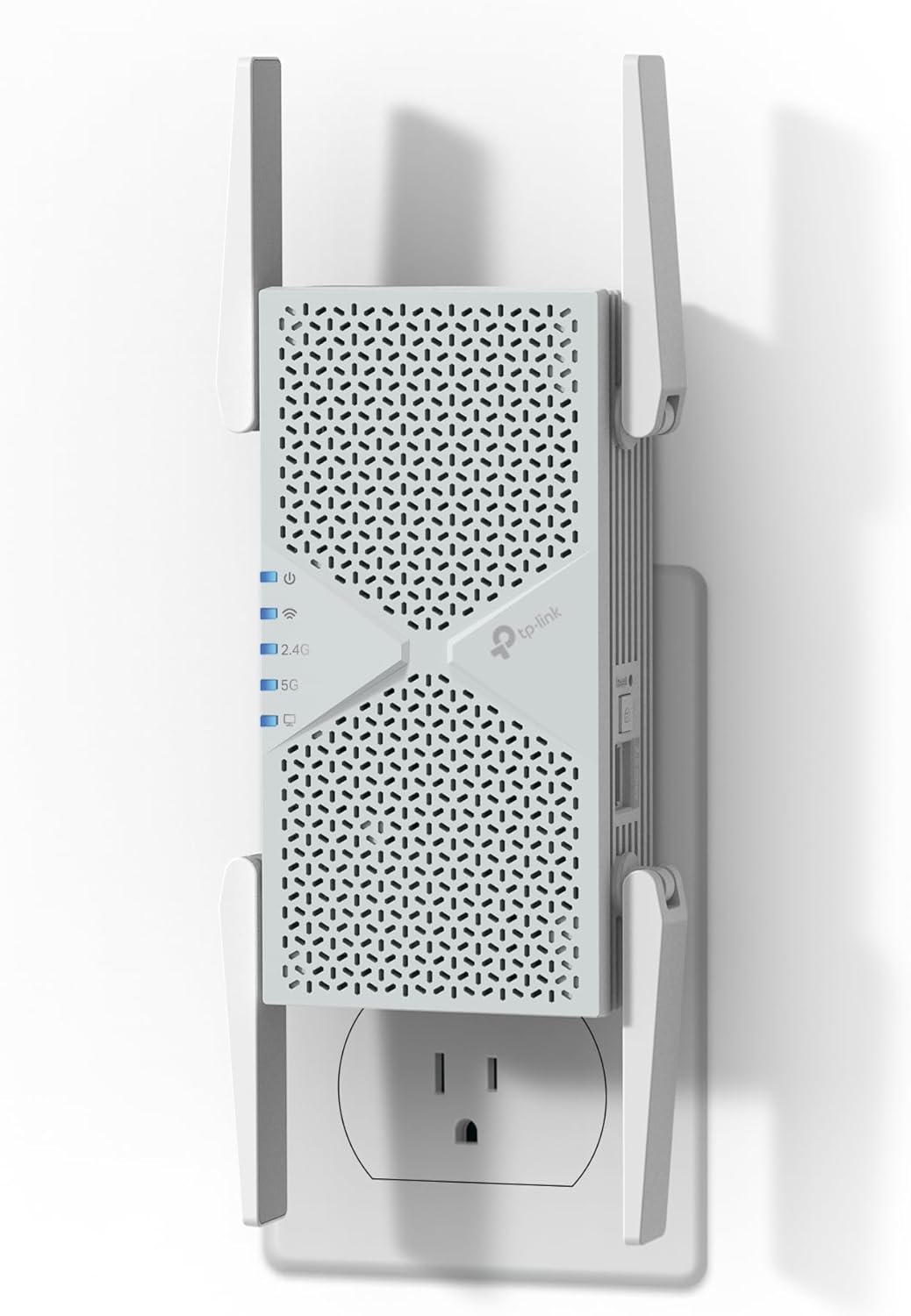
Best deal today. Prices may change.
Key Benefits: MLO combines multiple bands at once for faster, more stable connections than standard WiFi 7 | 2.5G Ethernet port future-proofs wired speeds for multi-gig Spectrum plans | EasyMesh lets you add more nodes later without replacing this unit | Tether app handles setup and firmware checks in under five minutes
Pros: Most future-proof pick here, handles today’s and tomorrow’s device demands | Rare 2.5G port at this price, a real advantage for consoles and desktop PCs | Can scale into a full mesh system later if your coverage needs grow | 2,800 sq ft coverage handles large homes as a single unit
Cons: No 6 GHz band despite being a WiFi 7 device
Best For: Large homes | Gigabit and multi-gig Spectrum plans | Households with 20+ devices
#2 TP-Link RE615X AX1800 WiFi 6 Range Extender: Best Everyday WiFi 6 Extender for Spectrum
Overview: AX1800 dual-band WiFi 6 extender with Gigabit Ethernet and EasyMesh | Covers up to 2,100 sq ft, 64 devices | Best for everyday households on standard Spectrum plans

Best deal today. Prices may change.
Key Benefits: WiFi 6 OFDMA handles multiple devices with noticeably less congestion than WiFi 5 | Gigabit Ethernet port gives smart TVs and consoles wired-quality stability | EasyMesh support means you can expand coverage later without new hardware | Tether app setup finishes in minutes with automatic firmware checks
Pros: Best price-to-performance ratio in this lineup | Gigabit port is a real differentiator versus cheaper wireless-only extenders | Handles 64 devices without the slowdown WiFi 5 models show at that load | Reliable day-to-day pick for families and remote workers
Cons: AX1800 speed ceiling may not fully use Spectrum’s top-tier Gigabit plans
Best For: Families and everyday users | Work-from-home setups | First-time extender buyers
Worth knowing: WiFi 7’s real-world speed edge over WiFi 6 mostly shows up on multi-gig plans with several demanding devices running at once. On a standard or mid-tier Spectrum plan, a well-placed WiFi 6 extender like the RE615X will feel just as fast day to day.
#3 NETGEAR WiFi 7 Range Extender EXS25 (BE5000): Best Premium Pick for Security-Focused Spectrum Users
Overview: BE5000 dual-band WiFi 7 extender with WPA3 security and 2.5G Ethernet | Adds up to 1,500 sq ft, 45 devices | Best for apartments and security-focused Spectrum users

Best deal today. Prices may change.
Key Benefits: WPA3 encryption is the strongest security on this list, worth it if you handle work or financial data | Smart Connect auto-assigns each device to the best band with no manual setup | 2.5G Ethernet port avoids bottlenecks on multi-gig Spectrum plans | Compact wall-plug design needs no shelf or desk space
Pros: Standout security feature most extenders at this price skip entirely | Smart Connect removes the guesswork of manual band management | NETGEAR’s firmware update track record is among the most consistent in the industry | Genuinely space-efficient, doesn’t crowd nearby outlets
Cons: 1,500 sq ft coverage isn’t enough for large multi-floor houses
Best For: Security-focused users and remote workers | Apartments and medium homes | NETGEAR ecosystem users
#4 TP-Link AX3000 WiFi 6 Range Extender (RE715X): Best High-Speed WiFi 6 Value for Spectrum
Overview: AX3000 dual-band WiFi 6 extender with Gigabit Ethernet, PCMag Editor’s Choice | Covers up to 2,400 sq ft, 64 devices | Best for gamers and streamers wanting top WiFi 6 speed

Best deal today. Prices may change.
Key Benefits: AX3000 speeds sit a tier above the RE615X for demanding households | PCMag Editor’s Choice recognition adds independent, third-party validation beyond spec sheets | 2,400 sq ft coverage handles medium-to-large homes as a standalone unit | EasyMesh support leaves room to expand coverage later
Pros: Best performance-per-dollar pick on this list | Independently validated by one of the most trusted tech reviewers around | Handles 64 devices without noticeable slowdown during peak hours | Outperforms most WiFi 6 extenders at a comparable price
Cons: Larger footprint than the wall-plug RE615X and NETGEAR EXS25
Best For: Gamers and streamers | Medium-to-large homes | Spectrum Gigabit subscribers
#5 ASUS RP-AX58 AX3000 Dual Band WiFi 6 Range Extender: Best for AiMesh Integration and Universal Spectrum Compatibility
Overview: AX3000 dual-band WiFi 6 extender with AiMesh support | Works with any router, including all Spectrum gateways | Best for ASUS router owners and universal compatibility

Best deal today. Prices may change.
Key Benefits: AiMesh hands devices off automatically between router and extender without dropping the connection, but only with an ASUS router | Works with any router brand for basic extending, including every Spectrum gateway | ASUS Router app gives more detailed network visibility than most basic extender apps | AX3000 speeds stay reliable under gaming and streaming loads
Pros: Best mesh integration on this list, if you already own an ASUS router | Still works reliably as a straightforward extender with any other brand | One of the strongest firmware update histories in home networking | Good long-term pick for households where devices move between rooms often
Cons: AiMesh benefits are limited unless you already own an ASUS router
Best For: ASUS router owners | Any Spectrum router brand wanting strong WiFi 6 | Households needing seamless roaming
Quick Comparison: Best Spectrum Compatible WiFi Extender in 2026
| Rank & Model | WiFi & Speed | Coverage & Ports | Best For |
|---|---|---|---|
| #1 TP-Link RE403BE | WiFi 7, 6.3 Gbps | 2,800 sq ft, Yes (2.5G) | Large homes, Gigabit plans, future-proofing |
| #2 TP-Link RE615X | WiFi 6 (AX1800), 1.8 Gbps | 2,100 sq ft, Yes (Gigabit) | Everyday homes, families, mid-tier Spectrum plans |
| #3 NETGEAR EXS25 | WiFi 7 (BE5000), 5 Gbps | 1,500 sq ft, Yes (2.5G) | Security-focused users, apartments, premium pick |
| #4 TP-Link RE715X | WiFi 6 (AX3000), 3 Gbps | 2,400 sq ft, Yes (Gigabit) | Gamers, streamers, performance value |
| #5 ASUS RP-AX58 | WiFi 6 (AX3000), 3 Gbps | ~2,700 sq ft, Yes (Gigabit) | AiMesh users, universal router compatibility |
This guide will help you choose the right spectrum compatible wifi extender based on your home size, Spectrum plan speed, and the way your household actually uses WiFi every single day.
What to Look for When Buying a Spectrum Compatible WiFi Extender
Suitability for Your Setup and Daily Usage
- Match coverage area to your actual home size 1,500 sq ft for apartments and smaller homes, 2,100-2,800 sq ft for medium to large single-family homes
- Confirm Ethernet port speed Gigabit is the minimum for gaming and streaming; 2.5G is worth it if you’re on a multi-gig Spectrum plan
- Choose the right WiFi standard WiFi 6 is the smart minimum for any Spectrum household with 10 or more connected devices; WiFi 7 is worth the investment on Gigabit plans and above
- Verify compatibility with your Spectrum router all five picks on this list use universal protocols and work with every Spectrum gateway currently available
Feature Simplicity and Transparency
- Look for EasyMesh or AiMesh support this eliminates the two-network frustration that older extenders create, and allows future expansion without buying new hardware
- App-based setup through Tether or the ASUS Router app is consistently faster and more reliable than browser-based setup for most everyday users
- Avoid models with subscription-based features unless you’re genuinely committed to the ongoing cost none of the five picks above require any subscription
- Verify Ethernet port speed clearly before buying 100 Mbps vs. Gigabit vs. 2.5G is a significant real-world difference for wired devices
Performance and Stability
- Consistent signal without drop-offs during extended streaming or gaming sessions is the single most important daily performance metric
- WiFi 6 OFDMA handles multi-device congestion dramatically better than WiFi 5 a meaningful improvement for busy Spectrum households with many simultaneous connections
- An Ethernet port provides wired stability for any device that benefits from it gaming consoles, desktop PCs, and smart TVs all perform better with a direct wired connection
- Dual-band support lets you separate high-demand devices on 5 GHz from smart home and IoT devices on 2.4 GHz for better overall network balance
Brand Reliability and Support
- TP-Link and ASUS both deliver regular firmware updates with strong app support and accessible customer service resources
- NETGEAR is one of the most established names in home networking with a long-standing track record for consistent security patches and performance improvements
- All three brands offer clear warranty policies and straightforward return processes that protect your purchase
Long-Term Value for Everyday Use
- WiFi 6 minimum for a high speed wifi extender for spectrum that stays relevant and useful for the next four to six years
- EasyMesh or AiMesh compatible models scale well you can add more coverage nodes later without replacing the hardware you already own
- App-based management through Tether or the ASUS Router app makes ongoing maintenance easy without any technical expertise required
- Durable build quality across all five picks means these are genuine long-term investments rather than disposable hardware
How These Spectrum Compatible WiFi Extenders Were Selected
Every product in this guide was chosen based on real-world usability, verified specifications, and genuine long-term value, not marketing claims, inflated speed numbers, or promotional consideration. Here’s exactly what guided every selection decision:
- Daily performance and practical usability across typical Spectrum home environments from small apartments to large multi-floor houses
- Suitability for different home sizes and usage patterns from casual browsing to high-demand simultaneous gaming and 4K streaming
- Feature clarity only models with honest, independently verifiable specifications made this list
- Ease of setup and quality of the out-of-the-box experience from unboxing to the first stable, reliable connection
- Reliability and consistency over extended everyday use not just first-week performance but long-term stability
- Brand reputation and long-term firmware support including security update history and app maintenance track record
No product earned its place through promotion. Every pick was selected because it delivers real, verifiable value for Spectrum users specifically.
How to Use a Spectrum Compatible WiFi Extender Effectively
Proper setup makes a bigger difference than most buyers expect. Because a well-placed, correctly configured spectrum wifi extender outperforms an expensive one that’s set up wrong every single time, here’s exactly how to get the most out of whichever model you choose.
Proper Initial Setup
- During initial pairing, keep the extender in the same room as your Spectrum router first, then relocate it to the optimal position after the connection is confirmed and stable
- Use the manufacturer’s app Tether for TP-Link models, ASUS Router app for the RP-AX58, or the NETGEAR app for the EXS25, for guided setup that’s faster and handles firmware checks automatically
- Install firmware updates immediately after first connection this step consistently resolves early performance and stability issues that affect the out-of-box experience
Optimal Placement and Positioning
- Place the extender halfway between your Spectrum router and the dead zone. This single placement decision has more impact on performance than any other factor
- Elevated placement at shelf height rather than a floor-level outlet spreads the signal more evenly across the room and surrounding areas
- Avoid positioning near microwaves, cordless phones, baby monitors, and large metal appliances all of these interfere with both 2.4 GHz and 5 GHz bands and degrade performance
Common Setup Mistakes to Avoid
- Placing it too close to the dead zone: the extender needs a strong incoming signal from your Spectrum router to rebroadcast effectively; extending a weak signal just creates a bigger weak zone
- Connecting all devices to 2.4 GHz: use 5 GHz for streaming and gaming devices whenever the extender is within reasonable range for meaningfully better performance
- Skipping firmware updates: these consistently include critical performance and security improvements, especially in the months immediately following a new product release
- Overloading the extender with every device in the house: prioritize high-demand devices on the extender and let lower-priority smart home devices stay on your Spectrum router’s direct signal
Performance Optimization Tips
- Connect gaming consoles and smart TVs to the Ethernet port if your model includes one wired connections always beat wireless for stability, speed, and latency
- Use 5 GHz for high-bandwidth devices positioned close to the extender and 2.4 GHz for smart home sensors and IoT gadgets that are farther away and don’t need speed
- Restart the extender monthly for a clean memory refresh this consistently helps maintain long-term performance stability
- Use your extender’s app to check signal strength before committing to a permanent outlet location: the Tether and ASUS Router apps both include built-in signal quality indicators
Signs It’s Working Properly
✔ Stable speeds in rooms that previously had weak or no Spectrum signal
✔ No frequent disconnects or buffering during streaming, gaming, or video calls
✔ Devices automatically connecting to the strongest available signal without manual switching
✔ Strong signal bars on every device in areas that were dead zones before the extender was installed
How to Pick the Right WiFi Extender for Spectrum Internet
Match your Spectrum plan:
- Basic plan (100-300 Mbps) → The TP-Link RE615X AX1800 delivers more than enough throughput at a reasonable price. No need to pay for WiFi 7 hardware
- Spectrum Gigabit plan → TP-Link RE715X AX3000 or ASUS RP-AX58 give you the speed and coverage area to actually use what you’re paying for every day
- Multi-gig or ultra-fast Spectrum plan → TP-Link RE403BE WiFi 7 or NETGEAR EXS25 WiFi 7 with 2.5G Ethernet both are purpose-built for this performance tier
Third-party vs. official: Spectrum doesn’t manufacture or sell their own range extenders so third-party options from TP-Link, NETGEAR, and ASUS are not just acceptable, they’re your only real option. And because all modern extenders use standard universal WiFi protocols, every pick on this list works just as reliably with Spectrum as it does with any other ISP.
Placement: The halfway-between-router-and-dead-zone rule applies universally to every model on this list. Too close to your Spectrum router and you’re duplicating coverage that already exists. Too close to the dead zone and you’re extending a weak signal which just creates a larger weak zone rather than a strong one.
Must-have features:
- Dual-band support (5 GHz for speed, 2.4 GHz for range and compatibility)
- Ethernet port Gigabit minimum for gaming consoles, smart TVs, and desktop PCs that benefit from wired connections
- WiFi 6 minimum for any Spectrum household with 10 or more connected devices
- EasyMesh or AiMesh support for households where devices move between rooms and seamless roaming matters
Avoid:
- WiFi 5 (AC) extenders in 2026 they handle fewer devices, deliver higher latency, and offer no meaningful upgrade path for active Spectrum households
- Wireless-only extenders without Ethernet ports for gaming or streaming setups that genuinely benefit from a direct wired connection
- Oversized whole-home models if you only have one or two specific dead zone rooms match the product to the actual problem rather than the biggest spec sheet number
Real User Feedback: What Spectrum Users Are Saying
“The RE403BE completely changed my home office situation. I’m on Spectrum Gigabit and was getting maybe 40 Mbps in my back bedroom despite paying for full-speed service. After placing this halfway down the hallway, I’m consistently pulling strong speeds throughout the room. The WiFi 7 performance difference is genuinely noticeable and the 2.5G port on my desktop made an immediate difference.” Verified buyer, Amazon
“I bought the RE615X for my two-story house and it’s been rock solid for months. Setup took under five minutes with the Tether app, it blankets both floors with coverage, and I haven’t had a single unexplained drop since I installed it. Exactly what a wifi extender for spectrum homes should be, you set it up and completely forget about it.” Verified buyer, Amazon
“The NETGEAR EXS25 earns its price with the WPA3 security alone. I work remotely and handle client data, so network security genuinely matters to my setup. Strong signal throughout my apartment, compact design that doesn’t stick out, and it’s been completely stable for over four months running on Spectrum Gigabit.” Verified buyer, Amazon
“I was skeptical whether the RE715X was worth stepping up from a cheaper option, but the PCMag Editor’s Choice rating convinced me to try it. Really glad it did my PS5 via Ethernet and all four streaming devices in our house run without a single complaint now. For Spectrum users who want real performance without going full mesh, this is the sweet spot.” Reddit user, r/Spectrum
Conclusion and Final Recommendation
Choosing the right spectrum compatible wifi extender doesn’t have to be complicated or overwhelming. Every option on this list meaningfully improves your Spectrum WiFi coverage so the real decision is simply matching the right product to your specific home size, Spectrum plan speed, and whether wired device support matters for your daily setup.
Who this guide is best for:
- Spectrum users frustrated by persistent dead zones who aren’t sure where to start
- Buyers comparing multiple extender options who want a clear, honest recommendation they can trust
- Remote workers and gamers who need reliable, consistent performance in a specific area of their home
- Budget-conscious shoppers who want proven hardware from a trusted brand without overspending
- Large home owners who need to know when a single extender is genuinely enough versus when a full mesh system makes more practical sense
Frequently Asked Questions
Will any WiFi extender work with Spectrum?
Yes, almost any standard WiFi extender works with a Spectrum router, because Spectrum routers use normal WiFi. For the best speed, match the extender to your router: WiFi 6 with WiFi 6, WiFi 7 with WiFi 7.
Does Spectrum have its own WiFi extender?
Spectrum offers its own WiFi Pods for some of its routers, usually for a monthly charge. An extender you buy yourself is a one-time cost and works with other internet providers too.
How do I connect a WiFi extender to my Spectrum router?
Plug the extender in near the router, then press the WPS button on both, or follow the steps in the extender’s app. When it is connected, move it to a spot halfway to the dead zone.
Will a WiFi extender make my Spectrum internet faster?
No. An extender spreads your signal to more rooms. It cannot go above the speed of your Spectrum plan, but it can make slow rooms much more usable.
Best Overall Pick: TP-Link BE6300 WiFi 7 Range Extender (RE403BE)
If you want the best all-around spectrum compatible wifi extender available in 2026, the TP-Link RE403BE is the one to get. It combines WiFi 7 technology with MLO, a 2,800 sq ft coverage area, a 2.5G Ethernet port, and EasyMesh support all in a package that’s genuinely future-proof and straightforward to configure through the Tether app. It’s the smartest investment for anyone on Spectrum Gigabit or higher who wants strong, stable coverage throughout every room of a large or demanding home.
But if WiFi 7 is more than your current setup needs, the TP-Link RE615X delivers everything most everyday Spectrum users actually want: solid WiFi 6 performance, a Gigabit Ethernet port, EasyMesh support, and proven daily reliability at a significantly friendlier price point.
The bottom line is simple: Match the extender to your home size, your Spectrum plan speed, and whether wired device support is a genuine priority for your setup. Don’t overpay for features you’ll never use but don’t underbuy and find yourself back in the same dead zone situation again twelve months from now. A properly placed extender in the right spot does more for your Spectrum home WiFi than any plan upgrade at the same price.
Before you go: Still deciding between a single extender and a full mesh upgrade for your Spectrum home? Read our guide on WiFi Mesh Network vs Range Extender to see which setup makes the most practical sense for your situation and budget.
Related Guides: