

The best modem for Cox is one that sits on Cox’s own Certified Cable Modems list for your plan. For Cox’s Go Beyond Fast (2 Gig) plan, the ARRIS SURFboard S33, ARRIS S34, Hitron CODA56 and NETGEAR CM3000 are all on Cox’s 2 Gig list. For Go Super Fast (1 Gig) or slower, the ARRIS SB8200 is on Cox’s 1 Gig list.
Cox sorts its approved modems by plan, so the right pick depends on your speed tier. I checked all five against that list and each maker’s own page.
Key Takeaways
- Cox’s list is sorted by plan: the S33, S34, CODA56 and CM3000 are on the “2 Gig or Lower” list, while the SB8200 is on the “1 Gig or Lower” list.
- 2 Gig needs more than a modem: Cox says you also need a router with 2.5 Gbps ports and a computer with a 2.5 Gbps adapter.
- Upload on the 500 Mbps plan: Cox says DOCSIS 3.1 modems get up to 50 Mbps upload there, while DOCSIS 3.0 modems get up to 10 Mbps.
- Support: Cox Customer Support only supports modems bought or rented from Cox.
- Phone service: retail Internet and phone combo modems are not certified on Cox’s network.
Disclosure: This post contains affiliate links. If you buy through them, we may earn a commission at no extra cost to you.
How I researched this
- I read Cox’s support page “Certified Cable Modems” and copied the tier tables exactly.
- Then I read each maker’s product page for ports, plan ratings and warranty.
- I have not used these modems on a Cox line myself, so the advice comes from Cox’s page and the makers’ pages.
- Prices are left out because they change every week.
Which Modem Each Cox Plan Needs
Cox now names its plans Go Beyond Fast, Go Super Fast, Go Even Faster and Fast, so older guides that still say “Gigablast” or “Preferred” can point you to the wrong table. Here is how Cox’s own page matches plans to modem lists.

| Cox plan | Cox list to use | Notes from Cox’s page |
| Go Beyond Fast (2 Gig) | 2 Gig or Lower DOCSIS 3.1 | Router and computer need 2.5 Gbps ports |
| Go Super Fast (1 Gig) | 1 Gig or Lower, or the 2 Gig list | Upload may vary by area and network capacity |
| Go Even Faster (500 Mbps) | Any DOCSIS 3.1 list, or the 500 Mbps DOCSIS 3.0 list | DOCSIS 3.1 gets up to 50 Mbps upload; DOCSIS 3.0 gets up to 10 Mbps |
| Fast (300 Mbps) and slower | Any list rated for your tier | Older DOCSIS 3.0 lists stop at lower tiers |
Because of that upload gap, a DOCSIS 3.1 modem is worth it even on the 500 Mbps plan. In addition, a 2 Gig modem also covers the slower plans, so it leaves room to upgrade later.
What Cox’s Certified List Says About These Five
| Modem | Cox list | What the maker says |
| ARRIS SURFboard S33 | ✔ 2 Gig or Lower | ARRIS names Cox among the providers that qualified it |
| NETGEAR Nighthawk CM3000 | ✔ 2 Gig or Lower | NETGEAR lists Cox among compatible providers |
| ARRIS SURFboard S34 | ✔ 2 Gig or Lower | ARRIS rates it for plans up to 2.5 Gbps |
| Hitron CODA56 | ✔ 2 Gig or Lower | Hitron lists Cox Gigablast among its approved providers |
| ARRIS SURFboard SB8200 | ✔ 1 Gig or Lower | ARRIS recommends it for plans up to 1 Gbps and names Cox |
Cox also lists modem-router combos, such as the ARRIS G36 and G54 on the 2 Gig list. I kept to modem-only picks, however, so you can choose your own router.
What Cox Does Not Support With Your Own Modem
- Customer Support: Cox says only modems and gateways bought or rented from Cox are supported. With your own modem, you troubleshoot device problems through the maker. Cox offers a paid plan, Complete Care, if you want help anyway.
- Phone combos: Cox says Internet and telephone combo modems bought new or used from other retailers are not certified for its network.
- Used modems: a modem bought used may not activate, so Cox asks you to contact it first.
- Fiber homes: the certified tables are cable (DOCSIS) modems. Cox lists separate fiber gateways for fiber areas, so ask Cox before buying if your home has Cox fiber.
Should You Buy Your Own Modem for Cox?
Cox rents Panoramic Wifi gateways, which add Cox app features such as advanced security and support for Cox extenders. Its page does not show the rental price, so check the equipment line on your own bill before you decide.
| Your situation | Best move | Why |
| You pay a monthly equipment charge and want to stop it | Buy a modem from Cox’s list for your plan | Your own modem plus a router can replace a rented gateway |
| You have Cox Voice | Keep Cox’s gateway | Retail phone combo modems are not certified |
| You want Cox’s app features and support | Keep the Panoramic Wifi gateway | Cox only supports equipment it provides |
| You are on 2 Gig | A 2 Gig list modem plus a 2.5 Gbps router | Cox says both are needed for 2 Gbps |
The 5 Best Modems for Cox
I ordered them by Cox tier first, so the four 2 Gig picks come before the 1 Gig pick, then by ports and warranty.
1. ARRIS SURFboard S33: the all-round 2 Gig pick

- Multi‑Gig speed for today & tomorrow: DOCSIS 3.1 performance supports cable internet plans up to 2.5 Gbps, delivering ul…
- Save on rental fees: Own your modem and avoid monthly equipment charges – check with your cable provider for plan compat…
- Compact, modern design: Space‑saving footprint with simple LED indicators for power, upstream/downstream, and online sta…
The S33 is on Cox’s “2 Gig or Lower” list. ARRIS says it is best for cable plans up to 2.5 Gbps and names Cox, Comcast Xfinity and Charter Spectrum as providers that qualified it. It has one 2.5 Gbps port and one 1 Gbps port, plus a 2-year limited warranty.
WHAT WE LIKE
✓ On Cox’s 2 Gig list
✓ One 2.5 Gbps and one 1 Gbps port
✓ 2-year limited warranty
WATCH OUT FOR
✕ No built-in WiFi
✕ No phone port
✕ Cox support does not cover customer-owned modems
Skip it if: you use Cox Voice, or you want WiFi built into the modem.
2. NETGEAR Nighthawk CM3000: the most ports
The CM3000 is on Cox’s 2 Gig list, and NETGEAR lists Cox among its compatible providers. It has one 2.5 Gbps port and two 1 Gbps ports, and it supports link aggregation.

- MAXIMIZE YOUR CABLE INTERNET: A dedicated DOCSIS 3.1 cable modem lets you pair any WiFi router or mesh system you choose…
- APPROVED FOR YOUR PROVIDER AND PLAN: Works with Xfinity, Spectrum, Cox, and most US cable providers on internet plans up…
- GET THE FULL SPEED OF YOUR PLAN: DOCSIS 3.1 supports plans up to 2.5 Gbps download and 1 Gbps upload, so sending large f…
There is a warranty catch. NETGEAR says coverage needs an authorized reseller and registration, so buy from one and register the modem.
WHAT WE LIKE
✓ On Cox’s 2 Gig list
✓ Three Ethernet ports
✓ Link aggregation
WATCH OUT FOR
✕ Warranty needs an authorized reseller and registration
✕ No phone support
✕ No built-in WiFi
Skip it if: you do not want to buy from an authorized reseller or register the product.
3. ARRIS SURFboard S34: the newer ARRIS 2 Gig model
The S34 is also on Cox’s 2 Gig list. ARRIS rates it for plans up to 2.5 Gbps and lists next-gen upload tiers. It has a 2.5 Gbps port, a 1 Gbps port and a 2-year limited warranty.

- Multi‑Gig speed for today & tomorrow: DOCSIS 3.1 performance supports cable internet plans up to 2.5 Gbps, delivering ul…
- Future Proof Upstream: Support for the next generation upload speed tiers offered by cable internet providers.
- Save on rental fees: Own your modem and avoid monthly equipment charges—check with your cable provider for plan compatib…
WHAT WE LIKE
✓ On Cox’s 2 Gig list
✓ Two Ethernet ports
✓ 2-year limited warranty
WATCH OUT FOR
✕ No built-in WiFi
✕ No phone port
✕ Very close to the S33 on Cox
Skip it if: you already have the S33, because on Cox both sit on the same 2 Gig list.
4. Hitron CODA56: one fast port

- CABLE INTERNET ONLY – NOT COMPATIBLE WITH: Fiber (Verizon FiOS, AT&T), DSL, Satellite, or Fixed Wireless. ONLY works wit…
- NO WiFi INCLUDED – ROUTER REQUIRED: This is a modem ONLY. You MUST buy a separate WiFi router to get wireless internet. …
- CABLE INTERNET REQUIRED: Works EXCLUSIVELY with cable internet service (DOCSIS) from providers like Xfinity, Spectrum, o…
The CODA56 is on Cox’s 2 Gig list, and Hitron’s page lists Cox Gigablast among its approved providers. Hitron rates it for plans up to 2.5 Gbps. However, it has a single 2.5 Gbps port, so a second wired device needs a router or a switch.
One more catch: Hitron’s page does not state warranty terms, so ask the seller before you order.
WHAT WE LIKE
✓ On Cox’s 2 Gig list
✓ One 2.5 Gbps port
✓ Hitron names Cox on its page
WATCH OUT FOR
✕ One Ethernet port
✕ No built-in WiFi or voice
✕ Warranty terms are not on the product page
Skip it if: you need more than one wired port on the modem itself.
5. ARRIS SURFboard SB8200: for 1 Gig and slower plans

- Multi‑Gig speed for today & tomorrow: DOCSIS 3.1 performance supports cable internet plans up to 2 Gbps, delivering ultr…
- Save on rental fees: Own your modem and avoid monthly equipment charges—check with your cable provider for plan compatib…
- Compact, modern design: Space‑saving footprint with discrete LED indicators for power, upstream/downstream, and online s…
The SB8200 is on Cox’s “1 Gig or Lower” list, not the 2 Gig list. ARRIS recommends it for plans up to 1 Gbps and names Cox. It has two 1 Gbps ports and a 2-year limited warranty.
WHAT WE LIKE
✓ On Cox’s 1 Gig list
✓ Two 1 Gbps ports
✓ 2-year limited warranty
WATCH OUT FOR
✕ Not on Cox’s 2 Gig list
✕ No built-in WiFi
✕ No phone port
Skip it if: you are on Go Beyond Fast (2 Gig) or plan to upgrade to it.
All 5 Modems Compared
| Modem | Cox list | Ports | Warranty on the maker page |
| ARRIS S33 | 2 Gig or Lower | 2.5 Gbps + 1 Gbps | 2-year limited |
| NETGEAR CM3000 | 2 Gig or Lower | 2.5 Gbps + 2x 1 Gbps | Needs an authorized reseller and registration |
| ARRIS S34 | 2 Gig or Lower | 2.5 Gbps + 1 Gbps | 2-year limited |
| Hitron CODA56 | 2 Gig or Lower | One 2.5 Gbps | Not stated |
| ARRIS SB8200 | 1 Gig or Lower | Two 1 Gbps | 2-year limited |
Getting Full 2 Gig Speed: What Else You Need
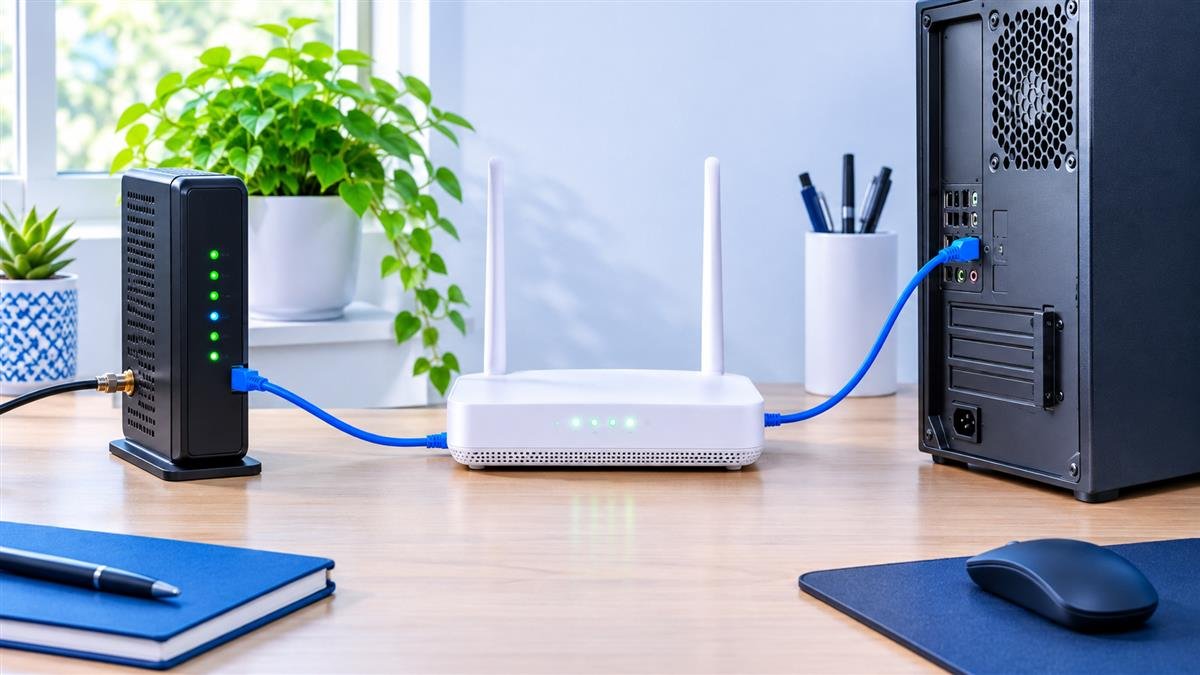
Cox says that to reach full gigabit speed your equipment should support 2.5 Gbps Ethernet or WiFi 6/6E. For its 2 Gig plan it lists three requirements:
- A WiFi router with at least a 2.5 Gbps Ethernet WAN port.
- A WiFi router with at least a 2.5 Gbps Ethernet LAN port.
- A PC or Mac with at least a 2.5 Gbps Ethernet adapter.
Cox also names retail routers it lists as 2 Gbps capable: the NETGEAR Orbi RBK963, ASUS ET12, ASUS GT-AXE16000, ASUS GT-AX6000 and TP-Link AXE300. So a 2 Gig modem on its own is only half of the setup.
How to Activate Your Own Modem With Cox
Cox sends customers to cox.com/activate to set up a modem or gateway, or you can contact Cox. If you bought the modem used, contact Cox first, because Cox says a used modem may not activate on your account.
When Buying Your Own Modem May Not Pay Off
- You use Cox Voice. Retail phone combo modems are not certified, so you keep Cox’s gateway anyway.
- Your home has Cox fiber. The certified list is for cable modems, so ask Cox first.
- You want Cox to fix device problems. However, Cox Customer Support only covers equipment it sold or rented.
- Your bill has no equipment charge. Then a new modem adds cost without a monthly saving.
Real-World Checks Before You Buy
- Cox’s website now shows a “Cox is now Spectrum” banner, and provider lists can change, so open Cox’s Certified Cable Modems page on the day you order.
- Find your exact plan name on your Cox bill or account, then match it to the right list.
- Cox says upload speeds may vary with network capacity and location, so expect your upload to differ from your neighbor’s.
- Check the equipment line on your bill to see what renting costs you today.
Best Modem for Cox FAQ
Can I use my own modem with Cox?
Yes, if it is on Cox’s Certified Cable Modems list for your plan. Cox will not support the device itself, though.
Does the ARRIS SB8200 work with Cox 2 Gig?
Cox lists the SB8200 only on its “1 Gig or Lower” list, so pick a model from the 2 Gig list for Go Beyond Fast.
Is DOCSIS 3.1 needed on the 500 Mbps plan?
It is not required, but Cox says DOCSIS 3.1 modems get up to 50 Mbps upload on that plan, against up to 10 Mbps for DOCSIS 3.0.
Do these modems include WiFi?
No. All five are modems only, so you also need a router, and Cox says 2 Gig needs one with 2.5 Gbps ports.
Related Guides
- On another provider? See our best modem for Spectrum and best modem for Xfinity guides.
- Compare more picks in our best cable modem under $300 guide, which covers seven modems.
Final Recommendation
First, find your plan name, because Cox splits its approved modems by plan.
For Go Beyond Fast (2 Gig), the ARRIS S33 is the all-round pick, the NETGEAR CM3000 adds the most ports, and the S34 and CODA56 are solid alternatives, as long as your router and computer also have 2.5 Gbps ports. For Go Super Fast (1 Gig) or slower, the ARRIS SB8200 is enough. In every case, check Cox’s list on the day you order.