

The interview went perfectly. Then you open the file at home and the best answer is ruined: your guest laughed, the level jumped, and the audio is a wall of distortion. There is no second take.
That fear is what the RØDE Wireless PRO is built to remove. It is a wireless microphone kit for two people that also records a backup inside each transmitter, in a format that can be rescued even when the sound was far too loud or too quiet. It adds timecode to keep sound and picture together, and it arrives with more accessories than most kits at this size.
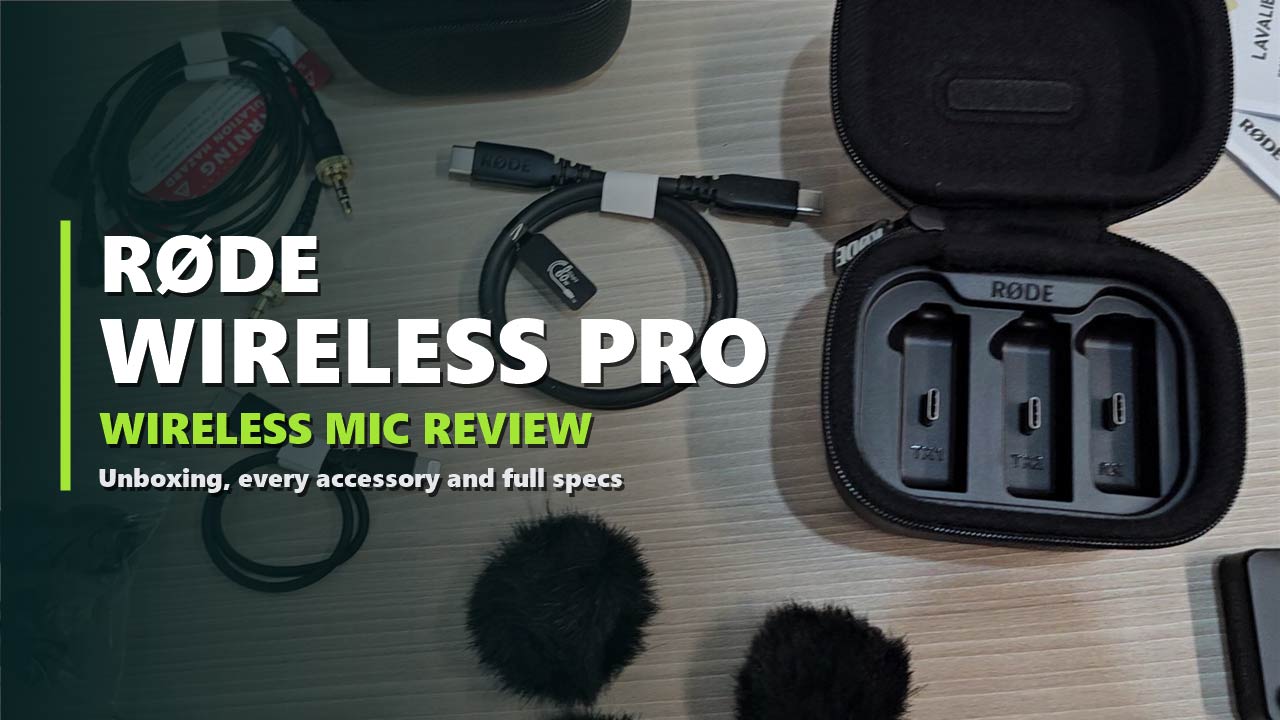
We unboxed a new Wireless PRO and laid out everything in it. This review goes through the full kit piece by piece, shows how it connects to a camera, a phone and a computer, explains the headline features without the jargon, and lists RØDE’s official specifications.
Problem 1: clipped audio
32-bit float on-board recording keeps a backup that can be recovered if it was too loud or too quiet.
Problem 2: sound out of sync
Built-in timecode lines up your audio and video without an external timecode box.
Problem 3: uneven levels
GainAssist smooths the level automatically, and a safety channel adds a second layer of protection.
Disclosure: This post contains affiliate links. If you buy through them, we may earn a commission at no extra cost to you.
The Quick Answer
The Wireless PRO is for people who record sound they cannot repeat: interviews, weddings, events, documentaries and paid client work. The backup recording and timecode are what you pay for. If you make casual videos and can simply record again when something goes wrong, a simpler and cheaper wireless kit will do.
RØDE WIRELESS PRO
RØDE Wireless PRO Compact Wireless Microphone System
✔ 32-bit float backup recording ✔ Timecode sync ✔ Two lavalier mics included
Price and stock change often. The button shows today’s price on Amazon.
Unboxing the Wireless PRO
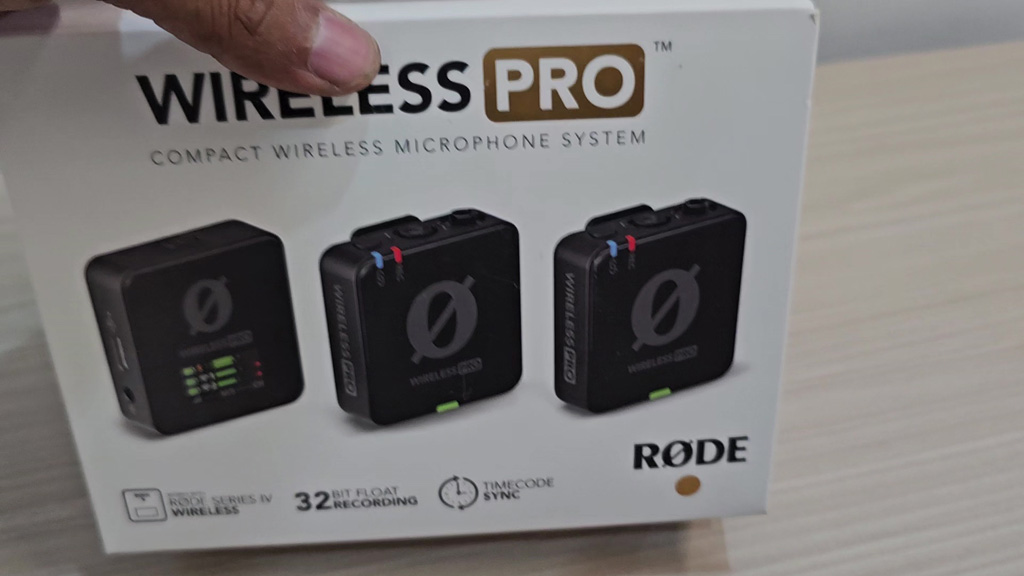
The front of the box shows the three units at actual size, the receiver with its screen and the two transmitters, and names three features under them: RØDE Series IV wireless, 32-bit float recording and timecode sync.
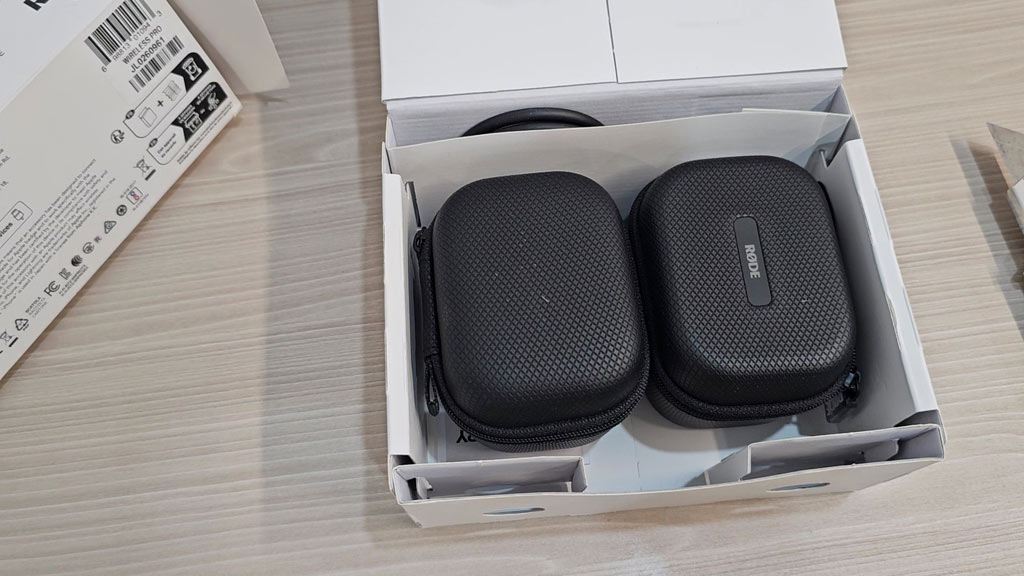
Open it and you find two black zip cases sitting side by side. One is the charge case that holds the three units. The other is an accessory case for the cables, clips and microphones. Under them are the guides.
Everything in the Box
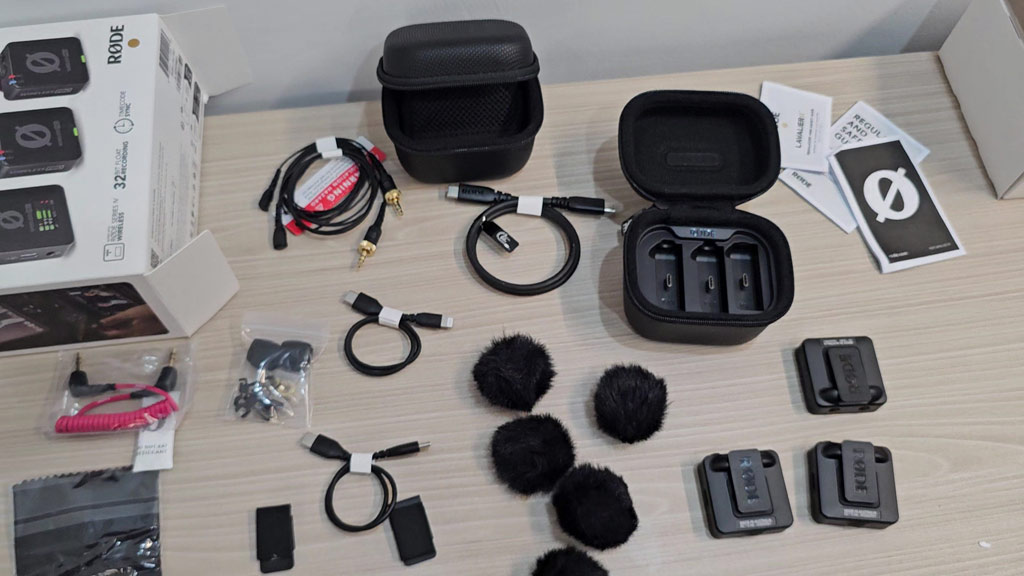
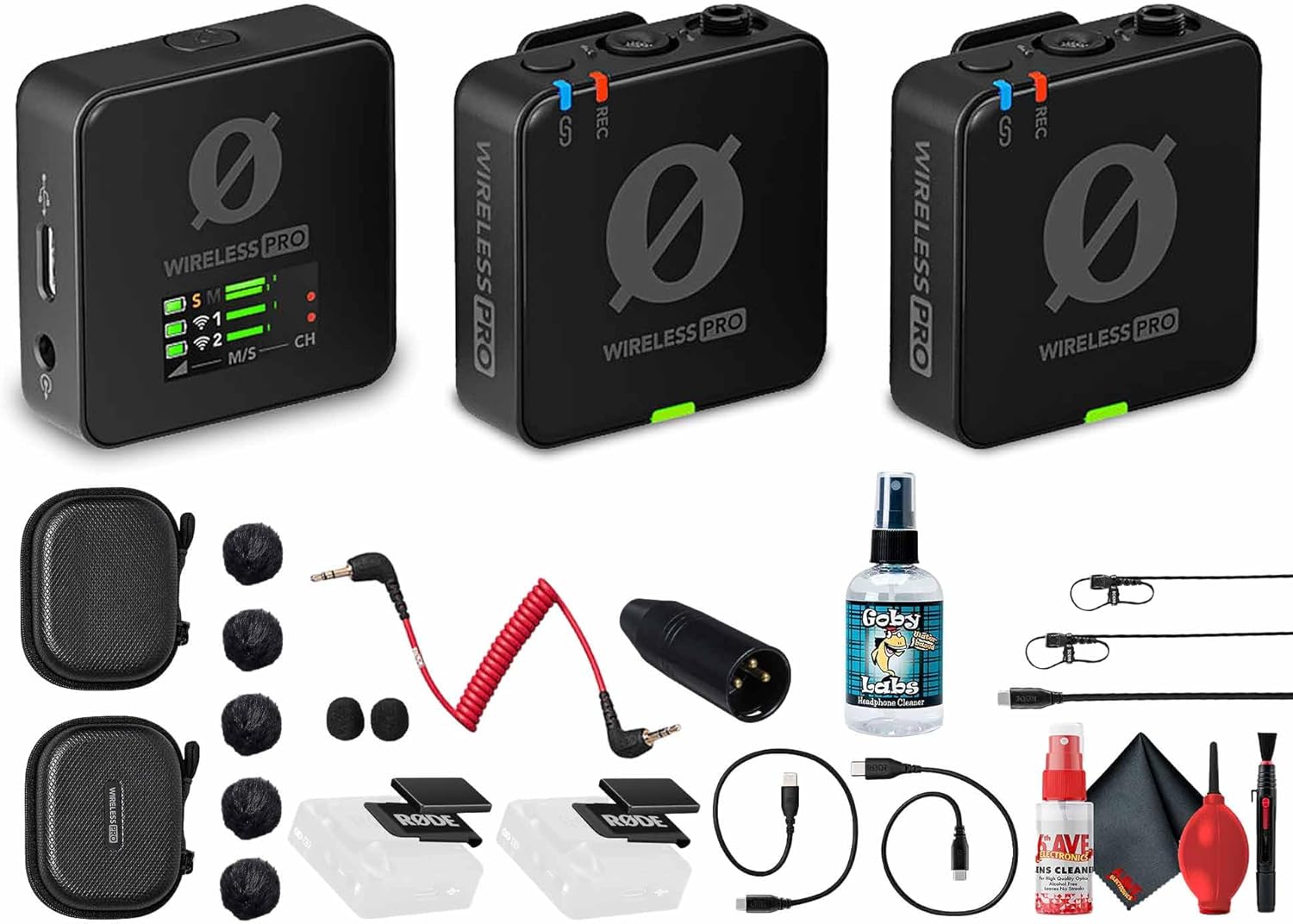
This is where the Wireless PRO stands apart. Many wireless kits give you the transmitters, a receiver and a cable. This one is closer to a complete recording kit. RØDE’s official contents list:
| Item | Qty | What it is for |
|---|---|---|
| Wireless PRO TX | 2 | Transmitters. Each has a built-in microphone and clips to clothing. |
| Wireless PRO RX | 1 | Receiver. Connects to your camera, phone or computer. |
| Charge Case+ | 1 | Stores and charges all three units. |
| Accessory case | 1 | Holds the microphones, cables and clips. |
| Lavalier II | 2 | Clip-on microphones for when you want the transmitter hidden. |
| MagClip GO | 2 | Magnetic clips to attach a transmitter where there is nothing to clip onto. |
| Furry windshields | 3 | Cut wind noise outdoors. |
| 3.5mm TRS cable (red, 20 cm) | 1 | Receiver to camera. |
| Lightning cable (30 cm) | 1 | Receiver to an iPhone with a Lightning port. |
| USB-C cable (30 cm) | 1 | Receiver to a USB-C phone or a computer. |
| SC34 cable | 1 | Included USB cable. |
RØDE’s list shows three furry windshields. Our box held more than three, so you may find spares in yours.
A Tour of the Kit
The charge case
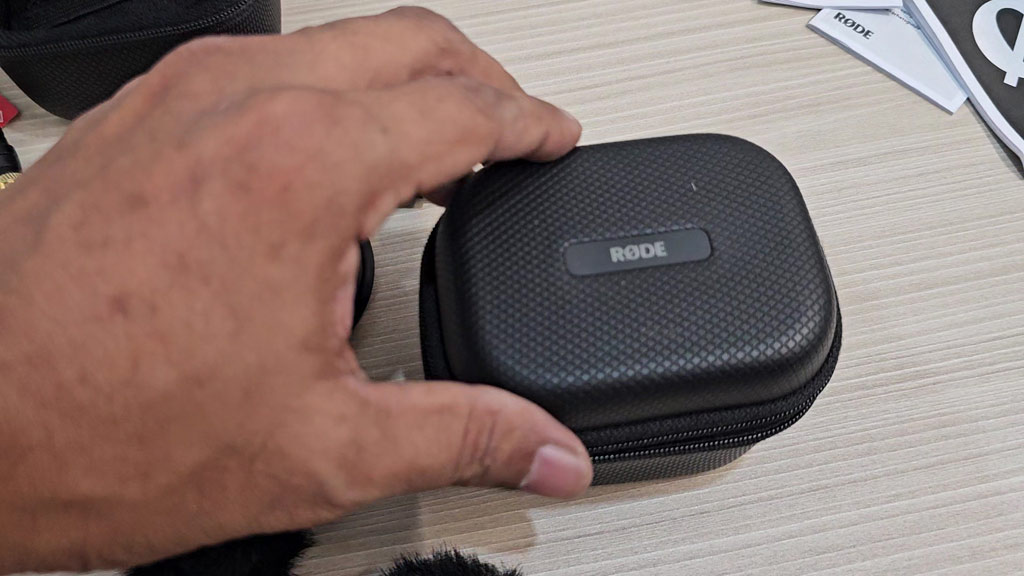
The charge case is a semi-hard zip case with a textured shell and a RØDE badge on the lid. It is small enough to hold in one hand.
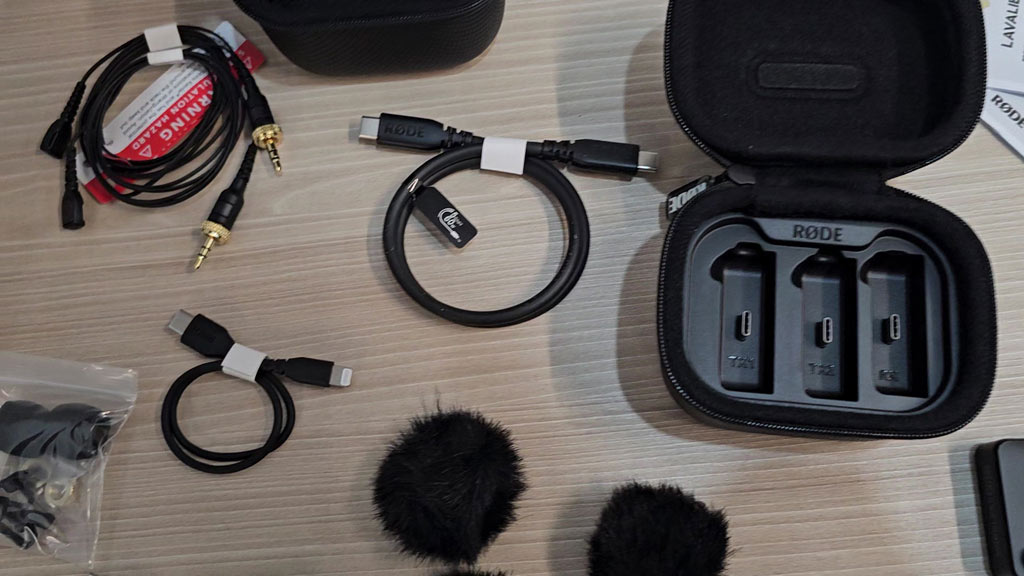
Inside are three slots labelled TX1, TX2 and RX, each with its own USB-C connector. Drop the units in and they charge. RØDE says the case also allows fast data transfer, so you can copy the backup recordings off the transmitters without taking them out.
The transmitters and receiver
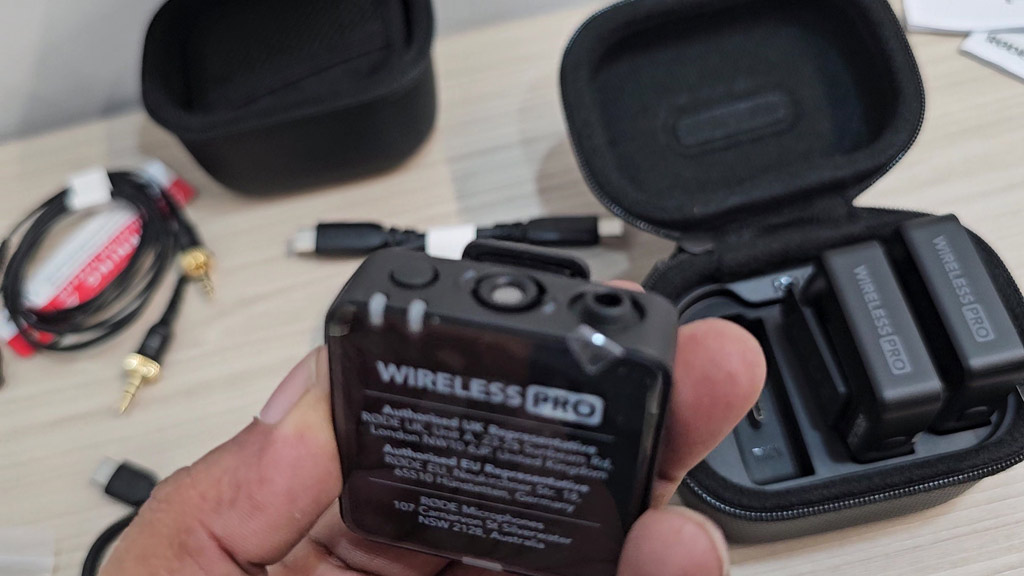
Each unit is a small black square, light enough to forget it is clipped to a shirt. They carry the same compact design RØDE used for the Wireless GO series.
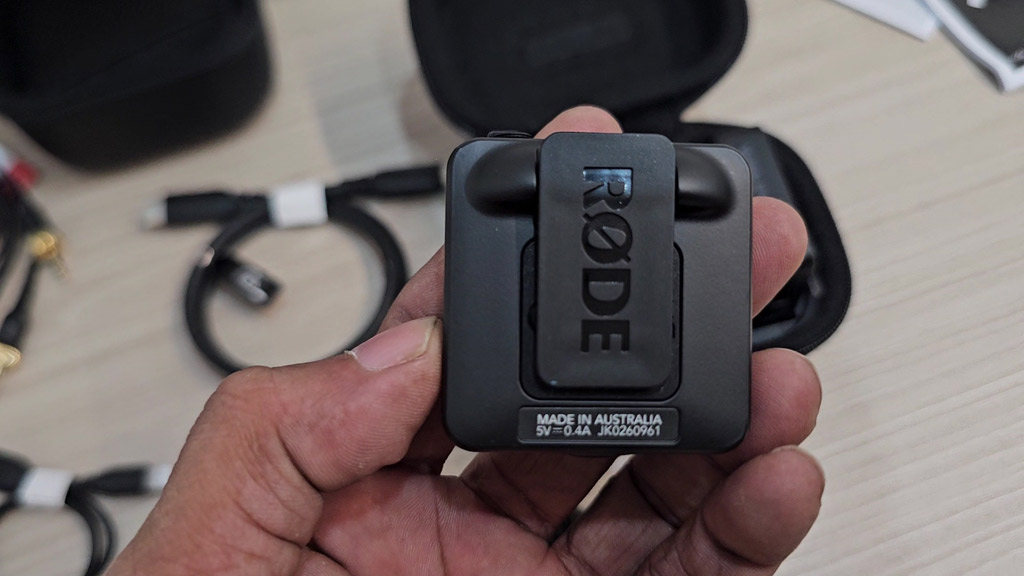
The back of each unit is a clip with the RØDE name moulded into it. It grips a collar, a pocket edge or a camera’s cold shoe.
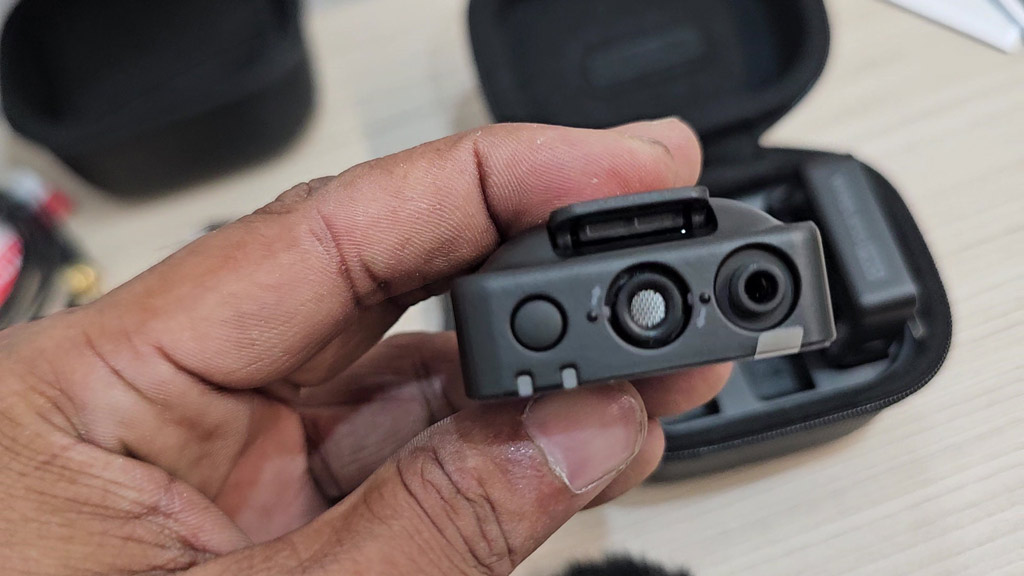
On top of a transmitter you find the built-in microphone, a button and a 3.5mm input. That input is a locking type: the lavalier screws on, so it cannot be pulled out halfway through a shoot.
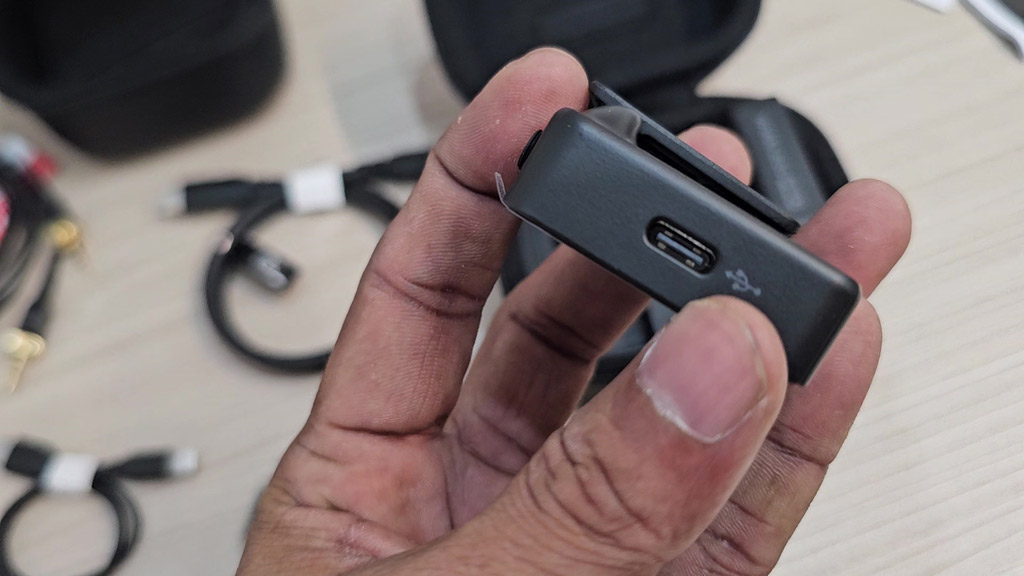
The bottom edge has a USB-C port. It charges the unit, connects it to a phone or computer, and is how the units sit in the charge case.
The Lavalier II microphones
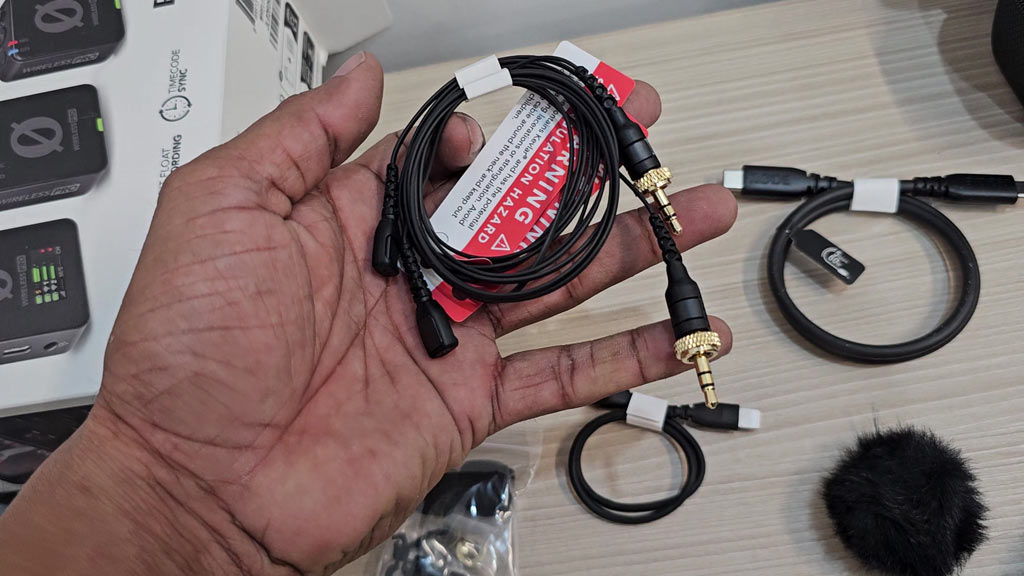
Two Lavalier II microphones come in the kit, each with a gold threaded connector that locks into a transmitter. Sold separately, lavaliers of this kind add a real cost, so having two in the box matters. Use them when you want the small black square out of the shot.
Cables, clips and windshields
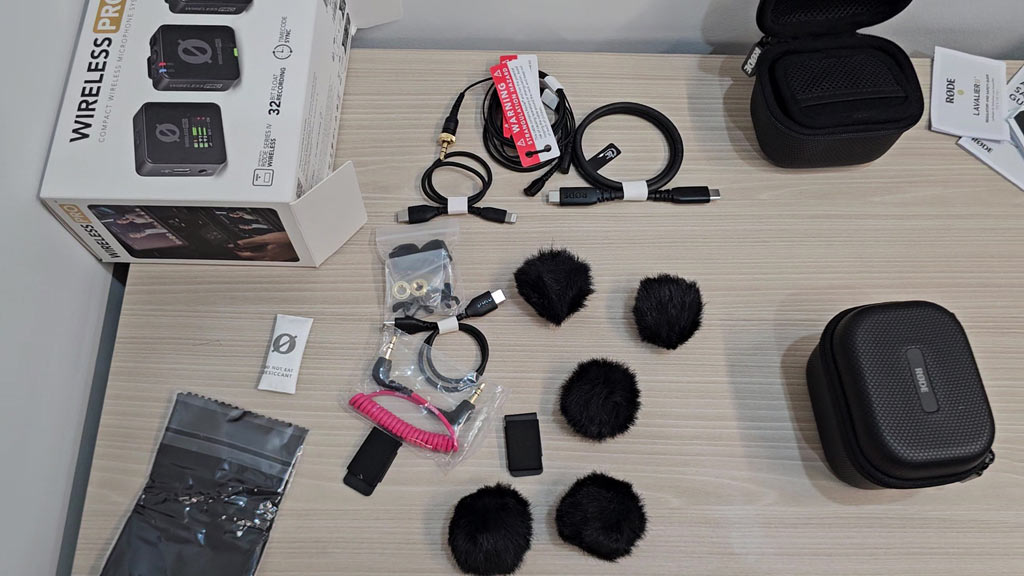
The accessory case holds the rest: the furry windshields, the magnetic clips and the short cables. Each cable is about a hand’s length, which keeps a camera rig tidy.
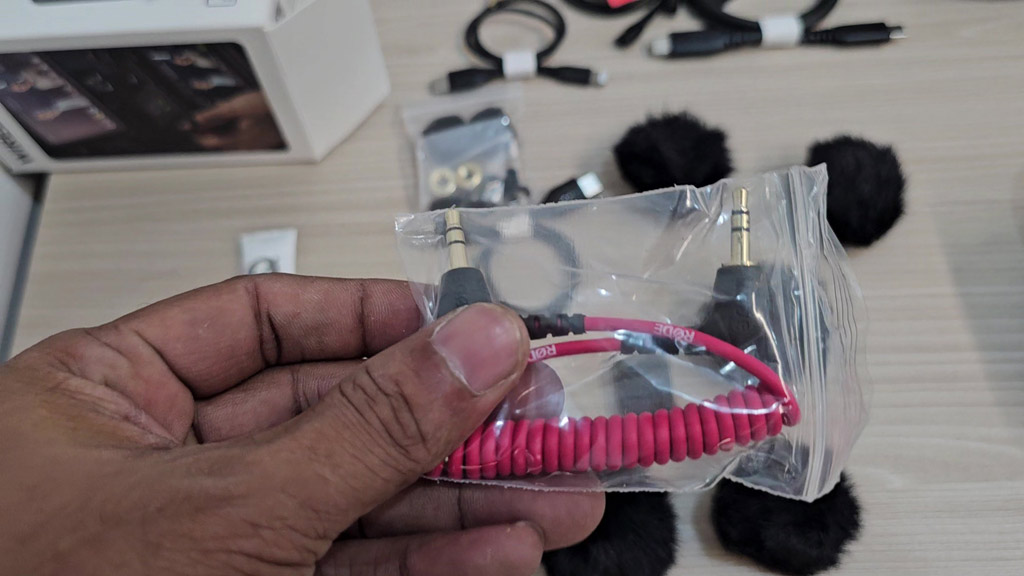
The red coiled cable is the one most people use first. It runs from the receiver’s 3.5mm output to the microphone input on a camera.
How It Connects to Your Gear
| You are recording on | Use |
|---|---|
| A camera | The red 3.5mm TRS cable from the receiver to the camera’s mic input. |
| An iPhone with Lightning | The Lightning cable from the receiver. |
| A USB-C phone or tablet | The USB-C cable from the receiver. |
| A computer | The USB-C cable. The receiver appears as an audio device. |
| An iPhone with no receiver | Direct Connect in the RØDE Capture app pairs the transmitters over Bluetooth. |
The receiver also has a headphone output with its own level control, so you can listen while you record. The same socket can take a headset or a third microphone for a narrator track. For monitoring, a closed-back pair such as the one in our Audio-Technica ATH-M30x review works well.
The Big Features, Without the Jargon
What is 32-bit float recording?
Normal recordings have a ceiling. Go over it and the sound distorts for good. A 32-bit float file has so much room that a recording made too loud or too quiet can be pulled back to a clean level when you edit. On the Wireless PRO, each transmitter records this way to its own memory while it also sends the sound wirelessly. You always have a second copy.
What is timecode?
Timecode is a running clock stamped onto a recording. When your audio and your video carry the same clock, editing software can line them up exactly. RØDE built it into the Wireless PRO, so you do not need a separate timecode device.
What is GainAssist?
GainAssist watches the level and adjusts it for you, so a quiet speaker and a loud laugh both come out balanced. You can also set the gain by hand and use presets made to match the receiver to your camera.
What is the safety channel?
RØDE describes it as an extra layer of protection for your recording, alongside the on-board backup.
How good is the wireless link?
The kit uses RØDE’s Series IV 2.4GHz digital transmission with 128-bit encryption. RØDE gives a range of up to 260 m in line of sight. Walls, bodies and busy Wi-Fi will shorten that in real use, which is one more reason the on-board backup is valuable.
Official Specifications
| Microphone type | Pre-polarised pressure transducer |
| Polar pattern | Omnidirectional |
| Frequency range | 20 Hz – 20 kHz |
| Maximum SPL | 123.5 dB SPL |
| Equivalent noise | 22 dBA |
| Signal-to-noise ratio | 72 dB |
| Transmitter input | 3.5mm locking TRS |
| Receiver output | 3.5mm TRRS |
| Digital connection | USB-C |
| Transmission | Series IV 2.4GHz digital, 128-bit encryption |
| Range | 260 m (line of sight) |
| Battery | Built-in rechargeable lithium-ion, charged by USB-C |
| Operating time | Up to 7 hours |
| Works with | macOS 10.15, Windows 10, iOS 14 and Android 11, and above |
| Warranty | RØDE states a 5-year warranty on its wireless products |
Source: RØDE, Wireless PRO product page.
Pros and Cons
👍 WHAT WE LIKE
✔ Backup in every transmitter. 32-bit float recording you can rescue later.
✔ Timecode built in. No extra box to buy or carry.
✔ A complete kit. Two lavaliers, clips, windshields and cables included.
✔ Charge case. Stores, charges and transfers files.
✔ Locking connectors. Lavaliers screw in and stay in.
✔ Works with everything. Cameras, phones and computers.
👎 WHAT TO KNOW
✘ More than casual users need. You pay for backup and timecode.
✘ Seven hours per charge. A long shoot day needs a top-up in the case.
✘ Range is line of sight. 260 m is a best case, not an indoor figure.
✘ Direct Connect is for iOS. It runs through the RØDE Capture app.
✘ Settings live in an app. Advanced options need RØDE Central.
Is the Wireless PRO Right for You?
| If you are a… | Our view |
|---|---|
| Wedding or event filmmaker | Yes. One chance to record, so the backup earns its place. |
| Interviewer or documentary maker | Yes. Two transmitters, two lavaliers and timecode cover the job. |
| YouTuber with paid client work | Yes. It removes the most common audio failures. |
| Multi-camera shooter | Yes. Timecode saves hours in the edit. |
| Casual vlogger | Probably more than you need. A simpler wireless kit costs less. |
| Podcaster at a desk | No. A wired microphone is the better tool. |
For a fixed desk setup, see our RØDE PodMic review. For a moving camera to go with wireless sound, see our DJI RS 4 review.
Questions People Ask About the RØDE Wireless PRO
What comes in the RØDE Wireless PRO box?
Two transmitters, one receiver, a charge case, an accessory case, two Lavalier II microphones, two MagClip GO clips, furry windshields and cables for cameras, iPhones and USB-C devices.
Does the Wireless PRO record without the receiver?
Yes. Each transmitter makes its own 32-bit float recording on board, as a backup to the wireless signal.
What is the range of the RØDE Wireless PRO?
RØDE states up to 260 m in line of sight.
How long does the battery last?
Up to 7 hours, according to RØDE. The charge case recharges the units between uses.
Does the Wireless PRO work with a phone?
Yes. Lightning and USB-C cables are in the box. On iOS, Direct Connect in the RØDE Capture app can also pair the transmitters with no receiver.
Does it have timecode?
Yes. Timecode is built in, so audio and video can be synchronised without an external system.
Are lavalier microphones included?
Yes. Two RØDE Lavalier II microphones with locking connectors are in the box.
The Bottom Line
Most wireless microphones do one thing: send sound from a person to a camera. The RØDE Wireless PRO does that and then guards against the three ways audio usually fails. It keeps a recoverable backup in each transmitter, it stamps timecode so nothing drifts out of sync, and it levels the sound for you. Add two lavaliers, a charge case and a full set of cables, and you have a kit that is ready for paid work the day it arrives. If your recordings can never be repeated, it is worth the money. If they can, save it and buy something simpler.
RØDE WIRELESS PRO
RØDE Wireless PRO Compact Wireless Microphone System
✔ 32-bit float backup recording ✔ Timecode sync ✔ Two lavalier mics included
Price and stock change often. The button shows today’s price on Amazon.

About the Author: Jason
I am a tech enthusiast and the reviewer behind Tech Buying Today. I unboxed and photographed this RØDE Wireless PRO kit myself, and the features and specifications in this review come from RØDE’s official product page. Before I recommend anything, I compare the specifications, read the fine print and look for the trade-offs, then write it up in plain language so you can decide quickly.
Learn more about Tech Buying Today and how we choose what to recommend.