

Upgrading to a WiFi-7 router is only half the battle: your network is only as strong as its weakest signal area. If you’re still dealing with dead zones, slow speeds in distant rooms, or unreliable connections on upper floors, a wifi 7 extender can help unlock the full potential of your wireless network.
The latest WiFi-7 range extenders bring major improvements over older WiFi-5 and WiFi-6 models, including Multi-Link Operation (MLO), higher throughput, lower latency, improved device handling, and multi-gig Ethernet connectivity. Whether you’re streaming 4K content, gaming online, working from home, or supporting dozens of smart devices, the right WiFi-7 extender can significantly expand your coverage without replacing your existing network.
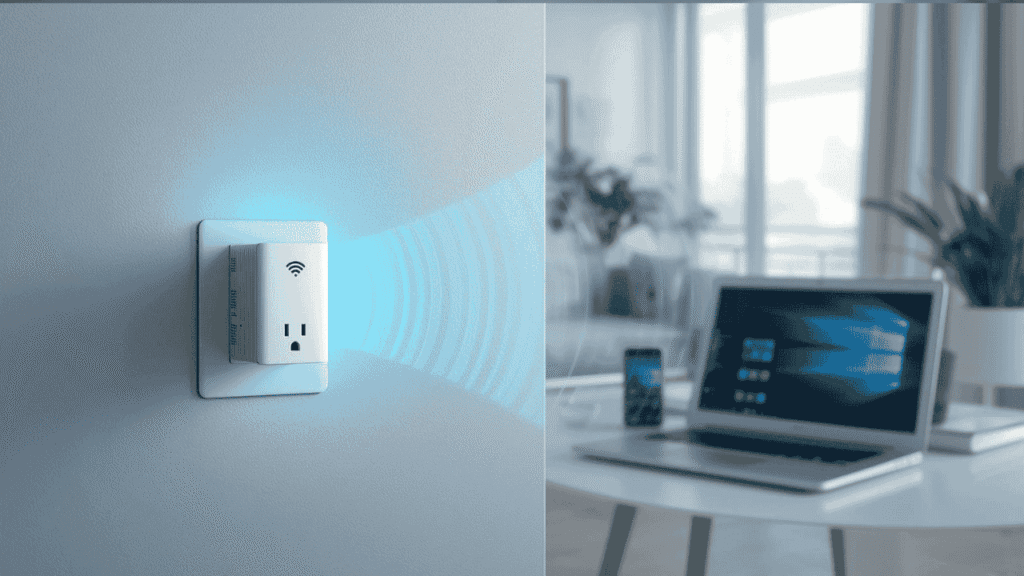
To help you find the best option, we’ve compared the top WiFi-7 extenders based on stated specs, coverage, features, and overall value.
Compatibility note: The WiFi-7 extenders in this guide are designed to work with most modern routers, including WiFi-7, Wi-Fi 6E, Wi-Fi 6, and Wi-Fi 5 models from brands like TP-Link, NETGEAR, ASUS, and common ISP-provided gateways from providers such as Spectrum, Xfinity, AT&T, Verizon Fios, Cox, and Frontier. For the best performance, pairing a WiFi-7 extender with a WiFi-7 router enables advanced features like Multi-Link Operation (MLO) and improved network efficiency but these extenders remain backward compatible with older routers, making them a worthwhile upgrade even if you’re not on WiFi-7 yet.
If you have a large home, multiple floors, gaming devices, smart home equipment, or high-speed fiber internet, a model with a 2.5G Ethernet port and multi-gig wireless speeds will give you the best long-term performance. Outdoor users should look at weatherproof models built specifically for external installation.
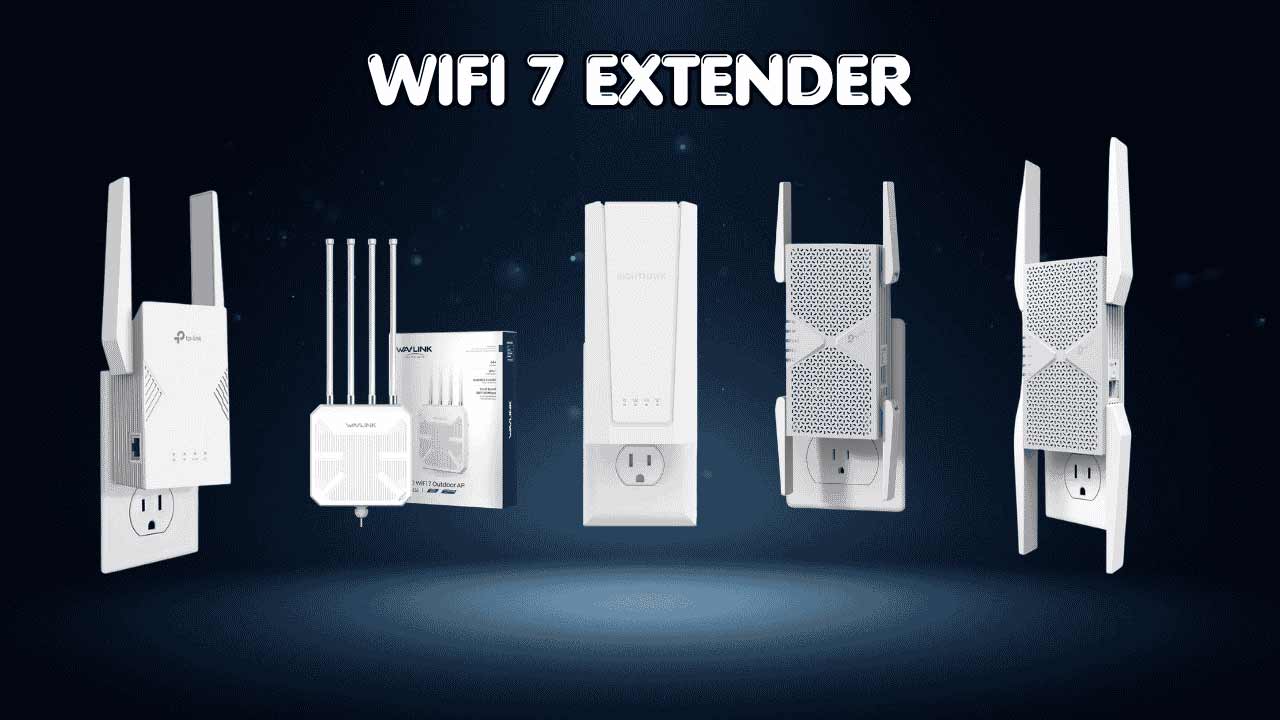
Top 5 WiFi-7 Extenders
- TP-Link RE403BE (BE6300) 2.5G port, 6.3 Gbps dual-band, up to 2,800 sq. ft., 64 devices, MLO, EasyMesh (no 6 GHz band)
- TP-Link RE653BE (BE10000) 10 Gbps tri-band, 2.5G port, up to 2,800 sq. ft., 128 devices, 6 GHz, MLO, EasyMesh
- TP-Link RE223BE (BE3200) Ethernet port, 3.2 Gbps dual-band, up to 2,400 sq. ft., 64 devices, MLO, EasyMesh (no 6 GHz band)
- NETGEAR EXS25 (BE5000) Dual-band, up to 5 Gbps, up to 1,500 sq. ft., 45 devices, WPA3 security
- WAVLINK BE5100 Outdoor Dual-band, POE powered, IP67 waterproof, 4x8dBi antennas, 2.5 Gbps Ethernet, up to 2,800 sq. ft.
We’ll break each of these down below so you can match the right wifi 7 extender to your home setup.
How to Choose the Right WiFi 7 Extender
Start With the Core Problem
A weak signal in the back bedroom or basement isn’t just annoying it can quietly tank your video calls, drop your smart home devices offline, and turn streaming into a buffering nightmare. A WiFi 7 extender exists to solve exactly that: it takes your existing router’s signal and pushes it further, so the far corners of your home actually get usable speed.
Common Issues Buyers Run Into
- Slow or laggy connections in extended coverage zones
- Confusion about whether an extender will actually work with their router or ISP
- Picking a model that’s either underpowered for their home size or way more extender than they need
- Paying for tri-band, 6 GHz, or multi-gig Ethernet they’ll never actually use
Why WiFi 7 Extenders Are a Step Up
WiFi 7 extenders bring real improvements over older WiFi 5/6 hardware: Multi-Link Operation (MLO) for more stable connections, higher peak throughput, and (on higher-end models) multi-gig Ethernet ports for wired devices like game consoles or smart TVs. Setup is also generally simpler thanks to app-based mesh systems like EasyMesh.
Who This Guide Is For
- Beginners who just want fewer dead zones, with minimal setup hassle
- Power users and gamers who care about wired Ethernet backhaul and low latency
- Remote workers who need a rock-solid connection in a home office
- Larger homes or multi-floor layouts that need real square-footage coverage
- Renters or apartment dwellers who want a smaller, budget-friendly option
What This Guide Helps You Decide
By the end of this guide, you should be able to match a specific WiFi-7 extender to your home size, your router type, and how you actually use your network without overpaying for features that won’t matter to you.
Top 5 WiFi-7 Extenders
Disclosure: This post contains affiliate links. As an Amazon Associate I earn from qualifying purchases. If you purchase through our links, we may earn a small commission at no extra cost to you. We only recommend products we genuinely stand behind.
These five were selected based on their stated coverage area, device capacity, port options, and feature set, not marketing hype. Here’s how they stack up.
#1 – Best Overall Balance: TP-Link RE403BE (BE6300)
Overview: A dual-band WiFi 7 extender with a 2.5G Ethernet port | Rated for up to 2,800 sq. ft. and 64 devices | Suited to medium-to-large homes that want a wired backhaul option | Supports MLO and EasyMesh for simplified setup
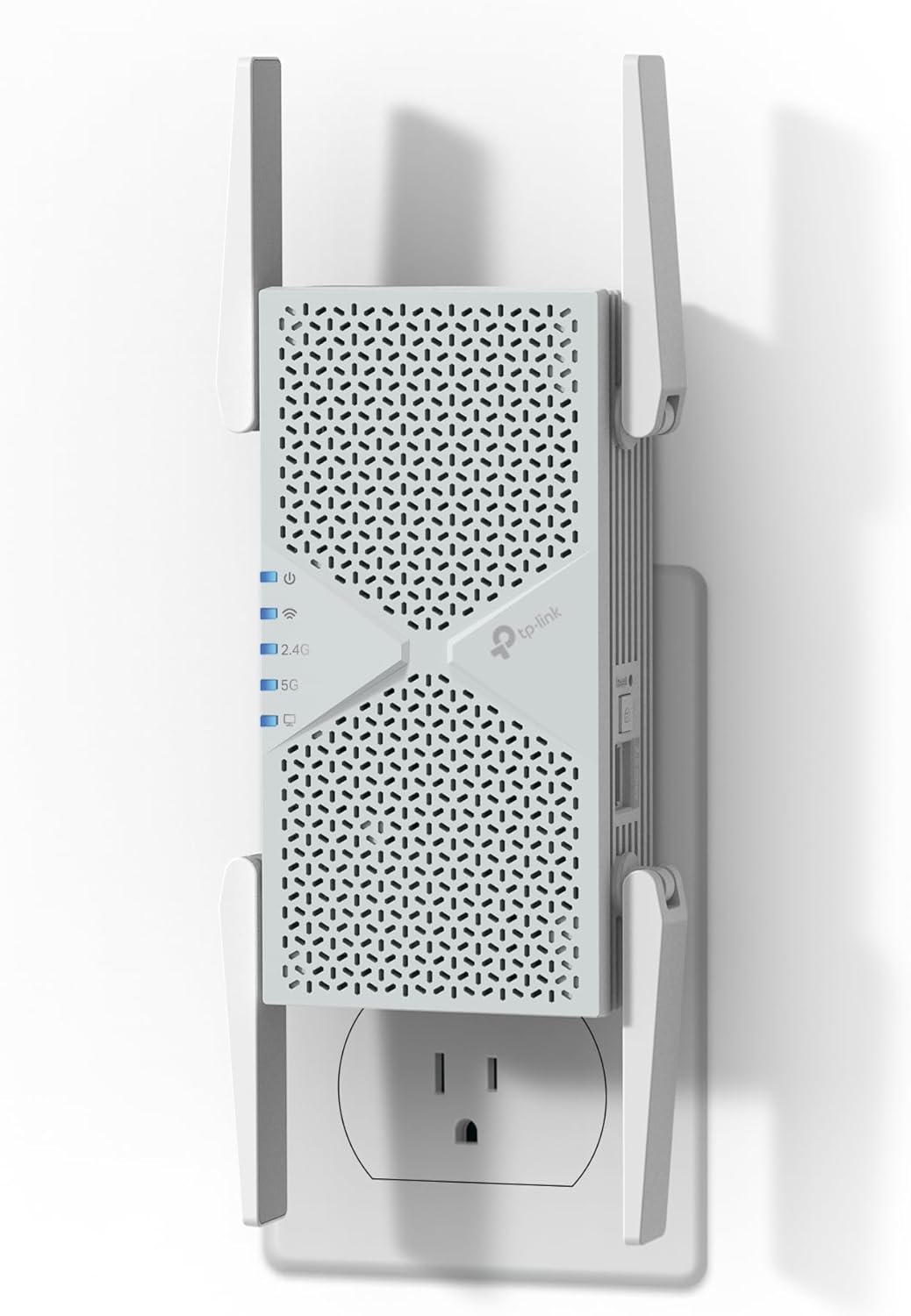
Key Benefits: 6.3 Gbps combined dual-band speed | 2.5G Ethernet port for wired devices | Easy Mesh support for unified network management | MLO for more stable connections
Pros: Strong combined throughput for a dual-band unit | 2.5G port adds wired flexibility | Large stated coverage area | EasyMesh simplifies mesh setup
Cons: No 6 GHz band, so it misses out on WiFi 7’s least-congested frequency
Best For: Homes that want solid all-around coverage with a wired Ethernet option, without paying for tri-band or 6 GHz
#2 – Best for Maximum Speed and Device Load: TP-Link RE653BE (BE10000)
Overview: A tri-band WiFi 7 extender with 6 GHz support and a 2.5G Ethernet port | Rated for up to 2,800 sq. ft. and 128 devices | Built for households with heavy device loads or bandwidth-intensive use

Key Benefits: 10 Gbps combined tri-band speed | 6 GHz band included for less network congestion | Supports double the device count of the BE6300 | MLO and Easy Mesh included
Pros: Highest stated speed and device capacity in this lineup | 6 GHz band available for compatible devices | 2.5G Ethernet port included | Tri-band design spreads load across more channels
Cons: Tri-band, 6 GHz hardware typically costs more than dual-band alternatives
Best For: Larger households with many connected devices think gaming, streaming, and smart home gear all running at once
#3 – Best Budget Pick with Wired Backhaul: TP-Link RE223BE (BE3200)
Overview: A dual-band WiFi 7 extender with a standard Ethernet port | Rated for up to 2,400 sq. ft. and 64 devices | A solid entry point into WiFi 7 without the tri-band price tag
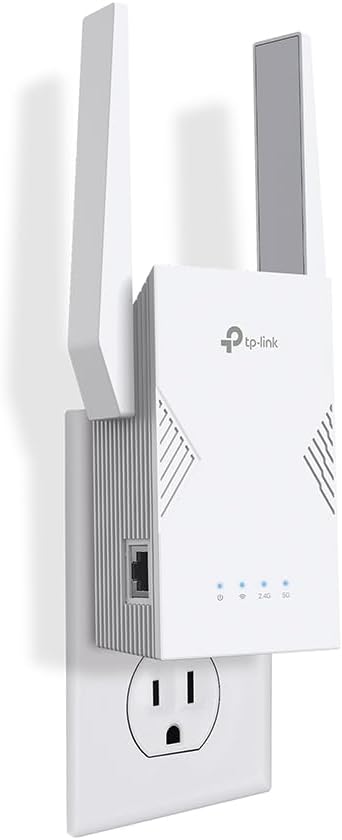
Key Benefits: 3.2 Gbps combined dual-band speed | Ethernet port for a wired connection | Supports MLO and Easy Mesh | Decent device capacity for the price tier.
Pros: Lower-cost entry into WiFi-7 technology | Still includes an Ethernet port | Solid coverage for mid-size homes | Easy Mesh compatible.
Cons: No 6 GHz band, and lower combined speed than the BE6300 or BE10000
Best For: Budget-conscious buyers who still want WiFi 7 features and a wired Ethernet option
#4 – Best Compact Option: NETGEAR EXS25 (BE5000)
Overview: A dual-band WiFi 7 extender from NETGEAR | Rated for up to 1,500 sq. ft. and 45 devices | Designed for smaller homes or apartments that don’t need maximum coverage

Key Benefits: Up to 5 Gbps combined speed | WPA3 security support | Smart features for easier management | Compact footprint suited to smaller spaces
Pros: Established brand with WiFi 7 hardware | WPA3 security included | Easier to place in smaller homes or apartments | Simpler feature set for less technical users
Cons: Lower coverage area and device count than the TP-Link tri-band models
Best For: Apartments, smaller homes, or anyone who just needs to patch one or two weak spots
#5 – Best for Outdoor Coverage: WAVLINK BE5100 Outdoor
Overview: A dual-band, IP67 waterproof WiFi 7 extender built for outdoor use | POE powered with 4x8dBi antennas | Rated for up to 2,800 sq. ft. | Suited for yards, detached garages, outbuildings, or outdoor living spaces

Key Benefits: IP67 waterproof rating for weather exposure | POE power option for flexible installation | 2.5 Gbps Ethernet port | Large stated outdoor coverage area
Pros: Purpose-built for outdoor conditions | POE power simplifies placement away from outlets | High-gain antenna setup | Doubles as an access point or mesh node
Cons: A more specialized pick not the right choice if you only need indoor coverage.
Best For: Outdoor spaces, detached structures, or properties needing weatherproof wireless coverage
Want to compare these extenders against full gaming routers? Read our guide on the best wifi router at game to see how dedicated gaming routers compare against extender-based setups.
Quick Comparison
| Rank & Model | WiFi Standard & Max Speed | Coverage & Ports | Best For |
| #1 TP-Link RE403BE | WiFi 7, 6.3 Gbps dual-band | 2,800 sq. ft. / 2.5G Ethernet | Balanced everyday use |
| #2 TP-Link RE653BE | WiFi 7, 10 Gbps tri-band, 6 GHz | 2,800 sq. ft. / 2.5G Ethernet | Heavy device loads, gaming |
| #3 TP-Link RE223BE | WiFi 7, 3.2 Gbps dual-band | 2,400 sq. ft. / Ethernet port | Budget-friendly upgrade |
| #4 NETGEAR EXS25 | WiFi 7, 5 Gbps dual-band | 1,500 sq. ft. / WPA3 | Apartments, small homes |
| #5 WAVLINK BE5100 | WiFi 7, dual-band, POE | 2,800 sq. ft. / 2.5G Ethernet | Outdoor coverage |
This guide will help you choose the right wifi-7 extender based on your setup, usage needs, and expectations.
What to Look for When Buying a WiFi-7 Extender
Suitability for your setup
- Compatible with your router, ISP gateway, or existing mesh system
- Matches your home’s square footage
- Fits your main use case gaming, streaming, remote work, or outdoor coverage
- Supports the wireless bands you actually need (dual-band vs. tri-band with 6 GHz)
Feature simplicity and transparency
- Clear, understandable specs instead of vague marketing terms
- No unnecessary extras you won’t use
- Straightforward setup process, ideally app-based
Performance and stability
- Consistent signal without frequent drop-offs
- Can handle your number of connected devices
- Includes a wired Ethernet option if you need one for gaming or streaming devices
Brand reliability and support
- A brand with a track record in networking hardware
- Regular firmware updates
- Accessible support and clear warranty terms
Long-term value
- Durable build quality
- Room to scale if you add a mesh node later
- Easy to manage through an app or web interface
How These WiFi-7 Extenders Were Selected
These picks were chosen based on the specs provided by each manufacturer covering coverage area, device capacity, port options, and supported wireless bands. We focused on:
- Practical usability for different home sizes
- Suitability for different user needs (budget, gaming, outdoor, apartment living)
- Clarity of stated specifications
- Reasonable feature-to-price positioning based on the included hardware
We didn’t rely on marketing claims we couldn’t verify, and we’re not including performance benchmarks or user reviews here since we don’t have independently verified data on real-world speeds for these specific units.
Thinking about upgrading your whole gaming network instead of just extending it? Read our guide on the best WiFi 7 router for gaming to see how dedicated gaming routers compare to an extender-based approach.
How to Use a WiFi-7 Extender Effectively
Proper initial setup
- Place the extender within range of your router before extending further
- Follow the manufacturer’s app or web-based setup steps
- Update firmware after setup, if available
Optimal placement
- Avoid placing it behind walls, large furniture, or metal appliances
- Position it roughly halfway between your router and the dead zone
- Keep it away from microwaves and cordless phones, which can interfere with signal
Common mistakes to avoid
- Placing the extender too far from the main router
- Skipping the compatibility check with your router or ISP
- Rushing through configuration steps
- Connecting far more devices than the extender is rated for
Performance tips
- Use the 5 GHz or 6 GHz band for high-demand devices when available
- Connect bandwidth-heavy devices (consoles, smart TVs) via Ethernet if a port is available
- Restart the extender periodically to keep things running smoothly
Signs it’s working properly
- Stable, consistent connection in the previously weak area
- No frequent drop-offs
- Smooth streaming, gaming, or browsing in the extended zone
- Noticeably stronger signal where it used to be weak
Buying Guide: Picking the Right WiFi 7 Extender
- Match your plan: If you have gigabit or faster internet, prioritize a WiFi 6 or WiFi-7 extender with a 2.5G Ethernet port so you’re not bottlenecking your connection.
- Third-party vs. official ISP equipment: A third-party WiFi-7 extender often gives you more control and better hardware than a basic ISP-provided unit, but double-check compatibility with your gateway first.
- Placement: Central, unobstructed locations work best to avoid corners, closets, or behind large appliances.
- Must-have features: MLO support, an Ethernet port if you need wired devices, and a coverage rating that matches (or slightly exceeds) your home’s size.
- Avoid: Buying based on top speed numbers alone without checking real coverage area and device capacity for your situation.
FAQ: WiFi 7 Extender Questions
Does a WiFi 7 extender work with my current router, even if it’s not WiFi 7? Yes, based on the product data here, these extenders are built to be backward compatible with WiFi 6E, WiFi 6, and WiFi 5 routers. You just won’t get WiFi 7-specific features like MLO until you’re using a WiFi 7 router on both ends.
Do I need a 6 GHz band? Only the TP-Link RE653BE in this list includes a 6 GHz band. It’s most useful if you have a lot of connected devices and want less congestion, but the dual-band models here still cover solid throughput without it.
What’s the difference between a WiFi 7 extender and a mesh system? An extender repeats your existing router’s signal to extend coverage, while a full mesh system uses multiple matched nodes designed to work together from the start. Several of these extenders support EasyMesh, which gives you some mesh-like management even though they function as extenders.
Can I use a WiFi 7 extender outdoors? Not unless it’s specifically rated for it. The WAVLINK BE5100 here is IP67 waterproof and POE powered, which makes it suited for outdoor or detached-space coverage the other models in this list are designed for indoor use.
How many devices can these extenders handle? Based on the stated specs, device capacity ranges from 45 devices (NETGEAR EXS25) up to 128 devices (TP-Link RE653BE). Match this to how many devices are actually active in your home at once, not just the total number you own.
Conclusion: Finding Your Best WiFi 7 Extender
If you’re comparing options, unsure about compatibility, or just want reliable coverage without paying for features you won’t use, this guide should give you a clear starting point.
For most homes, the TP-Link RE403BE (BE6300) stands out as a strong overall pick it balances solid coverage, a 2.5G Ethernet port, and Easy Mesh support without the higher price tag of the tri-band RE653BE. If you’ve got a device-heavy household or want the extra headroom of a 6 GHz band, the RE653BE is worth the upgrade. And if your weak spot is outside your four walls, the WAVLINK BE5100 is the only model here built to handle that.
Whatever you choose, match it to your actual home size, device count, and how you use your network day to day that’s a more reliable guide than chasing the highest spec sheet number.
Ready to stop losing matches to your network? Browse our complete guide on the best WiFi router for multiple devices to see how upgrading both the router and extender together delivers the strongest possible gaming network across every room.