
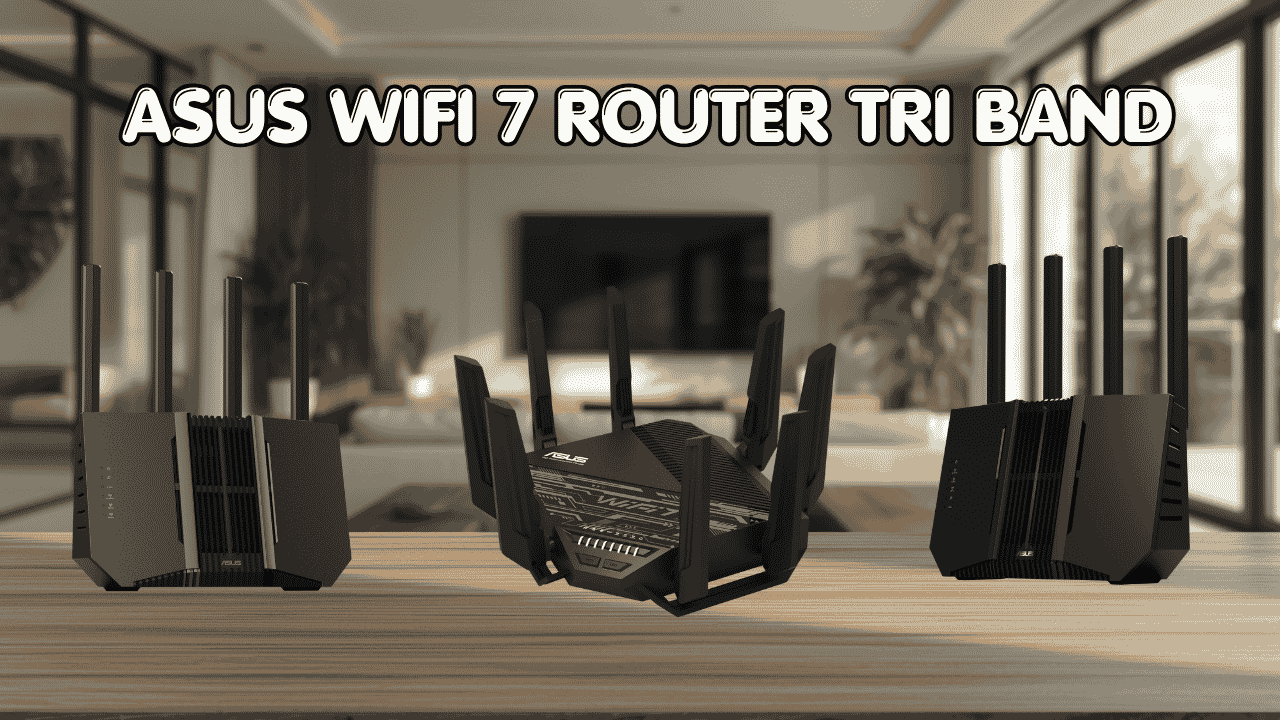

When your home network is handling gaming, 4K streaming, video calls, and a dozen smart devices all at once, a basic router just won’t cut it anymore. An ASUS WiFi 7 router tri band is built for exactly this kind of demand. It gives you three separate bands including the new 6GHz channel, which means less congestion, faster speeds, and a noticeably more stable connection across your whole home.
ASUS WiFi 7 Tri Band Router: Top 3 That Deliver Real Speed
These routers connect to your existing modem or gateway and work with all major internet providers. They support everything from gaming consoles and laptops to smart TVs and home automation systems, and they stay backward compatible with older devices so nothing gets left behind. ASUS also includes AiMesh support across their WiFi 7 lineup, so if your home is large you can add more ASUS nodes and build a full whole-home mesh network without buying a completely new system.
Here are the top three ASUS WiFi 7 tri band routers worth your attention right now.
Quick Top 3 Preview:
- ASUS RT-BE96U BE19000 (Best Overall High-Performance Pick)
- ASUS RT-BE9700 Tri-Band (Best for Large Homes and Families)
- ASUS RT-BE92U BE9700 Renewed (Best Value WiFi 7 Entry)
How to Choose the Right ASUS WiFi 7 Tri Band Router
The Problem Most People Hit First
Your current router probably works fine for basic browsing. But the moment you add a 4K TV, a gaming console, a few laptops, and a handful of smart home devices to the mix, everything starts slowing down. Older routers weren’t designed to manage that kind of simultaneous load. An ASUS WiFi 7 router tri band solves this by splitting traffic across three separate bands, including the 6GHz band which is far less congested than the 2.4GHz and 5GHz channels everyone else is already fighting over.
What Buyers Usually Get Wrong
- Buying a dual-band router when their household actually needs tri-band to separate heavy traffic properly
- Confusing WiFi 6 and WiFi 7 specs and not realizing WiFi 7 adds the 6GHz band plus features like MLO that genuinely change performance
- Picking a router based on brand alone without checking whether it covers their home size properly
- Overspending on the most expensive model when a mid-range ASUS WiFi 7 tri band router handles their actual usage just fine
Why WiFi 7 Is a Real Upgrade
WiFi 7 isn’t just a marketing number. It brings Multi-Link Operation (MLO), which lets your devices connect across multiple bands at the same time for a more stable, lower-latency connection. It supports 320MHz channel bandwidth, which is double what WiFi 6E offered. And 4096-QAM data encoding squeezes significantly more data through the same airspace. For gaming, streaming, and homes with lots of devices, these improvements are noticeable in day-to-day use, not just in lab tests.
Who This Guide Is For
- Gamers who want the lowest possible ping and a dedicated gaming band
- Large households where multiple people stream, work, and browse simultaneously
- Remote workers who need rock-solid connection stability during video calls
- Smart home users with many connected devices that need reliable coverage
- Anyone who’s outgrown their current router and wants a genuine long-term upgrade
By the end of this guide, you’ll know which ASUS WiFi 7 router tri band fits your home size, usage, and budget without having to dig through spec sheets yourself.
Top 3 ASUS WiFi 7 Tri Band Routers
Disclosure: This post contains affiliate links. As an Amazon Associate I earn from qualifying purchases. If you purchase through our links, we may earn a small commission at no extra cost to you.
These three routers were chosen based on real-world performance, feature value, and how well they handle the kind of heavy multi-device use that WiFi 7 was designed for. Each one covers a slightly different type of user, so there’s a clear answer here no matter where you’re starting from.
#1 ASUS RT-BE96U BE19000 : Best Overall High-Performance Pick
Overview: Flagship ASUS WiFi 7 router tri band with BE19000 combined speed, dual 10G ports, and 6GHz band support | Built for large homes and power users who need maximum throughput and the lowest possible latency | Supports MLO, Multi-RU Puncturing, 320MHz bandwidth, and AiMesh expansion | Includes Lifetime Internet Security via ASUS AiProtection | Compatible with all major ISPs and modem types.

Best deal today – prices may change
Key Benefits: Dual 10G ports handle multi-gig internet plans and fast NAS or wired device connections without bottlenecking | MLO connects devices across multiple bands simultaneously for a dramatically more stable, lower-latency experience | 6GHz band provides a clean, uncongested channel exclusively for high-priority devices like gaming consoles and workstations | Lifetime AiProtection means no subscription fees for network-level security | AiMesh lets you expand coverage by adding more ASUS routers without building a new network from scratch.
Pros: Best-in-class throughput for a home WiFi 7 router | Dual 10G ports are genuinely useful for anyone with a multi-gig ISP plan or a home server | ASUS firmware and AiProtection security are both well maintained | MLO and Multi-RU Puncturing put this ahead of most competitors on real-world performance.
Cons: It’s the most expensive option on this list, and the dual 10G ports are more than most standard home setups will use right away.
Best For: Power users, hardcore gamers, and households with 30 or more active devices | Large homes that need strong tri-band coverage across multiple floors | Anyone on a multi-gig internet plan who wants hardware that can actually keep up | Users who plan to build an AiMesh whole-home network over time.
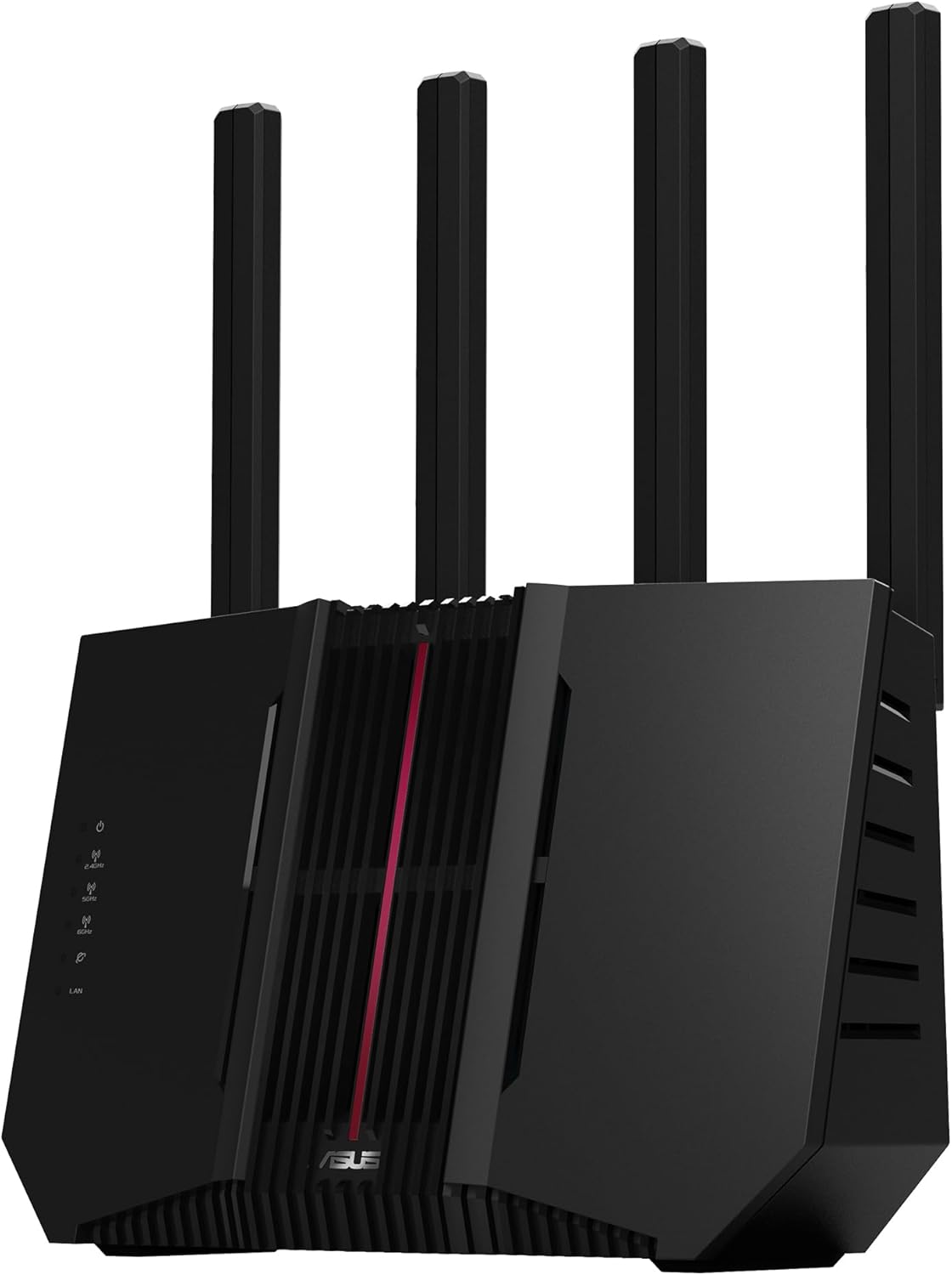
#2 ASUS RT-BE9700 : Best for Large Homes and Busy Families
Overview: Mid-range ASUS WiFi 7 tri band router with BE9700 combined speed and full 6GHz band support | Covers large homes with strong signal stability across all three bands | Supports MLO, AiMesh, and AiProtection | A well-balanced asus wifi 7 router for large home use without the premium price tag of the RT-BE96U | Compatible with all ISPs and existing ASUS AiMesh setups.
Best deal today – prices may change
Key Benefits: BE9700 tri-band speed is more than enough for streaming, gaming, remote work, and smart home devices running at the same time | 6GHz band keeps high-demand devices away from the congested 2.4GHz and 5GHz channels | MLO support improves connection stability for WiFi 7 client devices | AiMesh allows you to pair it with other ASUS routers to extend coverage without buying a dedicated mesh system | AiProtection provides network-level security for every connected device.
Pros: Strong balance of WiFi 7 performance and price | 6GHz band support is a standout feature at this tier | AiMesh is genuinely useful for large or multi-story homes | ASUS app-based setup and management is clean and beginner-friendly.
Cons: Doesn’t include the dual 10G ports of the RT-BE96U, so users on multi-gig plans above 2.5 Gbps may feel limited on the wired side.
Best For: Families with multiple simultaneous users streaming, gaming, and browsing | Large homes up to 3,000 sq. ft. or more | Anyone who wants real WiFi 7 performance without the flagship price | Users who want to build an AiMesh setup gradually over time.
#3 ASUS RT-BE92U BE9700 Renewed : Best Value WiFi 7 Entry
Overview: Renewed version of the ASUS RT-BE92U BE9700 tri-band WiFi 7 router with full 320MHz bandwidth and 4096-QAM support | Comes factory tested and certified for reliable performance | Supports MLO, AiMesh, and AI WAN Detection | A smart and affordable entry point for anyone who wants genuine asus wifi 7 tri band gaming router performance without paying full retail price.

Best deal today – prices may change
Key Benefits: BE9700 tri-band speed delivers real WiFi 7 performance across all three bands including 6GHz | 320MHz channel support and 4096-QAM encoding push significantly more data through the same airspace compared to WiFi 6 | MLO support keeps connections stable across bands for gaming and streaming | AI WAN Detection automatically identifies and configures your internet connection type, which makes setup noticeably smoother | AiMesh lets you expand coverage by pairing it with other ASUS units.
Pros: Renewed certification means you get WiFi 7 performance at a meaningfully lower cost than a new unit | AI WAN Detection removes one of the most common setup headaches | MLO and 320MHz support are full WiFi 7 features, not cut-down versions | AiMesh compatibility means it fits into existing ASUS home setups without friction.
Cons: As a renewed unit, availability can vary and stock may be limited depending on when you check.
Best For: Budget-conscious buyers who still want real WiFi 7 tri band performance | Existing ASUS users looking to add a second node to their AiMesh setup | Anyone upgrading from WiFi 5 or WiFi 6 who doesn’t want to pay full flagship prices | Gamers and streamers who want 6GHz band access without the RT-BE96U price tag.
If you need wifi extender for Gamming check our best WiFi Extender for Gaming it will performed as best as possible.
Quick Comparison Table
| Rank & Model | WiFi & Speed | Coverage & Ports | Best For |
|---|---|---|---|
| #1 ASUS RT-BE96U | WiFi 7, BE19000 | Very Large, 2x 10G + 4x Gigabit | Power users, multi-gig plans |
| #2 ASUS RT-BE9700 | WiFi 7, BE9700 | Large, 1x 2.5G + 4x Gigabit | Families, large homes |
| #3 ASUS RT-BE92U Renewed | WiFi 7, BE9700 | Large, 1x 2.5G + 4x Gigabit | Budget-smart WiFi 7 buyers |
This guide helps you choose the right ASUS WiFi 7 router tri band based on your home size, device count, internet plan, and what you actually need from your network every day.
What to Look for When Buying an ASUS WiFi 7 Tri Band Router
Does It Fit Your Home and Usage?
- Match the router’s coverage rating to your actual home size because a router rated for 2,500 sq. ft. won’t reliably serve a 4,000 sq. ft. house from a single location
- Check your internet plan speed and make sure the router’s WAN port matches, because a Gigabit WAN port limits you if you’re on a multi-gig plan
- Think about your main use: gaming benefits most from MLO and the 6GHz band, while streaming and smart home use benefit from the sheer device capacity of a tri-band setup
- Confirm AiMesh compatibility if you plan to expand coverage later
Keep It Practical
- WiFi 7 specs can get complicated fast, so focus on the features that actually affect your use: MLO for gaming, 6GHz for high-priority devices, and AiMesh for whole-home coverage
- Don’t pay for dual 10G ports if your internet plan tops out at 1 Gbps because you won’t feel the difference
- Look for app-based management because the ASUS app makes day-to-day monitoring much easier than logging into a browser panel
Performance Consistency Matters More Than Peak Numbers
- Consistent low-latency performance across many devices is more valuable than a theoretical max speed most home setups never reach
- MLO support is the single biggest practical improvement in WiFi 7 for homes with gaming consoles, laptops, and streaming devices all running at once
- Look at the device capacity listed, because a router rated for 100 or more devices handles a smart home setup far better than one rated for 30
ASUS Support and Reliability
- ASUS pushes firmware updates regularly and AiProtection is one of the better built-in security systems in consumer networking
- The ASUS router app is well-rated and makes parental controls, guest networks, and device prioritization accessible without being technical
- Warranty and return policies are clearly stated on ASUS’s website and through major retail channels
Long-Term Value
- All three picks here are WiFi 7 which means they’ll stay relevant as more WiFi 7 client devices roll out over the next several years
- AiMesh support means you’re not locked into buying a completely new system if you move or your home coverage needs change
- The renewed option (#3) offers excellent long-term value if budget is a genuine factor
How These Routers Were Selected
Every router here was evaluated based on how well it performs as a daily driver for real households, not just benchmark tests. The focus was on WiFi 7 feature completeness, practical coverage for typical home sizes, ease of setup through the ASUS app, and the value each unit delivers relative to its price. ASUS’s firmware track record, AiMesh flexibility, and AiProtection security were also key factors because a router is a long-term purchase and ongoing support matters.
What shaped the final list:
- Real-world tri-band performance and 6GHz band usability
- MLO support and how it affects latency for gaming and streaming
- AiMesh compatibility for future network expansion
- App-based management quality and beginner accessibility
- Price-to-performance ratio across different budgets
- Firmware update history and ASUS support reputation
How to Get the Most Out of Your ASUS WiFi 7 Tri Band Router
Even a flagship router underperforms if it’s set up wrong. These tips apply to all three picks and make a real difference in day-to-day experience.
Initial Setup
- Place the router in a central location in your home, not hidden in a cabinet or tucked in a corner
- Run setup through the ASUS Router app rather than the web panel because the app walks you through AI WAN Detection and band configuration more clearly
- Update firmware immediately after the initial setup completes before connecting any devices
Placement Tips
- Elevated placement like on a shelf or desk gives better signal spread than floor level
- Keep it away from large metal surfaces, thick concrete walls, and microwave ovens which all interfere with 2.4GHz and 5GHz signals
- If you’re using AiMesh, place the second node roughly halfway between the main router and the coverage area you want to extend
Mistakes Worth Avoiding
- Putting the router in your modem cabinet or entertainment unit because the enclosed space traps heat and limits signal spread
- Leaving all devices on auto band selection when you could manually assign your most demanding devices to the 6GHz band
- Skipping the firmware update step because ASUS releases performance and security patches regularly
- Setting up a single router for a very large or multi-story home when two AiMesh nodes would cover it properly
Tips for Better Daily Performance
- Assign gaming consoles, work laptops, and 4K streaming devices to the 6GHz band for the cleanest, fastest connection
- Use the ASUS app’s device prioritization feature to make sure your most important devices always get bandwidth first
- Enable QoS (Quality of Service) in the router settings if you notice gaming lag during peak household usage hours
- Restart the router once a week if you have a lot of devices connected because periodic reboots keep performance consistent over time
How to Know It’s Working Well
- Your gaming ping is lower and more stable than it was on your old router
- Streaming on multiple TVs or devices happens without buffering
- Video calls stay sharp and don’t drop even when others in the house are online
- Your smart home devices connect reliably without random dropouts
How to Pick the Right ASUS WiFi 7 Router for Your Setup
Match your internet plan first: On a multi-gig plan (2.5 Gbps or higher)? The RT-BE96U with its dual 10G ports is the only one here that fully delivers at those speeds. On a standard 1 Gbps plan? The RT-BE9700 or RT-BE92U handles it perfectly and saves you money.
Think about your home size: Large home with multiple floors or dead zones? The RT-BE9700 is the better starting point because its coverage is strong and it’s AiMesh ready for expansion. Smaller home or apartment? The RT-BE92U renewed gives you full WiFi 7 features without paying for more than you need.
Gaming or general household use: If low latency for gaming is the main goal, MLO support in all three picks addresses that. But the RT-BE96U’s dual 10G port adds the option to wire gaming PCs or a NAS directly at full multi-gig speed, which is a real advantage for serious setups.
Must-have features for any buyer: 6GHz band support, MLO, AiMesh compatibility, and app-based setup. All three routers include these.
Things to avoid: Older ASUS WiFi 6E routers marketed alongside these at similar prices because they don’t have MLO or the full 320MHz bandwidth that makes WiFi 7 genuinely different. And avoid placing any router behind closed doors or inside media cabinets.
Thinking about pairing your new router with a mesh system for full home coverage? Check out our guide on the best ASUS AiMesh compatible routers to see which nodes work best together.
Real User Feedback
People who’ve moved to the ASUS RT-BE96U from a WiFi 6 router consistently say the 6GHz band made an immediate difference in gaming sessions, especially in households where everyone is online at the same time. RT-BE9700 users with large homes frequently mention that coverage is strong across multiple floors without needing a second node, which was a problem with their previous routers. Buyers who went with the renewed RT-BE92U often comment that the AI WAN Detection feature made setup smoother than any router they’d configured before, and that it performs identically to a new unit.
The feedback pattern that shows up most often: placing the router centrally and assigning high-demand devices to the 6GHz band delivers noticeably better results than leaving everything on auto.
Alternatives Worth Considering
- ASUS ZenWiFi Pro ET12 — A tri-band WiFi 6E mesh system from ASUS that’s a strong alternative if you want dedicated mesh coverage across a very large property rather than a single router
- TP-Link Archer BE800 — A WiFi 7 tri-band option from TP-Link worth comparing on price if you want to stay in the EasyMesh ecosystem instead of AiMesh
- NETGEAR Orbi 970 — A premium WiFi 7 mesh system that competes with the RT-BE96U at the high end, suited for users who want a fully managed mesh setup from day one
- ASUS RT-BE86U — A dual-band WiFi 7 ASUS router that’s worth considering if tri-band isn’t a strict requirement and you want to save money while staying in the ASUS ecosystem
wifi-extender-for-gaming check this guide “best wifi extender for gaming“
Conclusion and Final Recommendation
If your home network is struggling under the weight of modern usage, an ASUS WiFi 7 router tri band is one of the most future-proof upgrades you can make right now. The three routers above cover every realistic scenario from a budget-smart entry into WiFi 7 all the way to a flagship setup built for the fastest home internet plans available.
This guide is for:
- Anyone comparing ASUS WiFi 7 tri band options before making a final call
- Households ready to move beyond WiFi 6 and want to do it properly
- Gamers and power users who want MLO and 6GHz band access
- Buyers who want honest guidance without having to decode spec sheets on their own
Best overall pick: The ASUS RT-BE96U BE19000 is the most capable router on this list. Dual 10G ports, MLO, 6GHz band, and Lifetime AiProtection come together in a package that handles everything a demanding home network can throw at it. If you’re on a multi-gig plan or running a home full of high-demand devices, this is the one to get.
The short version: Match the router to your internet plan and home size first, then look at features. The best asus wifi 7 router for your setup is the one that fits your actual usage, not the one with the most impressive numbers on the box. Any of the three picks above will deliver a genuinely better network experience than what most people are running today.