
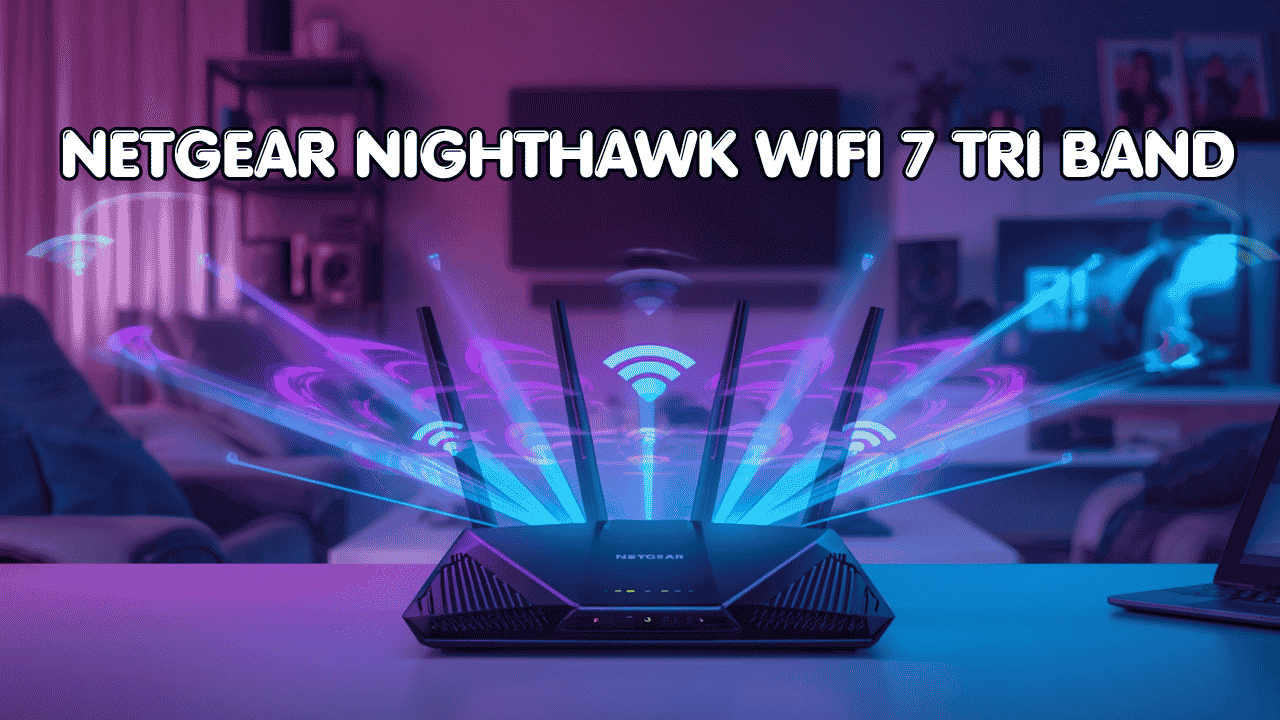

Your internet plan is fast. Your router might not be keeping up. If you’re running streaming, gaming, smart home devices, and video calls all at the same time, that’s exactly the kind of load a standard router struggles with. A NETGEAR Nighthawk WiFi 7 tri band router is built for this. It splits traffic across three bands including the new 6GHz channel, so your network stops fighting itself and starts actually performing.
NETGEAR Nighthawk WiFi 7 Tri Band Router: Top 3 That Mean Business
These routers connect to your existing modem or gateway and work with all major internet providers. They support smartphones, laptops, gaming consoles, smart TVs, and home automation systems, and they stay backward compatible with older WiFi devices so nothing gets dropped from your network. High-speed Ethernet ports mean you can wire your most demanding devices directly for maximum stability, and because these are true tri-band units, your wireless devices get cleaner, less congested channels to work with.
Here are the three Nighthawk WiFi 7 tri band routers worth considering right now.
Quick Top 3 Preview:
- NETGEAR Nighthawk RS700S BE19000 (Best for Maximum Speed and Security)
- NETGEAR Nighthawk RS600 BE18000 (Best for Large Homes with Many Devices)
- NETGEAR Nighthawk RS280S BE9200 (Best Mid-Range Entry Into WiFi 7)
How to Choose the Right NETGEAR Nighthawk WiFi 7 Tri Band Router
The Real Problem With Most Home Routers
Most routers that come from ISPs or were bought a few years ago weren’t designed for how we actually use the internet today. Back then, a couple of laptops and a phone were fine. Now you’ve got 4K TVs, gaming consoles, wireless speakers, smart thermostats, video doorbells, and half a dozen phones all competing for the same bandwidth. A netgear nighthawk wifi 7 tri band router separates that traffic across three bands, dedicates the clean 6GHz channel to your most demanding devices, and keeps the whole network from collapsing under the load.
What Most Buyers Get Wrong
- Buying a WiFi 6 router when WiFi 7 is now available at a similar price point for the performance tier they need
- Choosing based on the highest number on the box without checking whether the WAN port actually matches their internet plan speed
- Picking a router designed for a 1,500 sq. ft. apartment when their home is 3,500 sq. ft. with multiple floors
- Paying for a flagship router when a mid-range WiFi 7 option handles everything they actually do
Why WiFi 7 Is Worth the Upgrade
The jump from WiFi 6 to WiFi 7 is more meaningful than most previous generational upgrades. Multi-Link Operation (MLO) is the biggest practical change because it lets your devices use two bands at once instead of picking just one. That means more stable connections, lower latency, and smoother performance when your network is busy. The 6GHz band gives you a clean, uncongested channel that most neighboring networks aren’t even touching yet. And 320MHz channel support roughly doubles the data pipe compared to WiFi 6E. For gaming, streaming, and homes full of devices, these improvements show up in real use.
Who This Guide Is For
- Power users and gamers who want the lowest latency and fastest home network available right now
- Large households where multiple people stream, game, and work from home simultaneously
- Anyone on a multi-gig internet plan whose current router is the bottleneck
- Smart home users with many connected devices who need consistent coverage and stability
- Buyers comparing NETGEAR and ASUS WiFi 7 options who want an honest breakdown
By the end of this guide, you’ll know exactly which netgear nighthawk wifi 7 tri band router fits your setup, whether you’re covering a large home, a demanding gaming setup, or a business-grade home office.
Top 3 NETGEAR Nighthawk WiFi-7 Tri Band Routers
Disclosure: This post contains affiliate links. As an Amazon Associate I earn from qualifying purchases. If you purchase through our links, we may earn a small commission at no extra cost to you.
Each router here was evaluated on real-world performance, port configuration, coverage capacity, and the practical value it delivers for different home and usage types. These aren’t just spec comparisons. They’re matched to the kind of user who’ll actually get the most out of each one.
#1 NETGEAR Nighthawk RS700S BE19000 : Best for Maximum Speed and Built-In Security
Overview: Flagship netgear nighthawk wifi 7 tri band router with BE19000 combined speed and a 10 Gig internet port | Covers up to 3,500 sq. ft. | Includes 1-Year NETGEAR Armor security subscription and free expert setup help | Built for power users, heavy gamers, and households on multi-gig internet plans | Compatible with all major ISPs and works with both wired and wireless device setups.

Best deal today – prices may change
Key Benefits: BE19000 tri-band speed means all three bands are running at full capacity simultaneously so nothing bottlenecks | 10 Gig WAN port delivers the full speed of multi-gig internet plans without the port becoming the weak link | NETGEAR Armor provides real-time threat detection and security across every device on your network | 6GHz band keeps your fastest devices away from the congested 2.4GHz and 5GHz channels | Free expert setup help from NETGEAR removes the guesswork for buyers who want it running right from day one.
Pros: Highest throughput of the three options at BE19000 and the only choice for users on 5 Gbps or faster plans | Armor security subscription adds genuine value for homes with many connected smart devices | 3,500 sq. ft. coverage handles most large single-family homes from a single router | NETGEAR’s firmware reliability and app management are both well-established.
Cons: The Armor subscription renews at a cost after the first year, so ongoing security coverage isn’t free long-term.
Best For: Power users and hardcore gamers on multi-gig internet plans | Large homes up to 3,500 sq. ft. with many simultaneous users | Anyone who wants enterprise-grade security built into their home router | Households where multiple people game, stream 4K, and work remotely at the same time.
#2 NETGEAR Nighthawk RS600 BE18000 : Best for Large Homes with Many Devices
Overview: High-performance netgear nighthawk wifi 7 tri band router with BE18000 speed and a 10 Gig internet port | Covers up to 3,300 sq. ft. and supports 150 simultaneous devices | No Armor subscription required so no ongoing cost | Free expert setup help included | A strong netgear wifi 7 router for large home environments where device count and coverage matter most.

Best deal today – prices may change
Key Benefits: 150-device support is one of the highest capacity ratings in its class, making it ideal for homes loaded with smart devices, consoles, phones, and laptops | 10 Gig WAN port matches the RS700S at the top tier so multi-gig plans aren’t bottlenecked | BE18000 combined speed gives all three bands strong bandwidth headroom | No subscription requirement keeps total cost of ownership lower over time | Free expert help makes setup accessible for users who aren’t network professionals.
Pros:
Highest device capacity of the three picks which matters for smart homes and large families | No ongoing subscription means no surprise renewal cost | 10 Gig port keeps this future-ready for faster internet plans | Solid 3,300 sq. ft. coverage handles most large homes without a second node.
Cons: BE18000 speed is marginally lower than the RS700S, though in practice most households won’t feel that difference at all.
Best For: Large households with 20 or more active devices | Families where everyone is online simultaneously across consoles, TVs, phones, and laptops | Anyone who wants maximum device capacity without a subscription fee | Smart home setups with dozens of IoT devices all needing stable concurrent connections.
Already thinking about expanding coverage beyond a single router? Read our guide on the best WiFi extenders for large homes to see how to pair your Nighthawk with a range extender for full property coverage.
#3 NETGEAR Nighthawk RS280S BE9200 : Best Mid-Range Entry Into WiFi 7
Overview: Mid-range netgear nighthawk wifi 7 tri band router with BE9200 combined speed and a 2.5 Gig internet port | Covers up to 2,500 sq. ft. | Includes 1-Year Armor security and free expert setup help | A practical and accessible nighthawk wifi 7 tri band router entry point for households that want WiFi 7 performance without flagship pricing | Compatible with all major ISPs and standard modem setups.

Best deal today – prices may change
Key Benefits: BE9200 tri-band speed is more than enough for households on standard Gigabit plans and handles simultaneous gaming, streaming, and browsing without issues | 2.5 Gig WAN port supports internet plans up to 2.5 Gbps which covers most current residential service tiers | 6GHz band access gives you the same uncongested high-speed channel as the flagship models | Armor included for the first year adds solid network-level security right out of the box | 2,500 sq. ft. coverage suits most average to large homes without needing extra nodes.
Pros:
Most accessible price point of the three without sacrificing actual WiFi 7 features | Still includes the 6GHz band and tri-band architecture which are the core WiFi 7 advantages | Armor for year one provides security coverage while you evaluate whether to continue | Free expert help lowers the setup barrier for first-time WiFi 7 buyers.
Cons: The 2.5 Gig WAN port limits you if you’re already on or planning to upgrade to a plan faster than 2.5 Gbps, so check your ISP tier before buying.
Best For: Households moving from WiFi 6 to WiFi 7 without needing flagship specs | Homes up to 2,500 sq. ft. on standard Gigabit or multi-gig plans up to 2.5 Gbps | Gamers and streamers who want 6GHz band access at a more accessible price | Budget-aware buyers who want real WiFi 7 performance, not a cut-down version.
Want lower ping and faster speeds? Read our best WiFi extender for gaming guide.
Quick Comparison Table
| Rank/Model | WiFi Standard | Max Speed | Coverage | WAN Port | Best For |
| #1 Nighthawk RS700S | WiFi 7 | BE19000 | 3,500 sq. ft. | 10 Gig | Max speed, built-in security |
| #2 Nighthawk RS600 | WiFi 7 | BE18000 | 3,300 sq. ft. | 10 Gig | Large homes, max device count |
| #3 Nighthawk RS280S | WiFi 7 | BE9200 | 2,500 sq. ft. | 2.5 Gig | Mid-range WiFi 7 entry |
This guide helps you choose the right NETGEAR Nighthawk WiFi 7 tri band router based on your home size, internet plan speed, device count, and how much you actually want to spend.
Need better coverage for gaming setups? Check the best long range WiFi routers.
What to Look for When Buying a NETGEAR Nighthawk WiFi 7 Tri Band Router
Match It to Your Setup First
- Check your internet plan speed and match the WAN port, because a 2.5 Gig port limits you on a 5 Gbps plan and a 10 Gig port is wasted on a 500 Mbps plan
- Count your devices honestly, phones, laptops, consoles, TVs, smart speakers, and smart home sensors all add up fast
- Make sure the coverage rating matches your actual home square footage because a router rated for 2,500 sq. ft. won’t reliably cover a 4,000 sq. ft. house
- Confirm your modem or gateway can support the WAN speed the router is rated for
Keep the Features Practical
- 6GHz band is worth having even if you don’t have many WiFi 7 client devices yet, because it reduces congestion for your existing fast devices
- The Armor subscription is valuable for smart home security but factor in the renewal cost after year one
- App-based management through the NETGEAR app is much easier than browser-based admin panels for most users
Consistent Performance Over Peak Numbers
- Real-world throughput in a busy household matters more than peak theoretical speed
- MLO support ensures your devices don’t drop to a weaker band during heavy network use
- Device capacity ratings matter a lot for smart homes, so check the spec before buying if you have many IoT devices
NETGEAR Reliability and Support
- NETGEAR pushes firmware updates consistently and the Nighthawk app is one of the better router management tools available
- Free expert help included with all three routers is a genuine differentiator for buyers who aren’t networking experts
- Warranty terms are clearly documented and NETGEAR’s support reputation is strong across their product lines
Long-Term Value
- All three routers are WiFi 7 which means they’ll stay relevant as more client devices adopt the standard over the next several years
- The 10 Gig WAN port on the RS700S and RS600 means they won’t become the bottleneck even as residential internet plans get faster
- The RS280S is the right starting point if you want WiFi 7 now and plan to upgrade the rest of your network hardware gradually
How These Routers Were Selected
Every router here was chosen based on what it actually delivers in real home environments, not theoretical benchmarks. The goal was to find three options that cover a range of household sizes, internet plan speeds, and budgets without compromising on the core WiFi 7 features that make the upgrade worthwhile. NETGEAR’s firmware history, support quality, and the practical usability of each router’s management tools all factored into the final picks.
Key selection criteria:
- Real tri-band WiFi 7 performance including 6GHz band access
- WAN port speed and how it aligns with common residential internet plans
- Coverage area relative to typical home sizes
- Device capacity for smart homes and large families
- Included features like Armor and expert help versus ongoing subscription cost
- App management quality and setup accessibility
How to Get the Best Out of Your Nighthawk WiFi 7 Router
Getting the hardware right is only the first step. How you set it up and where you place it determines whether you actually feel the difference.
Initial Setup
- Place the router in the most central spot in your home, not in a closet or behind a TV cabinet
- Use the NETGEAR app for setup because it walks you through the process step by step and automatically configures basic settings
- Update the firmware immediately after the initial setup before connecting any devices
Placement Tips
- Elevated placement on a shelf or desk pushes the signal more evenly across your space than floor placement
- Keep it away from thick concrete walls, large metal appliances, and microwave ovens because these all degrade wireless performance
- For a multi-story home, a central second-floor placement often covers both floors better than a first-floor corner location
Mistakes That Kill Performance
- Hiding the router inside a media cabinet or AV rack because enclosed spaces trap heat and block signal
- Leaving all devices on auto band selection when you could manually push your fastest devices onto the 6GHz band
- Skipping firmware updates because NETGEAR patches performance and security issues regularly
- Running too many devices on a single band when the tri-band architecture is designed to spread that load
Tips for Stronger Daily Performance
- Assign gaming consoles, 4K streaming devices, and work laptops to the 6GHz band for the cleanest connection
- Use the NETGEAR app’s device management tools to set bandwidth priorities for your most important devices
- Enable QoS settings if you notice gaming or video call quality drop when others in the house are downloading or streaming
- Restart the router once a week if you have a large number of devices connected because periodic reboots keep performance stable
Signs It’s Working the Way It Should
- Your gaming ping is lower and more consistent than before
- Multiple people can stream 4K and game simultaneously without buffering or lag
- Video calls stay sharp and stable even during peak household usage
- Smart home devices connect reliably without random dropouts
How to Pick the Right Nighthawk WiFi 7 Router for Your Home
Match your internet plan first: On a plan faster than 2.5 Gbps? You need the RS700S or RS600 with their 10 Gig WAN ports. On a standard Gigabit or up to 2.5 Gbps plan? The RS280S covers it completely and costs less.
Think about device count: More than 50 active devices including smart home gear? The RS600 with its 150-device capacity is the right call. Standard household use under 30 to 40 devices? The RS700S or RS280S handle it without issue.
Consider the security subscription: The RS700S and RS280S include Armor for the first year. The RS600 doesn’t require a subscription at all. If ongoing subscription cost matters to your budget, the RS600 wins on total cost of ownership over time.
Must-have features for this tier: 6GHz band support, tri-band architecture, WAN port that matches your internet plan, app-based management, and at minimum a 2.5 Gig Ethernet port for wiring a gaming PC or NAS.
Things to avoid: Buying more WAN port than your ISP can deliver to because it won’t make your internet faster. And don’t skip the firmware update on day one because it makes a real difference in out-of-box stability.
Thinking about comparing NETGEAR vs ASUS for your WiFi 7 upgrade? Read our guide on the best ASUS WiFi 7 tri band routers to see how the two brands stack up feature for feature.
Real User Feedback
Buyers who’ve gone with the RS700S consistently mention that the 10 Gig port future-proofed their setup for multi-gig internet plans they’ve since upgraded to, and that the Armor security feature gives them peace of mind for their smart home devices. RS600 owners with large families report that the 150-device capacity solved the dropout issues they’d been having with previous routers when everyone in the house was online at the same time. RS280S users upgrading from WiFi 6 say the 6GHz band access was the most noticeable improvement, especially for gaming and 4K streaming where the cleaner channel made an immediate difference.
The consistent takeaway across all three: placing the router centrally and assigning high-demand devices to the 6GHz band delivers results that most users notice within the first session.
Alternatives Worth Considering
- ASUS RT-BE96U BE19000 — The closest direct competitor to the RS700S with similar specs, dual 10G ports, and AiMesh support instead of NETGEAR’s Armor ecosystem
- TP-Link Archer BE800 WiFi 7 — A solid tri-band WiFi 7 alternative in the mid-range tier that fits well into the EasyMesh ecosystem if you’re already using TP-Link extenders
- NETGEAR Orbi 970 WiFi 7 Mesh — If you need whole-home mesh coverage rather than a single router, the Orbi 970 is the premium NETGEAR WiFi 7 mesh option worth comparing
- ASUS RT-BE9700 — A well-priced tri-band WiFi 7 alternative for buyers who prefer the ASUS app ecosystem and AiMesh flexibility over NETGEAR’s platform
Conclusion and Final Recommendation
If your home network is the one thing holding back your internet experience, a NETGEAR Nighthawk WiFi 7 tri band router is a straightforward solution that doesn’t require you to replace your whole setup. The three routers here cover every realistic household scenario from a standard Gigabit plan to a full multi-gig setup with dozens of smart devices.
This guide is for:
- Anyone comparing Nighthawk WiFi 7 tri band options before making a final decision
- Households where slow or unstable WiFi is a daily frustration despite a fast internet plan
- Gamers and power users who want the 6GHz band and MLO advantages of WiFi 7
- Buyers who want a clear honest recommendation without wading through marketing language
Best overall pick: The NETGEAR Nighthawk RS700S BE19000 is the strongest choice for users who want maximum performance and built-in security in a single package. BE19000 speed, a 10 Gig WAN port, 3,500 sq. ft. coverage, and Armor security make it the most complete netgear nighthawk wifi 7 tri band option on this list. If you’re on a multi-gig plan or planning to upgrade to one, this is the router that won’t become a bottleneck.
The short version: Start with your internet plan speed and your home size. If your plan is under 2.5 Gbps and your home is under 2,500 sq. ft., the RS280S is the smarter buy. If you have many devices and a large home, the RS600 covers that without a subscription. And if you want the best of everything, the RS700S is built for exactly that. Any of the three delivers a genuinely better network than what most homes are running today.