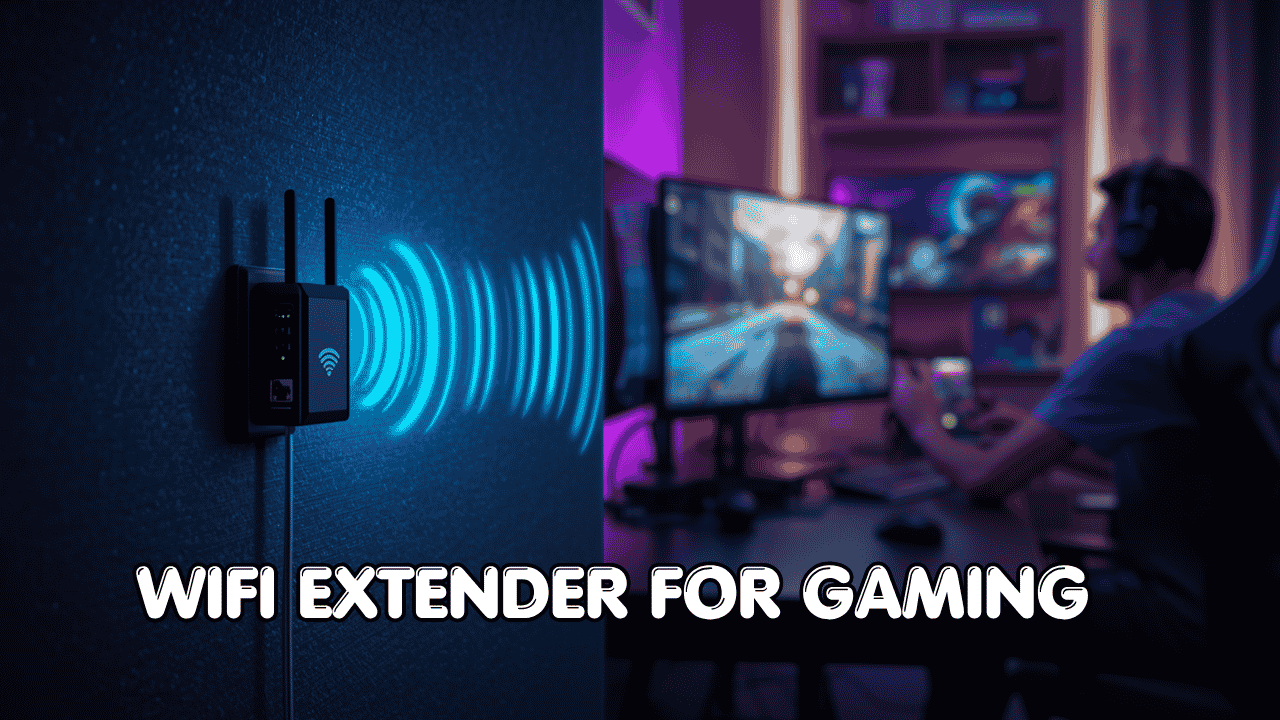
Lag, high ping, and random disconnects if you game far from your router, you already know how frustrating this gets. A good WiFi extender for gaming fixes exactly that. It grabs your router’s signal and pushes it to where you’re actually playing, so your PS5, Xbox, or gaming PC gets a stronger, more stable connection without running a cable across the house.
The good news? WiFi extenders work with pretty much any router and internet provider. Most modern models include an Ethernet port, so you can plug your console or PC directly into the extender for a wired-quality connection and that makes a real difference in online gaming. Whether you’re on dual-band WiFi 5 or the latest WiFi 7, there’s a solid extender here for your setup.
Here’s a quick look at the top 5 WiFi extenders for gaming we’re covering:
- TP-Link BE3200 (RE223BE) — Best Overall WiFi 7 Gaming Extender
- TP-Link AX3000 (RE715X) — Best WiFi 6 Pick for Gamers
- TP-Link AC2600 (RE650) — Best High-Speed WiFi 5 Option
- NETGEAR EX6400 — Best Budget-Friendly Reliable Pick
- NETGEAR EX7300 — Best Everyday Value for Most Gamers
How to Choose a WiFi Extender for Gaming
The Core Problem
Gaming needs more than just “some WiFi.” You need a signal that’s stable, fast, and consistent especially when you’re mid-match and can’t afford a spike in ping. The problem is that routers have limits. Walls, floors, and distance all eat into the signal, and that’s where a gaming WiFi extender steps in.
The real frustration? A lot of people buy one, put it in the wrong spot, and then blame the device when it doesn’t help. So picking the right extender and setting it up correctly both matter.
Common Mistakes Buyers Make
- Buying an older WiFi 5 model when they have a Gigabit internet plan it can’t keep up
- Getting confused about compatibility most extenders work with any router, so this rarely needs to be stressed over
- Placing it too far from the router, where it’s repeating a bad signal
- Paying for tri-band or WiFi 7 features when basic WiFi 6 would do the job just as well
Why Newer Models Are Worth It
Today’s low latency WiFi extenders for gaming are a serious upgrade from older options. WiFi 6 brings better handling of multiple devices at once, and WiFi 7 adds Multi-Link Operation (MLO) which reduces lag even further by using two bands simultaneously. On top of that, features like EasyMesh make setup painless, and app-based management means you don’t need to touch a web browser to tweak settings.
Who This Guide Is For
- Casual gamers who just want the lag to stop and don’t want to overthink it
- Serious gamers on PS5, Xbox, or PC who want the lowest latency possible
- Families where multiple people game or stream at the same time
- Anyone in a larger home where the router just can’t reach the gaming room
- Budget shoppers who want a solid upgrade without spending a lot
By the end of this guide, you’ll know exactly which WiFi extender for gaming fits your home, your console, and your budget.
Top 5 WiFi Extenders for Gaming
These picks were chosen based on real-world performance, honest specs, and practical value for gamers. Each one has an Ethernet port, which is non-negotiable for a serious gaming connection.
#1 TP-Link BE3200 Wi-Fi 7 Range Extender (RE223BE) — Best Overall WiFi 7 Gaming Extender
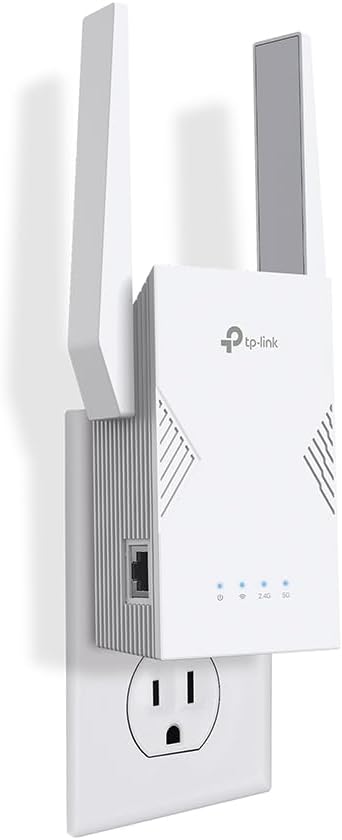
Best deal today – prices may change
Overview: Dual-band WiFi 7 extender with 3.2 Gbps total bandwidth | Covers up to 2,400 sq. ft. | Supports 64 devices | Includes 1 Gbps Ethernet port | Best for gamers who want the latest tech and the smoothest possible connection
Key Benefits: WiFi 7’s Multi-Link Operation (MLO) uses both bands at once to reduce latency TP-Link’s own testing shows up to 4x lower max latency compared to WiFi 6 extenders in interference-heavy environments | 1 Gbps Ethernet port lets you plug your PS5, Xbox, or gaming PC in directly for a rock-steady wired connection | EasyMesh compatible connects to any EasyMesh router for seamless whole-home coverage | Tether app setup is simple and fast | WPA3 security keeps your network protected
Pros: The most future-proof option on this list | MLO is a genuine low-latency improvement for gaming | Easy Tether app setup no browser required | Works with any standard router | Good coverage at 2,400 sq. ft. | Solid build with four antennas and beamforming
Cons: No 6 GHz band so it’s dual-band WiFi 7, not tri-band. If your router has 6 GHz, this extender won’t use it | WiFi 7 benefits require WiFi 7 client devices older consoles and laptops won’t see the full upgrade
Best For: Gamers with a modern WiFi 7 or WiFi 6 router | PS5 Pro and newer device users who want every performance advantage | Anyone wanting a high speed WiFi extender for gaming that’s built to last a few years
Just picked up a PS5? Check out our guide to the best WiFi extenders for PS5 to find the exact setup that works best for Sony’s console.
#2 TP-Link AX3000 WiFi 6 Range Extender (RE715X) — Best WiFi 6 Pick for Gamers

Best deal today – prices may change
Overview: Dual-band WiFi 6 extender with AX3000 speeds | Covers up to 2,400 sq. ft. | Supports 64 devices | Gigabit Ethernet port | PCMag Editor’s Choice | Best for gamers who want a proven, well-reviewed WiFi 6 extender without jumping to WiFi 7
Key Benefits: WiFi 6 delivers lower latency and better multi-device handling than older AC standards great for households where multiple people game or stream at once | Gigabit Ethernet port gives your gaming console a direct wired connection from the extender | EasyMesh support means seamless roaming your device stays on the best signal as you move | TP-Link Tether app makes setup and management easy | Strong real-world reputation PCMag Editor’s Choice is earned, not given
Pros: Excellent price-to-performance ratio for a WiFi extender for online gaming | One of the most consistently recommended WiFi 6 extenders across multiple review outlets | Works with any router | Easy app setup | Gigabit Ethernet port included | Covers medium to large homes well
Cons: WiFi 6 is excellent but not WiFi 7 if you want MLO and 4K-QAM, step up to the RE223BE | No 6 GHz band
Best For: Gamers on a Gigabit internet plan who don’t need WiFi 7 yet | WiFi extender for Xbox gaming and PS5 users who want a reliable, well-tested option | Anyone who wants the best WiFi 6 extender without overcomplicating it
#3 TP-Link AC2600 WiFi Extender (RE650) — Best High-Speed WiFi 5 Option

Best deal today – prices may change
Overview: Dual-band WiFi 5 extender with up to 2,600 Mbps total throughput | 4×4 MU-MIMO | Gigabit Ethernet port | Best for gamers who don’t have WiFi 6 or 7 routers yet but still need strong, reliable coverage
Key Benefits: 4×4 MU-MIMO handles multiple gaming and streaming devices simultaneously without a big speed drop | Gigabit Ethernet port for direct console or PC connection | High-gain antennas provide strong signal even through walls | Works well in medium-to-large homes | Straightforward setup without needing an app
Pros: Strong throughput for a WiFi 5 device | MU-MIMO is genuinely useful for households with multiple gamers | Gigabit Ethernet included | Compatible with any router | Reliable and stable once placed correctly | A solid pick as an affordable gaming WiFi extender if you don’t have a WiFi 6 router
Cons: WiFi 5 (AC) standard won’t match WiFi 6 or WiFi 7 in latency or multi-device handling | Older technology, so it’s a shorter-term investment if you plan to upgrade your router soon
Best For: Gamers still on a WiFi 5 router who want better coverage without replacing everything | Budget-minded buyers who want a dual band WiFi extender for gaming that works well today | Multi-gamer households with multiple consoles or PCs running at the same time
Gaming on PC? Our guide to the best WiFi extenders for PC gaming covers exactly what to look for when your desktop or laptop is far from the router.
#4 NETGEAR WiFi Mesh Range Extender (EX6400) — Best Budget-Friendly Reliable Pick

Best deal today – prices may change
Overview: Dual-band WiFi 5 (AC1900) wall-plug extender | Covers up to 2,100 sq. ft. | Supports 35 devices | Gigabit Ethernet port | Best for budget-conscious gamers who want a proven, no-nonsense extender
Key Benefits: FastLane technology uses both WiFi bands to create one fast, dedicated connection useful for gaming and streaming | Gigabit Ethernet port lets you hardwire your console directly | Smart Roaming keeps your devices on the best signal available | Wall-plug design saves space and keeps things tidy | Simple setup, solid track record across thousands of users
Pros: One of the most widely used and reviewed extenders available proven over years of real-world use | Easy plug-in setup | Gigabit Ethernet port | FastLane technology improves throughput for gaming and streaming | Works with any router | Great value for the price
Cons: WiFi 5 standard older technology compared to WiFi 6 and WiFi 7 options | 35-device limit could be a constraint in larger households | No app-based management setup is done through a browser interface
Best For: Gamers on a budget who just want reliable coverage in a weak area | Apartments and medium-sized homes | Anyone looking for a simple WiFi booster for gaming consoles that’s tried and tested | A solid secondary extender if you already have a main one
#5 NETGEAR WiFi Mesh Range Extender (EX7300) — Best Everyday Value Pick

Best deal today – prices may change
Overview: Dual-band WiFi 5 Nighthawk (AC2200) wall-plug extender | Covers up to 2,300 sq. ft. | Supports 40 devices | Gigabit Ethernet port | Best for gamers who want the most out of a WiFi 5 extender without going to WiFi 6
Key Benefits: AC2200 speeds are faster than the EX6400 the Nighthawk line is NETGEAR’s enthusiast tier, so it squeezes more performance out of WiFi 5 | FastLane technology uses both bands simultaneously for dedicated, higher-speed connections | Smart Roaming ensures seamless handoffs | Gigabit Ethernet for direct console or PC connection | More device capacity than the EX6400 (40 vs. 35)
Pros: Faster than the EX6400 at the same general price range | Good coverage at 2,300 sq. ft. | Nighthawk branding means slightly better hardware build | Works well for WiFi extender for streaming and gaming simultaneously | Easy plug-in setup | Proven reliability
Cons: Still WiFi 5 same limitation as the EX6400 in terms of modern standards | Setup is browser-based, not app-based | Bulkier wall-plug design
Best For: Gamers who want the best performance from a WiFi 5 extender | Households with multiple gamers or streamers running at once | Anyone who wants WiFi extender for multiple gamers without spending WiFi 6 money | A reliable upgrade over basic budget extenders
Not sure whether to go with a WiFi extender for ps5 or a full mesh system? Our breakdown of WiFi extenders vs. mesh routers helps you figure out which makes more sense for your home.
Quick Comparison — Best WiFi Extenders for Gaming
| Rank | Model | WiFi Standard | Max Speed | Coverage | Ethernet Port | Best For |
| #1 | TP-Link RE223BE | WiFi 7 | 3.2 Gbps | 2,400 sq. ft. | Yes (1 Gbps) | Best overall, low latency gaming |
| #2 | TP-Link RE715X | WiFi 6 | AX3000 | 2,400 sq. ft. | Yes (Gigabit) | Best WiFi 6 for gaming |
| #3 | TP-Link RE650 | WiFi 5 | 2,600 Mbps | 2,000 sq. ft. | Yes (Gigabit) | Best WiFi 5 high-speed option |
| #4 | NETGEAR EX6400 | WiFi 5 | 1.9 Gbps | 2,100 sq. ft. | Yes (Gigabit) | Best budget reliable pick |
| #5 | NETGEAR EX7300 | WiFi 5 | 2.2 Gbps | 2,300 sq. ft. | Yes (Gigabit) | Best everyday value |
This guide will help you choose the right WiFi extender for gaming based on your setup, usage needs, and budget.
Also worth reading: Wi-Fi Extender vs. Mesh Wi-Fi: Which Is Right for Your Home? If you’re on the fence between an extender and a full mesh system for your large home, start here first.
What to Look for When Buying a WiFi Extender for Gaming
Suitability for Your Setup
- Does it cover your home size? A 1,500 sq. ft. extender in a 2,500 sq. ft. house won’t cut it
- Does your router support the same WiFi standard? A WiFi 7 extender on a WiFi 5 router still helps, but you won’t get WiFi 7 benefits
- Does it have an Ethernet port? For gaming, this is basically a must-have plug your console in directly
Feature Simplicity
- App-based setup (like TP-Link Tether) is way easier than browser-based look for it
- EasyMesh compatibility means one network name and seamless roaming, which is cleaner than managing two separate networks
- Ignore features you’ll never use tri-band doesn’t help if your console only has a dual-band WiFi chip
Performance and Stability
- Consistent signal matters more than peak speed for gaming a stable 100 Mbps beats an unstable 500 Mbps
- Multi-device support is important if other people in your home are streaming or gaming at the same time
- FastLane or MLO technology helps dedicate more bandwidth to high-demand connections
Brand Reliability
- Both TP-Link and NETGEAR release regular firmware updates for all five picks here
- Both have active support resources and good return policies
- All five models have strong user review histories across Amazon and major retailers
Long-Term Value
- WiFi 6 and WiFi 7 models are genuinely more future-proof if you’re buying to last 3–5 years, start there
- EasyMesh-compatible extenders scale easily if you want to add more later
- App-based management makes ongoing maintenance simple
How These WiFi Extenders for Gaming Were Selected
No hype, no random rankings. These picks came down to practical gaming use cases:
- Real-world performance – how they actually behave in homes, not just on spec sheets
- Ethernet port availability – non-negotiable for low-latency gaming
- Ease of setup – because nobody wants to spend an hour configuring a network device
- Coverage vs. home size match – each model covers at least 2,000 sq. ft.
- Brand support and firmware updates – all five models still receive active updates
- Value at each price point – no padding the list with overpriced options
How to Use a WiFi Extender for Gaming Effectively
Getting the extender right takes more than just plugging it in. Here’s what actually makes a difference.
Proper Initial Setup
- Run the app-based or browser-based setup before moving the extender to its final location it needs to communicate with your router first
- Check for a firmware update immediately after setup
- If your extender supports EasyMesh, enable it it makes roaming seamless
Optimal Placement
- The golden rule: place the extender halfway between your router and your gaming room not right next to either one
- Keep it elevated off the floor, away from corners
- Avoid thick concrete walls, metal shelving, and microwaves nearby all of these kill WiFi signal
Common Setup Mistakes
- Placing the extender too far from the router it then repeats a weak signal, which defeats the purpose
- Not plugging your console into the Ethernet port wireless is fine, but wired from the extender is always more stable
- Connecting too many devices to the extender prioritize your gaming device
- Skipping the firmware update after setup
Performance Tips
- Use the 5 GHz band for your gaming device it’s faster and less congested
- Reboot the extender once a week if you notice gradual slowdowns
- If you’re gaming seriously, always use the Ethernet port rather than WiFi even from an extender, wired is more consistent
Signs It’s Actually Working
- Your ping drops noticeably in your favorite game
- Downloads finish faster in your gaming room
- No more random disconnects mid-match
- Signal strength in your console’s network settings shows full or near-full bars
How to Pick the Right WiFi Extender for Your Gaming Setup
Match your internet plan:
- 500 Mbps or lower → NETGEAR EX6400 or EX7300 handle this well and save you money
- Gigabit plan → go with the RE715X (WiFi 6) at minimum older WiFi 5 extenders will bottleneck you
- Multi-gig or future-proofing → RE223BE (WiFi 7) is the smart long-term call
Your router matters:
- WiFi 7 router → pair it with the RE223BE to get MLO and full WiFi 7 benefits
- WiFi 6 router → the RE715X is the sweet spot
- WiFi 5 router → any of the bottom three picks work great and save money
Placement comes first:
- Halfway between the router and your gaming area always
- Don’t skip this step. A great extender in the wrong spot performs worse than a budget one placed correctly
Must-have features for gaming:
- Ethernet port (plug your console in seriously)
- Dual-band support minimum
- MU-MIMO for multi-device households
- App-based or simple setup
Avoid:
- Single-band extenders too slow for any modern gaming use
- No-name brands with no firmware update history
- Extenders without Ethernet ports if you care about stability
Real User Feedback
Based on patterns from real user reviews across major retailers:
- RE223BE (WiFi 7) users consistently notice reduced lag on WiFi 7 devices and love how easy the Tether app makes setup. The most common note: you need a WiFi 7 router to get the full MLO benefit
- RE715X (WiFi 6) owners call it reliable and consistent PCMag’s Editor’s Choice recognition matches up with real-world experience. Most people set it up once and forget about it
- RE650 (AC2600) gets praised for handling multiple devices at once families with several consoles running simultaneously appreciate the 4×4 MU-MIMO
- EX6400 users highlight how long these devices last multiple reviews mention years of trouble-free use. For the price, it punches well above its weight
- EX7300 fans point to the faster Nighthawk speeds as the reason to pick it over the EX6400 if budget allows
- The most consistent piece of feedback across all five: placement makes or breaks it. Put it in the right spot and it works great. Put it in the wrong spot and you’ll think it’s broken
Alternatives and Honorable Mentions
If none of the five above feel quite right:
- NETGEAR WiFi 7 Range Extender (EXS25) BE5000 speeds, 1,500 sq. ft., good for smaller spaces that want WiFi 7
- TP-Link RE715X’s bigger sibling, the BE6300 (RE403BE) if you want WiFi 7 with a 2.5G Ethernet port, this is a strong step up from the RE223BE
- A mesh WiFi system if your whole house has weak coverage, a mesh router like TP-Link Deco or NETGEAR Orbi might be a better long-term solution than stacking extenders
Conclusion and Final Recommendation
Picking a WiFi extender for gaming really comes down to two things: your current router and where your gaming setup lives. Get those two right and any of these five picks will make a real difference.
Who This Guide Is Best For
- Gamers comparing options and not sure which spec actually matters for gaming
- Anyone tired of lag and disconnects in rooms far from the router
- Buyers who want honest recommendations without unnecessary upgrades
- Households with multiple people gaming or streaming at the same time
Best Overall Pick
The TP-Link BE3200 (RE223BE) is the top recommendation for anyone wanting a WiFi extender for lag-free gaming that’s built for the next few years. WiFi 7 with MLO, a 1 Gbps Ethernet port, 2,400 sq. ft. coverage, and easy app setup it hits every mark. If you have an older router and want to stay on WiFi 6, the RE715X is the smarter, equally proven choice.
On a budget? The NETGEAR EX6400 has been making gamers happy for years and keeps getting the job done. Sometimes the old reliable wins.
Make a Confident Decision
Don’t overthink it. Match the extender to your router, put it in the right spot, and plug your console into the Ethernet port. Do those three things, and you’ll notice the difference the first time you load into a match.