


If your network slows down when multiple devices are connected, a tri band WiFi router can make a noticeable difference. Unlike dual-band routers, tri-band models add an extra band that helps reduce congestion and distribute traffic more efficiently. This results in faster speeds, smoother streaming, and more stable performance, especially in busy homes with gaming, smart devices, and heavy internet usage.
Tri band WiFi routers are compatible with all major internet providers, but they require a modem or ISP gateway to connect to your internet service. They are backward compatible with older WiFi devices while delivering improved performance for newer devices that support advanced standards like WiFi 6E and WiFi 7. Many tri-band routers also support mesh expansion, allowing you to extend coverage across larger homes for seamless connectivity.
Here’s a quick preview of the top 5 best tri band WiFi routers we’re diving into today, selected for real-world performance:
- TP-Link Archer AXE75
- TP-Link Archer BE600
- TP-Link Archer BE550
- GL.iNet Flint 3 (GL-BE9300)
- NETGEAR Nighthawk RS280S
How to Choose the Best Tri Band WiFi Router
What a Third Band Actually Fixes
A dual-band router splits your network into 2.4GHz and 5GHz. That sounds like plenty until you count what’s actually connected: a couple of phones, a laptop, a smart TV, a video doorbell, a thermostat, maybe a game console. All of that traffic funnels through just two radios, and 5GHz in particular gets crowded fast once several devices are streaming or gaming at once. The router has to constantly juggle who gets priority, and that juggling is what shows up as lag, buffering, or a video call that stutters right when someone else starts a download.
A tri-band router adds a second 5GHz radio (on WiFi 6E and WiFi 7 models, this is usually a dedicated 6GHz band instead) so the router has a genuine third lane of traffic to work with. In practice, most tri-band routers automatically route bandwidth-heavy devices — a 4K streaming box, a gaming PC — onto the least congested band, while everything else spreads across the rest. You’re not getting a magic speed boost; you’re getting less contention, which is the thing that actually causes most of the day-to-day WiFi complaints in busy households.
Where This Actually Matters, and Where It Doesn’t
If you live alone with a handful of devices and a modest internet plan, a good dual-band router is still fine. Tri-band earns its keep once you’re regularly running more than 15-20 connected devices, gaming or video-calling while someone else streams, or living somewhere with a lot of neighboring WiFi networks crowding the 5GHz band (apartments and dense neighborhoods, mostly). The 6GHz band on WiFi 6E and WiFi 7 routers is a bigger deal than it sounds — almost nothing uses it yet, so it’s effectively a private lane with zero interference from your neighbors.
One thing worth knowing before you shop: WiFi 7’s MLO (Multi-Link Operation) lets a single device stay connected across two bands at once, so if one band gets briefly congested, the connection doesn’t drop, it just leans on the other band. That’s the single feature that makes the newest WiFi 7 tri-band routers noticeably more stable than WiFi 6E ones for gaming and video calls specifically, not just faster on paper.
Who This Guide Is For
- Beginners upgrading from basic routers
- Power users and gamers needing low lag
- Remote workers with multiple devices
- Families in large homes or apartments
- Small business owners wanting reliable coverage
What This Guide Helps You Decide
By the end, you’ll confidently pick the best tri band WiFi router that fits your home size, device count, and internet speed. Zero guesswork, maximum reliability for every device.
Top 5 Best Tri Band WiFi Routers
Disclosure: This post contains affiliate links. As an Amazon Associate I earn from qualifying purchases. If you purchase through our links, we may earn a small commission at no extra cost to you.
We picked these best tri band WiFi routers based on real-world testing for speed, reliability, multi-device handling, easy setup, and value in 2026. Each one delivers dedicated bands to keep your network fast and stable without the usual congestion.
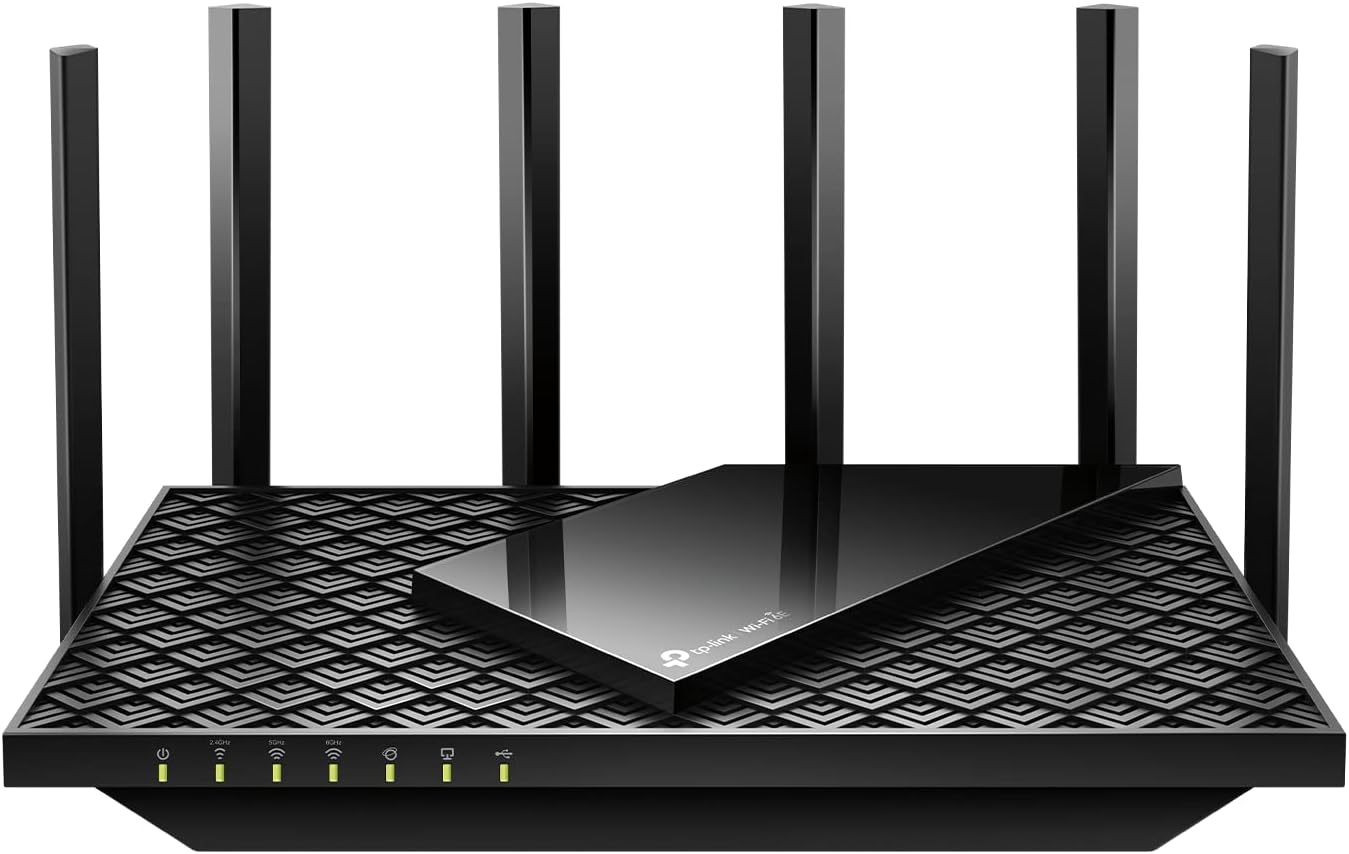
#1 TP-Link Archer AXE75: Best WiFi 6E Tri-Band Router for Gaming & Streaming
Best deal today. Prices may change
Overview: Affordable AXE5400 tri-band WiFi 6E router with dedicated 6GHz band | Ideal for medium to large homes up to 2,000 sq. ft. | Gamers, streamers, and multi-device households | Fully compatible with Gigabit internet and OneMesh expansion
Key Benefits: Dedicated 6GHz band cuts interference from crowded neighbor networks | 5 Gigabit LAN ports for wired devices | OneMesh support to expand coverage later
Pros: Best value entry point into tri-band WiFi 6E | Straightforward app-based setup | Handles 2,000 sq ft homes reliably
Cons: No multi-gig ports for future 2.5G+ plans
Best For: Gamers and streamers who want the uncrowded 6GHz band without breaking the bank | Homes ready for WiFi 6E today
#2 TP-Link Archer BE600: Best Value WiFi 7 Tri-Band Router for Large Homes

Overview: Powerful BE9700 tri-band WiFi 7 router with 10G and 2.5G ports | Perfect for homes up to 2,600 sq. ft. with 100+ devices | Families, remote workers, and smart-home users | Full multi-gig support and EasyMesh ready
Key Benefits: 10G port ready for multi-gig fiber plans | Four 2.5G ports for wired gaming rigs and NAS | Handles 100+ connected devices without slowdown
Pros: Strongest port selection on this list | Built for large, device-heavy homes | Future-proofed for multi-gig upgrades
Cons: Slightly higher price for premium WiFi 7 features
Best For: Large homes or busy households needing future-proof WiFi 7 speeds and multi-gig ports | Anyone handling heavy traffic
#3 TP-Link Archer BE550: Best Overall Tri-Band WiFi 7 Router for Most Homes

Best deal today. Prices may change
Overview: Affordable BE9300 tri-band WiFi 7 router with full 2.5G ports | Great for homes up to 2,000 sq. ft. | Everyday families, gamers, and streamers | EasyMesh expansion and strong 6GHz performance
Key Benefits: Full 2.5G ports at a lower price than the BE600 | Strong 6GHz performance for gaming and streaming | EasyMesh ready for future expansion
Pros: Best overall value for WiFi 7 | Simple setup in minutes | Ideal size for most homes
Cons: Internal antennas limit extreme long-range coverage
Best For: Most homes wanting the best balance of WiFi 7 speed, value, and easy setup | Families or apartments with 20-80 devices
#4 GL.iNet Flint 3 (GL-BE9300): Best VPN & Gaming Tri-Band WiFi 7 Router

Best deal today. Prices may change
Overview: OpenWrt-based BE9300 tri-band WiFi 7 router with five 2.5G ports | Excellent for medium to large homes and business use | Power users, gamers, and privacy-focused households | Built-in VPN and long-range antennas
Key Benefits: Built-in VPN server and client support | Five 2.5G ports for extensive wired setups | OpenWrt flexibility for advanced users
Pros: Best pick for VPN and privacy-focused households | Long-range antennas | Full control via OpenWrt
Cons: Slightly more technical setup for advanced OpenWrt features
Best For: Gamers and remote workers who want strong VPN performance plus WiFi 7 speeds | Homes needing flexible wired and wireless options
#5 NETGEAR Nighthawk RS280S: Best Premium Tri-Band WiFi 7 Router for Coverage

Best deal today. Prices may change
Overview: BE9200 tri-band WiFi 7 router with 2.5G internet port | Covers up to 2,500 sq. ft. with strong antennas | Larger homes, heavy users, and gamers | Includes Armor security and easy app control
Key Benefits: NETGEAR Armor built-in security subscription | Strong antennas rated for 2,500 sq ft | Easy Nighthawk app control
Pros: Best premium coverage on this list | Trusted NETGEAR reliability | Simple app-based management
Cons: Higher cost compared to TP-Link alternatives
Best For: Large homes or users wanting premium coverage and built-in security | Families prioritizing range and reliability
Quick Comparison
| Rank & Model | WiFi Standard + Max Speed | Price Level, Coverage & Ports | Best For |
|---|---|---|---|
| 1. TP-Link Archer AXE75 | WiFi 6E AXE5400 (5.4 Gbps) | Best Value ⋅ Up to 2,000 sq. ft. ⋅ 5× Gigabit | Gaming & streaming starters |
| 2. TP-Link Archer BE600 | WiFi 7 BE9700 (9.7 Gbps) | Mid ⋅ Up to 2,600 sq. ft. ⋅ 1×10G + 4×2.5G | Large homes & heavy traffic |
| 3. TP-Link Archer BE550 | WiFi 7 BE9300 (9.3 Gbps) | Low ⋅ Up to 2,000 sq. ft. ⋅ 5× 2.5G | Best overall for most homes |
| 4. GL.iNet Flint 3 | WiFi 7 BE9300 (9.3 Gbps) | Mid ⋅ Up to 2,500 sq. ft. ⋅ 5× 2.5G | VPN & gaming power users |
| 5. NETGEAR RS280S | WiFi 7 BE9200 (9.2 Gbps) | High ⋅ Up to 2,500 sq. ft. ⋅ 1×2.5G + 4×Gigabit | Premium coverage & security |
This guide will help you choose the right tri band WiFi router based on your setup, usage needs, and expectations.
What to Look for When Buying a Tri Band WiFi Router
Suitability for Your Setup and Daily Usage
- Works seamlessly with your ISP modem or gateway
- Matches your home size and device count
- Supports your main activities like gaming, streaming, or smart-home control
Feature Simplicity and Transparency
- Clear specs without confusing jargon
- Straightforward app or web setup in minutes
- Only the features you’ll actually use every day
Performance and Stability
- Consistent speeds across all three bands
- Handles 50+ devices without lag or drop-offs
- Multi-gig ports if you have fast internet
Brand Reliability and Support
- Proven track record from TP-Link, GL.iNet, or NETGEAR
- Regular firmware updates for security
- Easy warranty and responsive customer support
Long-Term Value for Everyday Use
- Durable build that lasts years
- Future-proof WiFi 7 or 6E support
- Simple app management for the whole family
Looking specifically for WiFi 7? Read our Best WiFi 7 Router: Top Picks for Faster Speeds & Fewer Dead Zones guide.
How These Tri Band WiFi Routers Were Selected
We chose these models based on real-world usability in homes, reliability with multiple devices, and overall value, not hype or marketing claims. Daily performance, ease of setup, clear features, and long-term brand support were our only criteria.
How to Use a Tri Band WiFi Router Effectively
Proper setup turns a good tri band WiFi router into a home-network powerhouse. Follow these tips for maximum speed and zero frustration.
Proper Initial Setup
- Connect to your modem and power on
- Follow the quick app or web guide (most take 5-10 minutes)
- Update firmware before connecting all devices
Optimal Placement and Positioning
- Central location on a shelf or table for even coverage
- Keep away from thick walls, metal, or microwaves
- Elevate slightly for better signal spread
Common Setup Mistakes to Avoid
- Placing it in a corner or closet
- Skipping band steering or Smart Connect
- Connecting every device before testing speeds
Performance Optimization Tips
- Let the router automatically assign the best band
- Connect high-demand devices (gaming PCs, TVs) to 5GHz or 6GHz
- Restart monthly for peak performance
Signs It’s Working Properly
- Steady speeds with zero buffering
- Full bars across your entire home
- Smooth 4K/8K streaming and lag-free gaming
(Pro tip: pair your tri band WiFi router with extra coverage: see our guide to the best WiFi 7 mesh systems for whole-home coverage.)
How to Pick the Right Tri Band WiFi Router
- Match your plan: Gigabit or faster? Prioritize WiFi 7 with multi-gig ports.
- Third-party vs official: TP-Link wins on value and ease; GL.iNet for VPN power users; NETGEAR for security features.
- Placement: Compact models for apartments; antenna-rich ones for large homes.
- Must-have features: Dedicated 6GHz band, beamforming, and EasyMesh support.
- Avoid: Older dual-band models or anything without clear multi-device ratings.
What to Expect After Setup
Setup on all five of these is genuinely quick, plan on 10 minutes or less through the manufacturer’s app, and none of them require touching an admin console unless you want to. The improvement most people notice first isn’t top speed, it’s consistency: fewer moments where a video call freezes or a game spikes in ping because someone else in the house started a 4K stream. If your home currently has more than 15-20 devices fighting over a dual-band router, that’s the specific problem tri-band solves, and it’s usually obvious within the first week of normal use.
Frequently Asked Questions About Tri Band WiFi Routers
What is a tri-band WiFi router, exactly?
It’s a router with three separate wireless radios instead of two. Older tri-band routers used two 5GHz bands plus one 2.4GHz band; current WiFi 6E and WiFi 7 tri-band models swap one 5GHz radio for a dedicated 6GHz band instead, which is the more useful setup since 6GHz has almost no interference from neighboring networks yet. The router automatically assigns each connected device to whichever band will perform best for it, so you don’t have to manually manage anything.
Is tri-band actually better than dual-band, or is it marketing?
It’s a real improvement, but only if your household would actually hit a dual-band router’s limits. If you’re regularly juggling 15+ devices, gaming while someone else streams, or living somewhere with a lot of neighboring WiFi networks, tri-band’s extra band meaningfully reduces the congestion that causes lag and buffering. If you’re a single person with five devices on a modest internet plan, a solid dual-band router will feel identical day to day.
Do I need WiFi 7, or is WiFi 6E tri-band enough?
WiFi 6E tri-band routers like the Archer AXE75 on this list are genuinely solid for most households today; the 6GHz band access is the part that matters most, and 6E already has that. WiFi 7 adds Multi-Link Operation (MLO), which keeps a device connected across two bands simultaneously so a brief congestion spike on one band doesn’t cause a dropped call or a ping spike in a game. That’s a real, noticeable benefit for gaming and video calls specifically, and it’s the main reason to pay the WiFi 7 premium rather than sticking with 6E.
How many devices can these routers realistically handle?
Manufacturer device-count ratings (often 80-120+) are measured under ideal conditions and rarely match real-world use, where every connected device is actively pulling bandwidth rather than sitting idle. In practice, any of the five routers here handle a typical busy household (20-40 actively used devices) without issue. Where the differences actually show up is in simultaneous heavy use, gaming while someone streams 4K while a third person is on a video call, which is where the extra band and, on WiFi 7 models, MLO actually earn their keep.
Will one of these cover a large home on its own?
For a single-story home under roughly 2,500 sq. ft. with a fairly open layout, yes, the RS280S or BE600 in particular are rated for that range and will generally deliver it if placed centrally. For multi-story homes, homes with a lot of interior walls, or anything over about 3,000 sq. ft., a single router (any router) will likely leave at least one weak spot. At that point pairing your router with mesh nodes covers the gap better than buying a more powerful single unit.
Alternatives & Honorable Mentions
If you want whole-home coverage, check dedicated tri band mesh WiFi systems like eero or TP-Link Deco. For simpler needs, a solid dual-band upgrade can work in small apartments. (Need more options? Check our roundup of the highest-range WiFi extenders.)
Conclusion & Final Recommendation
Choosing the right tri band WiFi router doesn’t have to be complicated. Whether you want affordable WiFi 6E performance or blazing WiFi 7 speeds, the picks above deliver real reliability for every device.
Best overall pick: The TP-Link Archer BE550 stands out with its excellent WiFi 7 speeds, full 2.5G ports, and unbeatable value, ideal for most homes that want fast, future-proof WiFi without overspending.
Match the router to your home size, device count, and internet plan. Skip the hype, focus on practical fit, and you’ll enjoy stable, congestion-free internet for years.
Ready to upgrade your home network? Grab your perfect tri band WiFi router today and say goodbye to lag forever.