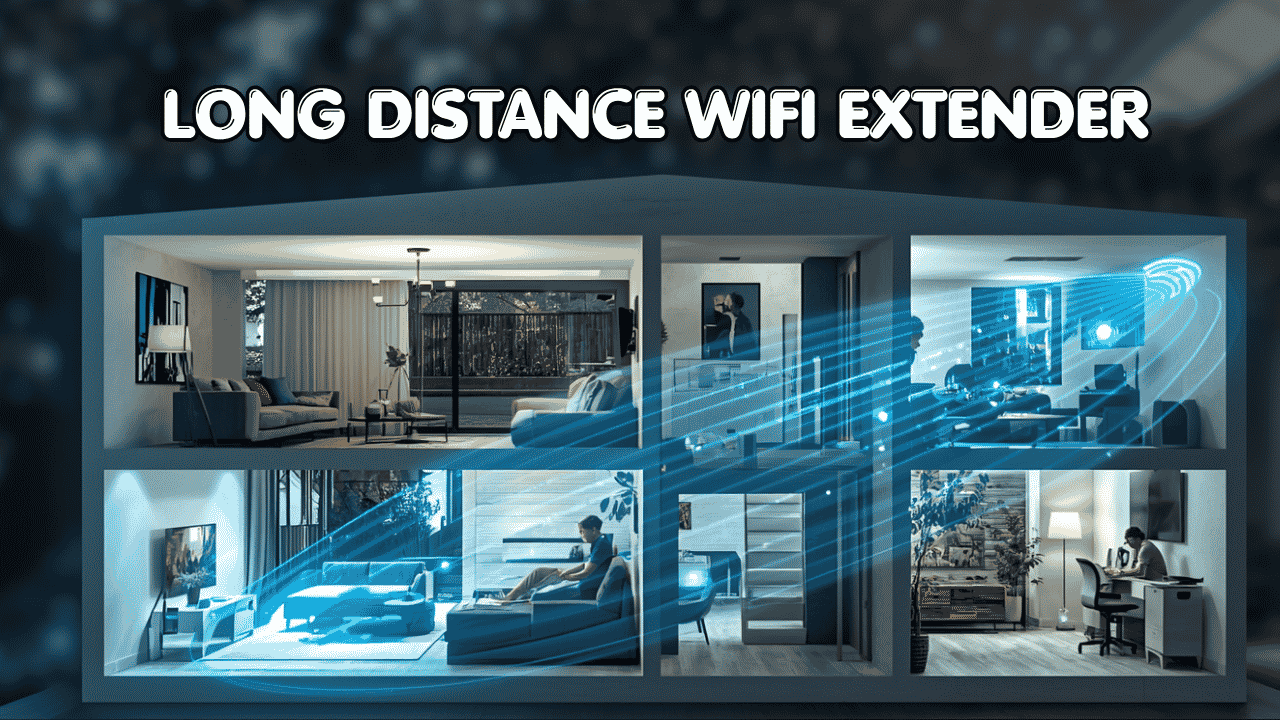
Dead zones are annoying. You walk to the back of the house, the garage, or your patio and suddenly your WiFi gives up on you. A good long distance wifi extender fixes that problem without you having to rewire anything or call your ISP.
These devices connect to your existing router and push the signal farther into the spaces your router simply can’t reach on its own. They work with pretty much every major internet provider and most modern routers. Some connect wirelessly, others through Ethernet, and many support mesh features like Easy Mesh or Ai Mesh so your devices switch between connections without dropping. Whether you have an old router or a brand new one, there’s something on this list that’ll work with your setup.
Here are five solid options for anyone who just wants their WiFi to reach further.
Quick Top 5 Preview:
- TP-Link BE10000 RE653BE (Best for Max Speed and Range)
- TP-Link RE615X AX1800 (Best All-Rounder for Most Homes)
- TP-Link RE650 AC2600 (Best Reliable Budget-Friendly Option)
- NETGEAR EX7300 AC2200 (Best for Smart Mesh Roaming)
- ASUS RP-AX58 AX3000 (Best for ASUS Router Users)
How to Choose the Right Long Distance WiFi Extender
Your router has a range limit. Thick walls, long hallways, multiple floors, and outdoor spaces all eat into that range fast. So you end up with fast internet in the living room and a basically useless connection in the bedroom at the far end of the house. A long distance wifi extender sits in the middle, grabs your router’s signal, and spreads it further. Simple idea, but picking the wrong one means you’re still stuck with the same problem.
What Most Buyers Get Wrong
- Buying a cheap plug-in extender that creates a totally separate network, so your phone never switches over automatically
- Getting a WiFi 5 unit when their router already supports WiFi 6
- Placing it too far from the router so it’s repeating a weak signal instead of a strong one
- Paying for tri-band speed when a basic dual-band unit would’ve done the job just fine
Why Newer Models Are Worth It
Today’s long range wifi extenders are genuinely smarter than older ones. WiFi 6 handles more devices at once and manages interference better. EasyMesh and AiMesh support means your devices roam between your router and extender automatically, so you don’t have to manually switch networks. Setup is mostly done through apps now, which makes the whole process much less painful. And speeds are faster across the board, so even budget options today outperform mid-range models from a few years ago.
Who This Guide Is For
- Homeowners with large houses or multiple floors
- People trying to get WiFi into garages, backyards, or basements
- Remote workers who need a stable connection away from the router
- Gamers frustrated by lag in certain rooms
- Anyone on a standard ISP who just needs better reach without buying a whole new router system
By the end of this guide, you’ll know exactly which long distance wifi extender fits your home and your budget, without guessing.
Top 5 Long Distance WiFi Extenders
Every pick here was chosen based on real-world coverage performance, ease of setup, device compatibility, and value. These aren’t just spec-sheet winners. They’re units that actually deliver where it counts.
#1 TP-Link BE10000 RE653BE — Best for Max Speed and Long Range

Best deal today – prices may change.
Overview: WiFi 7 tri-band extender with 10 Gbps combined speed and a 2.5 Gbps Ethernet port | Covers up to 2,800 sq. ft. and handles 128 devices | EasyMesh compatible for seamless network roaming | Built for large homes with fast internet plans | Best for power users and tech-forward households.
Key Benefits: WiFi 7 with 6 GHz band support delivers faster speeds and dramatically less interference | Multi-Link Operation (MLO) lets devices use multiple bands at once for better stability | 2.5 Gbps Ethernet port supports fast wired connections to PCs or game consoles | EasyMesh means your phone or laptop switches between router and extender without you noticing | Covers up to 128 devices so even a smart home won’t slow it down.
Pros: The fastest and most future-proof extender on this list | 2.5 Gbps port is a genuine standout feature | EasyMesh integration works cleanly with compatible TP-Link routers | Handles heavy workloads and high device counts without breaking a sweat.
Cons: It’s the most expensive option here, and you’ll only get the full speed benefit if your router and devices are also WiFi 7 ready.
Best For: Large homes with Gigabit-plus internet plans | Power users and smart home setups | Anyone upgrading to WiFi 7 now or soon | Households with 20 or more active devices.
#2 TP-Link RE615X AX1800 — Best All-Rounder for Most Homes

Best deal today – prices may change.
Overview: WiFi 6 dual-band extender with AX1800 speeds and a Gigabit Ethernet port | Covers up to 2,100 sq. ft. and supports 64 devices | EasyMesh compatible for seamless roaming | App-based setup makes it beginner-friendly | A well-balanced long distance wifi extender for everyday home use.
Key Benefits: WiFi 6 provides noticeably better performance than older AC extenders, especially with multiple devices connected | EasyMesh support means seamless handoff between the router and extender as you move around | App setup is straightforward and doesn’t require touching any admin panels | Gigabit Ethernet port lets you hardwire a desktop, TV, or gaming console for a more stable connection | Great balance of speed, range, and price.
Pros: WiFi 6 performance at a reasonable price | Easy app-based setup that most people can handle in under 10 minutes | EasyMesh works well with TP-Link routers | Solid real-world coverage for average homes.
Cons: 1.8 Gbps max speed is plenty for most people but won’t satisfy users with very fast plans and WiFi 7 routers.
Best For: Average-size homes with one or two floors | Remote workers and casual gamers | TP-Link router users who want EasyMesh functionality | First-time extender buyers who want something simple and reliable.
Not sure whether an extender or a mesh system is the better move for your home? Read our breakdown of WiFi extenders vs. mesh systems to figure out which one fits your setup.
#3 TP-Link RE650 AC2600 — Best Reliable Option for Budget-Conscious Buyers

Best deal today – prices may change.
Overview: WiFi 5 dual-band extender with AC2600 speed and 4×4 MU-MIMO technology | Includes a Gigabit Ethernet port and operates as a repeater or access point | Covers large areas with strong signal consistency | A dependable and affordable long distance wifi extender for users who don’t need WiFi 6 yet.
Key Benefits: 4×4 MU-MIMO lets it serve multiple devices at the same time without significant speed drops | Dual-band design gives you flexibility to put bandwidth-hungry devices on 5GHz and everything else on 2.4GHz | Gigabit Ethernet port supports wired connections to TVs or desktop PCs | Works as a repeater or access point depending on your setup preference | Solid range performance for a WiFi 5 unit.
Pros: MU-MIMO handles multi-device use better than basic single-stream extenders | Gigabit port is a useful bonus at this price range | TP-Link’s build quality and firmware support are consistently reliable | A good fit for anyone not ready to invest in WiFi 6 hardware yet.
Cons: WiFi 5 will eventually feel dated as more WiFi 6 and WiFi 7 devices enter the home, but it’s still fully functional for current setups.
Best For: Budget-conscious homeowners | Households with mostly WiFi 5 devices | Anyone who wants a solid wired plus wireless combo at a lower price | Users on standard 100 to 500 Mbps internet plans.
#4 NETGEAR EX7300 AC2200 — Best for Smart Mesh Roaming

Best deal today – prices may change.
Overview: WiFi 5 AC2200 dual-band mesh extender with Smart Roaming technology | Covers up to 2,300 sq. ft. and supports 40 devices | Works with any WiFi router and connects via Ethernet or wirelessly | A strong pick for users who want automatic device roaming without being locked into one brand’s ecosystem.
Key Benefits: NETGEAR’s Smart Roaming keeps devices connected to the strongest signal automatically as you move around | AC2200 dual-band delivers consistent coverage across medium to large homes | Works with any router brand, not just NETGEAR, which makes it genuinely flexible | Setup is simple through the NETGEAR WiFi app | One Ethernet port available for wired devices.
Pros: Smart Roaming is a standout feature that makes the connection feel much smoother | Brand-agnostic compatibility is a real advantage for people with non-NETGEAR routers | NETGEAR has a strong support and firmware track record | Good coverage for the price.
Cons: 40-device cap is on the lower end compared to WiFi 6 options, so larger households may feel the limit.
Best For: Homes with mixed router brands | Users who move around a lot and want automatic band switching | Medium-size homes up to 2,300 sq. ft. | Anyone who wants mesh-like behavior without buying a full mesh system.
#5 ASUS RP-AX58 AX3000 — Best for ASUS Router Users

Best deal today – prices may change.
Overview: WiFi 6 AX3000 dual-band range extender with AiMesh support | Works with any WiFi router but integrates seamlessly into ASUS AiMesh networks | Covers large areas with strong WiFi 6 performance | A smart pick for anyone already using an ASUS router who wants a clean, unified network.
Key Benefits: AiMesh integration with ASUS routers creates a true unified mesh network, not just an extended signal | WiFi 6 handles interference and device congestion far better than older standards | AX3000 speed is more than enough for streaming, gaming, and remote work simultaneously | Works as a standalone extender with non-ASUS routers too, so it’s not locked in | ASUS firmware is updated regularly and supports advanced network settings for power users.
Pros: AiMesh with an ASUS router is one of the cleanest mesh setups available in this price range | WiFi 6 performance is genuinely strong | ASUS has a well-earned reputation for reliable networking hardware | Flexible enough to use with any router brand.
Cons: You only get the full AiMesh benefit if your router is also from ASUS, so it’s a slightly less obvious choice for non-ASUS households.
Best For: ASUS router owners who want a full AiMesh setup | Large homes needing strong WiFi 6 coverage | Gamers and remote workers who need low latency and consistent speeds | Users who want advanced settings and regular firmware support.
Quick Comparison Table
| Rank | Model | WiFi Standard | Max Speed | Coverage | Ethernet Port | Best For |
| #1 | TP-Link BE10000 RE653BE | WiFi 7 | BE10000 | 2,800 sq. ft. | 1x 2.5 Gbps | Max speed and future-proofing |
| #2 | TP-Link RE615X | WiFi 6 | AX1800 | 2,100 sq. ft. | 1x Gigabit | Everyday home use |
| #3 | TP-Link RE650 | WiFi 5 | AC2600 | Large areas | 1x Gigabit | Budget-friendly reliability |
| #4 | NETGEAR EX7300 | WiFi 5 | AC2200 | 2,300 sq. ft. | 1x Ethernet | Smart roaming, any router brand |
| #5 | ASUS RP-AX58 | WiFi 6 | AX3000 | Large homes | 1x Gigabit | ASUS AiMesh setups |
This guide helps you choose the right long distance wifi extender based on your home size, device count, and what you actually need from your network.
What to Look for When Buying a Long Distance WiFi Extender
Does It Fit Your Setup?
- Check that it’s compatible with your current router, whether that’s TP-Link, ASUS, NETGEAR, or a basic ISP-provided unit
- Match the coverage spec to your actual space because a 2,100 sq. ft. extender won’t cover a 4,000 sq. ft. property
- Think about what you’re mainly using it for: streaming, gaming, remote work, or just general browsing
- Make sure it supports the WiFi standard your router uses, so WiFi 6 router should ideally pair with a WiFi 6 extender
Keep It Simple
- Ignore extenders with confusing marketing claims and no real specs to back them up
- Look for app-based setup because it’s just easier, especially if this is your first extender
- Don’t pay for features you won’t use, like a 2.5 Gbps port if your plan tops out at 200 Mbps
Performance That Holds Up
- Consistent everyday speed matters more than peak theoretical speed
- Mesh support like EasyMesh or AiMesh makes a real difference in how smooth your connection feels as you move around
- A Gigabit Ethernet port gives you an easy way to wire in a TV, console, or desktop for rock-solid performance
Brand and Support Matter
- Stick to brands that push firmware updates regularly because security patches and bug fixes keep things running well
- Check the warranty and return policy before buying
- Real user reviews on retail sites often catch common issues that spec sheets miss
Long-Term Value
- WiFi 6 is the right call for most buyers right now and will stay relevant for years
- WiFi 7 is worth it if you have a fast plan and plan to upgrade other hardware soon
- App-managed extenders are easier to monitor and update over time without logging into a web interface
How These Products Were Selected
Every product on this list was picked based on practical everyday performance, not just numbers on a spec sheet. The focus was on how well each unit actually extends range in real home environments, how easy it is to set up, and whether the value matches what you’re paying. Brand support history, user feedback patterns, and long-term reliability all played a role in the final selection.
Key factors that guided the choices:
- Real-world range and signal consistency
- Compatibility with common routers and ISP setups
- Ease of installation and daily management
- Device capacity relative to price
- EasyMesh, AiMesh, or smart roaming support
- Brand reputation and firmware update history
How to Get the Best Out of Your Long Distance WiFi Extender
Setup matters almost as much as which unit you buy. A good extender in the wrong spot will still leave you frustrated.
Getting Started Right
- Place the extender roughly halfway between your router and the dead zone you’re trying to fix
- Run the setup through the manufacturer’s app rather than a browser, it’s almost always faster and clearer
- Update the firmware right after setup before connecting any devices
Placement Tips
- Avoid putting it right next to thick concrete walls, large appliances, or metal surfaces
- For a two-story home, placing it near the stairwell often gives the best coverage across both floors
- For outdoor coverage, position it near a window or doorway facing the outdoor area you want to reach
Mistakes That Kill Performance
- Putting it too close to the router, where it doesn’t actually extend coverage to new areas
- Skipping the firmware update step after initial setup
- Connecting it to a weak signal from the router and expecting it to still perform well
- Overloading it with too many high-demand devices all at once
Tips to Squeeze More Performance Out of It
- Put bandwidth-heavy devices like gaming consoles and 4K streaming sticks on the 5GHz band
- Leave smart home gadgets and light browsing devices on the 2.4GHz band for better reach
- Reboot the extender once a week if you notice it gradually slowing down
How to Know It’s Working
- You get a usable, stable connection in spots that used to be dead zones
- Streaming and video calls run without buffering or freezing in those areas
- Your phone or laptop switches between the router and extender automatically without dropping
- Speed tests near the extender show reasonable throughput relative to your plan
How to Pick the Right One for Your Home
Match your internet plan first: If you’re on a Gigabit plan, go with WiFi 6 or WiFi 7. The RE615X or the BE10000 are both solid choices. If you’re on a standard 100 to 300 Mbps plan, the RE650 or EX7300 will handle it just fine and save you money.
Stick to your router’s ecosystem if you can: ASUS router? Get the RP-AX58 and use AiMesh. TP-Link router? The RE615X with EasyMesh is a natural fit. Mixed setup or non-branded ISP router? NETGEAR’s EX7300 works with anything.
Placement is half the battle: An extender placed in the wrong spot is just a device collecting dust. Find the halfway point between your router and the dead zone and put it there.
Must-have features to look for: Gigabit Ethernet port, mesh support (EasyMesh or AiMesh), app-based setup, and at least dual-band support.
Things to skip: Single-band extenders are outdated. Avoid any unit with no Ethernet port if you need to wire in any devices. And don’t buy based on peak speed claims alone because real-world performance is always lower.
Already sorted your range issues? Check out our guide on the best WiFi routers for large homes if you’re thinking about upgrading your whole setup from the source.
Real User Feedback
People who’ve gone with the TP-Link RE615X consistently say it’s one of the easier extenders they’ve set up, and that the EasyMesh roaming actually works as advertised. The BE10000 gets praise from users with very fast internet plans who finally have a unit that can keep up with their speeds across the house. NETGEAR EX7300 owners frequently mention how reliable it is as a set-and-forget device that just works without needing constant attention. ASUS RP-AX58 users who are already in the AiMesh ecosystem say it blends into the network seamlessly.
The common thread: setup time and placement have the biggest impact on whether people are happy with their purchase.
Also worth reading: Wi-Fi Extender vs. Mesh Wi-Fi: Which Is Right for Your Home? If you’re on the fence between an extender and a full mesh system for your large home, start here first.
Alternatives Worth a Look
- TP-Link RE705X AX3000 — A step up from the RE615X with stronger coverage and a bit more speed headroom, good if you want more breathing room without jumping to WiFi 7
- NETGEAR EX8000 AC3000 — Tri-band option with more bandwidth for larger homes or heavier usage, worth looking at if the EX7300 feels limiting
- Linksys RE9000 AC3000 — Solid tri-band unit that works well as a standalone extender for non-mesh setups in large homes
These are good backup options if none of the top five match your specific router brand or home layout.
Conclusion and Final Recommendation
Finding the right long distance wifi extender doesn’t have to be complicated. You just need to match it to your home size, your internet speed, and your router setup. The five picks here cover everything from tight budgets to full WiFi 7 performance, so there’s a real answer for every situation.
This guide is for:
- Anyone still comparing options and wanting a clear recommendation
- Users unsure whether their router will work with a new extender
- Buyers who want reliable everyday performance without paying for features they don’t need
- People who’ve bought a bad extender before and want to get it right this time
Best overall pick: The TP-Link RE615X AX1800 is the most balanced option for most households. It brings WiFi 6 performance, EasyMesh support, app-based setup, and a Gigabit Ethernet port together at a price that makes sense for most budgets. It’s not the flashiest pick but it’s the one most people will be happy with three years from now.
The short version: Don’t overthink it. Pick the extender that matches your router’s WiFi standard, covers the area you need, and has mesh support if you move around the house a lot. Any of the five options above will get the job done. The best wifi range extender for long distance use is the one that fits your actual home, not the one with the most antennas on the box.
Related Posts:
Best Router for Fiber Internet in 2026: Top 5 Picks
Wi-Fi Extender vs. Mesh Wi-Fi: Which Is Right for Your Home?
Best WiFi Extender for Gaming in 2026: Top Picks to Kill Lag & Dead Zones
Disclosure: Some links in this post are affiliate links. We may earn a small commission at no extra cost to you. We only recommend products we’ve genuinely researched and believe deliver real value.