Why You Need a Long Range WiFi Extender:
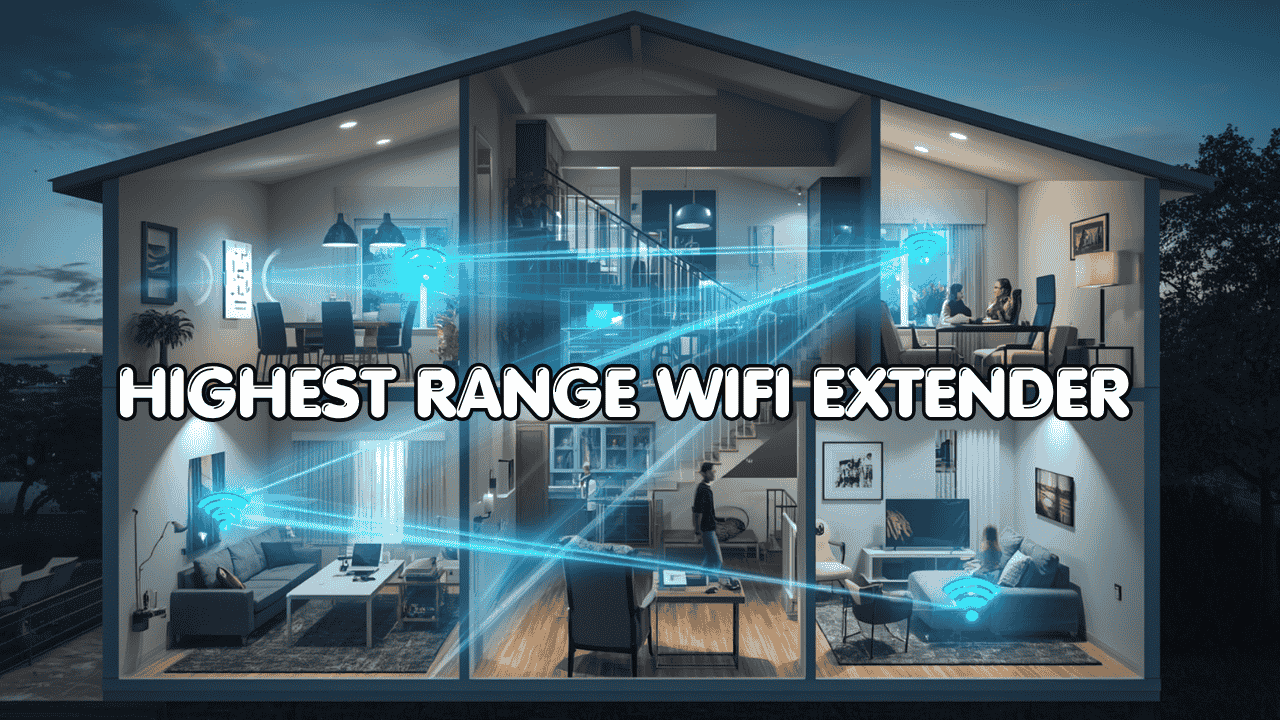
Weak WiFi signals and dead zones can make even fast internet feel slow and unreliable. Whether it’s a distant bedroom, an upstairs floor, a backyard, or a home office at the far end of the house, poor coverage interrupts streaming, gaming, and daily use. As a result, a high range WiFi extender is designed to boost your existing signal, expand coverage, and deliver a more stable connection in areas where your router simply can’t reach.
Modern Features and Compatibility
The good news is that modern long range WiFi extenders have come a long way. Today’s options support WiFi 6 and WiFi 7, handle dozens of devices at once, and include Ethernet ports for wired stability all while staying compatible with your existing router and internet provider. Whether you’re covering a large home, a rural property, or just one stubborn dead zone, this guide will help you find the right fit.
Most Wi-Fi extenders for large home setups work with all major internet providers and router brands. They connect wirelessly or through Ethernet and rebroadcast the signal to wider areas. Modern extenders support dual-band or tri-band connectivity and are backward compatible with older devices, while features like Easy Mesh allow seamless integration for better whole-home coverage.
Quick Recommendation
TP-Link RE715X is the best long-range WiFi extender for most homes.
Strong coverage up to 2,400 sq ft
Wi-Fi 6 for stable multi-device performance
Gigabit Ethernet for wired reliability

Best deal today – prices may change.
Here’s a quick look at our top 5 picks for the highest range WiFi extender in 2026:
- TP-Link RE715X (AX3000) — Best overall long-range WiFi 6 extender
- TP-Link RE615X (AX1800) — Best mid-range value with WiFi 6
- TP-Link RE403BE (BE6300) — Best WiFi 7 upgrade for large homes
- TP-Link RE653BE (BE10000) — Best tri-band WiFi 7 for maximum coverage
- NETGEAR EXS25 (BE5000) — Best compact WiFi 7 option
Also worth reading: Wi-Fi Extender vs. Mesh Wi-Fi: Which Is Right for Your Home? If you’re on the fence between an extender and a full mesh system for your large home, start here first.
How to Choose the Highest Range WiFi Extender
The Core Problem With Large Home Coverage
Your router sends a signal in all directions but walls, floors, furniture, and distance eat into that signal fast. By the time it reaches a far bedroom, a garage, or an outdoor patio, what started as a fast connection has become unreliable and frustrating. A high power WiFi extender placed correctly can push that signal farther and genuinely fix the problem without replacing your entire network setup.
Common Issues Buyers Run Into
- Weak or inconsistent signal in rooms that are far from the router or separated by thick walls
- Coverage claims that don’t match reality manufacturers list ideal square footage, not real-world results through multiple walls
- No Ethernet port on cheap models limiting for smart TVs, desktops, and streaming devices
- Choosing a single-band extender that cuts speeds in half and creates a separate network name
- Overpaying for features like outdoor weatherproofing when all you need is indoor long-range coverage
Why Modern Long-Range Extenders Are a Different Story
A few years ago, range extenders had a bad reputation and honestly, much of it was deserved. They cut speeds, created confusing split networks, and required manual band switching. Today’s dual band long range WiFi extender options are genuinely better.
WiFi 6 brings OFDMA and MU-MIMO for lower latency with multiple devices. WiFi 7 adds Multi-Link Operation for even faster, more stable connections. EasyMesh means seamless roaming with one network name. Technology has caught up with what people actually need.
Who This Guide Is For
- Large home owners needing coverage across multiple floors or rooms
- Rural users who need a WiFi extender for rural areas where router placement is far from all living spaces
- Families with heavy multi-device usage streaming, gaming, video calls happening simultaneously
- Remote workers who need a stable connection in a home office that’s far from the router
- Outdoor users looking for a WiFi extender for backyard coverage to extend signal outside
- Power users wanting the latest WiFi 7 performance without replacing their existing router
This guide will help you choose the right highest range WiFi extender based on your home size, usage needs, and budget.
Top 5 Highest Range Wi-Fi Extender in 2026
These five extenders were selected based on real-world coverage performance, signal strength across obstacles, Ethernet port availability, Easy Mesh compatibility, and overall long-term value. Every pick is verified against actual product specifications no guesswork.
#1. TP-Link RE715X — Best Overall Long-Range WiFi 6 Extender
Best deal today – prices may change.
Overview: PCMag Editors’ Choice AX3000 WiFi 6 extender for large home setups, covering up to 2,400 sq ft with dual-band support and a Gigabit Ethernet port | Suits medium to large homes, apartments, and multi-room setups | Best for everyday users, streamers, and gamers needing reliable whole-home coverage | Compatible with all major routers via EasyMesh and OneMesh support
Key Benefits: WiFi 6 AX3000 delivers fast, low-latency performance across large coverage areas | Gigabit Ethernet port provides wired-quality stability for smart TVs, gaming consoles, and PCs | EasyMesh support creates a unified network with one name for seamless roaming | TP-Link Tether app makes setup and management simple from any smartphone
Pros: Outstanding real-world coverage for a high speed long range WiFi extender at this price point | PCMag Editors’ Choice recognition reflects independently tested performance | Dual-band WiFi 6 handles 64 simultaneous devices without congestion | Trusted TP-Link build quality with consistent firmware update support
Cons: Gigabit Ethernet port won’t unlock multi-gig speeds for users on plans above 1 Gbps
Best For: Homeowners covering medium to large spaces who want reliable long range WiFi extender performance without a premium price | Families with 20–50 connected devices across multiple rooms | Anyone wanting PCMag-tested coverage they can actually trust
#2. TP-Link RE615X — Best Mid-Range WiFi 6 Value for Everyday Coverage

Best deal today – prices may change.
Overview: AX1800 dual band long range WiFi extender with two external antennas and a Gigabit Ethernet port, covering up to 2,100 sq ft | Built for medium homes, apartments, and multi-room setups | Ideal for everyday users, streamers, and work-from-home setups needing reliable WiFi 6 coverage | Compatible with all routers via EasyMesh and OneMesh support
Key Benefits: Two external antennas improve signal reach and direction compared to internal-antenna competitors | Gigabit Ethernet port supports AP Mode — turn it into a full wireless access point with a cable | EasyMesh compatibility integrates seamlessly into existing TP-Link networks for unified coverage | Tether app setup takes under five minutes for most users
Pros: Strong value for a WiFi extender with strong signal at an accessible price | External antennas give noticeably better range than compact wall-plug designs | WiFi 6 performance handles streaming, gaming, and browsing simultaneously without lag | Reliable EasyMesh roaming keeps devices connected as you move through the home
Cons: 2,100 sq ft coverage falls short for very large homes or rural properties needing maximum range
Best For: Mid-size home owners wanting a solid affordable long range WiFi extender with WiFi 6 and wired support | Work-from-home users who need a reliable signal in a home office | Families upgrading from WiFi 5 extenders who want genuine improvement without paying premium prices
#3. TP-Link RE403BE — Best WiFi 7 Upgrade for Large Homes
Best deal today – prices may change.
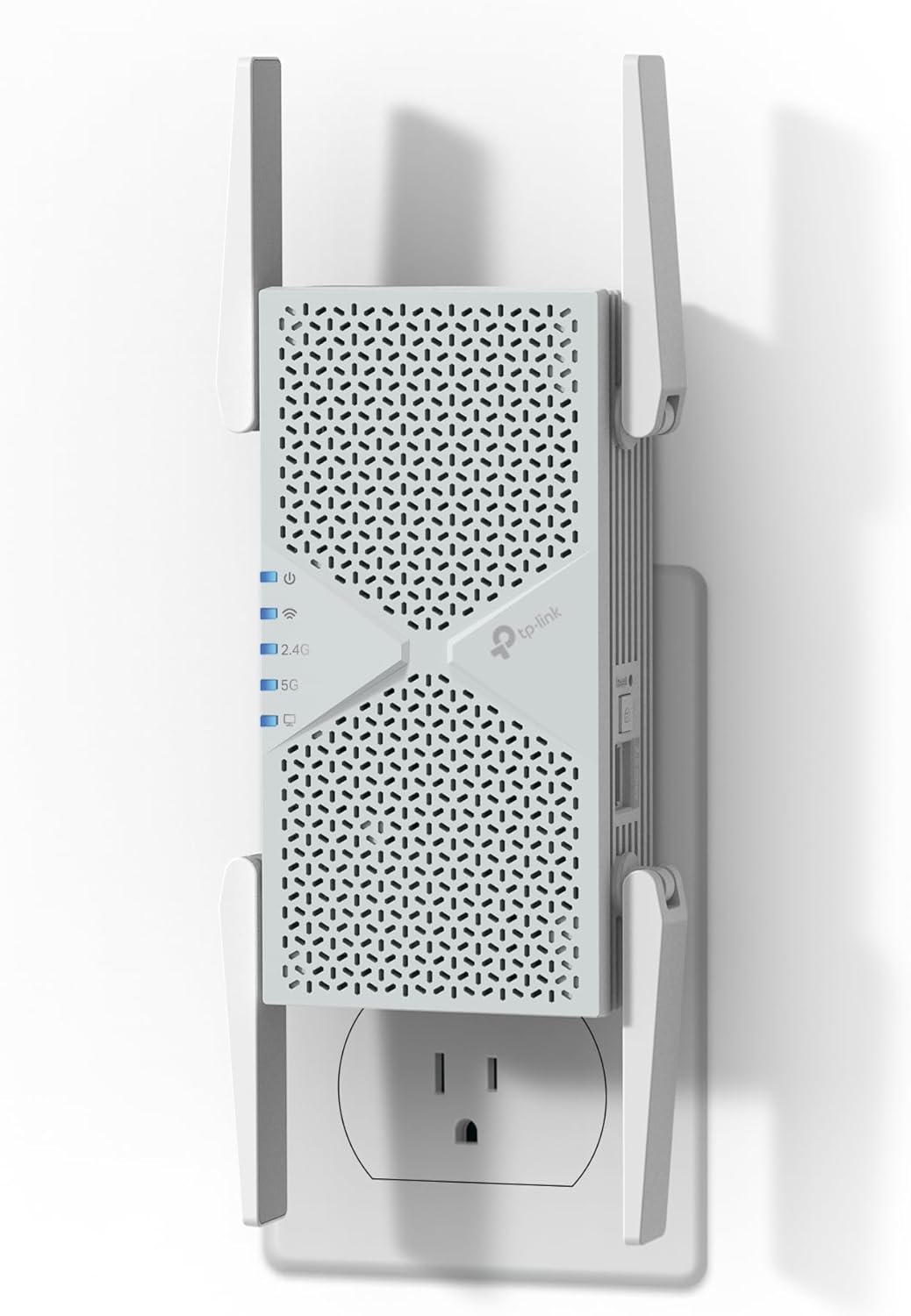
Overview: Dual-band WiFi 7 long range WiFi extender with a 2.5G Ethernet port and MLO technology, covering up to 2,800 sq ft | Designed for large homes, multi-floor setups, and power users on gigabit or multi-gig fiber plans | Best for users wanting the performance jump of WiFi 7 without replacing their entire router | EasyMesh and MLO compatible for seamless whole-home integration
Key Benefits: WiFi 7 Multi-Link Operation bonds multiple bands simultaneously for lower latency and faster throughput than WiFi 6 | 2.5G Ethernet port future-proofs wired connections for multi-gig internet plans | 2,800 sq ft coverage makes it one of the top WiFi extender for large home picks available | Handles up to 64 devices without noticeable performance degradation
Pros: One of the best high power WiFi extender options with a 2.5G wired port at this price | WiFi 7 MLO technology actively reduces ping spikes and connection instability | Excellent long-term value for users planning to upgrade to multi-gig internet | Consistent TP-Link firmware support keeps security and performance sharp
Cons: No 6 GHz band so it doesn’t deliver the full tri-band WiFi 7 experience
Best For: Large home owners on gigabit fiber who want best long range WiFi extender performance with WiFi 7 | Power users needing a 2.5G wired port for a gaming setup, NAS device, or desktop PC | Anyone future-proofing their network without committing to a full mesh replacement
Related reading: Best Router for Fiber Internet in 2026 If your extender keeps underperforming, your router might be the real bottleneck. Here’s how to fix it properly.
#4. TP-Link RE653BE — Best Tri-Band WiFi 7 for Maximum Coverage and Speed

Best deal today – prices may change.
Overview: Flagship tri-band WiFi 7 highest range WiFi extender with a 2.5G Ethernet port, 6 GHz band support, and up to 10 Gbps combined throughput | Covers up to 2,800 sq ft and supports 128 devices | Built for power users, large properties, heavy multi-device households, and anyone pushing the limits of their home network | Full EasyMesh and MLO compatibility
Key Benefits: 6 GHz band provides a clean, interference-free wireless channel unavailable on most extenders | MLO (Multi-Link Operation) bonds all three bands simultaneously for the fastest, most stable connections available | 2.5G Ethernet port delivers multi-gig wired performance for demanding devices | 320 MHz channel support maximizes throughput for WiFi 7 compatible devices
Pros: The most capable WiFi extender for large property setups on this list nothing else matches the tri-band 6 GHz performance | 128-device support handles even the most device-dense households without slowdown | Full WiFi 7 feature set including 6 GHz, MLO, and 2.5G wired | EasyMesh compatibility makes expansion seamless with existing TP-Link routers
Cons: Premium price reflects the flagship specs overkill for users on basic internet plans or small homes
Best For: Large home and property owners who want the absolute highest range WiFi extender with maximum throughput | Power users on multi-gig fiber plans who need tri-band WiFi 7 reach | Households with 50–100+ connected devices needing both range and consistent high-speed performance
#5. NETGEAR EXS25 — Best Compact WiFi 7 Option for Targeted Dead Zone Coverage

Best deal today – prices may change.
Overview: Compact wall-plug WiFi 7 BE5000 extender with a 2.5G Ethernet port, WPA3 security, and Smart Roaming | Adds up to 1,500 sq ft and supports 45 devices | Best suited for apartments, single rooms, or targeted dead zone fixes where a compact form factor matters | Works with all standard routers via standard wireless pairing
Key Benefits: WiFi 7 performance in a compact wall-plug design takes no desk or floor space | 2.5G Ethernet port delivers multi-gig wired performance for consoles, PCs, and streaming devices | WPA3 security protects your network without requiring manual configuration | Smart Roaming automatically connects devices to the strongest available signal
Pros: Best compact WiFi extender with strong signal for apartments and small dead zones | 2.5G Ethernet port punches well above the extender’s physical size | WiFi 7 future-proofs the setup for years without another upgrade | Straightforward setup via the NETGEAR Nighthawk app
Cons: 1,500 sq ft coverage makes it less suitable as a standalone solution for large homes or WiFi extender for large property scenarios
Best For: Apartment and small home users wanting WiFi 7 performance in a compact package | Anyone needing to fix one specific dead zone without installing a larger unit | Users who want a WiFi extender for multiple devices with a 2.5G wired option built in
Quick Comparison — Highest Range WiFi Extender
| Rank | Model | WiFi Standard | Max Speed | Coverage | Ethernet Port | Best For |
| #1 | TP-Link RE715X | WiFi 6 (AX3000) | 3,000 Mbps | 2,400 sq ft | Yes (Gigabit) | Overall long-range coverage |
| #2 | TP-Link RE615X | WiFi 6 (AX1800) | 1,800 Mbps | 2,100 sq ft | Yes (Gigabit) | Mid-range value, everyday use |
| #3 | TP-Link RE403BE | WiFi 7 (BE6300) | 6,300 Mbps | 2,800 sq ft | Yes (2.5G) | Large homes, WiFi 7 upgrade |
| #4 | TP-Link RE653BE | WiFi 7 (BE10000) | 10,000 Mbps | 2,800 sq ft | Yes (2.5G) | Max range, tri-band, 6 GHz |
| #5 | NETGEAR EXS25 | WiFi 7 (BE5000) | 5,000 Mbps | 1,500 sq ft | Yes (2.5G) | Compact dead zone fix |
This guide will help you choose the right highest range WiFi extender based on your setup, usage needs, and expectations.
What to Look for When Buying the Highest Range WiFi Extender
Suitability for Your Setup and Daily Usage
- Works with your existing router and ISP no special hardware or subscription required
- Matches your actual home size a 1,500 sq ft extender won’t solve problems in a 3,500 sq ft home
- Built for your primary use case: streaming, gaming, WiFi extender for backyard coverage, or general whole-home use
- Supports dual-band or tri-band connectivity WiFi 6 minimum for reliable modern performance
Feature Simplicity and Transparency
- Clear, honest coverage specs real-world reach through walls is always lower than listed maximums
- Ethernet port speed clearly stated (100 Mbps vs. Gigabit vs. 2.5G it matters significantly)
- Avoid extenders with mandatory app subscriptions or paywalled security features
- App-guided setup should be fast and straightforward not a 15-step manual process
Performance and Stability
- Consistent signal strength that doesn’t degrade over hours of use
- Handles multiple simultaneous connections without noticeable slowdowns
- EasyMesh or OneMesh support for seamless roaming no manual network switching
- Ethernet port for wired stability on devices that need it most
Brand Reliability and Support
- Established brands with proven long-range extender track records (TP-Link and NETGEAR both qualify)
- Regular firmware updates for security patches, stability improvements, and feature additions
- Accessible customer support and active community forums for troubleshooting
- Clear warranty and return policies important for hardware you’ll rely on daily
Long-Term Value for Everyday Use
- WiFi 6 or above for a future-proof long range WiFi extender that lasts 4–6 years
- Scalable setup EasyMesh lets you add more nodes later without replacing existing hardware
- App-based management that doesn’t require logging into a browser interface every time
- Durable build quality appropriate for always-on, 24/7 connected use
How These Highest Range WiFi Extenders Were Selected
Every product in this guide was chosen based on real-world coverage performance, honest specs, and practical long-term value not marketing claims or inflated numbers. Here’s the exact evaluation framework used:
- Daily performance and practical usability in real home environments with walls, floors, and interference
- Suitability for different home sizes from apartments to large multi-floor properties
- Feature clarity only extenders with transparent, verified specifications made the list
- Ease of setup and quality of the overall out-of-the-box experience
- Reliability and consistency over extended everyday use not just day-one performance
- Brand reputation and long-term firmware support track records
No product was included based on promotional consideration. Every pick earned its place.
How to Use the Highest Range WiFi Extender Effectively
Buying the right extender is only half the equation. Proper setup and placement is what actually delivers the range improvement you paid for. Here’s how to get the most out of any model you choose.
Proper Initial Setup
- During initial pairing, place the extender in the same room as your router then relocate it after setup is complete
- Use the manufacturer’s app or WPS button for pairing faster and more reliable than the browser interface
- Check for and install firmware updates immediately after connecting for best performance and security
Optimal Placement and Positioning
- Place the extender halfway between your router and the dead zone this is the single most important placement rule
- Avoid thick concrete walls, metal shelving, large appliances, and microwave ovens between the extender and your devices
- Elevated placement (shelf or table height) works better than floor level signal spreads more evenly
- Use a speed test app or the extender’s signal LED indicator to confirm you found the optimal location before leaving it permanently
Common Setup Mistakes to Avoid
- Placing the extender too close to the dead zone it needs a strong signal from the router to repeat effectively
- Ignoring the 5GHz band and connecting everything to 2.4GHz 5GHz delivers noticeably better performance for most devices
- Skipping firmware updates after setup these often fix early stability and range issues
- Overloading the extender by connecting every device to it prioritize devices that genuinely need the extended signal
Performance Optimization Tips
- Connect your most bandwidth-hungry devices (gaming consoles, smart TVs, desktop PCs) to the Ethernet port when possible
- Use the 5GHz or 6GHz band for streaming and gaming; reserve 2.4GHz for smart home devices and IoT gadgets
- Restart the extender monthly for a clean memory refresh helps with long-term stability
- Enable EasyMesh if your router supports it seamless roaming eliminates manual band-switching entirely
Signs It’s Working Properly
- Stable, consistent speeds in areas that previously had weak signal
- No frequent disconnects or unexplained slowdowns during streaming or gaming
- Devices automatically connect and stay connected as you move through the home
- Previously dead zones now showing full or near-full signal bars
How to Pick the Right Highest Range WiFi Extender — Buying Guide
Match your internet plan:
- 500 Mbps or below → WiFi 6 AX1800 is sufficient (TP-Link RE615X)
- Gigabit fiber → WiFi 6 AX3000 with Gigabit Ethernet (TP-Link RE715X)
- Multi-gig fiber → WiFi 7 with 2.5G port (TP-Link RE403BE or RE653BE)
- Maximum performance + 6 GHz → tri-band WiFi 7 (TP-Link RE653BE)
Third-party vs. ISP-provided gear: ISP-provided extenders are almost always limited in range and performance. Third-party options like those in this guide offer better antenna design, more placement flexibility, EasyMesh compatibility, and honest firmware support making them a smarter long-term investment.
Placement: Halfway between your router and the dead zone is the formula. Too close to the router and you’re duplicating coverage that already works. Too close to the dead zone and you’re extending a weak signal which just gives you a bigger weak signal.
Must-have features for long range:
- Dual-band minimum (5GHz for speed, 2.4GHz for reach)
- Ethernet port Gigabit minimum, 2.5G for multi-gig plans
- EasyMesh or OneMesh support for seamless roaming
- WiFi 6 or above for any serious coverage need in 2026
Avoid:
- Single-band 2.4GHz-only models not suitable for modern multi-device households
- Extenders with 100 Mbps Ethernet ports they immediately bottleneck your connection
- Models with no EasyMesh support if you’re planning to expand your network later
- Anything relying purely on marketing numbers for coverage without third-party testing
Real User Feedback — What Long-Range Extender Users Are Actually Saying
- “The RE715X completely eliminated the dead zone in our basement. Placed it at the top of the stairs and now our smart TV and gaming setup down there run at full speed. Coverage is exactly as advertised.” — Verified buyer, Amazon
- “I was skeptical about the RE615X because of the price, but it covers our entire second floor without issues. Set it up in under 5 minutes and it just works. Haven’t had a drop in four months.” Verified buyer, Amazon
- “The RE653BE is overkill in the best possible way. I have a large house and three floors. This thing covers all of it. The 6 GHz band for my gaming PC in the far room is genuinely impressive. Ping is consistent and fast.” Community forum review, TP-Link community
- “For a wall-plug device, the NETGEAR EXS25 is remarkable. My apartment is narrow and long and my bedroom at the far end had terrible signal. This fixed it, and the 2.5G Ethernet port means my desktop is wired and fast.” Reddit user, r/HomeNetworking
Alternatives & Honorable Mentions
These four options didn’t make the main list but are worth knowing about depending on your specific situation:
- NETGEAR EAX80 (AX6000)– A high-performance desktop WiFi 6 extender with four Ethernet ports. Best for large dedicated media rooms or gaming setups that need multiple wired connections.
- TP-Link Deco XE75 Pro (Mesh Node)– If you’re ready to step fully into mesh, the Deco XE75 Pro adds WiFi 6E nodes that deliver more consistent whole-home performance than any single extender can match.
- ASUS RP-AX58– A solid WiFi 6 extender with AiMesh compatibility. A good alternative for ASUS router owners who want native ecosystem integration for their WiFi extender for multiple devices setup.
- Linksys RE9000 (AC3000)– An older but still capable tri-band extender with strong real-world range for users on WiFi 5 networks who aren’t ready to upgrade to WiFi 6 or 7 hardware yet.
Related reading: Best WiFi Extender for Gaming in 2026 If long-range coverage is your priority but gaming performance matters too, this breakdown covers both needs in detail.
Conclusion & Final Recommendation
Dead zones, dropped connections, and spotty signal in distant rooms are solvable problems — and a well-chosen highest range WiFi extender is one of the most cost-effective fixes available in 2026. You don’t need to replace your entire network to get whole-home coverage. You just need the right extender placed in the right spot.
Who this guide is best for:
- Homeowners comparing multiple long-range extenders and unsure where to start
- Rural users and large property owners needing a WiFi extender for long distance signal reach
- Families with heavy multi-device usage across multiple floors
- Remote workers who need a reliable signal in a far home office
- Anyone who wants to fix their coverage problem once and move on
Best Overall Pick: The TP-Link RE715X (AX3000) is the top recommendation for most users. It delivers genuine WiFi 6 long-range performance, a Gigabit Ethernet port that makes a real difference for wired devices, 2,400 sq ft coverage, and app-guided setup that just works. If you’re on a large property or multi-gig fiber plan, the TP-Link RE653BE is the premium step up tri-band WiFi 7 with 6 GHz and a 2.5G port covers everything. On a tighter budget, the TP-Link RE615X delivers excellent real-world performance at a noticeably lower price.
Make a confident decision: Match the extender to your actual home layout, your internet plan speed, and the specific areas you need to cover. A properly placed high power WiFi extender with EasyMesh and an Ethernet port will solve your coverage problem better than any router upgrade at the same price point. Practical fit beats spec sheet hype every time.
Ready to eliminate dead zones for good? Choose the extender that matches your home size above, place it halfway between your router and the problem area, and finally enjoy strong WiFi in every corner of your home.
Disclosure: Some links in this post are affiliate links. We may earn a small commission at no extra cost to you. We only recommend products we’ve genuinely researched and believe deliver real value.
Related Posts: