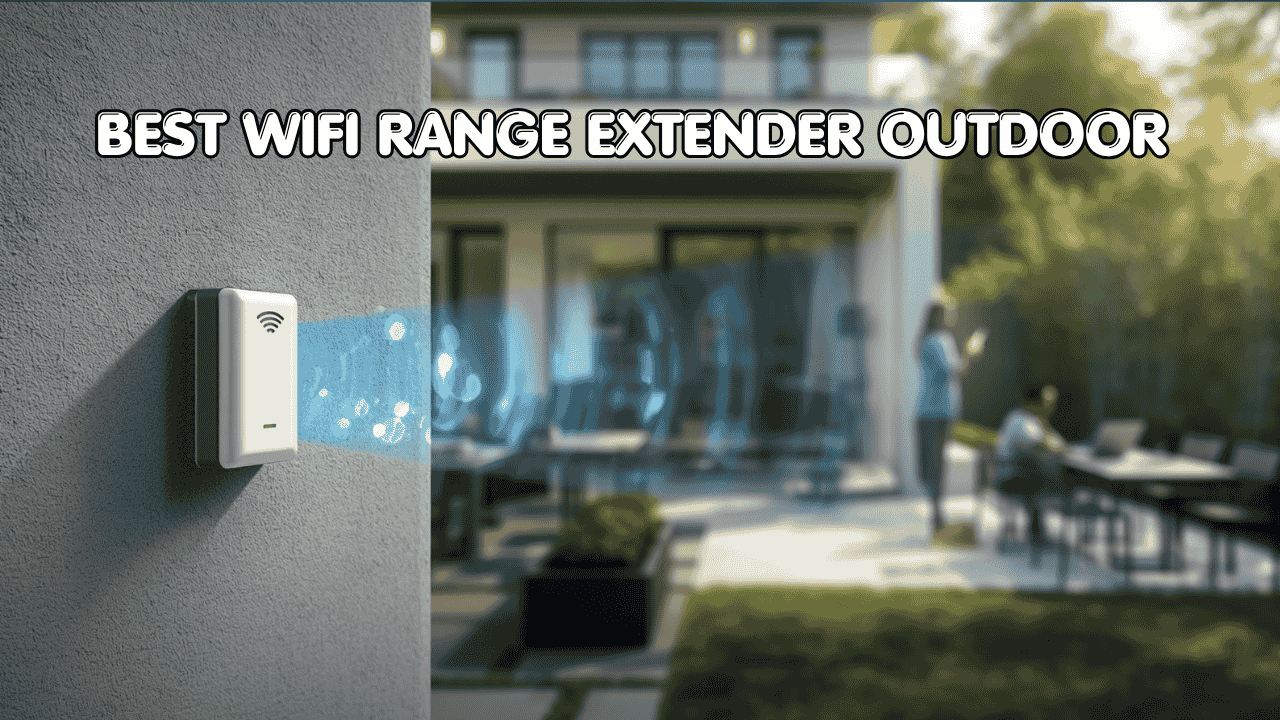
If you’ve ever walked outside with your laptop and watched the WiFi bars disappear one by one, you already know the problem. Your indoor router was never built for the outdoors. Walls, distance, heat, rain, and interference all chip away at your signal before it ever reaches your yard, pool deck, garage, or garden shed. The best wifi range extender outdoor environments demand is a completely different animal from what you’d plug into a bedroom wall.
These units are weatherproofed, built for long range, and designed to stay locked onto a signal even when conditions shift. They connect to your existing router or network and push coverage into spaces that were previously dead zones. Most are compatible with standard ISPs and popular setups like Starlink. Many use PoE for cleaner installations, and some even support point-to-point connections for linking separate buildings across open ground.
Here are five picks that cover every kind of outdoor scenario, from a small backyard to a full working farm.
Top 5 at a Glance:
- TP-Link Omada EAP650-Outdoor (Best Overall Outdoor Performance)
- WAVLINK WiFi 7 BE5100 (Best for Multi-Gig and Future Use)
- WAVLINK AX3000 Outdoor WiFi 6 (Best High-Density Coverage)
- TP-Link CPE710 (Best Dedicated Long-Distance Link)
- TP-Link EAP225-Outdoor (Best Affordable Outdoor Option)
How to Choose the Best WiFi Range Extender Outdoor
The Core Problem Is Simple
Your indoor router has limits it was never meant to break. Even the most powerful home routers struggle to push a usable signal 50 feet through a concrete wall, let alone across an open yard in direct sunlight. So people buy an extender, but often the wrong kind. An indoor extender placed near a window is not the same as a proper outdoor wifi range extender rated for weather and distance. The frustration is real and common, and it almost always comes down to using the wrong tool.
What Buyers Get Wrong
- Buying an indoor unit and hoping it works outside (it won’t last long)
- Confusing “outdoor rated” with actually weather-sealed (always check the IP rating)
- Choosing a model that can’t handle the number of devices they have
- Spending too much on features like multi-gig ports when their internet plan tops out at 100 Mbps
Why Newer Models Are a Big Step Up
Today’s outdoor extenders are genuinely good in a way older ones weren’t. WiFi 6 handles device congestion far better, which matters when you’ve got security cameras, a smart irrigation controller, and a tablet all competing for the same signal. IP67 and IP68 ratings mean actual dust and water resistance, not just “splash proof.” PoE support makes mounting flexible since you only need one cable run. And management apps like TP-Link’s Omada platform make setup and monitoring accessible even for people who aren’t network pros.
Who This Guide Is For
- Homeowners dealing with dead zones in their backyard, patio, or pool area
- Farmers and large property owners who need coverage across open outdoor spaces
- Remote workers who want a reliable outdoor workspace setup
- Security camera users who need a stable, dedicated signal outdoors
- Anyone on Starlink or a standard ISP looking to extend coverage outside the house
This guide helps you cut through the noise and find the best wifi range extender outdoor setup for your specific situation, budget, and property size.
Top 5 Best WiFi Range Extenders Outdoor
Each pick below was chosen based on how it actually performs outdoors, not just on paper. The focus was on real-world durability, signal consistency, ease of setup, and value for the type of user each unit is built for.
#1 TP-Link Omada EAP650-Outdoor — Best Overall Outdoor Performance

Best deal today – prices may change.
Overview: WiFi 6 AX3000 dual-band outdoor access point | PoE powered with IP68 full weatherproofing | Covers up to 3,500 sq. ft. of outdoor area | Works with Starlink and virtually any standard router | Best for homeowners and small business owners who want reliable, managed outdoor coverage.
Key Benefits: WiFi 6 handles more devices with less congestion and better speed consistency | IP68 means it’s fully dust-tight and can handle sustained water exposure | Omada platform lets you manage everything remotely from an app | Starlink compatibility removes the headache of checking whether it’ll work with your setup | PoE keeps the installation clean with just one cable.
Pros: Genuinely strong real-world throughput for a dual-band outdoor unit | Omada management is one of the best in class for this price range | TP-Link’s reliability track record is well established | Works well as a standalone unit or as part of a larger Omada network.
Cons: You’ll need a PoE switch or injector if you don’t already have one, which adds a small upfront cost.
Best For: Homeowners and SMB operators | Backyard, patio, driveway, and pool area coverage | Starlink users who want outdoor WiFi extension | Anyone who wants a clean, app-managed outdoor access point setup.
#2 WAVLINK WiFi 7 BE5100 — Best for Multi-Gig and Future Use

Best deal today – prices may change.
Overview: WiFi 7 BE5100 dual-band outdoor extender with repeater, access point, and mesh router modes | Covers up to 2,800 sq. ft. with four 8dBi antennas | 2.5 Gbps Ethernet port and IP67 weatherproofing | PoE powered for flexible mounting | Best for tech-forward users who want to build a network that stays relevant.
Key Benefits: WiFi 7 support is still rare at this price point, making it the strongest future-proof option on this list | 2.5 Gbps Ethernet port supports multi-gig wired backhaul for faster data throughput | Three operating modes give you flexibility in how you deploy it | Four high-gain antennas push signal farther with better directional control outdoors | IP67 handles rain and outdoor exposure without issue.
Pros: WiFi 7 keeps this unit useful for years as newer devices roll out | Multi-gig port is a standout feature for users with fast internet plans | Flexible modes suit a wide range of outdoor network configurations | Strong antenna setup for long-range outdoor performance.
Cons: Most WiFi 7 client devices are still catching up, so you won’t feel the full speed bump right away.
Best For: Power users and early adopters | Larger properties needing coverage up to 2,800 sq. ft. | Anyone planning to upgrade devices to WiFi 7 soon | Setups require a versatile outdoor node that can act as mesh, AP, or repeater.
Looking to pair your outdoor WiFi with a whole-home mesh network? Check out our guide on the best mesh WiFi systems for seamless indoor and outdoor coverage.
#3 WAVLINK AX3000 Outdoor WiFi 6 — Best High-Density Coverage

Best deal today – prices may change.
Overview: WiFi 6 AX3000 outdoor access point with active PoE and four 8dBi antennas | Supports up to 256 simultaneous devices | IP67 weatherproof and Starlink compatible | Great long range outdoor wifi extender for farms, RV parks, and large open yards | Built for environments where device count is just as important as range.
Key Benefits: 256-device support makes this the right pick for high-density outdoor setups like farms or event spaces | Active PoE means you can power it directly from a compatible switch without a separate injector | WiFi 6 manages interference and congestion much better than older AC standards | Four 8dBi antennas give strong coverage across open ground | Works with Starlink and all standard router setups.
Pros: Outstanding device capacity for the price | Active PoE makes installation simpler and cleaner | Handles large open outdoor areas very well | WiFi 6 makes multi-device performance noticeably smoother.
Cons: The web configuration interface isn’t as polished as TP-Link’s Omada platform, so setup takes a bit more patience.
Best For: Farms, ranches, and large open properties | High device count environments like outdoor events or rental spaces | RV parks and campgrounds | Starlink users who need broad outdoor coverage for many devices at once.
#4 TP-Link CPE710 — Best Dedicated Long-Distance Link

Best deal today – prices may change.
Overview: 5GHz AC867 outdoor CPE with a 23dBi directional antenna purpose-built for point-to-point and point-to-multipoint transmission | Passive PoE powered with a free injector included | Runs Pharos Control management software | Best for bridging two separate buildings or locations across long outdoor distances | Not a general coverage extender but a specialized outdoor link device.
Key Benefits: 23dBi antenna delivers extreme directional gain for long-distance outdoor links that general access points can’t match | PtP and PtMP modes let you bridge buildings or relay signal across large property gaps | Pharos Control is reliable and well-documented for monitoring and management | Free PoE injector is included so you’re not hunting for extra accessories | Passive PoE simplifies deployment in hard-to-reach outdoor spots.
Pros: Best-in-class long-range outdoor link performance for its price | Purpose-built for outdoor bridging scenarios | TP-Link’s firmware support and Pharos platform are both solid | Hardware build quality holds up well in outdoor conditions.
Cons: This is not a general WiFi coverage unit so it won’t spread signal around a yard the way an access point does.
Best For: Linking a house to a detached garage, barn, or secondary building | Long-distance wireless bridge scenarios across open land | Network-savvy users and IT pros managing multi-building setups | Anyone who specifically needs PtP or PtMP outdoor connectivity.
#5 TP-Link EAP225-Outdoor — Best Affordable Outdoor Option

Best deal today – prices may change.
Overview: AC1200 dual-band outdoor access point with IP65 weatherproofing | Part of the Omada ecosystem with remote management support | Includes access to TP-Link’s free expert setup help | A solid and affordable outdoor wifi extender for standard home use | Best for budget-conscious users who want dependable outdoor coverage without the WiFi 6 price tag.
Key Benefits: AC1200 dual-band handles typical outdoor home use very reliably | IP65 rating protects against rain and dust for standard outdoor environments | Omada app integration makes setup and remote management approachable | Free expert support from TP-Link is a genuine bonus for non-technical buyers | Lower price point makes it the most affordable outdoor wifi extender on this list.
Pros: Great value for everyday outdoor home coverage | Omada compatibility keeps it easy to manage | Proven TP-Link hardware reliability | Straightforward setup with solid documentation and support.
Cons: AC1200 (WiFi 5) will show its limits on busier networks with many high-demand devices connected at once.
Best For: Budget-conscious homeowners | Small yards, garden areas, and pool decks | Users already in the TP-Link Omada ecosystem | Anyone who needs simple, reliable outdoor coverage without paying for WiFi 6 features they don’t need.
Quick Comparison Table
| Rank | Model | WiFi Standard | Max Speed | Coverage | Ethernet Ports | Best For |
| #1 | TP-Link EAP650-Outdoor | WiFi 6 | AX3000 | 3,500 sq. ft. | 1x Gigabit | Overall outdoor coverage |
| #2 | WAVLINK BE5100 | WiFi 7 | BE5100 | 2,800 sq. ft. | 1x 2.5 Gbps | Future-proofing and multi-gig |
| #3 | WAVLINK AX3000 | WiFi 6 | AX3000 | Large open areas | 1x Gigabit | Farms and high device count |
| #4 | TP-Link CPE710 | WiFi 5 | AC867 | Long-distance links | 1x Gigabit | PtP and PtMP bridging |
| #5 | TP-Link EAP225-Outdoor | WiFi 5 | AC1200 | Moderate | 1x Gigabit | Affordable home use |
This guide helps you choose the right best wifi range extender outdoor setup based on your property, device count, and daily usage needs.
What to Look for When Buying the Best WiFi Range Extender Outdoor
Suitability for Your Setup
- Make sure it works with your current router or ISP, including Starlink if that’s what you’re running
- Match the coverage spec to your actual outdoor space, not just the box claim
- Pick a frequency setup that fits your use: 2.4GHz for range, 5GHz for speed at shorter distances
- Check device capacity if you’re running cameras, smart devices, and client devices simultaneously
Feature Simplicity and Transparency
- Avoid units with specs that sound impressive but don’t translate to real outdoor performance
- Look for a straightforward setup process, preferably app-based
- Don’t pay for a multi-gig port if your internet plan doesn’t support speeds that high
Performance and Stability
- Consistent throughput matters more than peak speed claims in real outdoor conditions
- Look for enough antenna gain to cover your target area without signal fade
- Wired Ethernet backhaul options give you a more stable and reliable connection overall
Brand Reliability and Support
- Stick with brands that push firmware updates regularly, because security and stability patches matter
- Check that warranty and return policies are clearly stated before buying
- User reviews on retail sites often surface known issues faster than any spec sheet will
Long-Term Value
- WiFi 6 is the sweet spot for most buyers right now, but WiFi 7 is worth it if you’re planning ahead
- PoE-powered units are much easier to relocate and expand as your needs change
- App-managed ecosystems like Omada make scaling up to multiple outdoor units painless
How These Products Were Selected
Every product here was evaluated on how well it actually performs in real outdoor environments, not just on manufacturer claims. The goal was to find units that balance coverage, build quality, ease of use, and value in a way that works for a wide range of users. Brand support history, firmware update frequency, and actual customer feedback all played a role in the final selection.
Key factors considered:
- Real outdoor signal performance and consistency
- IP weatherproof rating and build durability
- Compatibility with common routers and Starlink
- Ease of installation and ongoing management
- Device capacity relative to price
- Long-term value and upgrade path
How to Use Your Outdoor WiFi Range Extender Effectively
Getting the right hardware is a great start, but how you set it up makes just as big a difference in day-to-day performance.
Proper Initial Setup
- Mount the unit at a height and angle that gives it a clear path toward the target coverage area
- Follow the manufacturer’s setup guide carefully, especially if using PoE for the first time
- Update the firmware right after first boot before connecting any devices
Optimal Placement and Positioning
- For general outdoor coverage, point the unit toward the open space you want to reach
- For point-to-point links, both units need direct line of sight with minimal obstruction between them
- Avoid mounting directly behind large metal surfaces, thick concrete, or dense tree cover
Common Mistakes to Avoid
- Placing the extender too far from the main router because it needs a solid source signal to repeat
- Skipping the firmware update step after initial setup
- Leaving channel settings on auto when there’s local interference from neighbors’ networks
- Connecting more devices than the unit is rated to handle
Performance Optimization Tips
- Use 5GHz for nearby high-demand devices like laptops and streaming units
- Use 2.4GHz for longer-range devices like cameras or smart sensors at the edge of your property
- Reboot the unit periodically if you notice gradual speed drops over days or weeks
- Check the management app regularly for firmware alerts and device logs
Signs It’s Working the Way It Should
- Stable connection with no random drops
- Video calls and streaming work smoothly in spots that used to have no signal
- Outdoor security cameras stay consistently online
- Speed tests near the unit show reasonable throughput compared to your plan speed
How to Pick the Right Outdoor WiFi Extender
Match your internet plan: On a Gigabit plan? Go with WiFi 6 or WiFi 7 (EAP650 or WAVLINK BE5100). On a standard 100 to 500 Mbps plan? The EAP225 handles it fine and saves you money.
Third-party vs. brand ecosystem: If you already use TP-Link gear indoors, sticking with the Omada lineup gives you unified management across everything. If you want a standalone unit without a controller requirement, WAVLINK’s lineup is more flexible.
Placement planning: PoE-powered units are much easier to position well because you only run a single cable. Plan your cable route before you buy the hardware.
Must-have features: IP67 or IP68 weatherproof rating, PoE support, and at least one Gigabit Ethernet port for wired backhaul.
Avoid: Indoor extenders labeled as outdoor-capable without a real IP rating. Anything with no IP rating at all. Units with no firmware update history from the manufacturer.
Running outdoor security cameras too? Read our guide on the best WiFi cameras for outdoor use and how to keep them reliably connected.
Real User Feedback
People who’ve installed the TP-Link EAP650-Outdoor consistently mention how clean the Omada app makes managing multiple access points, especially for users who’ve previously dealt with messy admin panels. WAVLINK AX3000 owners often highlight how well it handles large numbers of connected devices across open farm properties. The CPE710 gets steady praise for bridging two buildings across distances that other consumer devices simply can’t cover. And budget buyers who go with the EAP225 report that it does exactly what it says with minimal hassle.
The pattern that shows up again and again: firmware updates and proper mounting position make a bigger difference than most people expect.
Alternatives Worth Mentioning
- Ubiquiti UniFi U6 Mesh — A strong option for users already in the Ubiquiti ecosystem, though it needs a cloud key or Dream Machine for full feature access
- Netgear Orbi Pro WiFi 6 Outdoor — A premium mesh choice for large properties that want seamless indoor and outdoor coverage, but it comes with a premium price
- MikroTik hAP ac lite — A great pick for advanced users comfortable with RouterOS who want granular network control at a low price
These are worth looking at if none of the top five hit your exact needs or budget.
Conclusion and Final Recommendation
Outdoor WiFi doesn’t have to be a frustrating afterthought. The best wifi range extender outdoor use actually demands is weatherproof, purpose-built, and paired to the right setup. The five picks in this guide cover everything from a simple backyard to a full farm property, so there’s a real option no matter what your situation looks like.
Also worth reading: Wi-Fi Extender vs. Mesh Wi-Fi: Which Is Right for Your Home? If you’re on the fence between an extender and a full mesh system for your large home, start here first.
Who this guide is best for:
- People comparing outdoor extender options before making a final decision
- Users unsure whether a product works with their router or Starlink setup
- Buyers who want solid performance without overcomplicating things
- Anyone who’s tried a makeshift solution before and wants to do it properly this time
Best overall pick: The TP-Link EAP650-Outdoor is the most well-rounded option on this list. It brings WiFi 6 performance, IP68 durability, Starlink compatibility, and Omada management together at a price that’s fair for what you’re getting. Whether you’re covering a backyard, a commercial outdoor space, or an outdoor office setup, it handles the job consistently.
The bottom line: Match the unit to your actual coverage area, device count, and technical comfort level. Don’t chase specs you won’t use. Any of the five picks here will outperform a struggling indoor router trying to reach your outdoor spaces, but the right one will do it for years without hassle.
Related Posts:
Best Router for Fiber Internet in 2026: Top 5 Picks
Wi-Fi Extender vs. Mesh Wi-Fi: Which Is Right for Your Home?
Best WiFi Extender for Gaming in 2026: Top Picks to Kill Lag & Dead Zones