
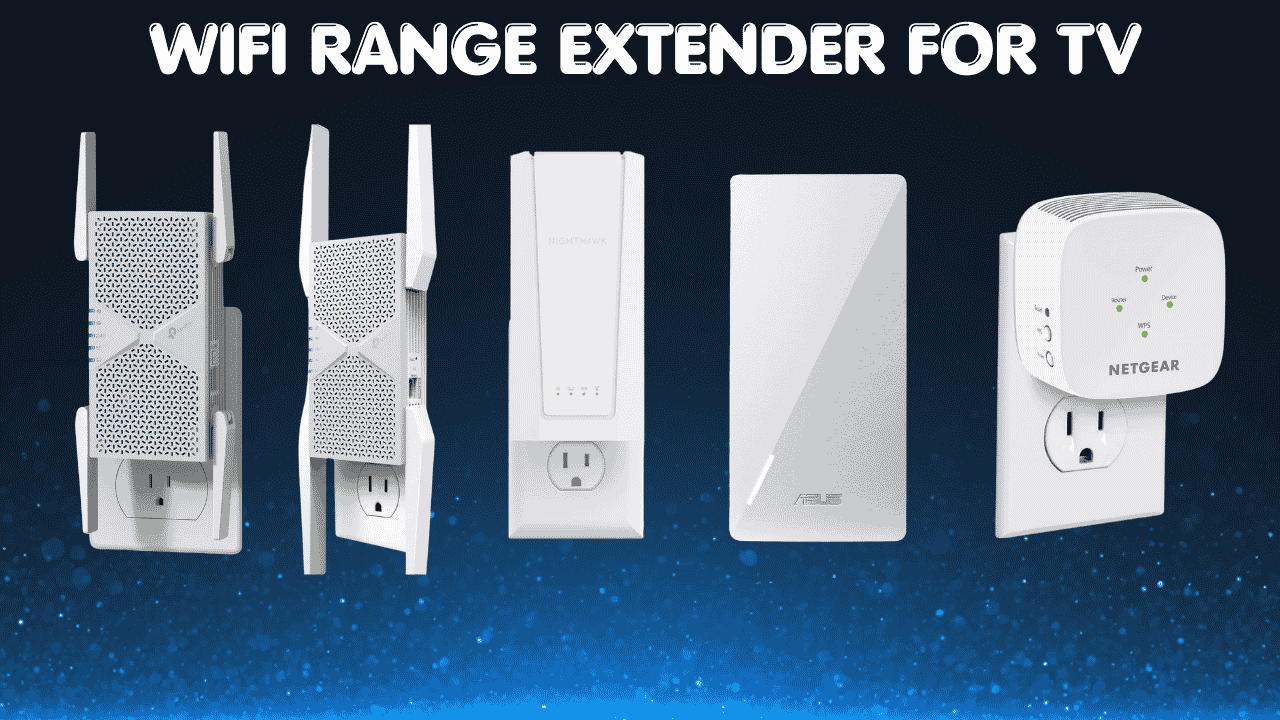

If your smart TV keeps spinning that loading wheel right when the show gets good, you’re not alone. A solid wifi range extender for tv use can fix that dead zone in your living room and finally give you a connection that keeps up with 4K streaming, gaming, and everything in between.
The tricky part is picking one that actually fits your setup. Not every extender plays nice with every router, and not every “fast” extender translates into a faster TV. Below, we’ll walk through five solid options, what to look for, and how to set things up so you get the most out of whichever one you choose.
Quick Preview of Our Top 5:
- TP-Link BE6300 Wi-Fi 7 Range Extender (RE403BE) – Best Overall Choice
- TP-Link BE10000 Wi-Fi 7 Range Extender (RE653BE) – Best for Power Users
- NETGEAR WiFi-7 Range Extender (EXS25) – Best Budget Wi-Fi 7 Option
- NETGEAR Wi-Fi Mesh Range Extender (EX5000) – Best Budget Pick Overall
- ASUS RP-AX58 AX3000 WiFi-6 Range Extender – Best Everyday Value
How to Choose the Right WiFi Range Extender for TV
Start With the Core Problem:
Smart TVs are bandwidth-hungry, and they’re often parked in the one room of the house that’s farthest from the router. So even a decent internet plan can feel sluggish once the signal has to pass through a couple of walls. A good extender’s job is simple: catch your router’s signal and rebroadcast it strong enough that your TV gets a real, stable connection instead of leftovers.
Common Issues Buyers Run Into:
- Buffering, lag, or a weak signal that drops mid-show
- Confusion over whether an extender will even work with their router or ISP equipment
- Picking a model that’s underpowered for the home’s size
- Paying for high-end features (like 6 GHz bands or tri-band radios) they don’t actually need for a single TV
Why Newer Extenders Are Worth a Look:
Modern extenders, especially WiFi-6 and WiFi-7 models, handle more devices at once and hold a steadier connection than older WiFi-5 gear. Setup has also gotten a lot friendlier, and many now use mesh-style features (like Easy Mesh or Ai Mesh) so your network feels like one connection instead of two separate Wi-Fi names.
Who This Guide Is For: This is built for streamers and cord-cutters dealing with a weak signal near the TV, gamers who need low latency, remote workers sharing bandwidth with the family TV, and anyone in a larger home or apartment where one router just can’t reach every room.
What This Guide Helps You Decide: By the end, you’ll know which extender fits your home size, your router, and your budget, so you can stop guessing and just buy the right one.
Top 5 WiFi Range Extenders for TV
Disclosure: This post contains affiliate links. As an Amazon Associate I earn from qualifying purchases. If you purchase through our links, we may earn a small commission at no extra cost to you.
These picks were chosen based on real-world coverage claims, device capacity, wired Ethernet support (handy for plugging straight into a TV), and overall compatibility with common home routers.
1. TP-Link BE6300 WiFi-7 Range Extender (RE403BE) – Best Overall Choice
Overview: A dual-band Wi-Fi 7 extender built for everyday households | Covers up to 2,800 sq. ft. and supports up to 64 devices | Great fit for streamers, gamers, and busy households with several connected devices | Works with most existing routers, and pairs especially well with Easy Mesh-compatible routers
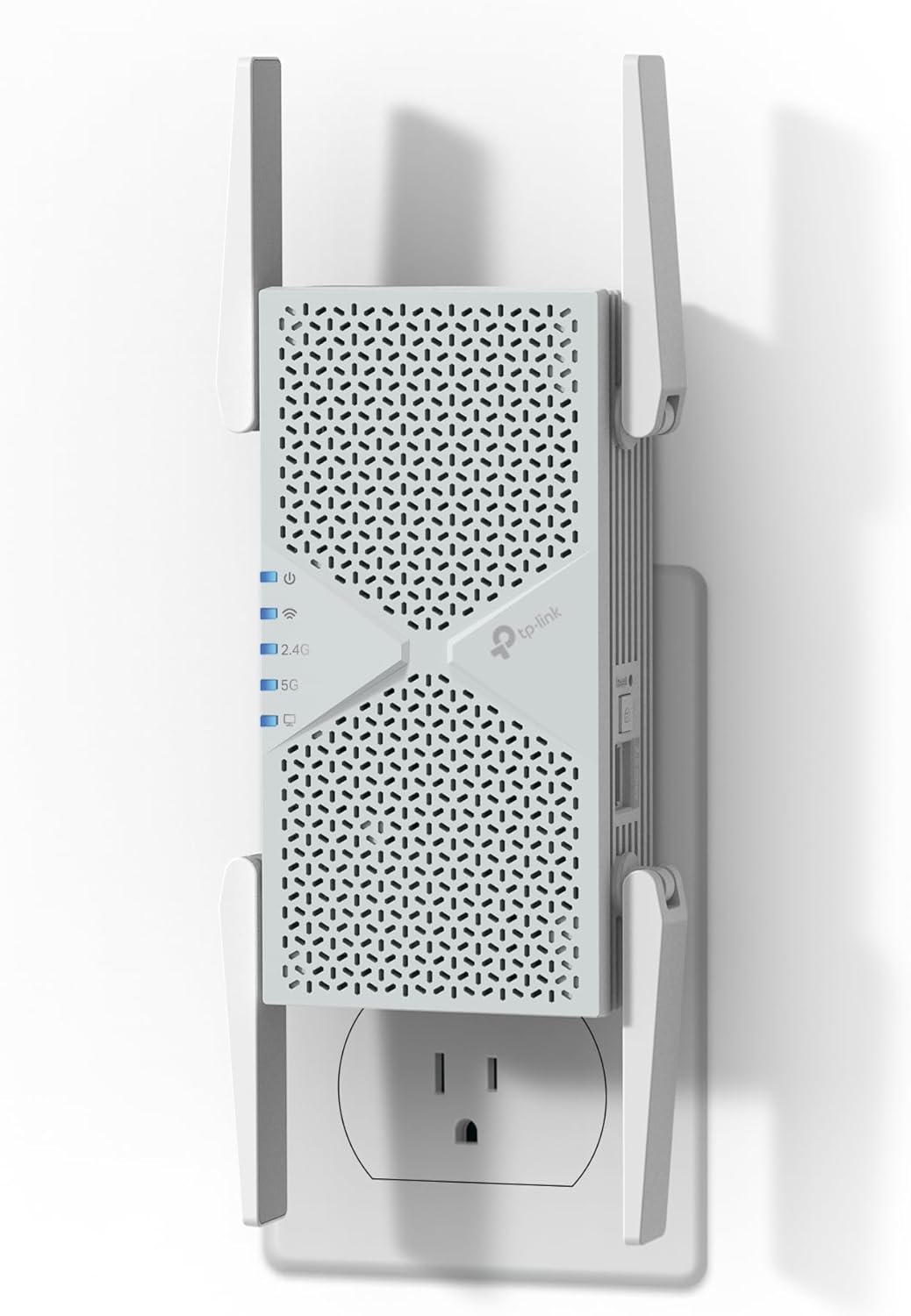
Key Benefits: Includes a 2.5 Gbps Ethernet port for a rock-solid wired link straight to a smart TV or console | Multi-Link Operation (MLO) helps reduce lag when paired with a Wi-Fi 7 router | Easy Mesh support for whole-home roaming under one network name | WPA3 security built in
Pros: Strong coverage for the price point | Simple setup through the TP-Link Tether app | Trusted, well-known brand | Ethernet port adds flexibility for wired TVs
Cons: It skips the 6 GHz band, so it won’t unlock the absolute fastest Wi-Fi 7 speeds
Best For: Households that want dependable streaming and gaming performance without paying for features they won’t use
2. TP-Link BE10000 Wi-Fi 7 Range Extender (RE653BE) – Best for Power Users
Overview: A tri-band Wi-Fi 7 extender with a dedicated 6 GHz band | Covers up to 2,800 sq. ft. and handles up to 128 devices | Best suited for larger homes, gamers, and anyone running several 4K or 8K streams at once | Works as an extender, EasyMesh node, or standalone access point

Key Benefits: Up to 10 Gbps of combined bandwidth across all three bands | A 2.5 Gbps Ethernet port for wired TV or console connections | The extra 6 GHz band means less congestion from neighboring networks | Can double as an access point if you’d rather run it over Ethernet
Pros: Noticeably more headroom for big households | Tri-band setup spreads devices out for less interference | Flexible works as extender, mesh node, or access point
Cons: It’s a step up in price compared to simpler dual-band models, so it’s overkill if you’re just trying to fix one room
Best For: Larger homes, multi-TV households, or anyone who wants serious future-proofing
3. NETGEAR WiFi-7 Range Extender (EXS25) – Best Budget Wi-Fi 7 Option
Overview: A compact dual-band Wi-Fi 7 extender aimed at smaller homes and apartments | Adds coverage for up to 1,500 sq. ft. and 45 devices | Good fit for apartment dwellers or anyone with one or two weak spots to patch | Includes WPA3 security and Smart Roaming for a smoother handoff between router and extender

Key Benefits: Newer Wi-Fi 7 chipset at a friendlier price than the higher-end models | Compact wall-plug design that doesn’t take up much space | Smart Roaming keeps devices connected to the strongest signal automatically
Pros: Lower cost way to get newer Wi-Fi 7 tech | Easy plug-and-play setup | Compact footprint
Cons: Coverage and device capacity are noticeably smaller than the TP-Link picks above, so it’s better suited to apartments than larger houses
Best For: Renters or smaller households who want modern tech without the bigger price tag
4. NETGEAR Wi-Fi Mesh Range Extender (EX5000) – Best Budget Pick Overall
Overview: A simple AC1200 dual-band extender for fixing one stubborn dead zone | Covers up to 1,000 sq. ft. and 15 devices | Best for smaller apartments, single-room fixes, or as a backup unit | Compact wall-plug design that’s about as plug-and-play as it gets

Key Benefits: Straightforward setup with no learning curve | Dual-band so it can separate older and newer devices | Wall-plug form factor that’s easy to tuck behind a TV stand
Pros: Very budget-friendly | Dead simple to install | Reliable for light, single-room use
Cons: Speed and device capacity are limited compared to newer Wi-Fi 6/7 extenders, so heavy 4K streaming on multiple devices may strain it
Best For: Anyone who just needs to patch one weak corner of the house without spending much
5. ASUS RP-AX58 AX3000 WiFi-6 Range Extender – Best Everyday Value
Overview: A dual-band WiFi 6 extender built around ASUS’s AiMesh system | Works with virtually any existing router, not just ASUS gear | Solid middle-ground pick for streaming, browsing, and moderate gaming | Good fit for mid-size homes that don’t need a tri-band setup

Key Benefits: Ai Mesh support lets it blend into a unified mesh network if you add more Ai Mesh nodes later | WiFi-6 efficiency improvements help with multiple connected devices | Broad router compatibility
Pros: Flexible, future-friendly AiMesh setup | Works with “any” WiFi router per ASUS | Balanced performance for the price
Cons: It’s WiFi 6, not WiFi 7, so it won’t keep pace with the newest high-end routers
Best For: Households that want solid everyday performance and the option to expand into a mesh system down the line
Quick Comparison
| Rank/Model | WiFi Standard | Max Speed/Coverage | Ethernet Port\Devices | Best For |
| 1-TP-Link RE403BE (BE6300) | WiFi 7 (no 6 GHz) | 6.3 Gbps/2,800 sq.ft | Yes (2.5G)\64 | Everyday streaming & gaming |
| 2-TP-Link RE653BE (BE10000) | WiFi 7 Tri-Band | 10 Gbps/2,800 sq.ft | Yes (2.5G)\ | Large homes, power users |
| 3-NETGEAR EXS25 | WiFi 7 Dual-Band | Up to 5 Gbps/1,500 sq.ft | Varies by model\45 | Apartments, budget WiFi 7 |
| 4-NETGEAR EX5000 | WiFi 5 (AC1200) | 1,200 Mbps/1,000 sq.ft | No\15 | Single-room fixes, tight budgets |
| 5-ASUS RP-AX58 | WiFi 6 (AX3000) | Up to 3 Gbps/Varies by home layout | Yes\Multiple (AiMesh) | Balanced mid-size homes |
This table should help you line up your home size and device count against each option before you commit to one.
Already thinking about expanding coverage beyond a single router? Read our guide on the best WiFi extenders for large homes to see how to pair your Nighthawk with a range extender for full property coverage.
What to Look for When Buying a WiFi Extender for Your TV
Suitability for Your Setup and Daily Usage
- Make sure it’s compatible with your router or ISP gateway
- Match the coverage rating to your actual home size, not just the marketing number
- Pick one that supports the wireless standard your TV and other devices already use
Feature Simplicity and Transparency
- Look for plain-language specs instead of vague marketing buzzwords
- Avoid extras you’ll never touch extra cost for nothing
- Favor models with a straightforward app or web setup
Performance and Stability
- A wired Ethernet port matters if your TV sits close enough to plug in directly
- Look for steady performance under multiple devices, not just a high “max speed” number
- Smart Roaming or mesh features help avoid weak handoffs between router and extender
Brand Reliability and Support
- Stick with brands that issue regular firmware updates
- Check that support and warranty terms are clear before you buy
Long-Term Value
- A WiFi 6 or 7 extender will likely outlast a WiFi 5 model as more devices adopt newer standards
- Mesh-compatible extenders (EasyMesh, AiMesh) make it easier to expand your network later
How These WiFi Extenders Were Selected
These picks were chosen by comparing manufacturer specifications and real-world product listings, focusing on practical things like coverage area, device capacity, wired connection options, and overall compatibility, not marketing hype. We looked at:
- Day-to-day usability for streaming and gaming
- How well each one fits different home sizes
- Clarity of the listed specs
- Ease of setup
- Brand support and update history
How to Use Your Wi-Fi Range Extender for TV Effectively
Proper Initial Setup:
- Plug the extender in roughly halfway between your router and your TV
- Follow the app or WPS setup steps before doing anything else
- Check for a firmware update right after setup
Optimal Placement:
- Keep it away from thick walls, metal cabinets, and large appliances
- Elevate it off the floor if possible
- Avoid tucking it directly behind the TV itself, since that can block the signal
Common Setup Mistakes to Avoid:
- Placing the extender too close to the router (it needs to actually extend the signal, not duplicate it)
- Skipping the firmware update
- Overloading one extender with every device in the house
Performance Tips:
- Use the 5 GHz or 6 GHz band for the TV when available it’s faster over shorter distances
- Connect the TV by Ethernet if the port is within reach
- Restart the extender every so often to clear out any buildup
Signs It’s Working:
- Smooth, stable streaming without buffering
- No more dropped connections during use
- Noticeably stronger signal in the room that used to struggle
How to Pick the Right WiFi Extender for a TV Setup
- Match your plan: If you have gigabit or faster internet, lean toward a WiFi 6 or WiFi 7 extender so it doesn’t bottleneck your speed
- Third-party vs. official brand extenders: Sticking with your router’s own brand (or an EasyMesh/AiMesh-compatible one) usually means a smoother setup
- Placement: Put it in the room between your router and your TV, not right next to either one
- Must-have features: A wired Ethernet port and mesh compatibility go a long way
- Avoid: Extenders that only list “boosted” speeds without real coverage or device numbers to back it up
For more on getting your whole home network dialed in, our home Wi-Fi setup checklist walks through router placement, channel selection, and more.
Alternatives and Honorable Mentions
If none of these quite fit, look for newer WiFi 6E or WiFi 7 mesh systems from the same brands, since they often share setup apps and security features with the extenders above. Just double check the coverage and device numbers against your own home size before buying.
Final Recommendation
If you’re comparing options, dealing with a weak signal near the TV, or just want something reliable without a pile of features you’ll never use, any of these five should serve you well.
For most households, the TP-Link RE403BE (BE6300) is the strongest all-around pick — solid coverage, a wired Ethernet port for the TV, and a price that doesn’t punish you for buying newer tech. It’s a great fit for the typical living room dead zone.
Whatever you choose, match it to your home’s actual size and your TV’s connection needs rather than chasing the biggest speed number on the box. That’s the real key to a stream that doesn’t buffer.
Ready to stop fighting with buffering wheels? Pick the option above that fits your space, plug it in, and get back to watching.
Want lower ping and faster speeds? Read our best WiFi extender for gaming guide.