


A fast internet plan is only as good as the router powering your network. If you’re dealing with slow speeds, buffering streams, or weak coverage in certain areas of your home, upgrading to the best WiFi internet router can make a big difference. A reliable router helps deliver stronger signal, supports multiple devices, and keeps your connection stable for streaming, gaming, work, and everyday browsing.
Most modern WiFi routers are designed to work with standard broadband modems and major internet providers, making them compatible with a wide range of home internet setups. Devices such as the Amazon eero 7, TP-Link Archer AX21, TP-Link Archer AXE75, GL.iNet Opal travel router, and NETGEAR Nighthawk CAX30 modem-router combo can connect to compatible modems or cable internet services and distribute wireless internet throughout your home. These routers support modern networking standards like WiFi 6, WiFi 6E, and WiFi 7, while remaining backward compatible with older devices.
Quick Recommendation:
Amazon eero 7 is the best WiFi router for most homes.
✔ Simple setup and easy management
✔ Strong whole-home coverage
✔ Reliable performance for daily use

Best deal today – prices may change.
Simple Comparison Table for quick check.
| Model | WiFi Type | Best For | Buy |
|---|---|---|---|
| ⭐ eero 7 | WiFi 7 | Best Overall | Check Price |
| TP-Link AX21 | WiFi 6 | Budget | Check Price |
| TP-Link AXE75 | WiFi 6E | Performance | Check Price |
| GL.iNet Opal | WiFi 6 | Travel | Check Price |
| NETGEAR CAX30 | Combo | All-in-One | Check Price |
Here’s a quick preview of our top 5 picks for the best WiFi internet router:
- Amazon eero 7 – Best overall mesh router
- TP-Link AX1800 WiFi 6 Router (Archer AX21) – Best budget pick
- TP-Link AXE5400 Tri-Band WiFi 6E Router (Archer AXE75) – Best performance upgrade
- GL.iNet GL-SFT1200 (Opal) – Best portable & travel router
- NETGEAR Nighthawk Modem Router Combo (CAX30) – Best all-in-one cable solution
How to Choose the Best WiFi Internet Router
A fast internet plan means nothing if your router can’t deliver the signal where you actually need it bedrooms, upstairs offices, or the backyard.
Buyers often run into:
- Slow speeds and buffering even on gigabit plans
- Dead zones in certain rooms
- Confusion about modem vs. router vs. combo units
- Overpaying for features their devices or home don’t need
Modern WiFi internet routers solve these with WiFi 6/7 efficiency, mesh expandability, easy apps, and better multi-device handling all while staying backward compatible with your phones, TVs, and laptops.
This guide is for beginners replacing an old router, families needing smooth streaming everywhere, remote workers or gamers wanting stability, large homes fighting weak signals, and anyone with cable, fiber, or any ISP tired of spotty WiFi.
This guide will help you choose the right best WiFi internet router based on your home size, internet plan, and real daily needs so you get stronger signal without the guesswork.
What to Look for When Buying the Best WiFi Internet Router
Suitability for Your Setup and Daily Usage
- Compatible with your modem or ISP (cable, fiber, etc.)
- Matches your home size apartment vs. multi-story house
- Designed for your main activities (streaming, work, gaming)
- Supports the right wireless standards and frequency bands
Feature Simplicity and Transparency
- Clear specs without confusing marketing
- Easy-to-understand app or web interface
- No unnecessary extras you won’t use
- Straightforward setup instructions
Performance and Stability
- Reliable connection without frequent drop-offs
- Consistent signal strength across floors
- Handles multiple devices smoothly
- Supports wired connection if needed (Ethernet option)
Brand Reliability and Support
- Established reputation in networking
- Regular firmware updates
- Easy access to support and troubleshooting
- Clear warranty and return policies
Long-Term Value for Everyday Use
- Durable build quality
- Future-proof technology support
- Scalable if you upgrade your setup later
- Easy to manage through apps or web interface
Top 5 Best WiFi Internet Router
Disclosure: This post contains affiliate links. As an Amazon Associate I earn from qualifying purchases. If you purchase through our links, we may earn a small commission at no extra cost to you.
These were selected for real-world coverage, multi-device stability, ease of setup, ISP compatibility, and everyday value not just marketing claims.
#1 Amazon eero 7 dual-band mesh Wi-Fi 7 router (newest model) : Best Overall Mesh Choice
Best deal today – prices may change.
Overview: Dual-band WiFi 7 mesh router | Small-medium homes/apartments | Whole-home streaming & smart devices | Works with any ISP modem
Key Benefits: Amazon’s mesh ecosystem is the simplest of any pick on this list to set up and expand later, add an eero node from the same app you used for initial setup | TrueMesh routing actively avoids congestion between nodes rather than just relaying blindly | Automatic security updates happen in the background with zero action needed from you
Pros: Easiest mesh expansion path if your needs grow | Genuinely simple app, minimal technical knowledge needed | Amazon’s long-term support track record for eero is strong
Cons: No 6 GHz band on base model (still excellent coverage)
Best For: Families wanting simple whole-home WiFi | Easy mesh expansion | Hands-off users
#2 TP-Link AX1800 WiFi 6 Router (Archer AX21) : Best Budget Option

Best deal today – prices may change.
Overview: Dual-band WiFi 6 router with Gigabit ports | Small-medium homes | Everyday browsing/streaming | Universal modem compatibility
Key Benefits: Lowest price of entry on this list for a standalone (non-mesh) WiFi 6 router | Gigabit ports handle a standard cable or fiber plan without any bottleneck | Simple setup with nothing advanced to configure, good for a first router upgrade
Pros: Best value pick here if you don’t need mesh expansion | Straightforward setup, no learning curve | Proven, widely-reviewed TP-Link hardware
Cons: Coverage limited to ~1,500 sq ft in real conditions
Best For: Budget-conscious homes | First-time WiFi 6 upgrade | Balanced everyday use
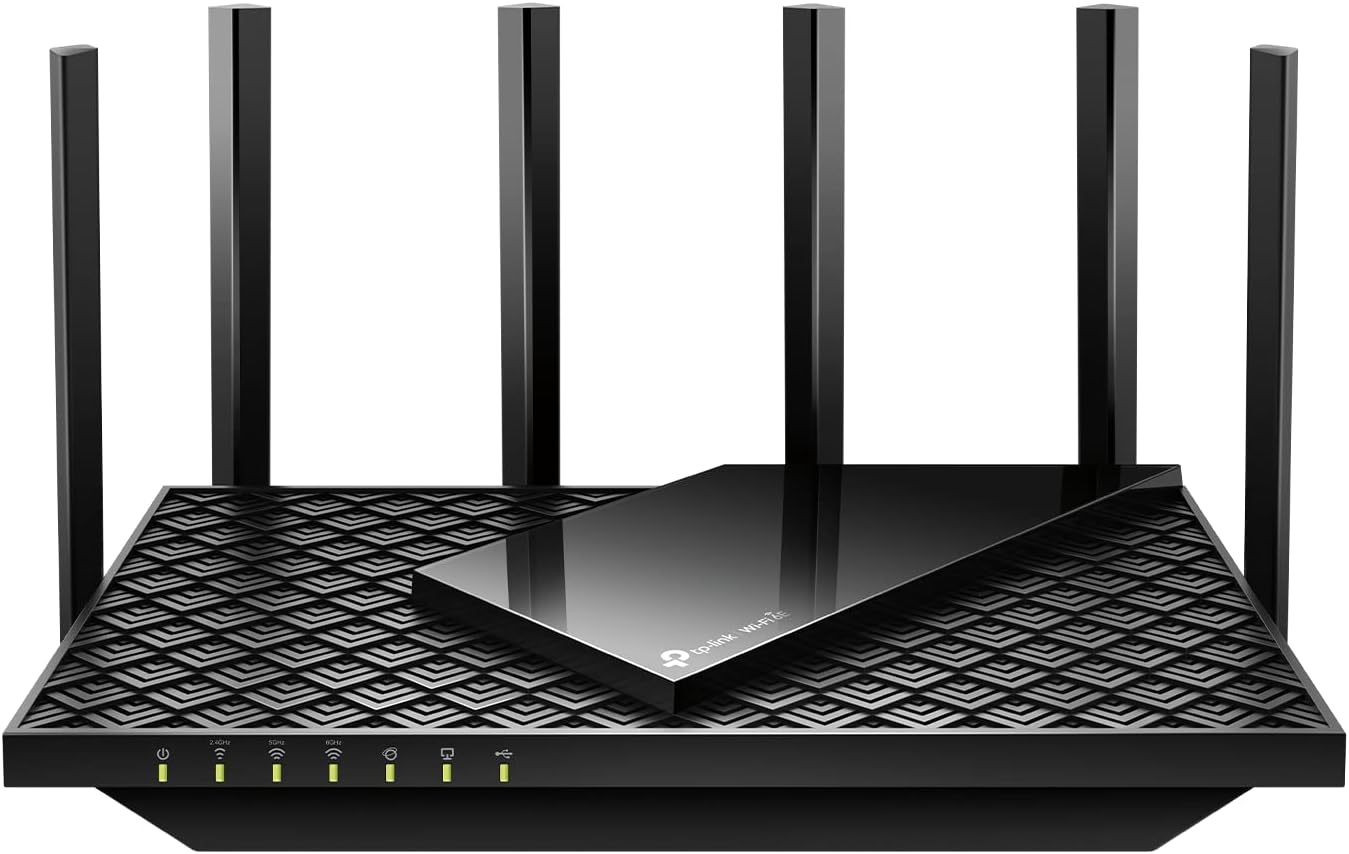
#3 TP-Link AXE5400 Tri-Band WiFi 6E Router (Archer AXE75) : Best Performance Upgrade
Best deal today – prices may change.
Overview: Tri-band WiFi 6E router with 6 GHz band | Medium-large homes | High-speed streaming & gaming | Universal modem compatibility
Key Benefits: Faster speeds with 6 GHz | Easy OneMesh setup | Strong multi-device handling | Future-ready performance
Pros: Excellent throughput & low latency | Modern design | Reliable TP-Link | Gigabit ports
Cons: Slightly higher price than basic WiFi 6
Best For: Gigabit plans | Busy households | Users wanting noticeable speed boost
#4 GL.iNet GL-SFT1200 (Opal) Portable WiFi Travel Router : Best Portable Router

Best deal today – prices may change.
Overview: Compact dual-band WiFi 6 travel router | Apartments, RV, hotels, or travel | Mobile internet & VPN | Works with any Ethernet modem or hotspot
Key Benefits: Small enough to fit in a laptop bag, genuinely pocketable unlike every other router on this list | Built-in VPN client and server support that most travel routers charge extra for or skip entirely | Works off any Ethernet source (hotel modem, hotspot) rather than requiring a dedicated ISP connection
Pros: Only genuinely portable option on this list | VPN support built in at no extra cost | Flexible enough to work from almost any internet source
Cons: Limited range compared to full-size routers
Best For: Travelers, RVers, or remote workers | Portable VPN needs | Compact setups
#5 NETGEAR Nighthawk Modem Router Combo (CAX30) : Best All-in-One Cable Solution

Best deal today – prices may change.
Overview: DOCSIS 3.1 modem + WiFi 6 router combo | Cable internet homes | Streaming & gaming | Compatible with Xfinity, Spectrum, Cox
Key Benefits: Combines modem and router in one device, so you’re not paying a separate monthly modem rental fee to your cable provider | DOCSIS 3.1 support matches current cable-internet speed tiers without a separate purchase later | One device to manage and troubleshoot instead of two
Pros: Eliminates the ongoing modem rental fee most cable ISPs charge | Simplest setup of any pick here for cable subscribers specifically | One less piece of hardware to plug in and manage
Cons: Tied to cable ISPs only (not fiber)
Best For: Xfinity/Spectrum/Cox users | One-device simplicity | Gigabit cable plans
Quick Comparison of Best WiFi Internet Router
| Rank | Model | WiFi Standard | Max Speed | Price Range | Coverage | Ethernet Ports | Best For |
| 1 | Amazon eero 7 | WiFi 7 | 2.5 Gbps | Mid | 2,000 sq ft | Gigabit | Easy whole-home mesh |
| 2 | TP-Link Archer AX21 | WiFi 6 | 1.8 Gbps | Low | ~1,500 sq ft | Gigabit | Budget everyday use |
| 3 | TP-Link Archer AXE75 | WiFi 6E | 5.4 Gbps | Mid | ~2,500 sq ft | Gigabit | Performance upgrade |
| 4 | GL.iNet Opal | WiFi 6 | 1.2 Gbps | Low | Portable | Gigabit | Travel & RV |
| 5 | NETGEAR CAX30 Combo | WiFi 6 | 2.7 Gbps | Mid | ~2,000 sq ft | Gigabit | Cable ISP all-in-one |
Choosing the right router can be confusing, especially with so many options available. To make it easier, we’ve broken down the best home WiFi router for everyday use, the best WiFi 6 router for performance and value, and the best WiFi 7 router for next-level speed and future-proofing.
How These Best WiFi Internet Router Were Selected
Chosen based on real-world usability, reliability, and overall value not hype or marketing claims.
- Daily performance and practical usability
- Suitability for different home setups and user needs
- Feature clarity and specification transparency
- Ease of setup and overall user experience
- Reliability and consistency over regular use
- Brand reputation and long-term support
How to Use the Best WiFi Internet Router Effectively
Proper setup and a few smart tweaks make a huge difference in everyday performance.
Proper Initial Setup
- Connect to your modem (or use built-in if combo)
- Follow the app-guided steps
- Update firmware immediately
Optimal Placement and Positioning
- Central, elevated location
- Away from walls, metal, and interference
- Test signal with your phone in every room
Common Setup Mistakes to Avoid
- Placing it in a cabinet or corner
- Skipping firmware updates
- Overloading with too many devices at once
- Ignoring band steering
Performance Optimization Tips
- Use 5 GHz for speed, 2.4 GHz for range
- Connect high-demand devices (TVs, consoles) via Ethernet
- Restart monthly
- Enable guest network for visitors
Signs It’s Working Properly
- Stable connection everywhere
- No frequent buffering or drop-offs
- Smooth streaming, gaming, and browsing
- Strong signal in previously weak areas
For gaming performance tips, check our detailed Best WiFi Router for Gaming (2026): Low Latency Picks guide.
How to Pick the Right Router for Best WiFi Internet Router
Match your plan: Gigabit or higher means you should prioritize WiFi 6/7 with fast ports.
Third-party vs official: Third-party gives more features and value; ISP-provided is simpler but often slower.
Placement: Central and elevated, always test coverage first.
Must-have features: Dual/tri-band, Gigabit Ethernet, easy app, mesh support if needed.
Avoid: Old WiFi 5 only, no Ethernet ports, or routers locked to one ISP.
Which One Fits Your Situation
If you’re not sure where to start: the eero 7 is the safest default pick for most homes because it’s the only one here built to expand as a mesh system later without buying different hardware. The AX21 makes sense if you just need a solid, no-frills upgrade and don’t expect to add coverage nodes. The CAX30 is worth considering specifically if you’re on cable internet and currently paying a monthly modem rental fee, it usually pays for itself within a year. The Opal is a different category entirely, it’s for travel and RV use, not a primary home router. Central, elevated placement and keeping firmware up to date make a bigger difference to real-world performance than most people expect, regardless of which router you pick.
Alternatives & Honorable Mentions
- ASUS RT-AX series (great for gaming)
- Google Nest WiFi (simple mesh)
- Linksys Velop (strong whole-home option)
Frequently Asked Questions About Best WiFi Internet Router
Do I need a new router if my ISP gave me one? Usually, yes. ISP-provided gateways are built to be cheap for the provider to stock, not to perform well, and they’re rarely updated as often as a dedicated router. If you’re on a base-tier gateway from your provider, a dedicated router in the $50-150 range will typically outperform it in both speed and range.
Is WiFi 7 worth it yet? Depends on your household. If you’re on a Gigabit-or-faster plan, have 15+ devices, or do a lot of simultaneous gaming and streaming, the WiFi 7 eero 7 or AXE75 will show a real difference. If you’re on a standard 300-500 Mbps plan with a handful of devices, a WiFi 6 router like the AX21 will feel identical day to day.
Should I get a modem+router combo or separate units? A combo (like the CAX30) is genuinely convenient if you’re on cable internet and want to stop paying a modem rental fee, but it means if either the modem or router side fails, you replace the whole unit. Separate units cost a bit more upfront but let you upgrade or replace either piece independently.
How hard is setup, really? All five of these use an app-guided setup that takes 10-15 minutes for a first-timer. The one exception is the GL.iNet Opal, which has more advanced options available if you want them (VPN configuration, custom firmware) but doesn’t require touching any of that for basic use.
Can I expand coverage later without replacing everything? Yes, with the eero 7 and AX21 specifically. eero’s mesh system is designed for this from the start; TP-Link’s OneMesh lets you add a compatible TP-Link extender to the AX21 later. The AXE75 and CAX30 can also be paired with extenders, though not as seamlessly.
Final Recommendation
This guide is best for readers comparing multiple options, users unsure about compatibility or setup, buyers who want reliable performance without unnecessary features, or anyone looking for a balanced, long-term solution.
Our top pick is the Amazon eero 7, which stands out for effortless whole-home coverage, simple setup, strong performance, and excellent results in real homes.
Match the router to your home layout and internet plan, practical fit beats hype every time. Ready for stronger, more reliable WiFi everywhere? Check one today and enjoy seamless internet in every room.
Disclosure: This post contains affiliate links. If you purchase through our links, we may earn a small commission at no extra cost to you. We only recommend products we genuinely stand behind.