
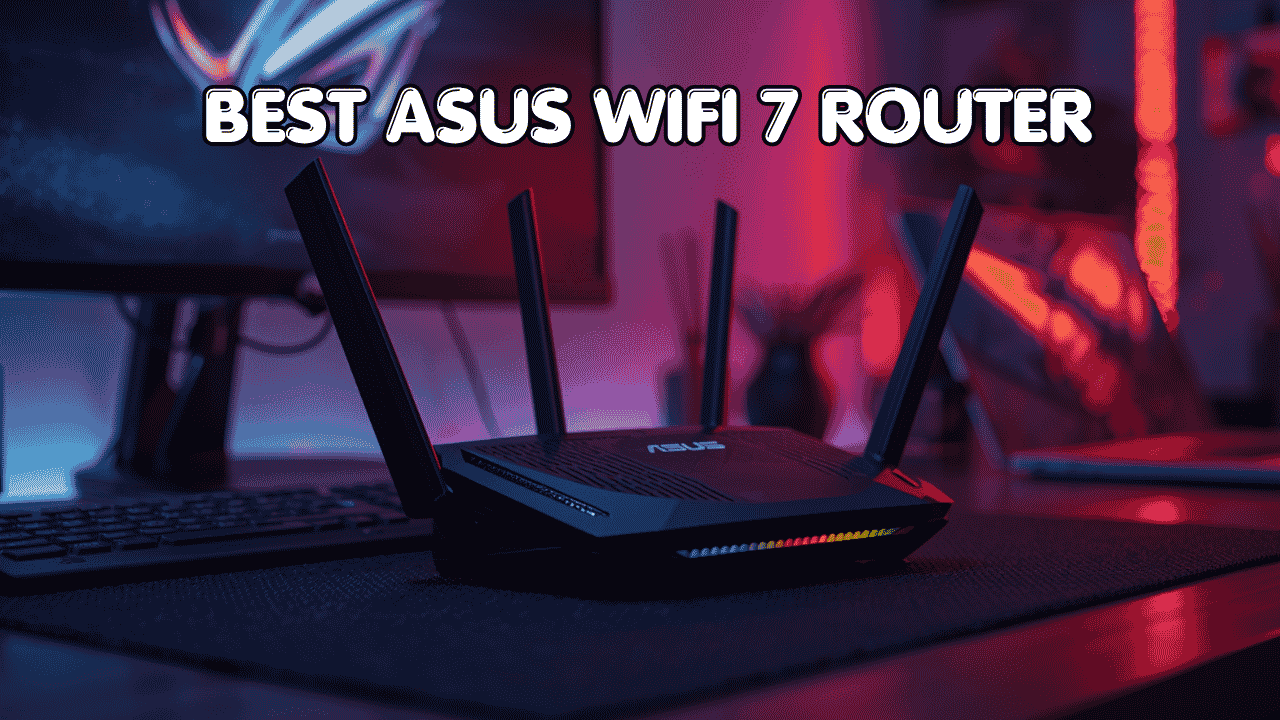

ASUS has been building serious networking hardware for a long time, and its WiFi 7 lineup is some of the best work the brand has done. Fast speeds, lifetime or subscription-free security, AiMesh expansion, MLO for lower latency, and VPN tools built right in. These aren’t features you have to pay extra for. They come standard. The best ASUS WiFi 7 router gives you premium performance and long-term value in a way most competitors can’t match without ongoing subscription fees.
Best ASUS WiFi 7 Router: 5 Picks That Prove ASUS Still Leads the Pack
ASUS Wi-Fi 7 routers connect directly to your modem or ISP gateway and work with all major internet providers. They stay backward compatible with your existing devices while unlocking the full benefits of Wi-Fi 7 for newer hardware. And because every model on this list supports Ai Mesh, you can pair multiple ASUS units together later and build a seamless whole-home network as your needs grow.
Here are five options that cover every type of ASUS user, from power users who want a flagship setup to gamers and families who want great performance without paying for more than they need.
Quick Top 5 Preview:
- ASUS RT-BE96U BE19000 (Best Flagship ASUS WiFi 7 Router)
- ASUS RT-BE86U BE6800 (Best Mid-Range with VPN and Security)
- ASUS RT-BE88U Dual-Band (Best for Reliable Large-Home Coverage)
- ASUS RT-BE9700 Tri-Band (Best ASUS WiFi 7 for Families and Smart Homes)
- ASUS TUF Gaming BE6500 (Best ASUS WiFi 7 for Gamers)
How to Choose the Best ASUS WiFi 7 Router
Why Picking the Wrong ASUS Model Costs You
ASUS makes excellent routers but the lineup covers a wide range of use cases, and picking the wrong model is easy to do. A buyer who needs tri-band for a multi-device household gets a dual-band unit and wonders why congestion is still an issue. A gamer pays for a flagship with dual 10G ports when a mid-range model with MLO would’ve done everything they actually needed. The frustration isn’t with ASUS hardware.
What Most ASUS Buyers Get Wrong
- Choosing based on price alone without checking whether the band configuration matches their household device count
- Buying a tri-band model when their home is small and a well-configured dual-band unit would outperform it at lower cost
- Overlooking MLO as a feature because it sounds technical, when it’s actually the single most impactful WiFi 7 feature for lowering connection latency
- Not considering AiMesh compatibility even when they already own another ASUS router that could become a mesh node
Why the ASUS WiFi 7 Lineup Is Worth the Investment
Every router on this list comes with features that other brands charge extra for. Subscription-free security means no recurring costs for network threat protection. Lifetime Internet Security on the RT-BE96U covers every device forever without an annual fee. AiMesh is one of the best whole-home mesh platforms available and it works across the entire ASUS lineup. MLO across multiple models gives devices the ability to connect across two bands simultaneously, which delivers measurably lower latency for gaming and video calls. And ASUS pushes firmware updates consistently, so these routers stay secure and perform well years after purchase.
Who This Guide Is For
- Power users and gamers who want the highest-performing ASUS WiFi 7 setup available
- Families managing many devices including smart home systems alongside gaming and streaming
- Remote workers who need rock-solid connection stability and VPN support built into the router
- ASUS ecosystem users who want to expand their network with AiMesh without replacing existing hardware
- Anyone comparing ASUS WiFi 7 models and wanting a clear, honest recommendation for each use case
By the end of this guide you’ll know exactly which best ASUS WiFi 7 router fits your home size, usage, and budget without guessing.
Top 5 Best ASUS WiFi-7 Routers
Disclosure: This post contains affiliate links. As an Amazon Associate I earn from qualifying purchases. If you purchase through our links, we may earn a small commission at no extra cost to you.
Every router here was selected based on performance, ASUS-specific features, AiMesh compatibility, and the value each delivers for different user types within the ASUS ecosystem. The goal was to match each product to a specific type of buyer rather than ranking them purely on spec sheet numbers.
#1 ASUS RT-BE96U BE19000 : Best Flagship ASUS WiFi 7 Router
Overview: ASUS’s flagship tri-band WiFi 7 router with BE19000 combined speed, dual 10G ports, and Lifetime Internet Security | Supports 6GHz band, 320MHz channel bandwidth, MLO, Multi-RU Puncturing, and AiMesh expansion | Built for power users, demanding households, and multi-gig internet subscribers who want the absolute best ASUS WiFi 7 router available | Compatible with all major ISPs and every ASUS AiMesh device.

Best deal today – prices may change
Key Benefits: Dual 10G ports handle both multi-gig WAN connections and 10G wired devices like NAS drives or high-end gaming PCs without any bottleneck | Lifetime Internet Security covers every device on the network against threats forever with no annual renewal cost | MLO and Multi-RU Puncturing together deliver the lowest latency and highest spectrum efficiency in the ASUS WiFi 7 lineup | 6GHz band with 320MHz channel support gives the cleanest, fastest wireless channel to the highest-priority devices in the home | AiMesh support means this router works as a powerful hub for an expanding whole-home network.
Pros:
Dual 10G ports and Lifetime Security together make this the best long-term value at the flagship tier | MLO and Multi-RU Puncturing are the most complete WiFi 7 feature implementation in the ASUS lineup | AiMesh compatibility makes it a strong foundation for whole-home expansion | ASUS firmware update history is excellent for long-term security and performance.
Cons: The flagship price reflects the dual 10G ports and Lifetime Security, but buyers on standard Gigabit plans who don’t need 10G wired connections are paying for hardware they won’t fully use.
Best For: Power users and demanding households on multi-gig internet plans | Anyone who wants the fastest asus wifi 7 router available today with the lowest total cost of ownership over time | Large homes or multi-building setups that will eventually use AiMesh expansion | Gamers and remote workers who want dual 10G, MLO, and Lifetime Security in one package.
#2 ASUS RT-BE86U BE6800 : Best Mid-Range with VPN and Subscription-Free Security
Overview: Dual-band WiFi 7 BE6800 router with 4096-QAM, MLO, AI WAN Detection, AiMesh, subscription-free network security, and comprehensive VPN features | Includes Guest Network Pro for flexible visitor access management | Built for remote workers, privacy-conscious users, and households that need strong VPN capability and network security without paying an annual fee | Compatible with all major ISPs and the full ASUS AiMesh ecosystem.

Best deal today – prices may change
Key Benefits: Subscription-free network security protects every device on the network without an annual cost, which is a significant long-term saving over routers requiring security renewals | Comprehensive VPN features support multiple VPN protocols for remote work, secure browsing, and accessing home devices remotely | MLO reduces connection latency for gaming and video calls by connecting devices across both bands simultaneously | AI WAN Detection automatically identifies and configures your internet connection type, which makes initial setup faster and more reliable | Guest Network Pro provides granular guest access control beyond what standard guest networks allow.
Pros:
Subscription-free security plus comprehensive VPN support is the most practically valuable combination in the mid-range ASUS lineup | MLO at this price point is a genuine advantage for latency-sensitive use | Guest Network Pro is a standout feature for households that frequently have guests connecting to the network | ASUS app management and AiMesh integration are both clean and well maintained.
Cons: Dual-band without a 6GHz band limits wireless congestion management in very high device count environments compared to the tri-band options on this list.
Best For: Remote workers who need reliable VPN support built directly into the router | Privacy-conscious users who want network-level security without a subscription | Households with frequent guests who need flexible, managed guest network access | Anyone who wants mid-range high performance asus wifi 7 router performance with no ongoing security fees.
Already running ASUS hardware and thinking about building a full AiMesh network? Read our guide on the best ASUS WiFi 7 tri band routers to see how the top ASUS models compare for whole-home AiMesh setups.
#3 ASUS RT-BE88U : Best for Reliable Large-Home Coverage
Overview: Dual-band WiFi 7 router from ASUS with strong coverage for large homes and full AiMesh support for whole-home expansion | Backward compatible with all existing WiFi devices while delivering WiFi 7 performance for newer hardware | Compatible with all ISPs and every ASUS AiMesh node | Built for large home users who want a dependable, app-managed asus wifi 7 router for large homes with clear expansion options.

Best deal today – prices may change
Key Benefits: AiMesh support lets you pair it with additional ASUS routers or nodes to extend coverage across very large or multi-story homes without replacing the primary unit | ASUS’s firmware update cadence keeps security and performance optimized long after purchase | Dual-band WiFi 7 delivers strong performance for large homes where a simpler two-band network is easier to manage alongside many connected devices | AiProtection provides network-level security for all devices on the home network | Full backward compatibility ensures every device in a large home connects reliably regardless of its WiFi generation.
Pros:
Ai Mesh flexibility is the strongest reason to choose this over a single-purpose router because coverage can grow with the home without additional hardware investment upfront | ASUS build quality and firmware support are among the most consistent in home networking | Works cleanly within the full ASUS Ai Mesh ecosystem alongside other RT-BE and Zen WiFi units | Strong starting point for a whole-home WiFi 7 network at a more accessible price than the flagship.
Cons: No 6GHz band means it misses the cleanest WiFi 7 wireless channel, which limits wireless throughput headroom compared to tri-band ASUS options in dense device environments.
Best For: Large home users building an AiMesh whole-home network over time | ASUS ecosystem buyers who want a capable primary router at a step below flagship pricing | Households upgrading from older ASUS hardware who want AiMesh continuity with newer WiFi 7 performance | Anyone who values long-term firmware support and mesh expandability in a straightforward dual-band setup.
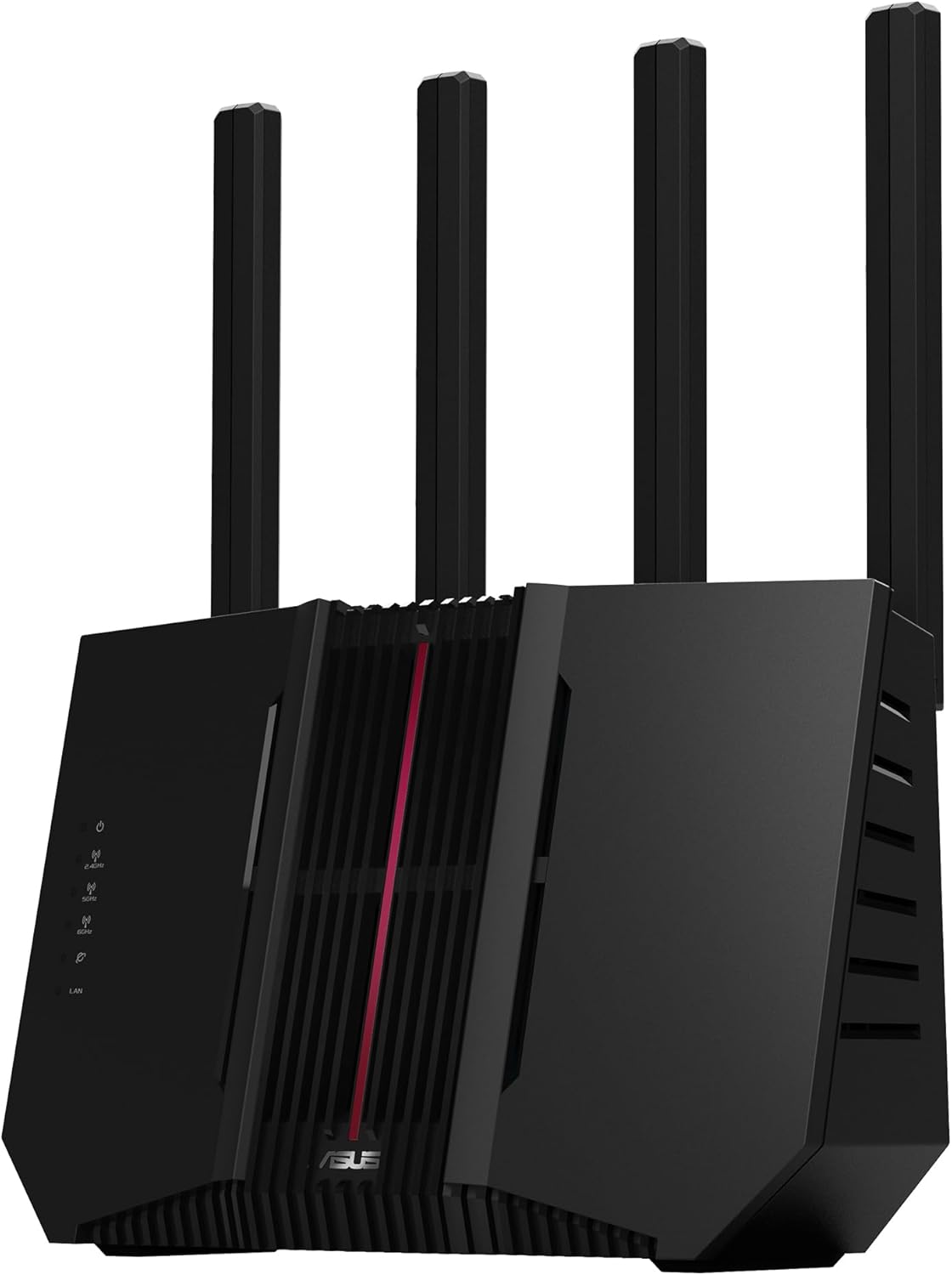
#4 ASUS RT-BE9700 : Best ASUS WiFi 7 for Families and Smart Homes
Overview: Tri-band WiFi 7 router with 6GHz band support, AiMesh, and ASUS AI band management | Delivers strong whole-home performance across three separate bands for households managing smart home devices, streaming, gaming, and personal devices simultaneously | Compatible with all major ISPs and integrates into the full ASUS AiMesh ecosystem | The best ASUS WiFi 7 router for families who need clean traffic separation without managing complex network configurations.
Best deal today – prices may change
Key Benefits: Tri-band architecture gives smart home devices, streaming, and personal traffic their own dedicated bands so they don’t slow each other down during peak hours | 6GHz band provides a clean, uncongested channel for the fastest devices in the home including gaming consoles and new laptops | ASUS AI features manage band assignment automatically so devices connect to the most appropriate channel without manual configuration | AiMesh support allows whole-home expansion with additional ASUS nodes as the network grows | AiProtection covers every device on the network with threat detection and content filtering.
Pros:
Tri-band with 6GHz is the right architecture for families managing mixed device loads across many rooms | ASUS AI band management is a practical convenience feature for households where manual configuration isn’t realistic | AiMesh integration is seamless and reliable within the ASUS ecosystem | Strong coverage footprint for a typical large family home from a single unit.
Cons: Advanced ASUS dashboard settings can be overwhelming for users who want a simple setup and don’t need the full range of configuration options the router provides.
Best For: Families managing smart home devices, streaming, gaming, and personal devices all on the same network | Households that want tri-band traffic separation without manually managing three separate bands | ASUS wifi 7 router for multiple devices use cases where IoT, personal, and entertainment traffic all run simultaneously | Anyone who wants a clean app-managed tri-band setup with AiMesh expansion capability.
#5 ASUS TUF Gaming BE6500 : Best ASUS WiFi 7 for Gamers
Overview: Dual-band WiFi 7 gaming router with 6.5 Gbps combined speed, four 2.5G Ethernet ports, Game Accelerator, MLO, mesh support, VPN compatibility, and subscription-free network security | Built specifically for gamers who want MLO’s latency benefits, strong wired port density, and security without a recurring cost | Compatible with all ISPs and works in mesh configurations with compatible units.

Best deal today – prices may change
Key Benefits: Four 2.5G Ethernet ports give you the highest wired multi-gig port density of any dual-band router on this list, so gaming PCs, consoles, NAS drives, and smart hubs can all connect at multi-gig speeds simultaneously | MLO connects your gaming device across both bands at once which reduces effective latency in a way single-band connections can’t match | Game Accelerator prioritizes gaming traffic at the router level so your ping stays stable even when others in the house are downloading or streaming | Subscription-free security means no annual fee to maintain network protection | Mesh compatibility allows coverage expansion without replacing the router.
Pros:
Four 2.5G ports at this price tier is exceptional and makes it the best wired gaming port configuration in the ASUS dual-band WiFi 7 lineup | MLO for gaming latency is genuinely impactful and rare at this price point | Subscription-free security removes a long-term ongoing cost that comparable gaming routers from other brands include | Game Accelerator is hardware-level traffic prioritization, not just a software setting.
Cons: Dual-band without a 6GHz band means it can’t match the wireless congestion management of tri-band options in households where many wireless devices compete for bandwidth simultaneously.
Best For: Gamers on PS5, Xbox, or PC who want four 2.5G wired ports and MLO in a single gaming router | Households where multiple devices need multi-gig wired connections alongside active gaming sessions | Best asus wifi 7 router for gaming buyers who want subscription-free security alongside Game Accelerator features | Anyone who wants a gaming-first ASUS WiFi 7 router without paying flagship pricing.
Quick Comparison Table
| Rank & Model | WiFi & Speed | Coverage & Ports | Best For |
|---|---|---|---|
| #1 ASUS RT-BE96U | WiFi 7 Tri-Band, BE19000 | Large homes, 2x 10G + multi-gig | Flagship, multi-gig plans |
| #2 ASUS RT-BE86U | WiFi 7 Dual-Band, BE6800 | Medium-large, Multi-gig | VPN, security, remote work |
| #3 ASUS RT-BE88U | WiFi 7 Dual-Band, High | Large homes, Multi-gig | Large home AiMesh setups |
| #4 ASUS RT-BE9700 | WiFi 7 Tri-Band, High | Large homes, Multi-gig | Families, smart homes |
| #5 ASUS TUF BE6500 | WiFi 7 Dual-Band, 6.5 Gbps | Medium homes, 4x 2.5G | Gaming, wired port density |
This guide helps you choose the right best ASUS WiFi 7 router based on your home size, internet plan, primary use case, and whether Ai Mesh expansion is part of your plan.
What to Look for When Buying the Best ASUS WiFi 7 Router
Match the Model to Your Actual Use Case
- If multi-gig internet and maximum performance are the priority, the RT-BE96U’s dual 10G ports and Lifetime Security make it the strongest long-term value at the flagship tier
- If VPN capability and subscription-free security matter most, the RT-BE86U covers both better than any other model on this list
- For families and smart home users, tri-band with 6GHz access (RT-BE9700) separates traffic more effectively than dual-band in high device count environments
- For gamers specifically, four 2.5G ports and MLO in the TUF Gaming BE6500 deliver gaming-first hardware at a practical price
ASUS-Specific Features Worth Understanding
- AiMesh is the core reason to stay within the ASUS ecosystem because it’s one of the most reliable whole-home mesh platforms available and every router on this list supports it
- Subscription-free or Lifetime Security is a real differentiator because competitors charge annually for the same level of protection
- MLO is available across most models here and it genuinely reduces latency for gaming and video calls in ways that standard single-band connection can’t replicate
- AI WAN Detection on the RT-BE86U removes the most common initial setup frustration by automatically identifying your internet connection type
Performance and Stability for ASUS Setups
- Tri-band models handle high device count households better because dedicated bands for IoT, streaming, and personal traffic prevent congestion during peak usage
- Dual-band models with strong firmware and MLO still deliver excellent performance for smaller households or setups where wired connections carry most of the load
- AiProtection network security is available across the lineup and keeps threat detection active without slowing down the network
Brand Reliability and Firmware Support
- ASUS pushes regular firmware updates across all WiFi 7 models and has a strong track record of long-term support for networking hardware
- The ASUS Router app is well designed for both beginners and advanced users, with simple views for everyday management and detailed settings for power users
- Warranty terms and return policies are clearly documented and ASUS support is accessible through multiple channels
Long-Term Value in the ASUS Ecosystem
- Every router here supports AiMesh, so your investment scales rather than requiring replacement as coverage needs grow
- Subscription-free security across most models eliminates a recurring annual cost that adds up significantly over a multi-year ownership period
- WiFi 7 backward compatibility means every current device in your home keeps working and benefits from improved network management even before upgrading to WiFi 7 hardware
How These Routers Were Selected
Every router here was evaluated based on ASUS-specific features, practical usability for different user types, AiMesh compatibility, and the real-world value each model delivers. Theoretical peak speeds were given less weight than feature completeness, security model, and the long-term value of subscription-free protection. The goal was to find five distinct ASUS WiFi 7 options that each make sense for a clearly defined type of user rather than ranking them by speed alone.
Key selection factors:
- MLO support and how it affects latency for gaming and video calls
- Security model: Lifetime, subscription-free, or subscription-based
- VPN capability and how comprehensive the options are
- AiMesh integration quality within the full ASUS ecosystem
- Ethernet port configuration for wired device needs
- App management quality for both beginner and advanced users
How to Get the Best Out of Your ASUS WiFi 7 Router
ASUS routers have more configuration depth than most home routers, which is an advantage if you use it well and a source of confusion if you don’t. These tips help you get real results quickly without diving into every advanced setting.
Initial Setup
- Download the ASUS Router app before powering on the unit because it guides you through setup with AI WAN Detection and automatic band configuration
- Update firmware immediately after the initial setup completes before connecting any devices
- Enable AiProtection during setup rather than returning to it later because it starts building device profiles from the first connection
Placement Tips
- Central placement in your home gives the best signal spread across rooms, especially important for the tri-band models where band assignment depends on device proximity
- For the RT-BE88U or RT-BE9700 in a large home, plan your AiMesh node locations at the same time so the primary router placement supports the whole network layout
- Keep ASUS routers away from thick concrete, large metal appliances, and other 2.4GHz devices that create interference
Mistakes That Reduce ASUS Router Performance
- Leaving all devices on auto band selection when the ASUS app lets you manually assign devices to specific bands for better throughput
- Skipping AiProtection setup because it runs in the background with minimal performance impact and protects against threats from day one
- Not enabling MLO on compatible devices because it requires both the router and the client device to support it, so check your device settings too
- Over-configuring VPN settings without a clear use case, which can slow down general traffic if set incorrectly
Performance Tips Specific to ASUS WiFi 7
- Use the ASUS app’s Adaptive QoS to set network usage priorities based on your actual activity, such as gaming, streaming, or web browsing
- Enable AI-assisted roaming if you’re running an AiMesh setup because it makes device handoff between nodes much smoother than standard roaming
- For the TUF Gaming BE6500, wire gaming devices directly into the 2.5G ports and enable Game Accelerator through the router dashboard
- Reboot ASUS routers once a week if you have a high device count because periodic reboots clear connection tables and keep performance consistent
Signs Your ASUS WiFi 7 Router Is Performing Right
- Ping in online games is lower and more consistent than before
- VPN connections stay stable without speed drops if you’re using the RT-BE86U’s VPN features
- AiMesh nodes show as connected in the app and device handoff between nodes happens without dropping connections
- New devices pair to the correct band automatically without manual reassignment
How to Pick the Right ASUS WiFi 7 Router for Your Setup
Match your internet plan: On a multi-gig plan above 2.5 Gbps? The RT-BE96U with dual 10G ports is the only model here that delivers full plan speed. On a standard Gigabit to 2.5 Gbps plan? Every other model on this list handles it without bottlenecking.
Gaming or general household use: Gamers who want maximum wired port density and MLO at the lowest price should go with the TUF Gaming BE6500. Gamers who also need whole-home coverage and tri-band performance should look at the RT-BE96U or RT-BE9700 depending on budget.
VPN and privacy as priorities: The RT-BE86U is the only model here built with comprehensive VPN features as a primary selling point. If VPN support and subscription-free security together are the main requirements, this is the right pick.
Must-have features for any ASUS WiFi 7 buyer: AiMesh support, MLO capability, subscription-free or Lifetime Security, app-based management through the ASUS Router app, and at minimum one multi-gig Ethernet port.
Things to avoid: Buying an ASUS WiFi 7 router without checking whether it supports AiMesh, because the expansion flexibility is one of the core reasons to stay within the ASUS ecosystem. And don’t pick a model based on price alone without checking the security model because some ASUS models include Lifetime Security while others are subscription-free, and that difference affects long-term cost significantly.
Looking at ASUS for gaming specifically? Read our guide on the best WiFi 7 routers for gaming to see how ASUS gaming options compare against TP-Link and NETGEAR gaming routers head to head.
Which ASUS Feature Actually Justifies the Upgrade
Across this lineup, the feature that ends up mattering most depends entirely on what you were fighting with before. If your old router charged an annual security fee, the subscription-free or Lifetime protection on these models is a real, recurring cost you stop paying, not just a marketing checkbox. If you’ve dealt with smart-home devices randomly dropping offline, that’s almost always a congestion problem on a single shared band, which is exactly what tri-band separation on the RT-BE9700 is built to fix. And if gaming ping has been inconsistent specifically when someone else in the house is streaming or downloading, MLO’s ability to keep a device connected across two bands at once addresses that directly, in a way software-only QoS settings on older routers can’t.
Alternatives Worth Considering
- ASUS ZenWiFi Pro BQ16 — A premium tri-band WiFi 7 AiMesh system for users who need whole-home mesh coverage with AiProtection and AiMesh built in across multiple nodes from day one
- ASUS RT-BE58U BE3600 — A more affordable ASUS WiFi 7 entry point with dedicated IoT, Kid’s, and VPN network support, worth considering for family-focused smart home setups at a lower price
- NETGEAR Nighthawk RS700S BE19000 — The closest direct competitor to the RT-BE96U from NETGEAR, worth comparing if you want dual 10G and flagship performance outside the ASUS ecosystem
- TP-Link Archer BE800 BE19000 — A strong premium alternative with dual 10G ports, eight antennas, and HomeShield for buyers comparing TP-Link’s feature set against ASUS at the top tier
Conclusion and Final Recommendation
ASUS makes a strong case for being the most consistently valuable WiFi 7 router brand available right now. Subscription-free or Lifetime Security across the lineup, AiMesh flexibility, MLO on multiple models, and VPN features built into mid-range options are things competitors charge extra for or simply don’t offer at the same tier. The best ASUS WiFi 7 router for you comes down to matching the right model to your actual setup rather than always reaching for the flagship.
This guide is for:
- Anyone comparing ASUS WiFi 7 models before making a final decision
- Buyers who want honest guidance on which ASUS router fits their specific use case
- Gamers, remote workers, and families who each have different requirements from the same brand’s lineup
- Anyone considering switching to ASUS or expanding an existing AiMesh setup with a WiFi 7 upgrade
Best overall pick: The ASUS RT-BE96U BE19000 is the most complete router in the ASUS WiFi 7 lineup. Dual 10G ports, Lifetime Internet Security, MLO, Multi-RU Puncturing, 6GHz tri-band, and AiMesh support make it the strongest single investment for users who want the best ASUS WiFi 7 router and plan to own it for years. For any household on a multi-gig plan or building toward a full AiMesh whole-home network, this is the right foundation.
The short version: Match the model to your actual use case rather than the highest spec. Need VPN and no subscriptions? RT-BE86U. Need tri-band for a family household? RT-BE9700. Want the best gaming port density? TUF Gaming BE6500. Want the best asus wifi 7 router money can buy with no ongoing fees? RT-BE96U. Every one of these delivers excellent real-world performance. The right one is the one that fits how you actually use your network.
Ready to see how the best ASUS WiFi 7 router stacks up against other leading brands? Browse our full guide on the best WiFi 7 routers for large homes, gaming, and smart home use cases to compare every top option before deciding.