
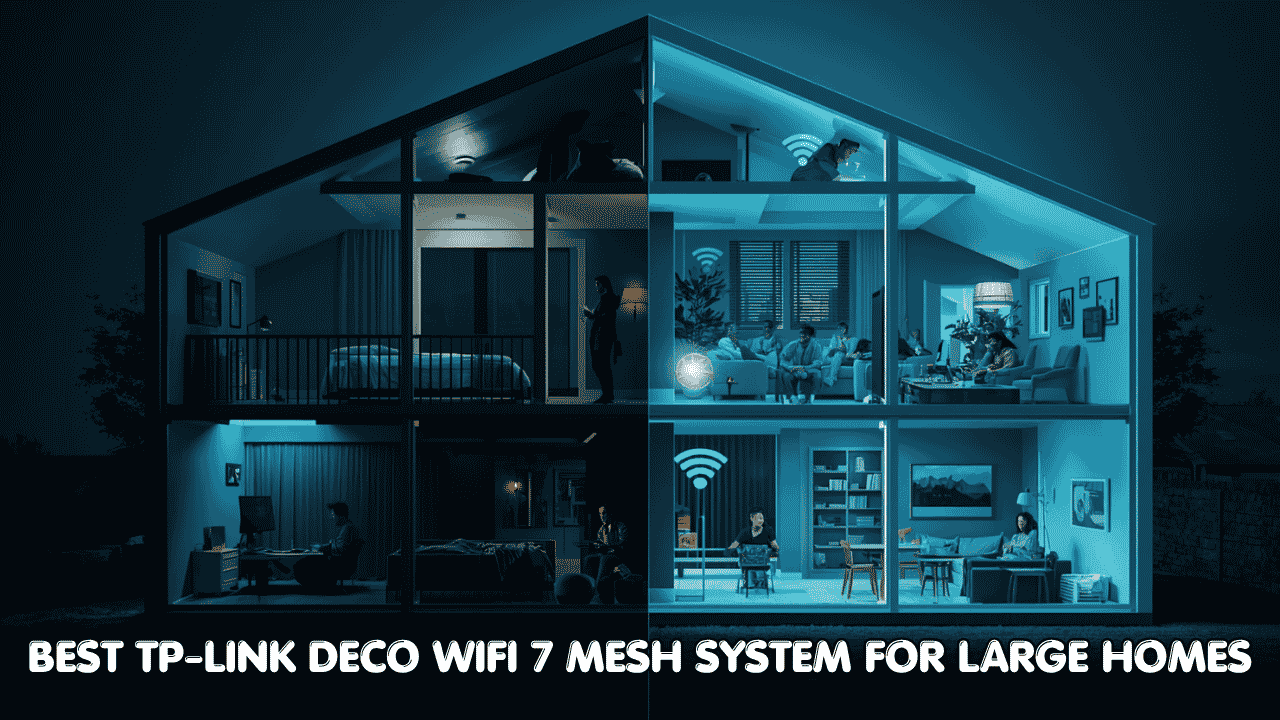

A powerful single router is great. But in a large home, one router almost never covers everything. You end up with fast WiFi near the living room and nothing useful in the back bedroom, basement, or upstairs office. That’s the problem a mesh system actually solves, and the best TP-Link Deco WiFi 7 mesh system for large homes does it better than most by combining WiFi 7 speed, seamless roaming, and multi-node coverage that reaches every corner without dead zones.
TP-Link Deco WiFi 7 mesh systems connect directly to your existing modem or ISP gateway and work with all major internet providers. They support older WiFi devices while unlocking the full speed benefits of WiFi 7 for newer phones, laptops, and gaming consoles. Wired backhaul options, multi-gig ports, and EasyMesh support make these systems flexible enough for straightforward family homes and demanding power-user setups alike. Whether you’re dealing with thick walls, multiple floors, or just a property that’s bigger than one router can handle, these three picks get the job done.
Best TP-Link Deco WiFi 7 Mesh for Large Homes
Quick Top 3 Preview:
- TP-Link Deco BE63 BE10000 2-Pack (Best All-Round Mesh for Large Homes)
- TP-Link Deco BE85 BE22000 2-Pack (Best Premium Mesh for Maximum Speed)
- TP-Link Deco BE77 BE17000 3-Pack (Best Coverage for Very Large Properties)
How to Choose the Best TP-Link Deco WiFi 7 Mesh System for Large Homes
Why One Router Is Never Enough for a Large Home
Most people buy a router, plug it in, and then wonder why their WiFi works great in one room and barely functions in another. Routers push signal outward in all directions, but distance and obstacles eat into that signal fast. A WiFi 7 mesh system for large homes fixes this by using multiple nodes spread around the house, each one connected to the others and each one delivering a strong local signal. Your devices roam between nodes automatically as you move around, so the connection stays solid without any manual switching.
What Most Buyers Get Wrong
- Buying a single high-end router and expecting it to cover 4,000 sq. ft. of a multi-story home reliably
- Picking a 2-pack when their home actually needs a 3-pack to reach the far end of the property
- Choosing wireless-only backhaul when wired backhaul is available and significantly more stable
- Overspending on the highest-tier system when a mid-range mesh handles their actual usage just fine
Why WiFi 7 Mesh Is a Genuine Step Up
Older mesh systems worked but had limitations. Wireless backhaul between nodes ate into the bandwidth available for your devices. WiFi 7 changes this with faster overall speeds, better spectrum efficiency, and support for wired multi-gig backhaul that keeps node-to-node connections fast without stealing from your devices. AI-Roaming in the Deco lineup predicts which node your device should connect to before you even move, which means smoother handoffs and more consistent performance across the whole home. And because every Deco node shares a single network name, everything just works without configuration.
Who This Guide Is For
- Homeowners with large properties where dead zones are a recurring problem
- Families with many devices all running simultaneously across multiple rooms and floors
- Remote workers who need reliable coverage in a home office that’s far from the main router
- Gamers who want low latency coverage in rooms that a single router can’t reach cleanly
- Smart home users with dozens of IoT devices spread throughout a large property
By the end of this guide you’ll know exactly which best TP-Link Deco WiFi 7 mesh system for large homes fits your property size, device count, and how seriously you need your network to perform.
If you want to improve outdoor coverage, check our guide on the best long range wifi routers.
Top 3 Best TP-Link Deco WiFi-7 Mesh Systems for Large Homes
Disclosure: This post contains affiliate links. As an Amazon Associate I earn from qualifying purchases. If you purchase through our links, we may earn a small commission at no extra cost to you.
These three systems were chosen based on real-world whole-home coverage performance, backhaul quality, port configuration, and the practical value each delivers for different large-home scenarios. Every pick is a true WiFi 7 tri-band mesh system with wired backhaul support and the TP-Link HomeShield security platform included.
#1 TP-Link Deco BE63 BE10000 2-Pack : Best All-Round Mesh for Large Homes
Overview: Tri-band WiFi 7 BE10000 whole home mesh system in a 2-pack | 6-stream 10 Gbps combined speed with 4x 2.5G ports per node for wired backhaul | Supports VPN, HomeShield security, and free expert setup help | Built for large homes where strong whole-home coverage and reliable wired backhaul matter | Compatible with all ISPs and works with EasyMesh for flexible expansion.

Best deal today – prices may change
Key Benefits: Four 2.5G Ethernet ports per node give you flexible wired backhaul options and the ability to hardwire multiple devices at multi-gig speeds | BE10000 tri-band speed gives all three bands enough headroom that gaming, streaming, and smart home traffic don’t compete with each other | HomeShield provides network-level security and parental controls for every device on the mesh | 4 smart internal antennas optimize signal direction automatically for better whole-home coverage | EasyMesh support means you can add more nodes later without replacing the system.
Pros: Four 2.5G ports per node is genuinely impressive at this price tier and makes wired backhaul flexible without needing managed switches | HomeShield security is a practical addition for family homes | BE10000 speed handles even heavy multi-user households without strain | TP-Link app setup is clean and beginner-accessible.
Cons: Two nodes cover a large home well but buyers with very large or multi-story properties over 5,000 sq. ft. may want to consider the 3-pack option instead.
Best For: Large single-family homes where two nodes provide full coverage | Households with multiple wired devices that benefit from 2.5G ports | Families who want built-in security and parental controls without a separate subscription | Anyone who wants a clean app-managed whole-home mesh without complicated configuration.
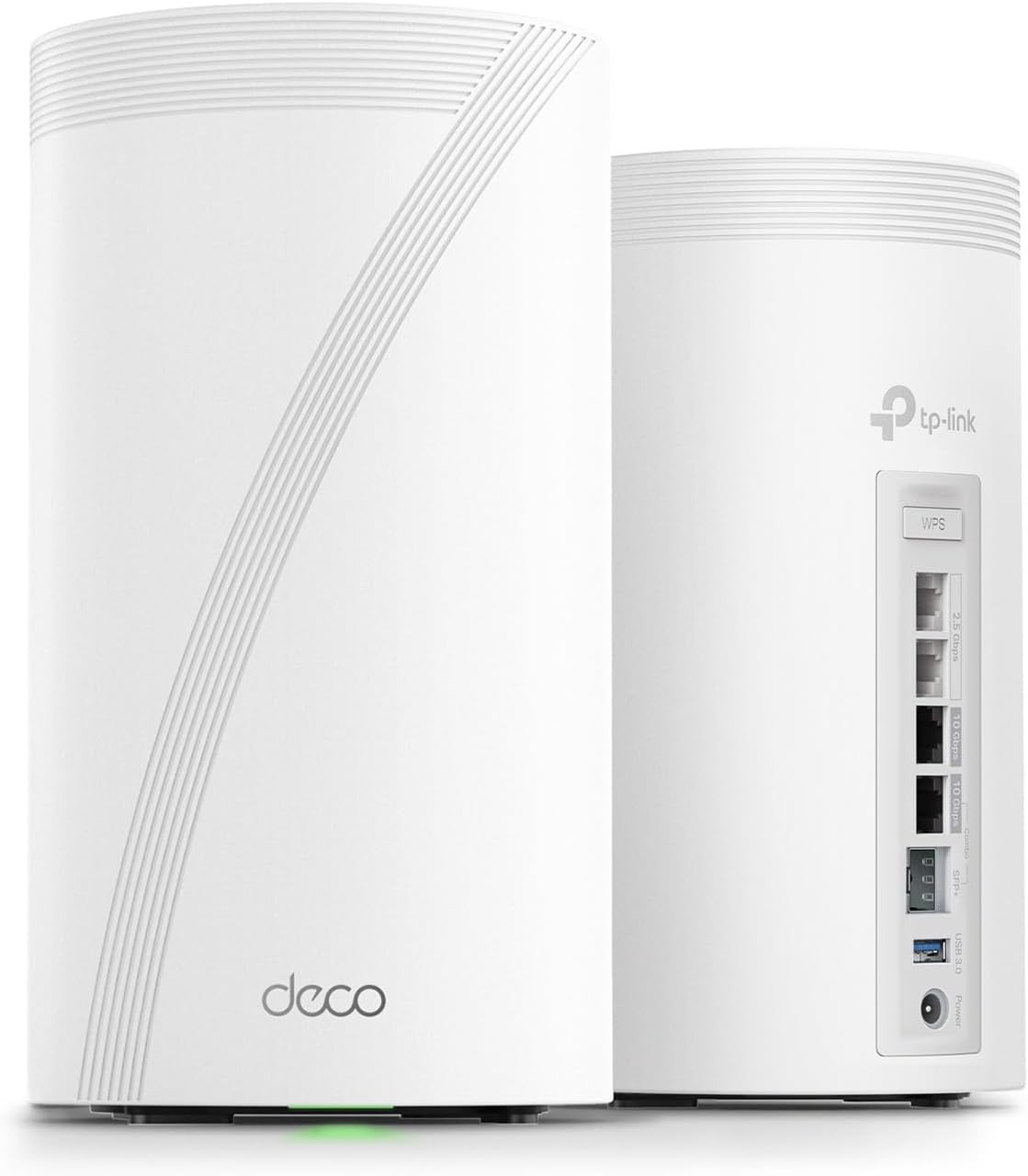
#2 TP-Link Deco BE85 BE22000 2-Pack : Best Premium Mesh for Maximum Speed
Overview: Flagship tri-band WiFi 7 BE22000 whole home mesh system in a 2-pack | 12-stream 22 Gbps combined speed with two 10G ports and two 2.5G ports per node | Includes AI-Roaming, VPN, HomeShield, and wired backhaul support | Built for power users and large households on multi-gig internet plans who want the absolute best whole-home WiFi 7 performance | Compatible with all ISPs and EasyMesh.
Best deal today – prices may change
Key Benefits: BE22000 is the highest combined speed on this list, giving every band serious headroom even in the most demanding households | Two 10G ports per node support multi-gig wired backhaul and wired connections for servers, NAS drives, or gaming PCs at full speed | AI-Roaming actively predicts device movement and pre-connects to the next node before you lose signal, which makes roaming genuinely seamless | 8 high-gain antennas per node push signal further and more evenly than standard internal antenna designs | HomeShield plus VPN support covers both security and remote access needs in a single system.
Pros: The fastest and most feature-complete TP-Link Deco WiFi 7 mesh system on this list | 10G ports future-proof the system for the fastest residential internet plans | AI-Roaming is noticeably smoother than standard mesh handoff in real use | 8 high-gain antennas deliver stronger coverage at the edges of large homes.
Cons: The premium price is justified by the specs but it’s more than most standard households need unless they’re on a multi-gig plan or have very high device counts.
Best For: Power users and demanding households on multi-gig internet plans | Large homes where coverage consistency at the edges matters as much as peak speed | Anyone who wants 10G wired backhaul and AI-managed roaming in a two-node system | Smart home power users with many high-demand devices running simultaneously.
#3 TP-Link Deco BE77 BE17000 3-Pack : Best Coverage for Very Large Properties
Overview: Tri-band WiFi 7 BE17000 whole home mesh system in a 3-pack | 9-stream 17 Gbps combined speed with a 10G RJ45/SFP+ combo port for wired backhaul | MLO support, 320MHz channel bandwidth, and HomeShield included | Covers up to 8,500 sq. ft. across three nodes, making it the right pick for very large homes, multi-story properties, and wide open floor plans | Compatible with all major ISPs and EasyMesh for further expansion.

Best deal today – prices may change
Key Benefits: Three nodes covering 8,500 sq. ft. is the largest coverage footprint on this list and the right answer for very large or spread-out properties | 10G RJ45/SFP+ combo port supports both standard Ethernet and fiber SFP+ connections for ultra-fast wired backhaul | MLO lets connected devices use two bands simultaneously for lower latency and more stable throughput | 320MHz channel bandwidth delivers significantly higher data throughput than older mesh systems | HomeShield security covers every device across all three nodes from a single dashboard.
Pros: Three-node 8,500 sq. ft. coverage is the standout feature and eliminates dead zones in even the largest residential properties | 10G SFP+ combo port is a rare and valuable feature for users with fiber-to-the-home connections | MLO and 320MHz support deliver real WiFi 7 advantages across the whole mesh | Strong value given the total coverage and port options included in the 3-pack price.
Cons: The 10G SFP+ combo port is excellent but adds some complexity for users unfamiliar with fiber connections or SFP+ modules.
Best For: Very large homes over 4,000 sq. ft. that need full coverage from multiple nodes | Properties with fiber-to-the-home internet connections | Multi-story homes or homes with layouts that a 2-pack won’t fully reach | Power users who want MLO and 320MHz across a large coverage footprint without compromising on port quality.
Quick Comparison Table
| Rank & Model | WiFi & Speed | Coverage & Ports | Best For |
|---|---|---|---|
| #1 Deco BE63 2-Pack | WiFi 7, BE10000 | Large (2 nodes), 4x 2.5G | All-round large home coverage |
| #2 Deco BE85 2-Pack | WiFi 7, BE22000 | Large (2 nodes), 2x 10G + 2x 2.5G | Maximum speed, premium use |
| #3 Deco BE77 3-Pack | WiFi 7, BE17000 | 8,500 sq. ft., 1x 10G combo | Very large homes and properties |
Best Overall: TP-Link Deco BE63 delivers the best balance of price, coverage, and multi-gig connectivity for most large homes.
This guide helps you choose the right best TP-Link Deco WiFi 7 mesh system for large homes based on your property size, internet plan speed, device count, and coverage priorities.
What to Look for When Buying a TP-Link Deco WiFi 7 Mesh System
Match It to Your Home First
- Calculate your total square footage including all floors because that determines whether a 2-pack or 3-pack is the right starting point
- Check your internet plan speed against the WAN port because a 2.5G port limits you if you’re on a 5 Gbps or 10 Gbps plan
- Think about your main usage: gaming and streaming benefit from AI-Roaming and MLO, while smart home setups benefit from high device capacity and HomeShield security
- Confirm your modem or gateway can hand off the full speed your internet plan provides
Keep Features Practical
- Wired backhaul between nodes always outperforms wireless backhaul in real use, so check that your home has Ethernet runs between node locations or that you can add them
- AI-Roaming is a genuine convenience feature for large homes where people move around frequently with laptops or phones
- HomeShield adds value for family homes but check whether the features you want are in the free tier or require a paid subscription
Consistent Performance Across the Whole Home
- The weakest signal in your home determines the actual user experience, so prioritize even coverage over peak speed at one location
- Wired multi-gig backhaul between nodes delivers the best throughput consistency for all devices
- High device capacity matters for smart homes because mesh nodes handling too many connections can slow down for everyone
TP-Link Support and Reliability
- TP-Link pushes regular firmware updates to the Deco lineup and the app is one of the cleaner mesh management interfaces available
- Free expert support is included with all three systems on this list
- EasyMesh compatibility means you’re not locked into a proprietary ecosystem if you want to expand or mix nodes later
Long-Term Value
- All three picks are WiFi 7 which means they stay relevant as more client devices adopt the standard
- Multi-gig wired ports mean the hardware won’t be the bottleneck even as ISP plan speeds increase
- The 3-pack BE77 offers the most coverage per dollar if your home genuinely needs three nodes
How These Systems Were Selected
Every system here was evaluated on whole-home coverage quality, backhaul flexibility, port configuration, and the practical value it delivers for large homes with real usage demands. TP-Link’s firmware update track record, app management quality, and the actual usability of HomeShield and AI-Roaming features all factored into the selection. The goal was to find three options that cover different large-home scenarios without overlapping unnecessarily.
Key selection factors:
- Real tri-band WiFi 7 performance including 6GHz band and MLO support
- Wired backhaul port speed and flexibility
- Node count and total coverage relative to large home needs
- App management quality and ease of initial setup
- HomeShield security features and whether valuable features require a paid tier
- EasyMesh support for future expansion
How to Get the Most Out of Your TP-Link Deco WiFi 7 Mesh System
A well-chosen mesh system in the wrong configuration still underperforms. These tips apply to all three picks and make a noticeable difference from day one.
Initial Setup
- Set up the primary node first, connect it to your modem, and let it complete the full configuration before adding secondary nodes
- Use the Deco app for setup because it walks you through node placement suggestions, firmware updates, and HomeShield activation automatically
- Update firmware on all nodes immediately after setup completes
Placement Tips for Large Homes
- Space nodes evenly across your home rather than clustering them together near the modem
- For a two-story home, place one node on each floor with the primary near the modem on the ground floor
- For the BE77 3-pack, think of the three nodes as dividing your home into three coverage zones and place each one in the center of its zone
- Keep nodes away from thick concrete, brick chimneys, large metal surfaces, and microwave ovens
Mistakes That Hurt Mesh Performance
- Running wireless backhaul between nodes when Ethernet runs are available, because wireless backhaul cuts your available bandwidth significantly
- Placing all nodes close together rather than spreading them out to cover the full property
- Skipping the firmware update step because TP-Link patches mesh coordination performance regularly
- Using the free HomeShield tier and not exploring whether the paid tier features are worth it for your household
Performance Tips
- Connect gaming consoles, 4K TVs, and work computers via Ethernet to the nearest node for the most stable connection
- Use the Deco app’s device prioritization feature to make sure bandwidth-hungry devices get first access
- Enable AI-Roaming in the app settings if it isn’t on by default because it makes device handoff between nodes much smoother
- Check the Deco app monthly for firmware updates and to review which devices are using the most bandwidth
Signs It’s All Working Right
- You get a strong signal in every room including corners that were previously dead zones
- Streaming and gaming work smoothly regardless of which room you’re in
- Your phone or laptop switches between nodes automatically without dropping the connection
- Every device in your home connects reliably every time
Looking for premium performance? Read our review of the best ASUS WiFi 7 routers for gaming and large homes.
How to Pick the Right Deco WiFi 7 Mesh for Your Home
Match your home size first: Under 4,000 sq. ft.? The BE63 or BE85 2-pack handles it. Over 4,000 sq. ft. or a sprawling single-story layout? The BE77 3-pack is the smarter choice because three nodes spread coverage more evenly than two ever could.
Match your internet plan: On a standard Gigabit plan? The BE63 2-pack covers it without paying for ports you won’t use. On a multi-gig plan up to 10 Gbps? The BE85 with its 10G ports is built for exactly that. On a fiber-to-the-home plan? The BE77’s SFP+ combo port supports fiber backhaul directly.
Wired vs. wireless backhaul: If you can run Ethernet cables between node locations, always do it. All three systems support wired backhaul and it makes a meaningful difference in throughput consistency across the mesh. If you can’t run cables, the AI-Roaming in the BE85 makes wireless backhaul perform as well as it possibly can.
Must-have features for large homes: Tri-band WiFi 7, wired backhaul support, multi-gig ports, EasyMesh compatibility, and HomeShield security.
Things to avoid: Dual-band mesh systems that use one of their bands entirely for backhaul because that halves the bandwidth available to your devices. And don’t place nodes too close together thinking more signals in one area is better because spreading them out is how you actually eliminate dead zones.
Real User Feedback
People who’ve set up the Deco BE63 in large homes consistently mention that the four 2.5G ports per node make wired backhaul and device connections genuinely flexible in a way that single-port mesh systems aren’t. BE85 owners on multi-gig plans say the 10G ports and AI-Roaming work together to make the network feel more like a wired setup than a wireless one because handoffs are that smooth. BE77 3-pack users with homes over 4,000 sq. ft. frequently say it was the first mesh system that actually eliminated every dead zone they’d lived with for years, especially in rooms at the far ends of their property.
The consistent theme: wired backhaul between nodes and proper spacing make a bigger performance difference than which tier you buy.
Frequently Asked Questions
Is WiFi 7 worth it for large homes?
Yes. WiFi 7 improves overall throughput, lowers latency, and handles more connected devices efficiently. In a mesh setup, it provides stronger and more consistent whole-home performance.
How many Deco nodes do I need?
- Up to 4,000 sq. ft.: 2 nodes is usually enough.
- 4,000–8,500 sq. ft.: 3 nodes is often the better choice.
- Thick walls or unusual layouts may require additional nodes.
Does TP-Link Deco work with Xfinity, Spectrum, and AT&T?
Yes. Deco systems connect to virtually any cable, fiber, or DSL modem/gateway.
Is wired backhaul better than wireless backhaul?
Yes. Ethernet backhaul provides more stable performance and preserves wireless bandwidth for your devices.
Which TP-Link Deco WiFi 7 mesh system is best for most people?
The Deco BE63 is the best overall option because it combines strong performance, multi-gig ports, and excellent value.
What’s the difference between tri-band and dual-band mesh systems?
Tri-band systems add a third wireless band, reducing congestion and improving performance, especially in larger homes.
Can I add more Deco units later?
Yes. TP-Link Deco systems are designed to expand easily by adding compatible nodes.
Alternatives Worth Considering
- ASUS ZenWiFi Pro ET12 — A strong tri-band WiFi 6E mesh alternative from ASUS with AiMesh support, worth comparing if you’re already in the ASUS ecosystem or want AiMesh flexibility
- NETGEAR Orbi 970 WiFi 7 — The premium NETGEAR mesh competitor with dedicated backhaul band and 10G ports, a direct comparison for the BE85 at the high end
- Eero Max 7 — Amazon’s flagship WiFi 7 mesh option with a clean app experience and strong integration with Alexa and Ring devices for Amazon smart home users
- TP-Link Deco XE75 Pro — A WiFi 6E option from the same Deco lineup worth considering if you want to save money and don’t need the full WiFi 7 feature set right now
Conclusion and Final Recommendation
Dead zones in a large home aren’t just annoying. They make everything harder, from video calls that drop to smart devices that go offline to games that lag in certain rooms. The best TP-Link Deco WiFi 7 mesh system for large homes solves all of that with whole-home coverage, seamless roaming, and WiFi 7 performance that stays relevant for years.
This guide is for:
- Anyone comparing TP-Link Deco WiFi 7 mesh systems before making a final decision
- Households where a single router never quite covered the whole home
- Buyers who want genuine WiFi 7 features without having to decode specs on their own
- Anyone upgrading from an older mesh system or single router who wants a clean, app-managed whole-home solution
Best overall pick: The TP-Link Deco BE63 BE10000 2-Pack is the most balanced choice for most large homes. Four 2.5G ports per node, BE10000 tri-band speed, HomeShield security, and EasyMesh compatibility make it a capable and future-proof system at a price that makes real sense. For most homes between 2,500 and 5,000 sq. ft. with standard to multi-gig internet plans, it delivers everything needed without paying for flagship features that only matter at the top tier.
The short version: Match the pack size to your actual square footage, match the WAN port to your internet plan speed, and use wired backhaul between nodes if you possibly can. Do those three things and any of the picks above will make your large home feel like it finally has the network it deserves.