

QUICK ANSWER
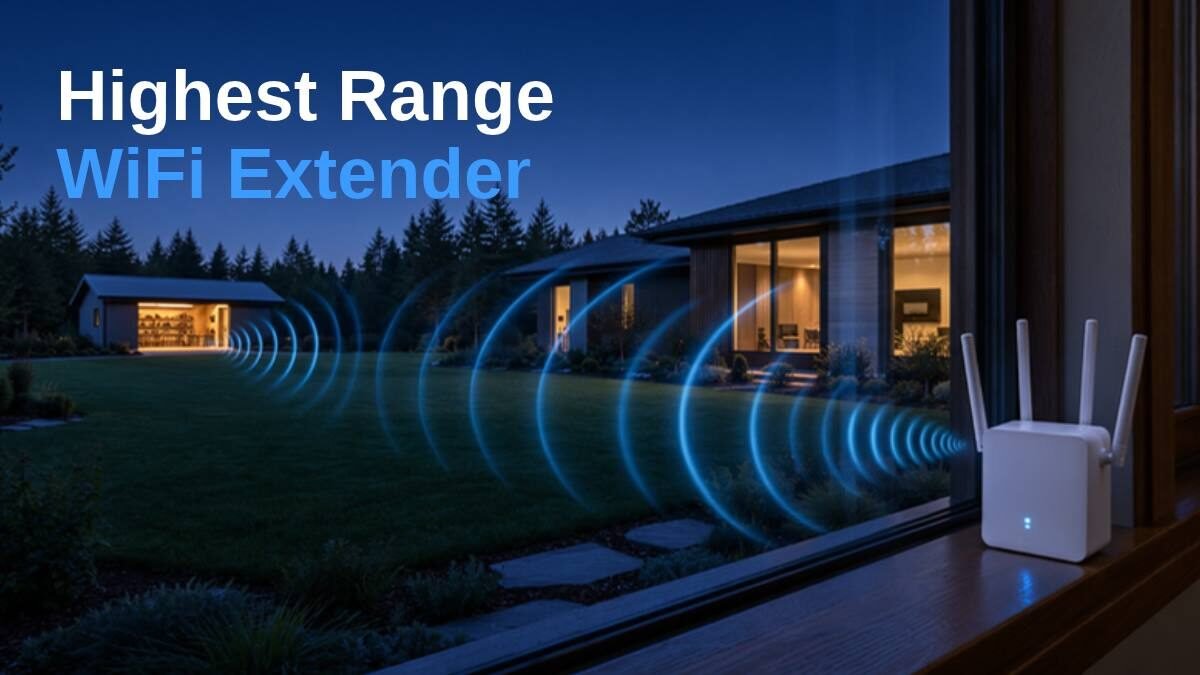
The highest range WiFi extender we found for most homes is the TP-Link RE815X. TP-Link gives it tri-band WiFi 6, four external antennas, six front-end amplifier modules and beamforming, the most reach hardware of the well-rated extenders we checked. If your phones and laptops are WiFi 7 and you pay for a multi-gig plan, the TP-Link RE653BE is the faster tri-band choice. One honest catch: no plug-in extender can beat a bad spot, so where you put it matters as much as which one you buy.
Disclosure: This post contains affiliate links. As an Amazon Associate, Tech Buying Today earns from qualifying purchases, at no extra cost to you.
QUICK COMPARE
Top Picks at a Glance


Prices come live from Amazon and can change. Full details for each pick are below.
Key takeaways
- Most reach hardware: the TP-Link RE815X (tri-band, 4 antennas, 6 amplifier modules, beamforming).
- Fastest long-range pick for WiFi 7 devices: the TP-Link RE653BE, with a 6 GHz band and a 2.5 Gbps port.
- WiFi 7 for less: the RE403BE keeps four antennas and the 2.5 Gbps port but drops the 6 GHz band.
- Square-foot claims are a poor guide: four of the five maker pages give none, and the one that does claims 12,000 sq ft.
- Placement wins: put the extender about halfway between the router and the weak spot.
How we chose
We started from TP-Link, NETGEAR, ASUS and Linksys extenders that buyers rate 4 stars or higher and that sell steadily on Amazon (checked 17 Nov on Amazon’s search pages). We then ranked them by the range hardware the maker lists: external antennas, amplifier modules, beamforming and bands. Every spec below comes from TP-Link’s own product pages. We have not tested these extenders ourselves, and prices are left out because they change often; the boxes below show the live Amazon price.
What Actually Gives an Extender More Range
Listings love big square-foot numbers, but those depend on walls, floors and what else is on the air in your street. When we checked TP-Link’s own product pages for our five picks, four gave no square-foot figure at all, and the one that did (the RE550) claims up to 12,000 sq ft, far more than any plug-in box covers through real walls. So we ranked by the parts that push a signal farther, which the maker does list.
- External antennas: more of them, and ones you can angle, help aim the signal. Our top three have four each.
- Amplifiers and front-end modules: these strengthen the signal going out and coming back. TP-Link lists six front-end modules on the RE815X and four amplifiers on the RE715X.
- Beamforming: the extender works out where your device is and focuses the signal toward it.
- The band your device uses: 2.4 GHz travels farthest and through walls best; 5 GHz and 6 GHz are faster but fade sooner.
- A third band: on a tri-band extender, one band can talk to the router while the others serve your devices, so less speed is lost on the way.
Pick by the Distance You Need to Cover
| Your situation | What helps most | Pick |
|---|---|---|
| One room or one floor beyond the router | Dual-band with external antennas | TP-Link RE715X or RE550 |
| The far end of a long single-storey home | Four antennas and a strong 5 GHz band | TP-Link RE403BE |
| Through floors, with many devices online | Tri-band plus amplifier modules | TP-Link RE815X |
| WiFi 7 phones and laptops on a multi-gig plan | Tri-band WiFi 7 with 6 GHz and a 2.5 Gbps port | TP-Link RE653BE |
| A detached garage, barn or yard | An outdoor extender, or a cable run to a second access point | See our outdoor extender picks |
The 5 Highest Range WiFi Extenders, Ranked by Reach Hardware
All five are TP-Link extenders with external antennas, an Ethernet port and EasyMesh support, so they can join an EasyMesh router under one WiFi name. They are ordered by the range hardware TP-Link lists, with the budget pick last.
MOST REACH HARDWARE
1. TP-Link RE815X AX5400: the most reach hardware
- 𝐓𝐫𝐢-𝐁𝐚𝐧𝐝 𝐖𝐢𝐅𝐢 𝟔 𝐄𝐱𝐭𝐞𝐧𝐝𝐞𝐫 𝐁𝐨𝐨𝐬𝐭𝐞𝐫 𝐰𝐢𝐭𝐡 𝟓.𝟒 𝐆𝐛𝐩𝐬 𝐓𝐨𝐭𝐚𝐥 𝐁𝐚𝐧𝐝𝐰𝐢𝐝𝐭𝐡 – Extend your router's WiFi coverage with speeds up to 24…
- 𝐌𝐚𝐱𝐢𝐦𝐢𝐳𝐞𝐝 𝐂𝐨𝐯𝐞𝐫𝐚𝐠𝐞 𝐮𝐩 𝐭𝐨 𝟐𝟖𝟎𝟎 𝐒𝐪. 𝐅𝐭 – Four high-gain directional antennas and 6 powerful FEM with Beamforming technolog…
- 𝐎𝐮𝐫 𝐂𝐲𝐛𝐞𝐫𝐬𝐞𝐜𝐮𝐫𝐢𝐭𝐲 𝐂𝐨𝐦𝐦𝐢𝐭𝐦𝐞𝐧𝐭 – TP-Link is a signatory of the U.S. Cybersecurity and Infrastructure Security Agency’s (CI…
TP-Link gives the RE815X four external antennas, six front-end modules and beamforming, which aims the signal at your devices. It is tri-band WiFi 6: two 5 GHz bands at up to 2402 Mbps each plus 574 Mbps on 2.4 GHz, so one band can carry traffic back to the router while the others serve your devices.
TP-Link says it connects up to 96 devices at once, supports 160 MHz channels and has a Gigabit Ethernet port that also works in access point mode. It is a tall unit: TP-Link lists it at about 13.7 inches high.
WHAT WE LIKE
✓ Four antennas plus six amplifier modules
✓ Tri-band with a spare 5 GHz band
✓ Up to 96 devices
WATCH OUT FOR
✕ Tall at about 13.7 inches
✕ Gigabit port, not 2.5 Gbps
✕ WiFi 6, not WiFi 7
Skip it if: your devices are WiFi 7 and you pay for more than 1 Gbps; the RE653BE fits better.
BEST WIFI 7
2. TP-Link RE653BE BE10000: best tri-band WiFi 7
- 𝐍𝐞𝐱𝐭-𝐆𝐞𝐧 𝐖𝐢-𝐅𝐢 𝟕 𝐰𝐢𝐭𝐡 𝟔 𝐆𝐇𝐳 𝐛𝐚𝐧𝐝 𝐚𝐧𝐝 𝐮𝐥𝐭𝐫𝐚-𝐰𝐢𝐝𝐞 𝟑𝟐𝟎𝐌𝐇𝐳 𝐂𝐡𝐚𝐧𝐧𝐞𝐥𝐬 – Pair with a WiFi 7 router and achieve the benefits of …
- 𝟔-𝐒𝐭𝐫𝐞𝐚𝐦, 𝐓𝐫𝐢-𝐁𝐚𝐧𝐝 𝐖𝐢𝐅𝐢 𝐰𝐢𝐭𝐡 𝟏𝟎 𝐆𝐛𝐩𝐬 𝐓𝐨𝐭𝐚𝐥 𝐁𝐚𝐧𝐝𝐰𝐢𝐝𝐭𝐡 – Achieve full speeds of 5188 Mbps (6 GHz band), 4320 (5 GHz band),…
- 𝐌𝐚𝐱𝐢𝐦𝐢𝐳𝐞𝐝 𝐂𝐨𝐯𝐞𝐫𝐚𝐠𝐞 𝐮𝐩 𝐭𝐨 𝟐𝟖𝟎𝟎 𝐬𝐪.𝐟𝐭 – Four high-gain directional antennas with Beamforming technology boosts signal stre…
The RE653BE is TP-Link’s tri-band WiFi 7 extender: up to 5188 Mbps on 6 GHz, 4320 Mbps on 5 GHz and 688 Mbps on 2.4 GHz, with Multi-Link Operation so compatible devices can use several bands at once. It has four external antennas and a 2.5 Gbps Ethernet port.
TP-Link also lists 320 MHz channels and 4K-QAM for WiFi 7 devices, plus EasyMesh support. The 6 GHz band only helps devices that support it, and like 5 GHz it does not travel as far as 2.4 GHz.
WHAT WE LIKE
✓ 6 GHz band for WiFi 7 devices
✓ 2.5 Gbps Ethernet port
✓ Four external antennas
WATCH OUT FOR
✕ 6 GHz reaches less far than 2.4 GHz
✕ Most gain needs WiFi 7 devices
✕ Overkill on a basic plan
Skip it if: your devices are WiFi 6 or older; the RE815X gives you more reach hardware for them.
WIFI 7 VALUE
3. TP-Link RE403BE BE6300: WiFi 7 reach for less
- 𝐍𝐞𝐱𝐭-𝐆𝐞𝐧 𝐖𝐢-𝐅𝐢 𝟕 𝐏𝐞𝐫𝐟𝐨𝐫𝐦𝐚𝐧𝐜𝐞 – Pair with a Wifi 7 router and achieve the benefits of Multi-Link Operation (MLO), Multi-R…
- 𝟔-𝐒𝐭𝐫𝐞𝐚𝐦, 𝐃𝐮𝐚𝐥-𝐁𝐚𝐧𝐝 𝐖𝐢𝐅𝐢 𝐰𝐢𝐭𝐡 𝟔. 𝟑 𝐆𝐛𝐩𝐬 𝐓𝐨𝐭𝐚𝐥 𝐁𝐚𝐧𝐝𝐰𝐢𝐝𝐭𝐡 – Extend your router's performance with speeds up to 5764 Mbps (…
- 𝐌𝐚𝐱𝐢𝐦𝐢𝐳𝐞𝐝 𝐂𝐨𝐯𝐞𝐫𝐚𝐠𝐞 𝐮𝐩 𝐭𝐨 𝟐𝟖𝟎𝟎 𝐒𝐪. 𝐅𝐭. – Four optimally positioned antennas with Beamforming technology boosts signal str…
The RE403BE keeps the four external antennas and the 2.5 Gbps Ethernet port, but it is dual-band: up to 5764 Mbps on 5 GHz and 574 Mbps on 2.4 GHz. TP-Link lists Multi-Link Operation, 160 MHz channels and 4K-QAM.
Its Ethernet port can also run it in access point mode, turning a cable run into dual-band WiFi, and it is EasyMesh compatible.
WHAT WE LIKE
✓ Four external antennas
✓ 2.5 Gbps Ethernet port
✓ Access point mode
WATCH OUT FOR
✕ No 6 GHz band
✕ Dual-band only
✕ WiFi 7 gains need WiFi 7 devices
Skip it if: you want a third band for heavy use; take the RE815X or RE653BE.
PROVEN WIFI 6
4. TP-Link RE715X AX3000: the proven WiFi 6 pick
- 𝐃𝐮𝐚𝐥-𝐁𝐚𝐧𝐝 𝐖𝐢𝐅𝐢 𝟔 𝐄𝐱𝐭𝐞𝐧𝐝𝐞𝐫 𝐰𝐢𝐭𝐡 𝟑 𝐆𝐛𝐩𝐬 𝐓𝐨𝐭𝐚𝐥 𝐁𝐚𝐧𝐝𝐰𝐢𝐝𝐭𝐡 – Extend your WiFi coverage with speeds up to 2404 Mbps (5 GHz ban…
- 𝐌𝐚𝐱𝐢𝐦𝐢𝐳𝐞𝐝 𝐂𝐨𝐯𝐞𝐫𝐚𝐠𝐞 𝐮𝐩 𝐭𝐨 𝟐𝟒𝟎𝟎 𝐒𝐪. 𝐅𝐭. – Two high-gain directional antennas with Beamforming technology enhance signal st…
- 𝐎𝐮𝐫 𝐂𝐲𝐛𝐞𝐫𝐬𝐞𝐜𝐮𝐫𝐢𝐭𝐲 𝐂𝐨𝐦𝐦𝐢𝐭𝐦𝐞𝐧𝐭 – TP-Link is a signatory of the U.S. Cybersecurity and Infrastructure Security Agency’s (CI…
TP-Link builds the RE715X with two external antennas, four high-performance amplifiers and beamforming. It is dual-band WiFi 6, up to 2402 Mbps on 5 GHz and 574 Mbps on 2.4 GHz, with 160 MHz channels.
It has a Gigabit Ethernet port with access point mode and is EasyMesh compatible. We cover it on its own in our full TP-Link RE715X review.
WHAT WE LIKE
✓ Four high-performance amplifiers
✓ Beamforming
✓ Gigabit port with AP mode
WATCH OUT FOR
✕ Two antennas, not four
✕ Dual-band only
✕ Gigabit port tops out at 1 Gbps
Skip it if: you need the signal to cross two floors; the four-antenna picks above have more to work with.
THREE ANTENNAS
5. TP-Link RE550 AC1900: three antennas on a budget
- 𝐃𝐮𝐚𝐥-𝐁𝐚𝐧𝐝 𝐖𝐢𝐅𝐢 𝐄𝐱𝐭𝐞𝐧𝐝𝐞𝐫 𝐰𝐢𝐭𝐡 𝟏.𝟗 𝐆𝐛𝐩𝐬 𝐓𝐨𝐭𝐚𝐥 𝐁𝐚𝐧𝐝𝐰𝐢𝐝𝐭𝐡 – Extend your home network with speeds of up to 1300 Mbps (5 GHz) …
- 𝐌𝐚𝐱𝐢𝐦𝐢𝐳𝐞𝐝 𝐂𝐨𝐯𝐞𝐫𝐚𝐠𝐞 𝐮𝐩 𝐭𝐨 𝟐𝟏𝟎𝟎 𝐒𝐪. 𝐅𝐭 – Three adjustable external antennas provide reliable connections for eliminating d…
- 𝐎𝐮𝐫 𝐂𝐲𝐛𝐞𝐫𝐬𝐞𝐜𝐮𝐫𝐢𝐭𝐲 𝐂𝐨𝐦𝐦𝐢𝐭𝐦𝐞𝐧𝐭 – TP-Link is a signatory of the U.S. Cybersecurity and Infrastructure Security Agency’s (CI…
The RE550 is an older WiFi 5 (AC1900) extender: up to 1300 Mbps on 5 GHz and 600 Mbps on 2.4 GHz. TP-Link gives it three adjustable external antennas, one more than the RE715X, plus a signal light that shows signal strength to help you find the best spot.
It has a Gigabit Ethernet port, access point mode and EasyMesh support. TP-Link’s page claims coverage of up to 12,000 sq ft; we would not plan around that number, because walls and floors cut real reach.
WHAT WE LIKE
✓ Three adjustable external antennas
✓ Signal light helps placement
✓ Gigabit port with AP mode
WATCH OUT FOR
✕ WiFi 5, not WiFi 6 or 7
✕ Dual-band only
✕ Optimistic coverage claim
Skip it if: your phones and laptops are WiFi 6 or newer and you want their full speed; take the RE715X.
Compare the Five Extenders at a Glance
| Pick | WiFi | Bands | Antennas | Ethernet port |
|---|---|---|---|---|
| 1. TP-Link RE815X Most reach hardware | WiFi 6 | Tri-band | 4 + 6 amp modules | Gigabit |
| 2. TP-Link RE653BE Best WiFi 7 | WiFi 7 | Tri-band (6 GHz) | 4 | 2.5 Gbps |
| 3. TP-Link RE403BE WiFi 7 value | WiFi 7 | Dual-band | 4 | 2.5 Gbps |
| 4. TP-Link RE715X Proven WiFi 6 | WiFi 6 | Dual-band | 2 + 4 amplifiers | Gigabit |
| 5. TP-Link RE550 Three antennas | WiFi 5 | Dual-band | 3 | Gigabit |
Where to Put It for the Longest Reach
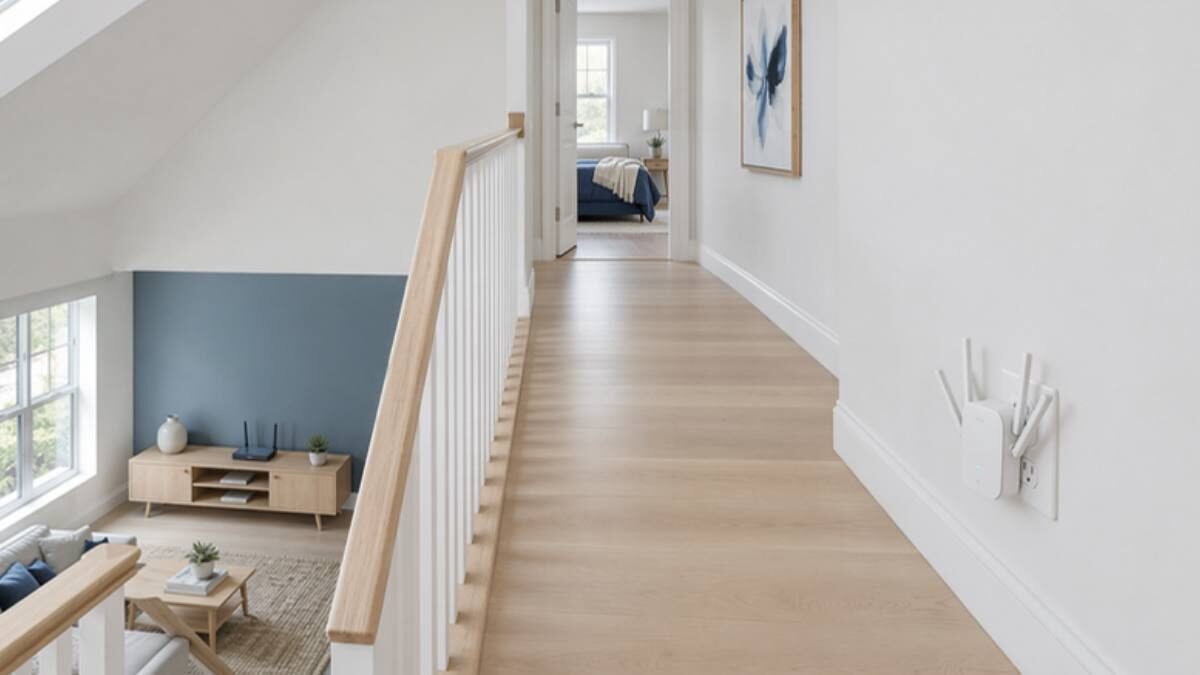
An extender can only repeat the signal it receives. Too close to the weak spot, it repeats a weak signal; too close to the router, it adds little reach. These steps work for any of the five.
- Set it up next to the router first, using the TP-Link Tether app or the WPS button, then move it.
- Plug it in about halfway between the router and the room you want to fix, with as few walls in between as you can manage.
- For a room upstairs, a landing or the top of the stairs is often the best halfway point.
- If the antennas can be tilted, try a mix of upright and sideways positions for a multi-floor home.
- Check the signal light, then run a speed test in the weak room. If it is still slow, move the extender one room closer to the router and test again.
When an Extender Is Not Enough
An extender is the right fix for one or two weak rooms. If you need strong WiFi in many rooms at once, a mesh system with several units does that job better. For a detached building, run an Ethernet cable if you can: all five picks have an access point mode, which turns a cable into a full-speed WiFi spot with no wireless hop at all.
Why Every Pick Is TP-Link
This is not a sponsorship. Among the extenders that passed our buyer-rating check, TP-Link’s were the ones with external antennas and the most range hardware listed on the maker’s page. NETGEAR’s Nighthawk EXS27 also passed; it is a compact wall-plug WiFi 7 model, and we compare it with its sibling in our NETGEAR EXS27 vs EXS25 comparison.
Real-World Checks Before You Buy
- How far the weak spot really is: count the walls and floors between it and the router; each one costs range.
- What your devices support: WiFi 7 extenders only show their full speed with WiFi 7 phones and laptops.
- Your plan speed: a 2.5 Gbps port only matters above 1 Gbps; below that, a Gigabit port is enough.
- Whether your router supports EasyMesh: with it, the extender joins under one WiFi name; without it, you may see a second network.
- Space where you will plug it in: the RE815X is about 13.7 inches tall.
Frequently Asked Questions
What is the highest range WiFi extender?
For most homes, the TP-Link RE815X: TP-Link gives it tri-band WiFi 6, four external antennas, six front-end modules and beamforming. For WiFi 7 devices on a multi-gig plan, the RE653BE is the faster choice.
Do more antennas mean more range?
They help. External antennas you can angle aim the signal better, and our top three picks each have four. Amplifier modules and beamforming matter too, and so does placement.
Is a WiFi 7 extender worth it for range?
Only if your devices are WiFi 7. The extra speed comes from WiFi 7 features such as Multi-Link Operation, and the 6 GHz band does not travel as far as 2.4 GHz.
How far can a WiFi extender reach?
It depends on walls, floors and interference, which is why we did not rank by square-foot claims. The practical rule is to place it halfway between the router and the weak spot, where it still gets a strong signal.
Extender or mesh system?
An extender fixes one or two weak rooms for less. A mesh system is better when many rooms or several floors need strong WiFi at the same time.
Our Verdict
For the most reach from one plug-in box, the TP-Link RE815X is the highest range WiFi extender we found: tri-band, four antennas, six amplifier modules and beamforming. Choose the RE653BE if your devices are WiFi 7 and your plan is above 1 Gbps, the RE403BE for WiFi 7 with four antennas for less, the RE715X for a proven WiFi 6 option and the RE550 for a budget pick with three antennas. Whichever you buy, place it halfway to the weak spot.
Related Guides
- TP-Link RE715X review
- NETGEAR EXS27 vs EXS25
- Best outdoor WiFi extender
- Best Spectrum-compatible WiFi extender
Where the facts come from
- TP-Link: RE815X AX5400 Tri-Band Wi-Fi 6 Range Extender
- TP-Link: RE653BE BE10000 Tri-Band Wi-Fi 7 Range Extender
- TP-Link: RE403BE BE6300 Dual-Band Wi-Fi 7 Range Extender
- TP-Link: RE715X AX3000 WiFi 6 Range Extender
- TP-Link: RE550 AC1900 Wi-Fi Range Extender
Product facts come from each maker’s own page and can change, so the label on the item you buy has the final word.