
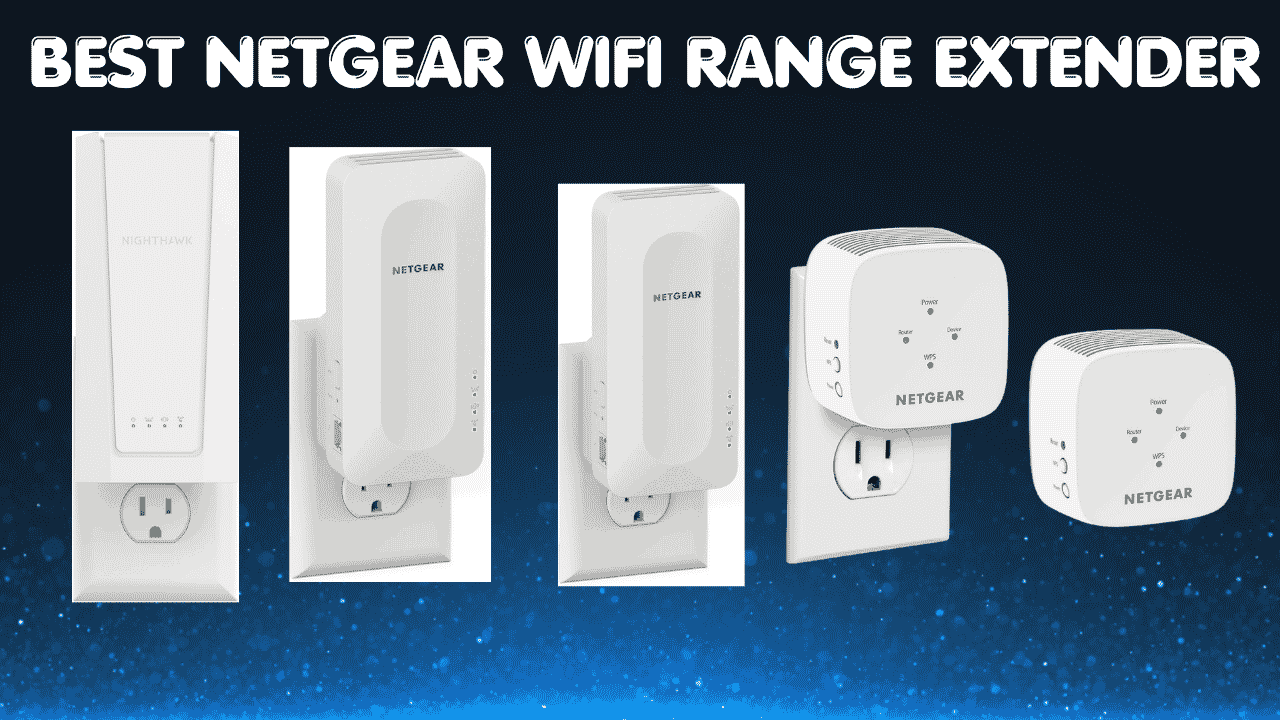

Dead zones and weak WiFi signals can make even simple tasks frustrating, especially in rooms far from your router. Whether it’s a back bedroom, a basement home office, or a garage that never gets a decent signal, the right best NETGEAR WiFi range extender can eliminate those gaps and deliver fast, reliable coverage throughout your home.
NETGEAR has been in the networking game for decades and their range extender lineup in 2026 covers every need, from budget-friendly compact options to cutting-edge WiFi 7 hardware. With technologies like WiFi 6 and WiFi 7, today’s NETGEAR extenders provide faster speeds, better stability, and smoother multi-device connectivity. So whether you’re a casual user, a gamer, or someone running a busy household, there’s a model here that fits.
NETGEAR WiFi range extenders are designed to work with your existing router, making them compatible with all major internet providers and most router brands. They connect wirelessly to your network and rebroadcast the signal to extend coverage. Many models support mesh features for seamless roaming, and they’re backward compatible with older devices while improving performance for newer ones.
Here’s a quick look at our top 5 picks for the best NETGEAR WiFi range extender in 2026:
- NETGEAR EXS25 (BE5000): Best overall WiFi 7 extender
- NETGEAR EAX15 (AX1800): Best WiFi 6 mesh extender for everyday use
- NETGEAR EAX12 (AX1600): Best budget WiFi 6 option
- NETGEAR EX3110 (AC750): Best ultra-budget pick for basic coverage
- NETGEAR EX5000 (AC1200): Best compact everyday extender
Also worth reading: Best WiFi Extender for Gaming in 2026 If gaming performance matters alongside your home coverage, this breakdown covers the best low-latency options in detail.
How to Choose the Best NETGEAR WiFi Range Extender
The Core Problem With Home WiFi Dead Zones
Your router puts out a strong signal near where it’s installed but walls, floors, and distance eat into that signal fast. By the time it reaches a distant room or a second floor, you’re left with a weak, inconsistent connection that makes streaming stutter and video calls freeze. A NETGEAR WiFi range extender placed correctly between your router and the problem area can bridge that gap simply and affordably.
Common Issues Buyers Run Into
- Choosing the wrong coverage size: a 1,000 sq ft extender won’t solve a problem in a 2,500 sq ft home
- Skipping the Ethernet port check: some models are wireless-only, which limits wired device options significantly
- Sticking with WiFi 5 when WiFi 6 is available: older standards handle fewer devices and deliver higher latency
- Overpaying for features they don’t need: a small apartment user doesn’t need the same hardware as a large multi-floor home
- Ignoring placement: even the best extender underperforms when placed too close to the router or too far in the dead zone
Why Modern NETGEAR Extenders Stand Out
NETGEAR’s newer lineup is a genuine improvement over older models. WiFi 6 brings OFDMA for better multi-device handling and lower latency. WiFi 7 adds Multi-Link Operation for even faster, more stable connections. The Nighthawk app makes setup and management straightforward, and One Network Name support means devices roam automatically without manual band-switching. Furthermore, NETGEAR’s consistent firmware update cadence means security and performance improvements keep coming after purchase.
Who This Guide Is For
- Beginners who just need a simple, reliable signal boost in one or two rooms
- Gamers looking for a NETGEAR WiFi extender for gaming with low latency and an Ethernet port
- Streamers who need consistent 4K-capable speeds without frequent buffering
- Remote workers needing a stable connection for video calls throughout the home
- Large home owners wanting whole-home coverage without replacing their router
- Budget shoppers who want trusted NETGEAR reliability at an accessible price point
This guide will help you choose the right best NETGEAR WiFi range extender based on your home size, usage needs, and budget.
Top 5 Best NETGEAR WiFi Range Extender in 2026
Disclosure: This post contains affiliate links. As an Amazon Associate I earn from qualifying purchases. If you purchase through our links, we may earn a small commission at no extra cost to you.
These five extenders were selected based on verified specs, real-world performance, Ethernet port availability, mesh compatibility, ease of setup, and overall value across different budgets and home sizes. Every specification listed here is confirmed from official NETGEAR product documentation.
#1. NETGEAR EXS25: Best WiFi 7 NETGEAR Range Extender for Future-Proof Performance

Best deal today. Prices may change
Overview: Flagship WiFi 7 BE5000 NETGEAR WiFi range extender with a 2.5G Ethernet port and WPA3 security, adding up to 1,500 sq ft and supporting 45 devices | Ideal for apartments, medium homes, and tech-forward households on fast internet plans | Best suited for power users, gamers, and streamers who want the latest wireless standard | Compatible with all major routers and ISPs
Key Benefits: WiFi 7 delivers significantly lower latency and higher throughput than WiFi 6 a genuine performance upgrade for demanding households | 2.5G Ethernet port future-proofs wired connections for multi-gig internet plans and fast gaming setups | Smart Roaming automatically connects devices to the strongest available signal without manual switching | WPA3 security protects your network without requiring manual security configuration
Pros: The most future-proof option in NETGEAR’s extender lineup WiFi 7 handles today’s demands and tomorrow’s devices | 2.5G wired port is rare on extenders and a strong advantage for consoles and desktop PCs | Compact wall-plug design takes up no desk or shelf space | NETGEAR’s reputation and firmware update consistency ensure long-term reliability
Cons: 1,500 sq ft coverage is designed for apartments and medium homes not suitable as a standalone solution for very large houses
Best For: Tech-forward users and gamers wanting the best NETGEAR WiFi range extender with WiFi 7 and a 2.5G wired port | Apartments and medium homes on gigabit or multi-gig internet plans | Anyone upgrading to WiFi 7 on a budget without committing to a full mesh system replacement
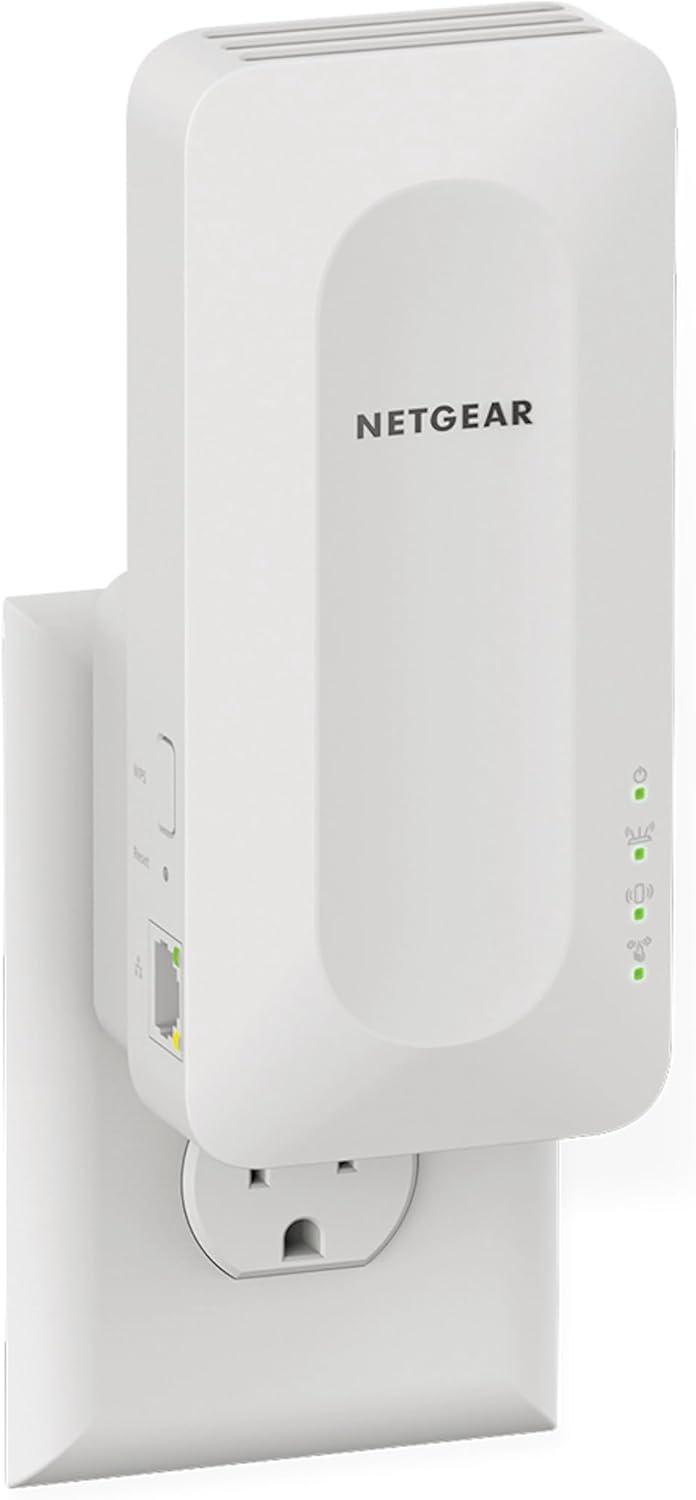
#2. NETGEAR EAX15: Best WiFi 6 Mesh Extender for Seamless Everyday Coverage
Best deal today. Prices may change
Overview: AX1800 dual-band WiFi 6 mesh range extender with One Network Name roaming, a Gigabit Ethernet port, and WPA3 security, adding up to 1,500 sq ft and supporting 20 devices | Built for everyday households, families, and work-from-home setups needing seamless whole-home coverage | Best for users who want automatic device roaming without manual band-switching | Compatible with all major routers
Key Benefits: One Network Name means devices automatically connect to the strongest signal as you move through the home no more manual switching | Gigabit Ethernet port provides wired-quality stability for smart TVs, gaming consoles, and PCs | WiFi 6 OFDMA reduces congestion in multi-device households compared to older standards | Nighthawk app makes setup fast and management easy on mobile
Pros: Genuinely seamless roaming experience makes this one of the most user-friendly NETGEAR dual band WiFi extenders available | WiFi 6 performance handles streaming, gaming, and browsing simultaneously without noticeable degradation | Gigabit Ethernet port is a strong differentiator from cheaper mesh-less alternatives | Consistent firmware support from NETGEAR ensures long-term stability
Cons: 20-device limit and 1,500 sq ft coverage make it less ideal for very large homes or high-device-count households
Best For: Families and everyday users who want seamless mesh-style roaming without buying a full mesh system | Work-from-home users needing stable coverage in a distant home office | Anyone looking for a reliable NETGEAR WiFi extender for home with WiFi 6 and automatic device handoff
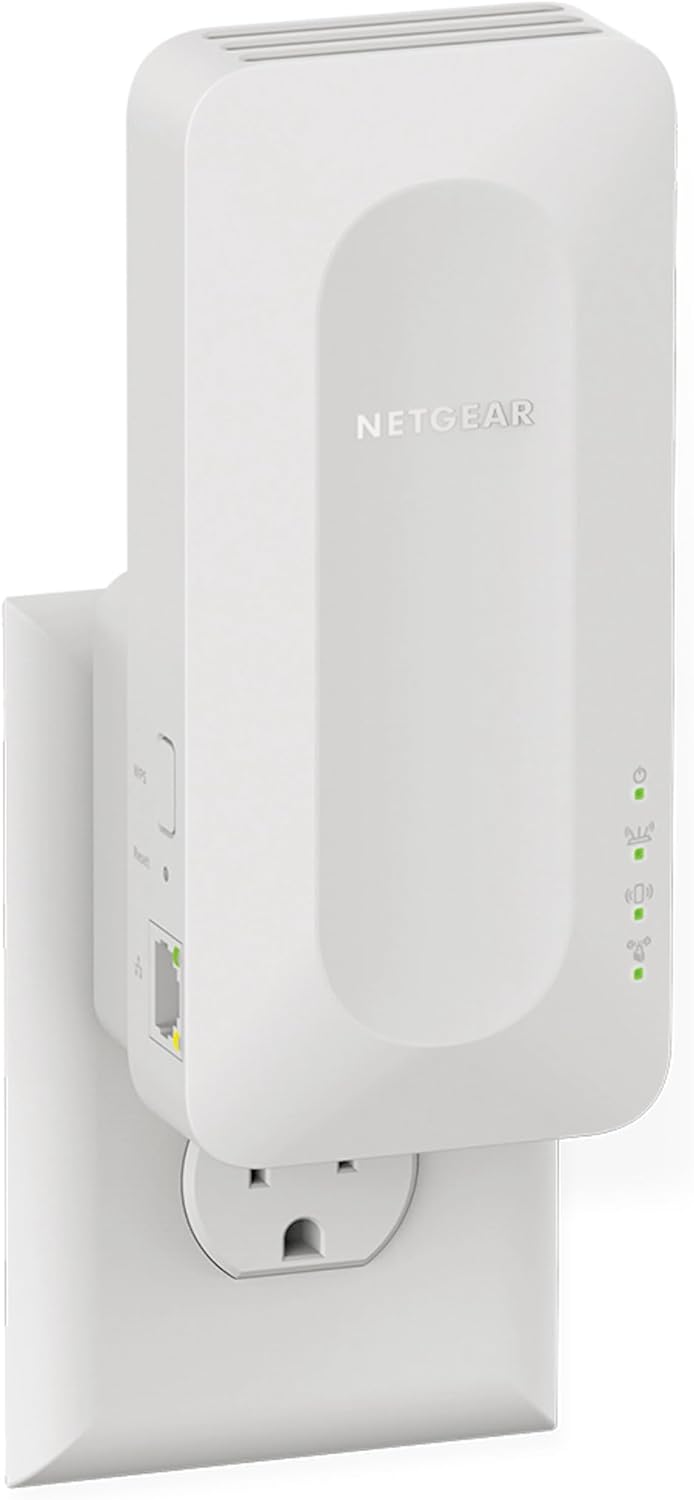
#3. NETGEAR EAX12: Best Budget WiFi 6 NETGEAR Extender
Best deal today. Prices may change
Overview: AX1600 dual-band WiFi 6 mesh range extender with a Gigabit Ethernet port and Smart Roaming, adding up to 1,200 sq ft and supporting 15 devices | Suited for apartments, single-floor homes, and targeted dead zone fixes | Best for budget-conscious users who still want genuine WiFi 6 performance and wired support | Free expert help included from NETGEAR
Key Benefits: Gigabit Ethernet port at this price point makes it one of the best-value affordable NETGEAR WiFi extenders with wired support | WiFi 6 provides noticeably better multi-device handling and lower latency than WiFi 5 competitors at similar prices | Smart Roaming keeps devices automatically connected to the best available signal | Nighthawk app setup takes under five minutes for most users
Pros: One of the most cost-effective NETGEAR WiFi 6 range extenders with a Gigabit Ethernet port included | Smart Roaming works well for households where devices move between rooms frequently | WiFi 6 4-stream design handles 4K streaming and gaming simultaneously without lag | Free expert help from NETGEAR provides real support value for first-time extender buyers
Cons: 1,200 sq ft coverage is limited single dead zone fix rather than a whole-home solution for larger houses
Best For: Budget buyers wanting WiFi 6 performance and a wired Ethernet port without paying premium prices | Apartment and small home users needing a reliable NETGEAR WiFi extender for streaming in one or two specific rooms | First-time extender buyers who want free expert setup support from NETGEAR
Related reading: Highest Range WiFi Extender in 2026: Top 5 Picks If the EAX12’s 1,200 sq ft coverage isn’t enough for your home, this guide covers the top long-range options across all brands.
#4. NETGEAR EX3110 : Best Ultra-Budget Pick for Basic Wireless Coverage

Best deal today. Prices may change
Overview: AC750 dual-band WiFi 5 compact wall-plug extender, wireless-only design, covering basic dead zones in apartments and small homes | No Ethernet port purely wireless signal extension | Best for budget-conscious users who need basic coverage improvement in one specific area and don’t need wired connections | Compatible with all standard routers via WPS or web setup
Key Benefits: The most affordable entry point in NETGEAR’s extender lineup solid basic coverage at the lowest possible cost | Compact wall-plug design takes no space and plugs directly into any outlet | Dual-band support (2.4GHz and 5GHz) provides basic device flexibility | WPS setup takes under a minute once your router is nearby
Pros: Lowest price on this list ideal when budget is the primary constraint | Compact and discreet doesn’t interfere with outlet space or room aesthetics | Simple setup with no app required | Trusted NETGEAR hardware reliability even at the entry price point
Cons: No Ethernet port wireless-only, which limits usefulness for gaming consoles, smart TVs, or desktop PCs that benefit from wired connections | AC750 WiFi 5 standard is the oldest on this list not suitable for high-bandwidth streaming or gaming demands
Best For: Basic users in apartments or small homes who only need occasional signal improvement in one room | Older devices like smart speakers, security cameras, and IoT gadgets that only need 2.4GHz connectivity | Anyone on the tightest possible budget who wants trusted NETGEAR hardware without any extras
#5. NETGEAR EX5000 : Best Compact Everyday Extender for Simple Coverage Fixes

Best deal today. Prices may change
Overview: AC1200 dual-band WiFi 5 compact wall-plug mesh range extender, covering up to 1,000 sq ft and supporting 15 devices | Wireless-only design with no Ethernet port | Built for small to medium homes and apartments where a simple, compact dead zone fix is the goal | Compatible with all standard routers
Key Benefits: FastLane technology uses both bands simultaneously for better throughput than single-band designs | Compact wall-plug form factor takes no space plugs directly into any outlet | Mesh Smart Roaming provides automatic device handoff between the extender and the main router | Simple web-based setup requires no app download
Pros: One of the most reliable compact NETGEAR WiFi extenders with strong signal for everyday basic use | 1,000 sq ft coverage handles apartments and smaller single-floor homes effectively | FastLane dual-band optimization helps maintain better speeds than basic single-band alternatives | Established NETGEAR model with a long track record of consistent real-world performance
Cons: No Ethernet port wired device connectivity isn’t supported, which limits value for gaming and streaming setups that benefit from a direct connection
Best For: Casual everyday users in apartments and small homes who need a compact, reliable dead zone fix | Smart home device users needing a simple wireless signal boost for IoT devices and cameras | Budget shoppers who want a proven, low-maintenance NETGEAR WiFi extender for home that installs in seconds
Quick Comparison: Best NETGEAR WiFi Range Extender
| Rank & Model | WiFi & Speed | Coverage & Ports | Best For |
|---|---|---|---|
| #1 NETGEAR EXS25 | WiFi 7 (BE5000), 5,000 Mbps | 1,500 sq ft, Yes (2.5G) | Power users, WiFi 7, multi-gig |
| #2 NETGEAR EAX15 | WiFi 6 (AX1800), 1,800 Mbps | 1,500 sq ft, Yes (Gigabit) | Everyday mesh, seamless roaming |
| #3 NETGEAR EAX12 | WiFi 6 (AX1600), 1,600 Mbps | 1,200 sq ft, Yes (Gigabit) | Budget WiFi 6, small homes |
| #4 NETGEAR EX3110 | WiFi 5 (AC750), 750 Mbps | ~700 sq ft, No | Ultra-budget, basic wireless |
| #5 NETGEAR EX5000 | WiFi 5 (AC1200), 1,200 Mbps | 1,000 sq ft, No | Compact everyday coverage |
This guide will help you choose the right best NETGEAR WiFi range extender based on your setup, usage needs, and expectations.
What to Look for When Buying the Best NETGEAR WiFi Range Extender
Suitability for Your Setup and Daily Usage
- Match coverage to your actual home size 1,000 sq ft for apartments, 1,500+ sq ft for medium homes, and consider a long-range model for larger properties
- Check whether an Ethernet port is included essential for gaming consoles, smart TVs, and desktop PCs
- Choose the right WiFi standard WiFi 6 minimum for multi-device households, WiFi 7 for high-speed or future-proof setups
- Verify compatibility with your existing router and ISP all NETGEAR extenders use standard protocols and work with virtually any router
Feature Simplicity and Transparency
- Look for One Network Name / Smart Roaming support this eliminates the frustrating two-network problem that older extenders created
- Nighthawk app setup is faster and easier than web-based setup for most users verify app support before buying
- Avoid models with subscription-based features unless you’re committed to the ongoing cost
- Check the Ethernet port speed clearly 100 Mbps vs Gigabit vs 2.5G makes a significant real-world difference
Performance and Stability
- Consistent signal without drop-offs during extended streaming or gaming sessions
- Multi-device handling that doesn’t degrade when 10-15 devices connect simultaneously
- WiFi 6 OFDMA for better congestion management in busy households notably better than WiFi 5 in this regard
- Ethernet port for any device that needs wired stability rather than wireless performance
Brand Reliability and Support
- NETGEAR’s firmware update track record is strong security patches and performance improvements arrive regularly
- Nighthawk app provides ongoing network visibility and management without needing a browser interface
- Free expert help (included with select models like the EAX12) adds real value for first-time extender buyers
- Clear warranty and return policies NETGEAR’s standard warranty is straightforward for consumer products
Long-Term Value for Everyday Use
- WiFi 6 or above for a high speed NETGEAR WiFi extender that stays relevant for 4-6 years
- Mesh-compatible models (EXS25, EAX15, EAX12) scale well if you add more coverage nodes later
- Nighthawk app management makes ongoing maintenance and monitoring easy without technical expertise
- Compact wall-plug designs (EX3110, EX5000) require zero maintenance beyond occasional restarts
How These Best NETGEAR WiFi Range Extenders Were Selected
Every product in this guide was chosen based on real-world performance, verified specifications, and genuine long-term value, not marketing claims or inflated speed numbers. Here’s the exact evaluation framework:
- Daily performance and practical usability across typical home environments
- Suitability for different home sizes: from studio apartments to large multi-floor properties
- Feature clarity: only models with honest, verified specifications made this list
- Ease of setup and quality of the overall out-of-the-box experience
- Reliability and consistency over extended everyday use, not just first-week results
- NETGEAR’s brand reputation and long-term firmware support track record
No product was included based on promotional consideration. Every model earned its placement based on verified performance and real-world value.
How to Use Your NETGEAR WiFi Range Extender Effectively
Because proper setup dramatically affects real-world performance, here’s exactly how to get the most out of whichever NETGEAR model you choose.
Proper Initial Setup
- During initial pairing, keep the extender in the same room as your router then relocate it after setup is confirmed
- Use the Nighthawk app for setup whenever available it’s faster and handles firmware checks automatically
- Install any firmware updates immediately after first connection this often resolves early performance and stability issues
Optimal Placement and Positioning
- Place the extender halfway between your router and the dead zone this is the single most impactful placement decision
- Elevated placement (shelf or outlet at chest height) spreads signal more evenly than floor-level outlets
- Avoid placement near microwaves, cordless phones, baby monitors, and metal appliances all of these interfere with 2.4GHz and 5GHz bands
Common Setup Mistakes to Avoid
- Placing the extender too close to the dead zone it needs a strong incoming signal from the router to repeat effectively
- Connecting all devices to 2.4GHz use 5GHz for streaming and gaming devices whenever possible for better performance
- Skipping firmware updates these often include critical performance and security improvements
- Overloading the extender prioritize high-demand devices and let lower-priority IoT devices stay on the router’s direct signal
Performance Optimization Tips
- Connect gaming consoles and smart TVs to the Ethernet port if your model has one wired always beats wireless for stability
- Use 5GHz for high-bandwidth devices and reserve 2.4GHz for smart home sensors and IoT devices
- Restart the extender monthly for a clean memory refresh helps maintain long-term stability
- Use the Nighthawk app’s signal strength indicator to test placement before committing to a permanent outlet location
Signs It’s Working Properly
- Stable speeds in rooms that previously had weak or no signal
- No frequent disconnects or buffering during streaming or gaming sessions
- Devices automatically connecting and roaming without manual network switching
- Previously weak areas now showing strong signal bars on all your devices
How to Pick the Right NETGEAR WiFi Range Extender: Buying Guide
Match your internet plan:
- Basic plan (100-300 Mbps) → WiFi 5 AC1200 is sufficient for light use (EX5000 or EX3110)
- Gigabit fiber → WiFi 6 with Gigabit Ethernet is the right call (EAX15 or EAX12)
- Multi-gig or high-performance plan → WiFi 7 with 2.5G port (EXS25)
Third-party vs. NETGEAR’s own products: Sticking within the NETGEAR ecosystem keeps things consistent the Nighthawk app manages all NETGEAR extenders from one place. But because all extenders use standard WiFi protocols, NETGEAR models work equally well with non-NETGEAR routers and any ISP.
Placement: The halfway-between-router-and-dead-zone rule applies to every model on this list. Too close to the router and you’re duplicating existing coverage. Too close to the dead zone and you’re extending a weak signal which just creates a bigger weak zone.
Must-have features:
- Dual-band support (5GHz for speed, 2.4GHz for compatibility)
- Ethernet port (Gigabit minimum) if you have a gaming console, smart TV, or desktop PC
- WiFi 6 minimum for any household with 10+ connected devices
- Smart Roaming / One Network Name for households where devices move between rooms
Avoid:
- Single-band models in 2026 not suitable for modern multi-device homes
- Models without firmware update history security risk for always-on network hardware
- Extenders without Ethernet ports for gaming or streaming setups that need wired stability
- Oversized whole-home models if a single dead zone fix is all you need match the product to the actual problem
Real User Feedback: What NETGEAR Extender Users Are Saying
- “The EXS25 is legitimately impressive. Plugged it in halfway down the hall and my home office connection went from barely usable to full speed. The WiFi 7 performance is noticeably better than my old extender and the 2.5G port on my desktop is a game changer.”. Verified buyer, Amazon
- “EAX15 has been the best networking purchase I’ve made in years. One network name, automatic switching, and my family hasn’t complained about the WiFi once since I set it up. Took under ten minutes with the Nighthawk app.”. Verified buyer, Amazon
- “I bought the EAX12 because I wanted WiFi 6 without paying a premium price. It handles my PS5 via Ethernet and keeps my streaming devices connected in the back bedroom without any drops. Excellent value.”. Verified buyer, Amazon
- “The EX5000 has been plugged in for two years straight without a reboot. Simple setup, covers my apartment fine, and never causes issues. Sometimes boring reliability is exactly what you want.”. Reddit user, r/HomeNetworking
Alternatives & Honorable Mentions
These four models didn’t make the main list but are worth considering for specific situations:
- NETGEAR EAX80 (AX6000): NETGEAR’s high-performance WiFi 6 desktop extender with four Ethernet ports. Best for gaming rooms or media setups that need to hardwire multiple devices simultaneously.
- NETGEAR EX6400 (AC1900): A proven mid-range WiFi 5 extender with strong 2,100 sq ft coverage and Smart Roaming. Good option if you want more coverage than the EX5000 without stepping up to WiFi 6 pricing.
- NETGEAR EAX17 (AX3000): A newer WiFi 6 extender with 3,000 Mbps speeds and strong coverage. Worth considering if the EAX15’s AX1800 performance feels limiting for a high-demand household.
- NETGEAR Orbi RBK863S (Mesh System): If you’ve outgrown extenders entirely, NETGEAR’s flagship Orbi mesh system delivers whole-home WiFi 6E coverage that no single extender can match. Worth the investment for large multi-floor homes.
Related reading: Best Router for Fiber Internet in 2026. If your extender keeps underperforming, the real bottleneck might be your router. Here’s how to identify and fix it.
Conclusion & Final Recommendation
Best deal today. Prices may change
NETGEAR makes some of the most reliable and well-supported WiFi extenders available today and the right model depends entirely on your home size, device count, and how you use your internet. Because there’s a clear progression from basic to premium in this lineup, it’s straightforward to match your needs to the right product.
Who this guide is best for:
- Anyone comparing NETGEAR extenders and unsure where to start
- Buyers who want genuine WiFi 6 or WiFi 7 performance from a trusted brand
- Users who need Ethernet port support for gaming or streaming setups
- Budget shoppers who want reliable NETGEAR hardware without unnecessary extras
- Large home owners who need to know when an extender is sufficient vs. when a full mesh system makes more sense
Best Overall Pick: The NETGEAR EXS25 (BE5000) is our top recommendation for most users. It earns the top spot with WiFi 7 performance, a 2.5G Ethernet port that’s rare at this price, compact wall-plug design, and WPA3 security all backed by NETGEAR’s trusted firmware support. For households where budget matters more than cutting-edge specs, the EAX15 delivers excellent WiFi 6 mesh performance with seamless roaming and a Gigabit Ethernet port at a notably lower price. And if all you need is a simple, low-maintenance dead zone fix, the EX5000 has been doing exactly that reliably for years.
Make a confident decision: Match the extender to your actual home layout, internet plan speed, and whether you need wired device support. A properly placed NETGEAR WiFi extender with strong signal in the right spot will do more for your home connectivity than any router tweak or ISP upgrade at the same price point. Practical fit always beats spec sheet maximums.
Ready to eliminate dead zones for good? Pick the NETGEAR extender that matches your home size and usage above, place it halfway between your router and the problem area, and finally enjoy strong WiFi in every room.