WiFi Extender vs Booster : What’s the Difference and Which One Should You Use in 2026?
Slow or unstable WiFi can quickly turn into a daily annoyance. Whether you’re streaming a movie, joining a work video call, or playing online games, weak signals can ruin the experience. When this happens, many people start searching for solutions and often run into the same question: WiFi extender vs booster which one actually works better?
Although the terms are often used interchangeably, they don’t always mean the same thing. Understanding how these devices work can help you choose the right solution for improving your home or office network.
In this guide, we’ll break down the key differences, explain when to use each option, and show you how to decide which one fits your setup best — so you can stop guessing and start enjoying reliable WiFi everywhere.
Understanding the Difference Between a WiFi Extender and a Booster
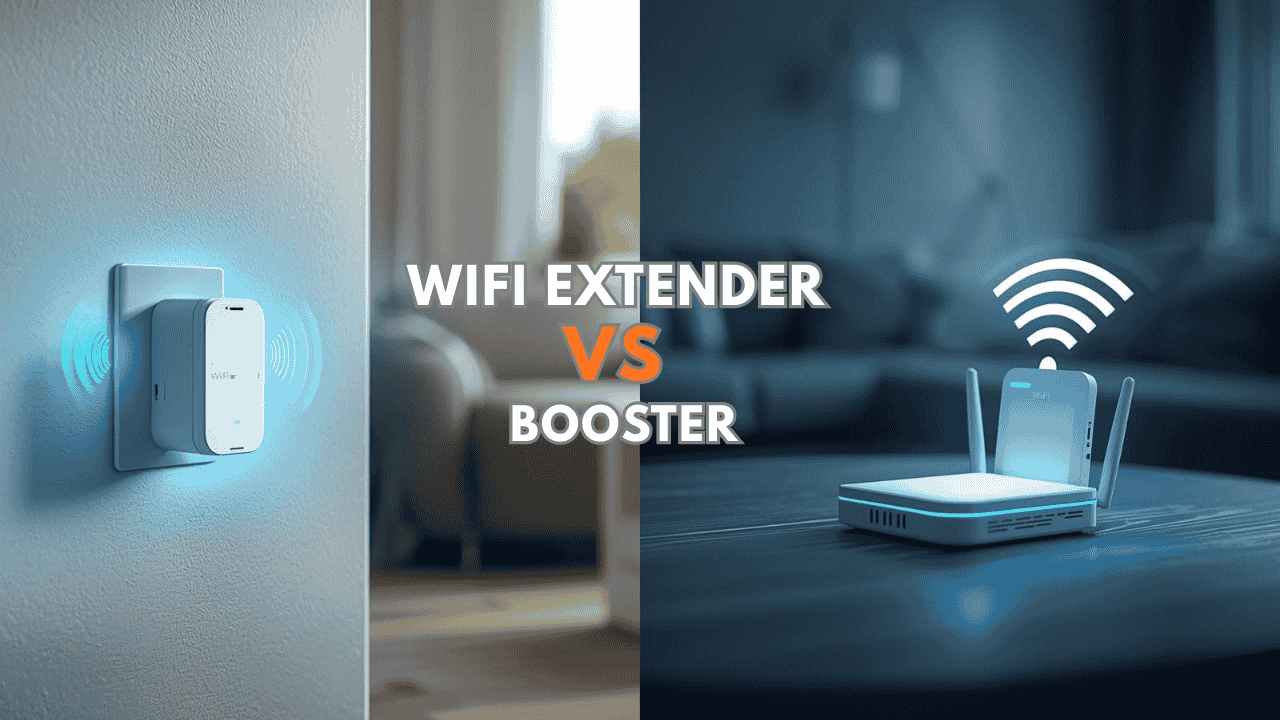
When comparing WiFi extender vs booster, the biggest difference comes down to how they improve your signal.
WiFi Extender (Also Called Range Extender or Repeater)
A WiFi extender expands the coverage area of your existing wireless network. It works by:
- Connecting to your router’s existing signal
- Rebroadcasting that signal to areas where coverage is weak or missing
This effectively extends the reach of your WiFi network and helps eliminate dead zones.
WiFi extenders are especially useful for:
- Large homes or multi-story buildings
- Rooms far from the router (basements, upstairs bedrooms, back offices)
- Garages, outdoor patios, or detached buildings
Real-world example: If your router is in the living room downstairs and the WiFi signal struggles in upstairs bedrooms, a range extender placed halfway up the stairs can fill that gap.
Check out the TP-Link RE615X AX1800 WiFi 6 Range Extender — great for larger homes needing strong extended coverage.

WiFi Booster
The term WiFi booster is used more broadly and can refer to any device that improves or strengthens the wireless signal, including:
- Range extenders (some people call them boosters)
- Repeaters
- Mesh WiFi systems (the most common “true” booster solution)
- Powerline adapters with WiFi
Instead of simply rebroadcasting, many boosters focus on amplifying the strength of the existing connection or creating a more efficient network.
This approach helps when:
- The signal is present but weak (thick walls, floors, interference)
- Multiple devices are competing for bandwidth
- You want consistent performance across the whole house
In short: Extenders focus on making the signal reach farther, while boosters focus on making the signal stronger where it already reaches.
Key Differences: WiFi Extender vs Booster at a Glance
| Aspect | WiFi Extender | WiFi Booster (esp. Mesh) |
| Main Goal | Extend coverage to new areas | Strengthen signal quality & consistency |
| Best for | Dead zones & long distance | Weak signal in reached areas, congestion |
| Network Type | Usually creates a separate SSID | Seamless single network (roaming) |
| Speed Impact | Can halve speed (rebroadcasts) | Minimal loss (especially mesh) |
| Setup Complexity | Simple (plug & pair) | Varies (mesh may need multiple nodes) |
| Typical Cost | $40–$100 | $150–$400+ (mesh systems) |
| Best Use Case | Single weak room or floor | Whole-home coverage & multiple devices |
When Should You Use a WiFi Extender?
Choose a WiFi extender when your main problem is distance and dead zones.
Common situations:
- WiFi works fine downstairs but almost disappears upstairs
- Weak connection in bedrooms or home office far from the router
- No signal in garages, basements, or outdoor patios
- You need a quick, affordable fix for one or two problem areas
Extenders are usually the simplest and most budget-friendly solution for these cases.
See the NETGEAR WiFi 7 Range Extender (EXS25) — beginner-friendly and great for spot coverage upgrades.

When a WiFi Booster Might Be Better
If your WiFi technically reaches every room but still feels slow, laggy, or unstable, the issue is usually signal strength, interference, or congestion — not distance.
In those cases, a booster-style solution performs better.
Common scenarios:
- Houses with thick concrete walls or multiple floors
- Apartments with heavy WiFi interference from neighbors
- Homes with 20+ connected devices (smart home, streaming, gaming)
- Gaming setups needing rock-solid stability
For most people in this situation, a mesh WiFi system is the most effective type of booster.
WiFi Extender vs Booster for Gaming
Gaming demands low latency and stable connection more than raw speed.
- If your gaming setup is within range but suffers weak signal → a booster (or mesh node) can improve signal strength and reduce lag.
- If your gaming room is too far from the router → a WiFi extender placed properly can bring the network closer.
- Pro tip: Many gamers connect consoles directly to an extender using the Ethernet port for the lowest possible latency.
Check out the budget-friendly coverage upgrade with Ethernet port for gaming>>Best Gaming WiFi Extender That Actually Improves Your Signal
Can You Use Both Together?
Yes, in some setups, combining them works very well.
Examples:
- Use a WiFi extender to push coverage to a distant room or floor
- Add a booster or mesh node in busy areas to strengthen signal quality
However, for very large homes or heavy usage, many experts recommend switching to a full mesh WiFi system instead of chaining multiple extenders (which can cause speed loss and complexity).
Performance Differences: WiFi Extender vs Booster
WiFi Extender Performance
Advantages
- Easy to install
- Affordable
- Quickly fixes small dead zones
Limitations
- May reduce speeds (rebroadcasting halves bandwidth on many models)
- Some create a second network name (manual switching)
WiFi Booster Performance
Advantages
- Can provide stronger signal quality
- Mesh systems offer seamless roaming (no switching)
- Better performance across large spaces
Limitations
- Higher cost
- Some setups require more configuration and placement planning
Cost Comparison: WiFi Extender vs Booster
When comparing WiFi extender vs booster, price often influences the decision.
- WiFi Extenders Usually cost between $40 and $100 Good for small to medium coverage problems
- WiFi Boosters / Mesh Systems Often cost $150 to $400+ Designed for whole-home coverage and multiple devices
If a single weak room is the problem, an extender is usually the most cost-effective fix.
Final Thoughts: WiFi Extender vs Booster – Which Should You Choose?
Choosing between a WiFi extender vs booster really depends on the problem you’re trying to solve.
- If your issue is distance and dead zones → a WiFi extender is usually the simplest, cheapest, and fastest solution.
- If the signal already reaches your space but feels weak, unstable, or congested → a booster-style solution like mesh WiFi will deliver better performance.
- In some homes, a combination of both approaches works best.
The key is understanding how your current network behaves and placing your equipment in the right location.
With the right setup, you can transform weak, unreliable WiFi into fast and consistent coverage throughout your entire home.
Still unsure which is right for you? Drop your home size, main problem areas, and what devices you use most in the comments — I’ll help you pick the perfect solution.