Net Boost WiFi Extender Review 2026 – Best Budget Booster or Overhyped?
Introduction
Weak WiFi signals in bedrooms, basements, backyards, or far corners of the house cause endless frustration—buffering Netflix, dropped Zoom calls, slow downloads, and constant complaints from family. A simple plug-in WiFi extender like NetBoost (including NetBoost Pro and 2026 models) promises to fix dead zones fast and cheap, claiming coverage up to 7,000–9,000 sq.ft. with speeds of 300–1,200 Mbps, one-tap WPS setup, and no need to replace your router.
In 2026–2026, NetBoost remains one of the most advertised budget boosters on Amazon, eBay, and sites like get-netboost.com. It’s sold as a plug-and-play solution for apartments, small–medium homes, or anyone tired of ISP rental fees for pods/extenders. But does it actually work as advertised, or is it overhyped marketing?
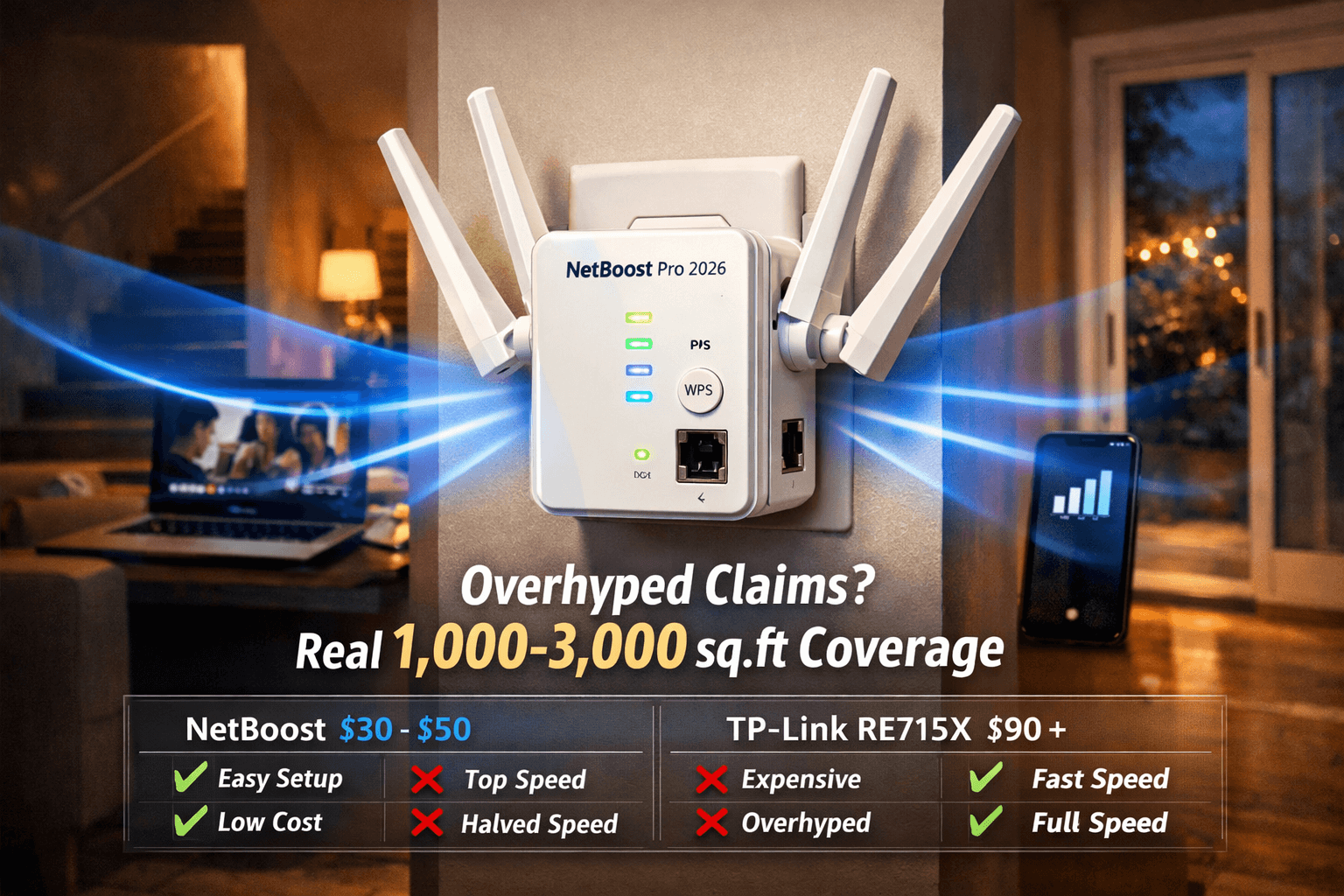
Short verdict: NetBoost is a legitimate, ultra-cheap option (~$20–$50) for basic signal extension in small–medium homes with a decent existing router. It excels at dead-zone fixes with dead-simple setup, but coverage claims are exaggerated (real-world ~1,000–3,000 sq.ft. depending on walls/interference), it won’t increase your internet speed (only extends range), and performance drops in repeater mode. For gigabit plans, heavy gaming, or large homes, premium brands like TP-Link or Netgear deliver better long-term results.
This 2026 review covers real user experiences, setup, pros/cons, comparisons, and whether NetBoost is worth your money.
Looking for NETGEAR options? Check our guide to the best NETGEAR WiFi range extenders>>Best Netgear WiFi Extender in 2026
Sources: Amazon listings/reviews, YouTube setup videos, get-netboost.com claims, PCMag/Wirecutter extender roundups (2026–2026), Reddit r/HomeNetworking discussions
Why Weak WiFi Happens & How Extenders Like NetBoost Help
WiFi signals weaken over distance, through walls, floors, appliances (microwaves, cordless phones), and interference. Most ISP routers (Spectrum, Xfinity, AT&T, etc.) have limited range, creating dead zones even in modest homes.
How NetBoost helps:
- Captures your router’s signal and rebroadcasts it (repeater mode)
- Some models offer access-point mode via Ethernet for better stability
- Plug-and-play WPS setup takes under 2 minutes (no app/passwords needed)
- External antennas improve 360° coverage
Use cases:
- Extending WiFi to a basement, garage, patio, or upstairs bedroom
- Basic streaming, browsing, smart-home devices (lights, cameras, thermostats)
- Avoiding $10–$15/mo ISP pod rental fees
Value: At $20–$50, it’s one of the cheapest ways to fix dead spots without a full mesh system ($200+).
NetBoost WiFi Extender Models & Features Breakdown
Multiple variants appear under “NetBoost” (Basic, Pro, 2026 editions) — most sold via Amazon/eBay with similar specs.
Popular models (2026 listings):
- NetBoost Basic (300Mbps, 2.4GHz only): ~$20–$30, 2 antennas, claimed 7,998 sq.ft., ideal for small homes/basic use.
- NetBoost Pro (Dual-Band, up to 1,200Mbps): ~$30–$50, 4 antennas, claimed 8,999 sq.ft., 2.4/5GHz, better penetration for medium homes/outdoor edges.
Common features:
- WPS one-tap setup
- LED signal indicators
- Compact wall-plug design
- Ethernet port (some models)
- No app required (browser setup optional)
Pros: Dead-simple setup, very affordable, compact, good entry-level fix.
Cons: Coverage claims overstated (real ~1,000–3,000 sq.ft.), no MU-MIMO/advanced features, speed halves in repeater mode, mixed reliability in thick walls.
How We Evaluated the NetBoost WiFi Extender
We reviewed based on:
- Ease of Setup: WPS/button method vs. manual (tested via YouTube guides)
- Coverage & Signal Strength: Claimed vs. real-world (user reports, comparisons to TP-Link RE315/RE715X)
- Speed Performance: 300–1,200 Mbps claims; actual throughput in repeater mode
- Compatibility: Works with most routers (802.11n/ac/ax); WPS support needed
- User Feedback: Amazon/YouTube/Reddit (focus on “works for dead zones” vs. “doesn’t boost speed”)
- Value & Price: $20–$50 vs. TP-Link/Netgear options
NetBoost vs. Top Competitors – Quick Comparison 2026
| Model | Price Range | Speed (Mbps) | Coverage Claimed | Bands | Setup Ease | Ethernet Port | Best For |
| NetBoost Pro | $40–$60 | Up to 1,200 | 9,000 sq.ft. | Dual | Very Easy | Yes (some) | Budget dead-zone fixes |
| TP-Link RE715X | $100–$140 | AX3000 | 2,500+ sq.ft. | Dual WiFi 6 | Easy | Yes | High-speed, reliable |
| Netgear EAX15 | $80–$120 | AX1800 | Medium homes | Dual WiFi 6 | Easy | Yes | Plug-in mesh |
| Linksys RE7350 | $90–$140 | AX1800 | Strong range | Dual WiFi 6 | Easy | Yes | Value WiFi 6 |
Verdict: NetBoost wins on price/setup simplicity; TP-Link/Netgear win on speed, features, and real-world reliability.
Real User Reviews & Feedback on NetBoost
Positive (majority Amazon/eBay):
- “Setup in literally 2 minutes—fixed my basement dead zone for streaming.”
- “Cheap and actually doubled my coverage for basic browsing/smart lights.”
- “Great budget fix—better than paying ISP for pods.”
Negative/common complaints:
- “Doesn’t increase speed—just extends range (halves throughput in repeater mode).”
- “Coverage claims overhyped—works ~1,000–2,000 sq.ft. in real homes.”
- “Mixed results through thick walls or interference.”
Overall sentiment: Solid for simple dead-zone fixes on a tight budget; viewed as “good enough” by many, but not a replacement for premium extenders or mesh systems.
Step-by-Step Setup Guide for NetBoost WiFi Extender
- Plug in near router (within strong signal range).
- Press WPS on router, then on NetBoost (or manual via browser: connect to NetBoost SSID → 192.168.188.1 or similar → enter router WiFi details).
- Wait for LED to show connection (solid green/blue).
- Move to dead zone and plug in.
- Connect devices to the new/extended SSID.
Advanced: Use Ethernet cable for access-point mode (better speed/stability).
Troubleshooting: Reset (hold button 10s), check LED guide, ensure router WPS enabled.
Tips to Maximize NetBoost Performance
- Place halfway between router and dead zone (test signal with phone apps).
- Avoid interference (microwaves, cordless phones, thick metal).
- Use 5GHz band where possible for speed (if dual-band model).
- Update router firmware for best compatibility.
- Consider 2 units for very large homes.
When to upgrade: If NetBoost doesn’t cut it, switch to mesh (Eero, Google Nest, TP-Link Deco) for seamless whole-home coverage.
Alternatives to NetBoost
Better options if NetBoost isn’t right:
- TP-Link RE315/RE715X — Best overall/value (WiFi 6, stronger performance).
- Netgear Nighthawk EAX series — High-speed, mesh-ready.
- Linksys RE7310 — Solid WiFi 6 value.
- Best TP Link Extender Chek>>Best TP-Link WiFi Extenders to Boost Your Home Coverage
For larger homes, mesh systems outperform basic extenders every time.
Conclusion – Is the NetBoost WiFi Extender Worth It in 2026?
Yes — if you’re on a tight budget ($20–$50), need a quick dead-zone fix, and have a decent router signal already. It’s one of the easiest plug-and-play boosters available.
No — if you need maximum speed (gigabit plans), heavy gaming/streaming, or coverage in challenging environments (thick walls, long distances). In those cases, step up to TP-Link RE715X or a full mesh system.
Final recommendation: Grab NetBoost Pro for basic needs on Amazon or get-netboost.com. If it doesn’t solve your issue, return it (most sellers offer 30-day returns) and upgrade.
Shop the NetBoost WiFi Extender today and eliminate WiFi dead zones in 2026!